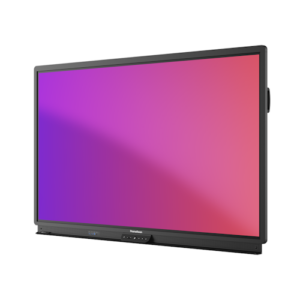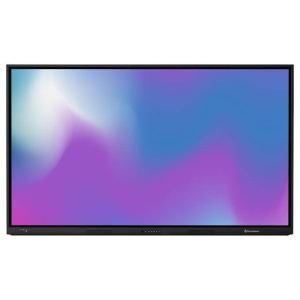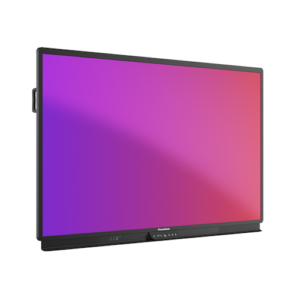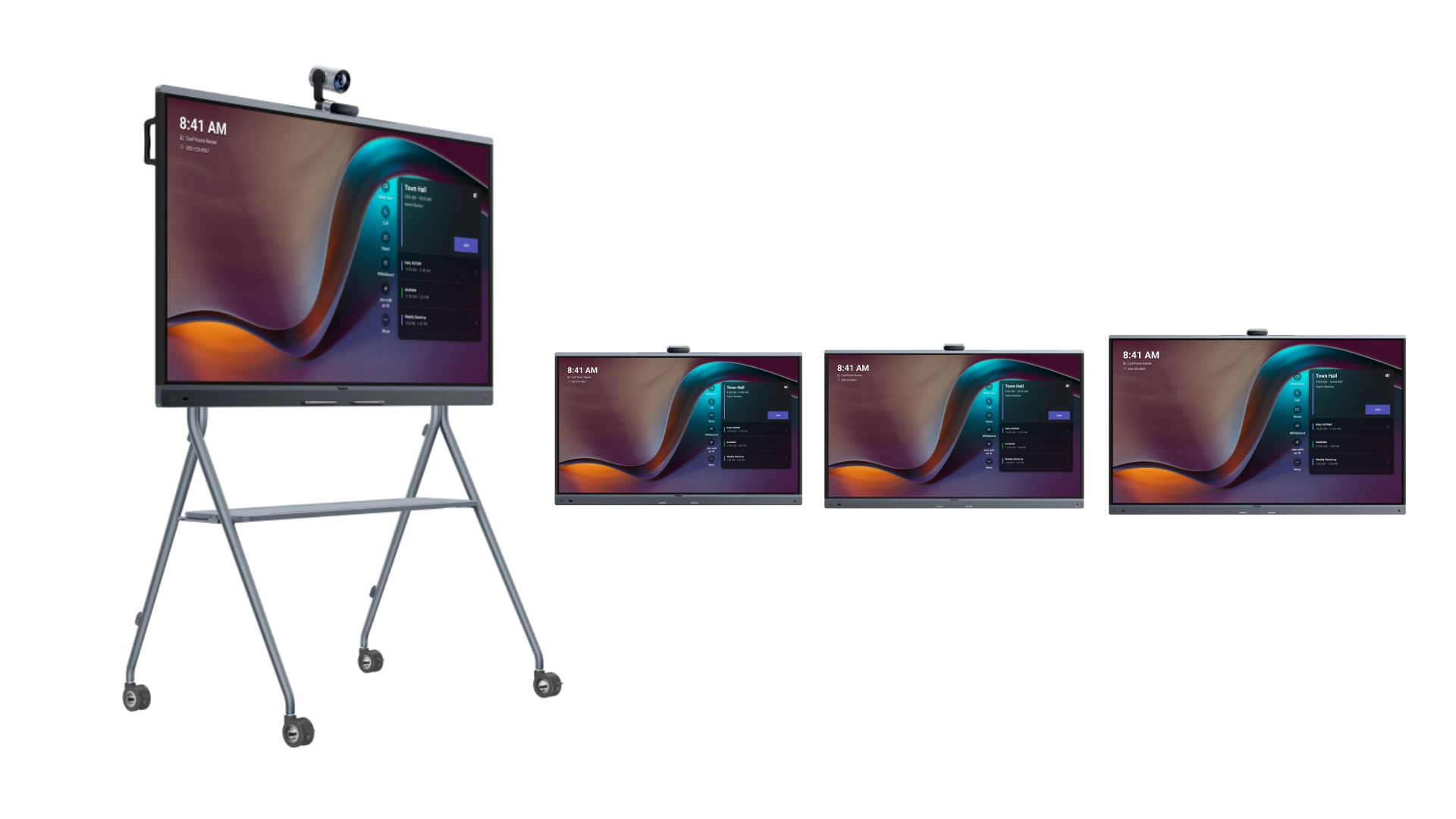
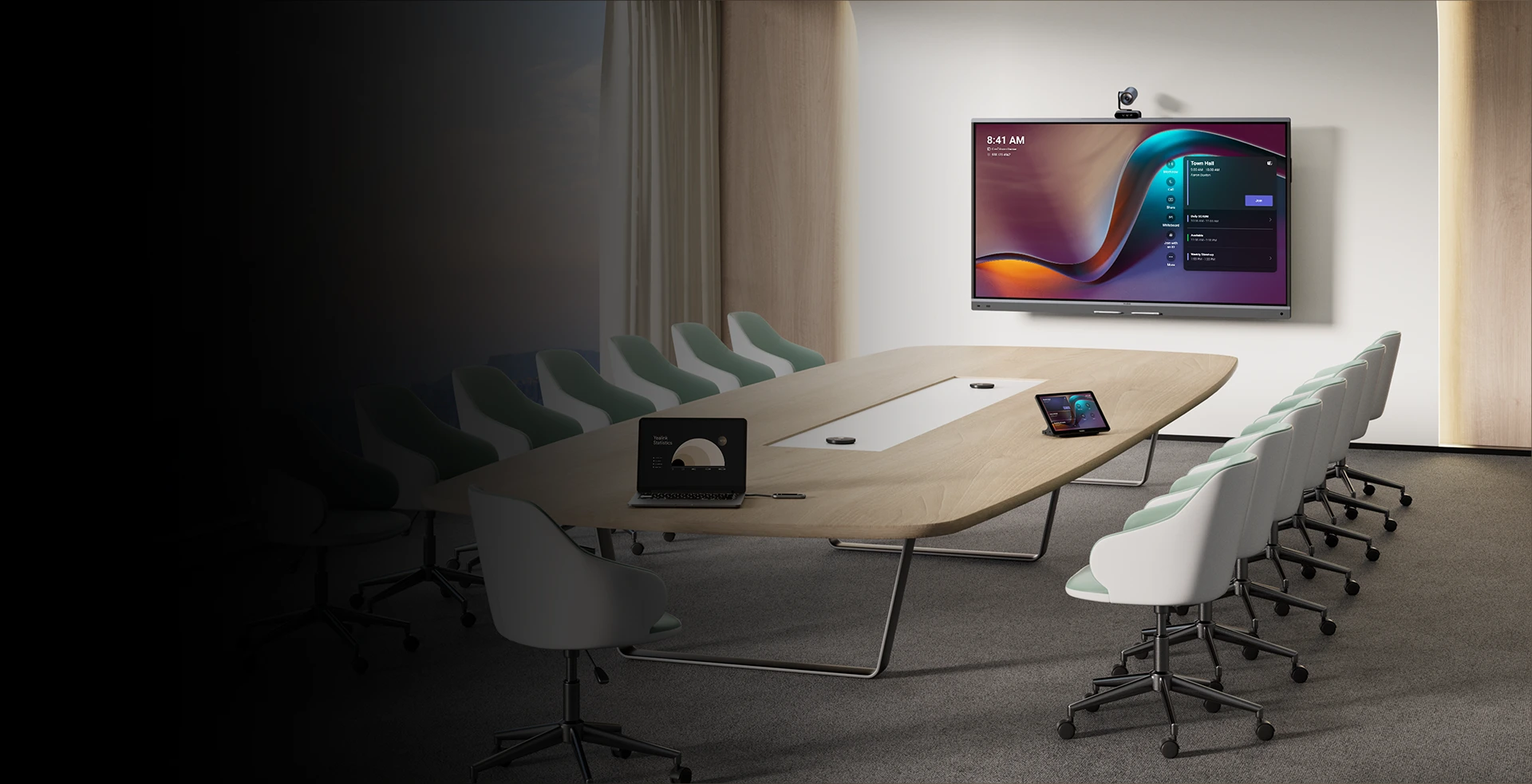
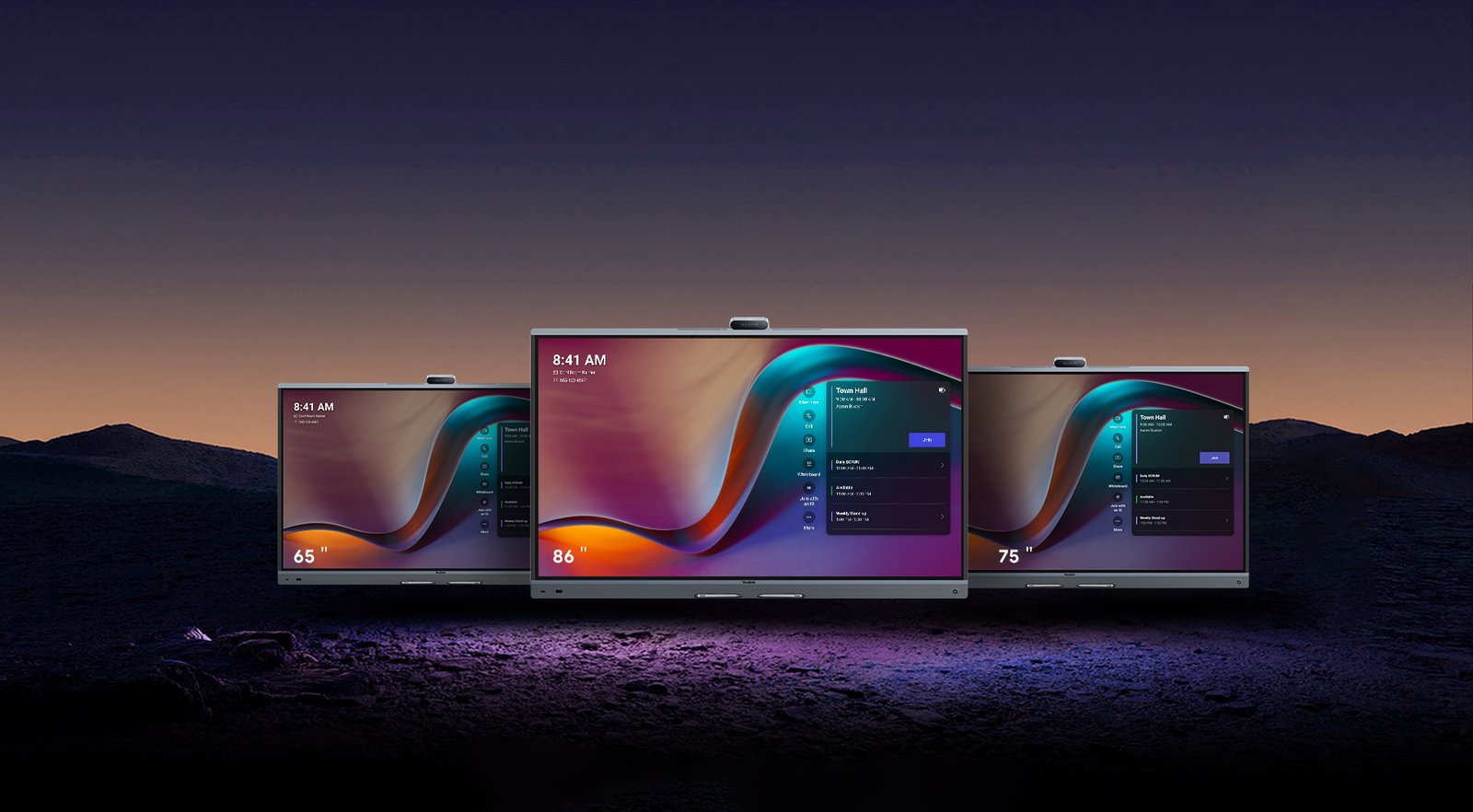

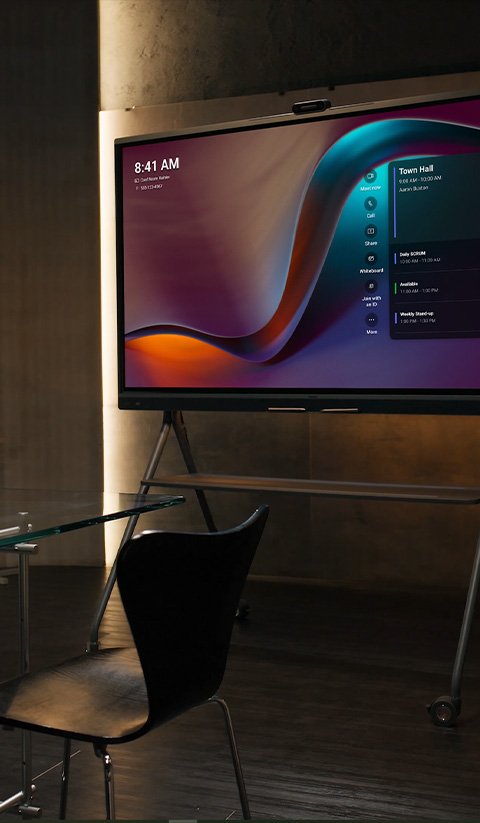

Australian businesses running Microsoft Teams Rooms and Zoom Rooms are consolidating multi-device AV setups into a single managed unit. The Yealink MeetingBoard Pro integrates a 4K interactive touchscreen display, triple 50MP AI camera system, 16-microphone MEMS array, and 36W stereo speakers into one wall-mounted or floor-standing device — available in 65″, 75″, and 86″ to match your room. Natively certified for Microsoft Teams Rooms and Zoom Rooms, it connects to your meeting platform without additional hardware, drivers, or integration work. Standard deployment from unpacking to first call takes 12 minutes.
Quick Model Comparison
| Model | Screen Size | Seats | Typical Use | Net Weight | Power (Typical) |
|---|---|---|---|---|---|
| MeetingBoard 65 Pro | 65″ | 4–8 | Small to medium meeting rooms | 40kg | 141W |
| MeetingBoard 75 Pro | 75″ | 8–12 | Medium boardrooms | 52.2kg | 164W |
| MeetingBoard 86 Pro | 86″ | 12+ | Large boardrooms, training rooms, council chambers | 65.6kg | 199W |
Things to Consider Before Buying
| Consideration | What to Know |
|---|---|
| Room size | The 65″ suits rooms seating 4–8 people. The 75″ suits 8–12. The 86″ suits 12 or more. Minimum recommended viewing distance is approximately 1.5× the screen diagonal. |
| Open-plan or semi-open environment | Video Fence creates a virtual camera boundary — the camera only tracks people within your defined meeting zone. Important in offices where people pass behind participants. |
| Existing Teams or Zoom deployment | Native Teams Rooms (MTRA/MTRW) and Zoom Rooms certification means the unit integrates directly with your existing licensing and management infrastructure without additional hardware. |
| Need for Windows applications | The unit runs Android 13 natively. If your organisation requires full Windows application access — for specialist software or sector-specific tools — the optional MCore OPS Windows module is required. |
| Room acoustics | The built-in 16-mic array includes reverberation suppression specifically tuned for glass-walled rooms and open-plan spaces. External microphone expansion is available for very large or acoustically complex environments. |
| Mounting requirements | Three mounting options are available: wall-mount (permanent), wall-stand (fixed with cable management), and floor-stand (mobile). All three are available for every size. Wall brackets are sold separately. |
| Management infrastructure | Supported by Yealink Management Cloud Service (YMCS), Microsoft Teams Admin Centre (TAC), and Zoom Device Management (ZDM). SNMP and batch deployment tools are included for IT teams managing multiple rooms. |
Triple 50MP AI Camera System With IntelliFocus Tracking
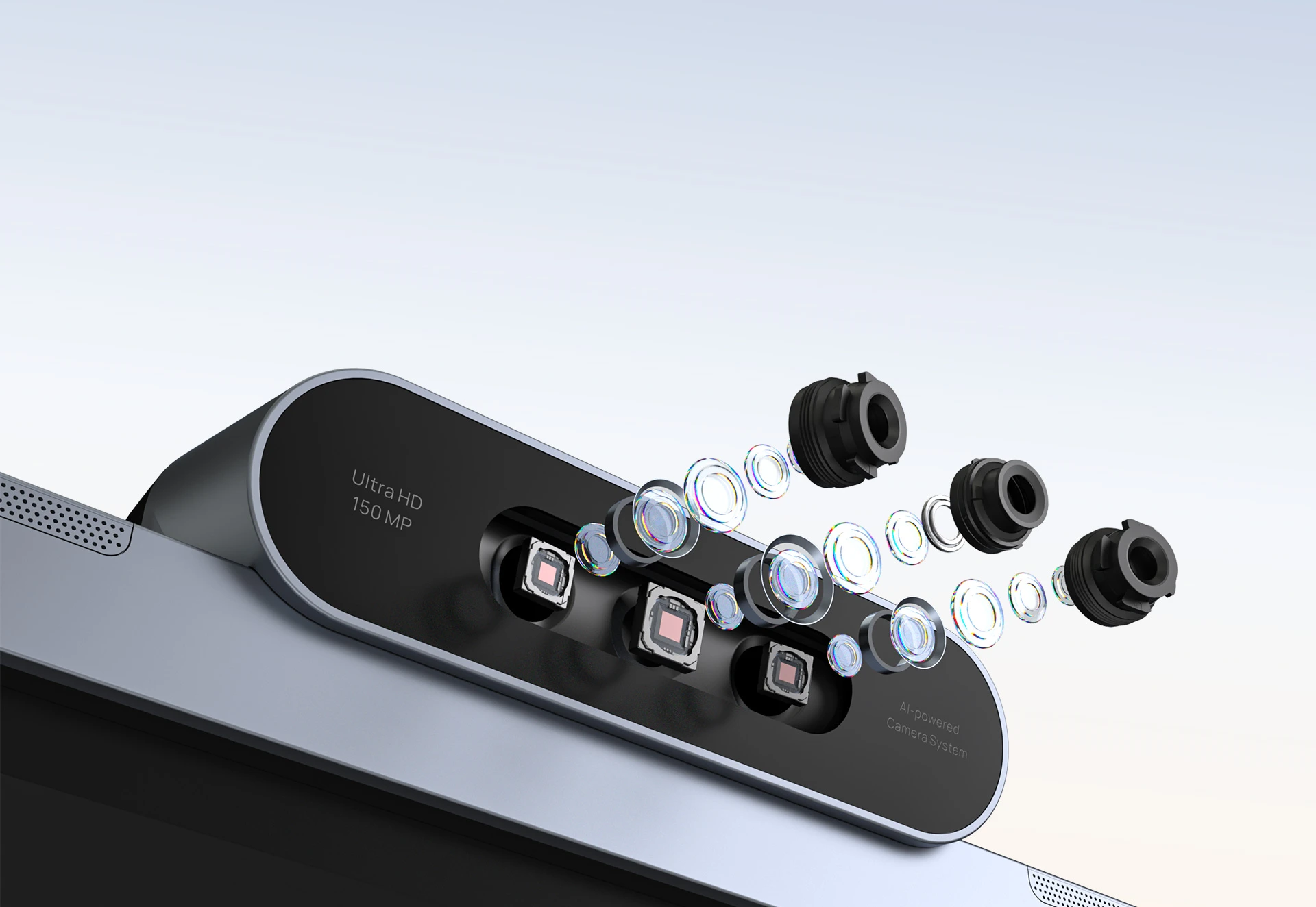
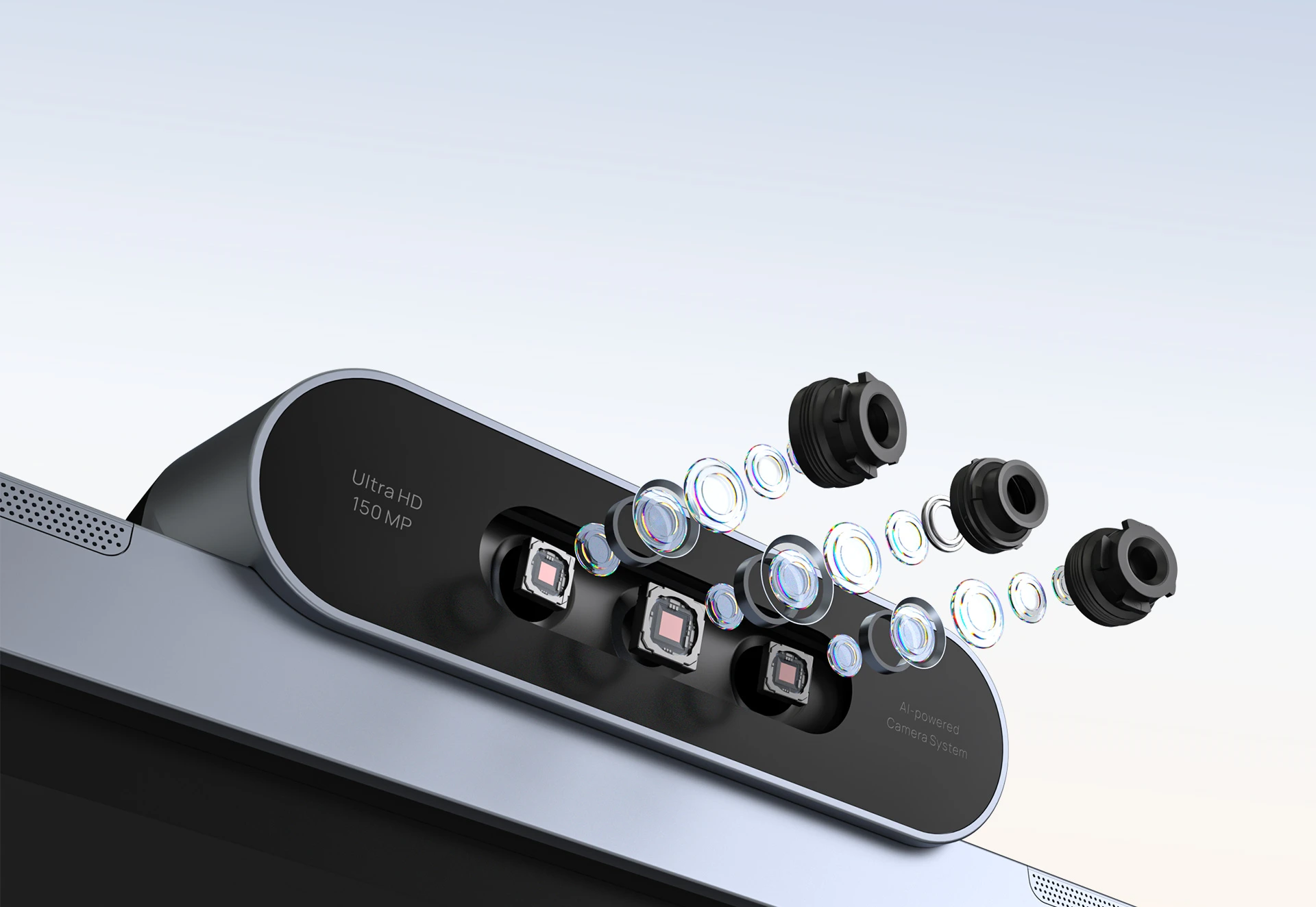
The MeetingBoard Pro uses three Sony 50MP sensors — one wide-angle (HFOV 98.2°) and two telephoto — to cover the full room and deliver close-ups simultaneously. The dedicated AI video processor runs IntelliFocus, which displays a tight frame of the active speaker alongside a panoramic room view, so remote participants can follow who is speaking and read the whiteboard at the same time. Video Fence lets you draw a virtual boundary around your meeting space, preventing the camera from tracking people passing outside — relevant in open-plan offices, glass-walled rooms, and divisible meeting spaces. An electric privacy shutter blocks the camera completely when the room is not in use.
Key Features
- Triple 50MP Sony camera system — wide-angle and dual telephoto sensors with 4K@60fps output, 8× digital zoom, and electric privacy shutter
- IntelliFocus & Video Fence — AI speaker tracking with simultaneous close-up and panoramic views; virtual boundary mode for open-plan and semi-open environments
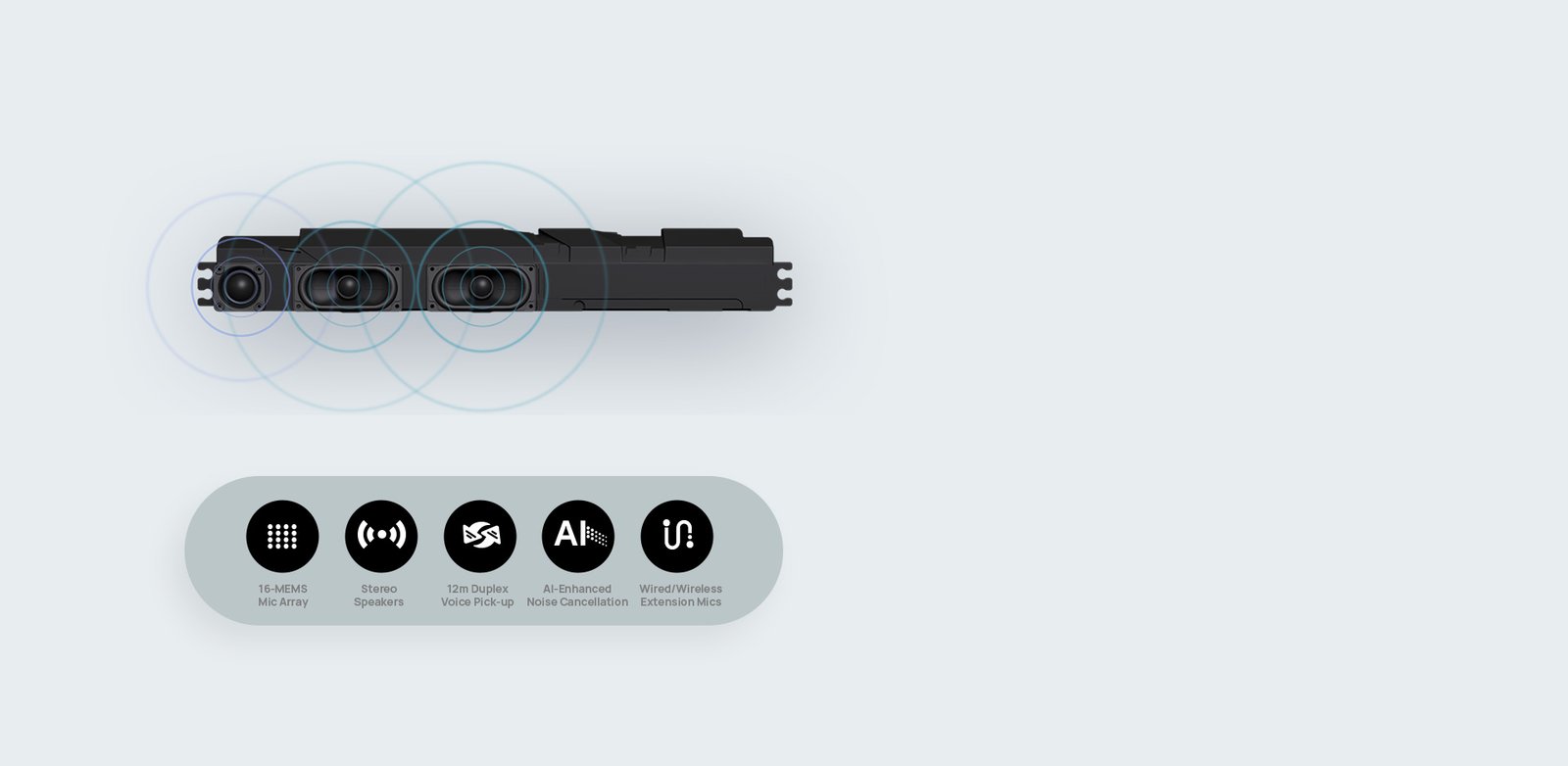
- 16-mic MEMS array, 12-metre full-duplex pickup — AI noise cancellation and reverberation suppression covers every seat without additional microphone hardware in most standard deployments
- 36W stereo speakers — 90Hz–20kHz response with dedicated AI audio processing; RCA expansion output for ceiling speaker systems
- 4K 20-point infrared touchscreen — 3840 × 2160, 400 cd/m², 21ms whiteboard latency, palm rejection, four-level stylus, simultaneous dual-user writing
- Native Microsoft Teams Rooms & Zoom Rooms certified — one-touch join from the home screen; USB BYOD mode for any other platform
- Android 13 with optional Windows OPS module — 8-core processor, 8GB RAM, 13.2T FLOPS dedicated AI chip; MCore OPS module available for full Windows 11 without recabling
- Integrated deployment in 12 minutes — wall-mount, wall-stand, or mobile floor-stand options for 65″, 75″, and 86″ models
- Yealink Management Cloud Service (YMCS) — centralised remote device management; Microsoft TAC and Zoom ZDM compatible
12-Metre Voice Pickup With AI Noise Cancellation
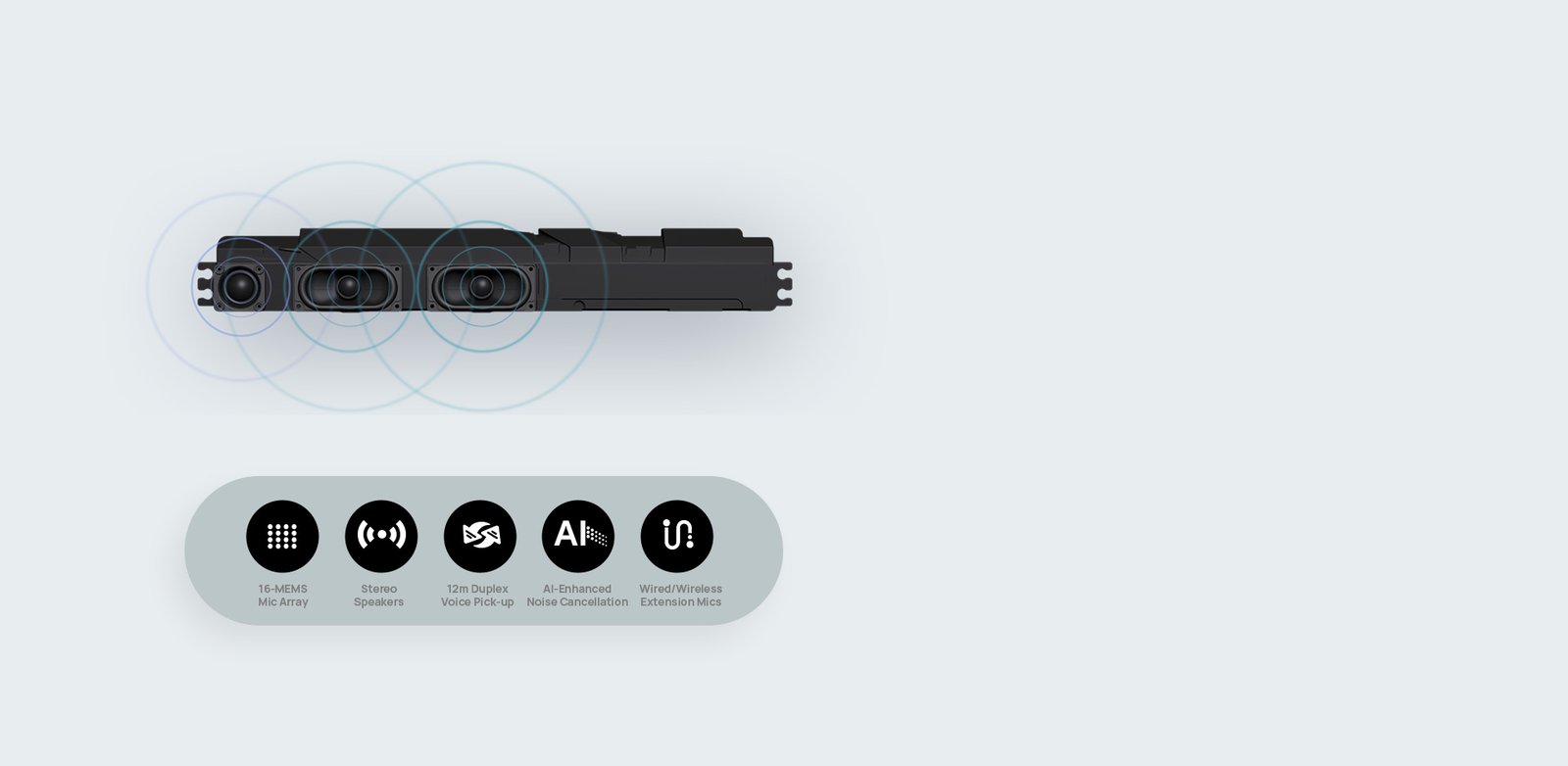
Sixteen MEMS microphones arranged in a full-duplex array pick up clear voice from every seat — including the back row of an 86″ boardroom deployment. The dedicated AI audio chip applies real-time noise cancellation (keyboard clicks, chair movement, HVAC, door impacts) and reverberation suppression tuned specifically for glass-walled rooms and open-plan meeting spaces. The 36W stereo speaker system with a 90Hz–20kHz frequency response ensures the far-end is audible without an external amplifier. RCA line inputs and outputs support ceiling speaker systems and external microphone arrays when the environment requires it.
Premium 4K Interactive Touchscreen Display — 65″, 75″ & 86″
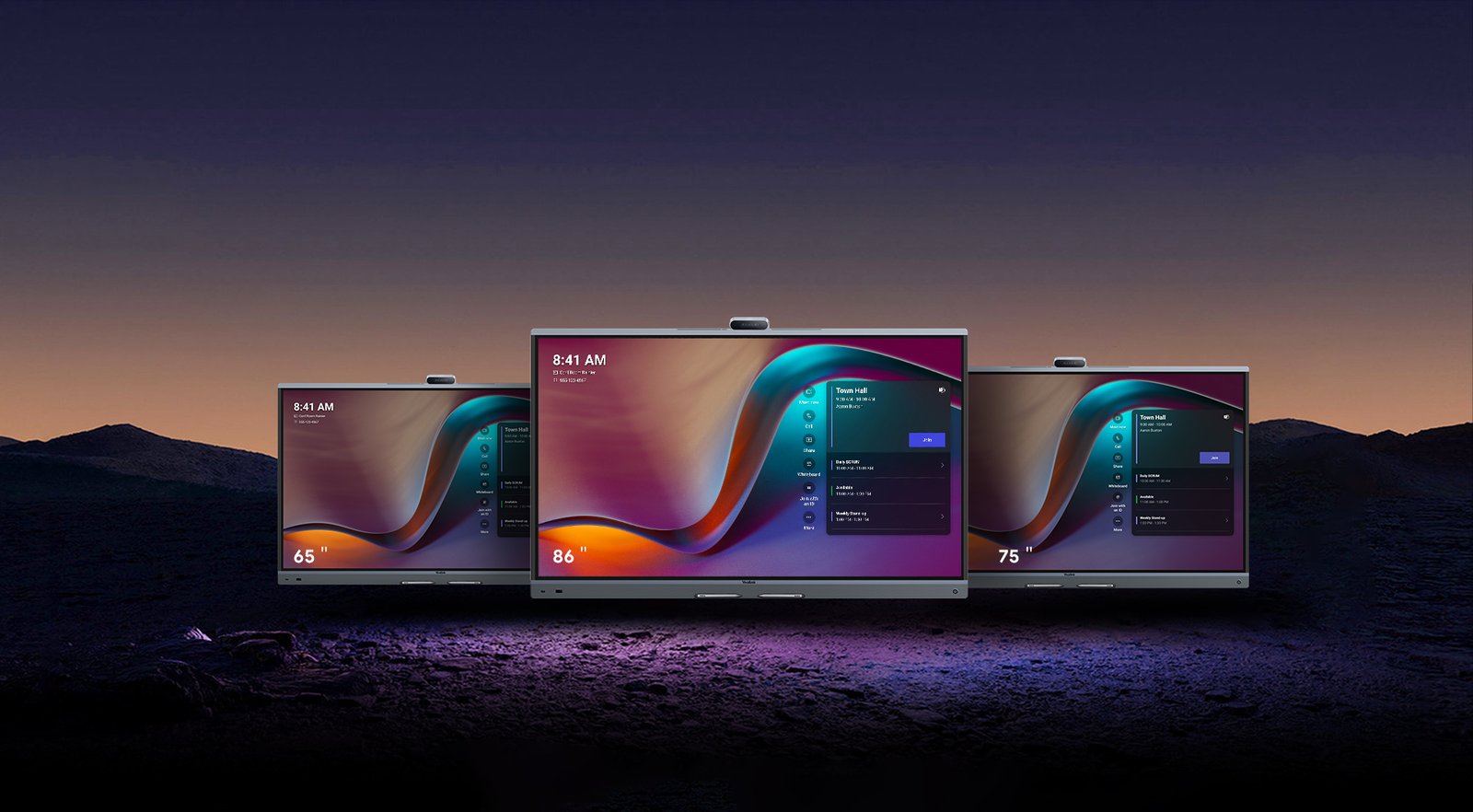
The anti-glare IPS panel (3840 × 2160, 400 cd/m², 1200:1 contrast, 178° viewing angle) maintains legibility from every seat, including wide-angle positions in larger executive boardrooms and training rooms. Twenty simultaneous infrared touch points with 21ms latency and ±1mm accuracy produce immediate response when annotating or writing — four-level stylus support and palm rejection keep the canvas clean during active whiteboard sessions. Available in 65″, 75″, and 86″ to match room dimensions and viewing distance requirements.
Native Microsoft Teams Rooms & Zoom Rooms Certification

The MeetingBoard Pro carries native certification for both Microsoft Teams Rooms (MTRA and MTRW) and Zoom Rooms — joining either platform directly from the home screen without a connected laptop or additional hardware. For organisations running a mixed platform environment, General Mode (BYOM) allows any device to connect via USB and use the MeetingBoard Pro as an external display, camera, microphone, and speaker simultaneously. This removes the need for separate peripherals at the table and reduces the cabling complexity associated with traditional room setups.
Integrated Deployment Without External AV Hardware

Because display, camera, microphone array, speaker system, and compute are integrated into one unit, there is no AV rack to wire, no ceiling infrastructure to cable, and no third-party hardware to configure before first use. Wall-mount permanently in a dedicated boardroom, attach a wall-stand for a fixed installation with structured cable management, or use a mobile floor-stand to relocate the unit between rooms. All three mounting configurations are available for every size. Standard deployments are complete in 12 minutes from unpacking — relevant for organisations rolling out across multiple rooms or sites simultaneously.
Ultra-Low Latency 4K Interactive Whiteboarding
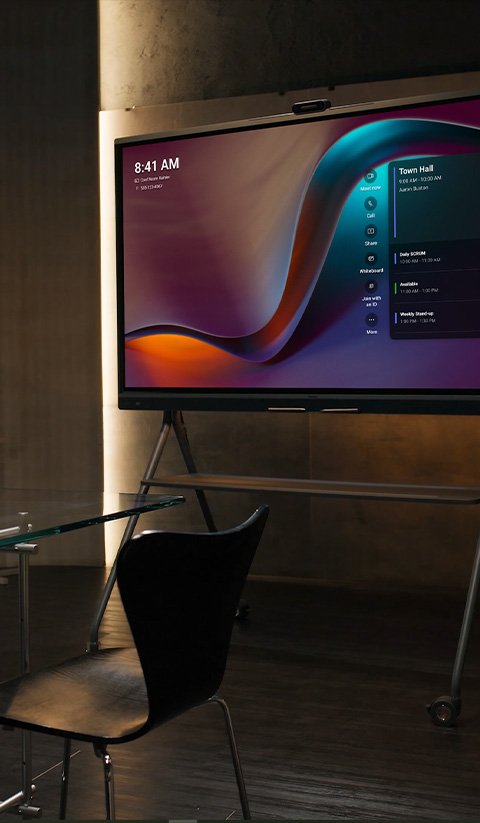
At 21ms touch latency, pen strokes register on screen the instant the stylus makes contact. Two participants can write simultaneously on the same canvas without interference; palm rejection prevents accidental marks; the pen tail erases without switching modes. Whiteboard sessions stream live to Microsoft Teams or Zoom participants, so remote attendees see annotations as they are drawn rather than viewing a static screen share. Relevant for training rooms, executive workshops, and hybrid learning environments where real-time collaboration on content is a regular requirement.
Expandable Ecosystem for Large Boardrooms & AV Scaling

The MeetingBoard Pro functions as a self-contained room solution for most small to medium meeting room deployments without additional hardware. For larger boardrooms, council chambers, or training environments, the Yealink accessory ecosystem extends coverage within the same managed platform: ceiling microphones (CM20), wireless expansion mic (VCM36-W), 12× optical PTZ camera module (MB-12X Pro) for long-distance participant tracking, touch scheduling panel (CTP25), and 4K wireless presentation pod. All accessories are managed through a single interface — YMCS, Microsoft Teams Admin Centre, or Zoom Device Management.
Dual OS Architecture: Android 13 Native With Optional Windows OPS

Android 13 runs natively on an 8-core CPU with 8GB RAM and a dedicated 13.2T FLOPS AI chip — sufficient compute for Microsoft Teams Rooms, Zoom Rooms, and the intelligent whiteboard under standard meeting conditions. Organisations in education, healthcare, manufacturing, or government that require full Windows application access can install the optional MCore OPS module (Teams-certified variants available) into the integrated OPS slot. Switching between Android and Windows does not require rebooting the display or modifying the room’s cabling.
Why Choose an Integrated Board Over Separate Conferencing Components
Many organisations arrive at the MeetingBoard Pro after evaluating separate conferencing bar setups — a display, a camera bar, a DSP, an amplifier, and a compute device managed independently. The integrated architecture addresses several practical deployment considerations:
| Consideration | Separate Components | Yealink MeetingBoard Pro |
|---|---|---|
| Number of devices per room | 4–6 separate units (display, camera, DSP, amp, compute, controller) | One unit covers all functions |
| Deployment time | Multi-day AV integrator engagement for rack-based systems | 12 minutes from unpacking to first call in standard configurations |
| Failure points | Each component is an independent failure point; cable faults between devices are common | Single device; no inter-device cabling to fail |
| Management overhead | Multiple firmware update cycles, separate device management platforms | Single device managed via YMCS, TAC, or ZDM |
| Whiteboard capability | Requires a separate interactive display or whiteboard peripheral | 4K 20-point touch whiteboard is built in |
| Room rollout consistency | Component availability and compatibility vary between rooms | Identical hardware across all room sizes — consistent user experience |
Best For
- Enterprise boardrooms — large-format 4K display, AI camera tracking, and full Teams and Zoom certification for executive meeting environments
- Medium to large Microsoft Teams Rooms — native MTRA and MTRW dual-solution certification with centralised TAC management
- Hybrid offices and flexible workspaces — mobile floor-stand option allows the unit to relocate between rooms; BYOD USB mode supports any platform
- Training rooms and education environments — interactive whiteboard with simultaneous dual-user writing, live annotation sharing, and optional Windows OPS for full application access
- Open-plan and semi-open meeting spaces — Video Fence virtual boundary restricts camera tracking to within the defined meeting zone
- Council chambers and government facilities — AES-256 encryption, 802.1X, OpenVPN, and VLAN/QoS support for enterprise security and compliance requirements
- Glass-walled and divisible meeting rooms — reverberation suppression and Video Fence address two acoustic and privacy challenges common in modern open-architecture offices
Technical Specifications
Display
| Feature | Specification | Why It Matters |
|---|---|---|
| Sizes | 65″, 75″, 86″ | Three sizes cover small meeting rooms through to large boardrooms without changing platform or management system |
| Resolution | 3840 × 2160 (4K UHD) | Content, slides, and video remain sharp at the large viewing distances typical in boardrooms |
| Brightness | 400 cd/m² | Maintains legibility in rooms with ambient light or windows — relevant in modern glass-walled offices |
| Viewing angle | 178° horizontal / 178° vertical | Consistent image quality from every seat including wide-angle positions at the ends of long boardroom tables |
| Touch points | 20-point infrared | Supports simultaneous dual-user whiteboard writing without touch interference |
| Touch latency | 21ms | Writing and annotation feel immediate rather than delayed — noticeable difference from higher-latency panels during active whiteboard sessions |
| Colour depth | 10-bit, 1.07B colours, 99% sRGB | Accurate colour reproduction for design, creative, and visual content review use cases |
Camera
| Feature | Specification | Why It Matters |
|---|---|---|
| Camera system | Triple 50MP Sony sensors (1× wide-angle, 2× telephoto) | Wide and close-up views simultaneously — remote participants see both the room and active speakers without manual camera adjustment |
| Max output | 4K @ 60fps | High frame rate reduces motion blur when participants move — relevant in active training and collaboration sessions |
| Field of view | HFOV 98.2° (wide) | Covers the full width of standard boardroom and meeting room configurations without external camera repositioning |
| IntelliFocus | AI speaker tracking with simultaneous close-up and panoramic view | Remote participants see who is speaking and the full room context at the same time — reduces the disorientation common in single-camera rooms |
| Video Fence | Configurable virtual camera boundary | Prevents the camera from tracking people outside the meeting zone — important in open-plan offices and semi-open collaboration spaces |
| Privacy shutter | Electric automatic shutter | Physical camera block when not in use — relevant for organisations with privacy or compliance requirements |
| Optional PTZ module | MB-12X Pro — 12× optical zoom, 8MP Sony sensor | Extends camera capability for very large rooms or long-distance participant tracking without replacing the base unit |
Audio
| Feature | Specification | Why It Matters |
|---|---|---|
| Microphone array | 16 MEMS, full-duplex, 12-metre pickup | Covers every seat in most standard boardroom deployments without ceiling microphone infrastructure — reduces installation complexity and cost |
| Noise cancellation | AI real-time — keyboard, HVAC, chair, door | Removes common office background noise before it reaches the far-end — relevant in busy or open-plan office environments |
| Reverberation suppression | Multi-channel AI processing | Specifically tuned for glass-walled rooms and open-architecture offices where echo and reflection are common acoustic problems |
| Speaker output | 36W max stereo, 90Hz–20kHz | Sufficient output for large meeting rooms without an external amplifier in most configurations |
| Audio expansion | RCA line in/out, 2× RJ45 VCH ports | Supports ceiling speakers and additional microphone arrays for very large or acoustically demanding rooms |
Connectivity & BYOD
| Feature | Specification | Why It Matters |
|---|---|---|
| Network | Wi-Fi 6 dual-band (802.11ax) + 2× Gigabit Ethernet | Dual Ethernet ports allow primary and backup network connections — relevant for meeting rooms with uptime requirements |
| HDMI input | 1× HDMI in (4K@60fps local / 4K@15fps in-meeting) | Wired content sharing from laptops without wireless setup — useful as a fallback or in environments where wireless sharing is restricted |
| HDMI output | 1× HDMI out with CEC | Supports a second display in larger rooms or overflow screens without additional hardware |
| USB BYOD | USB-B touch output + 3× USB-A 2.0 | Any laptop can use the MeetingBoard Pro as an external display, camera, mic, and speaker via a single USB connection — no app or driver required |
| Wireless sharing | AirPlay, Miracast, WPP30 pod | Multiple wireless sharing protocols cover both Apple and Windows devices without a dedicated dongle at each seat |
| OPS slot | 1× Windows OPS slot | Full Windows compute can be added without replacing the display — relevant for organisations with Windows-dependent workflows |
Security & Enterprise Management
| Feature | Specification | Why It Matters |
|---|---|---|
| Encryption | TLS / SRTP / AES-256 / H.235 | Meeting content and signalling are encrypted end-to-end — relevant for legal, government, finance, and healthcare environments |
| Network security | 802.1X, VLAN, DiffServ/QoS, OpenVPN | Integrates with enterprise network security infrastructure without requiring additional configuration exceptions |
| Device management | YMCS, Microsoft TAC, Zoom ZDM, SNMP | IT teams can manage firmware, settings, and diagnostics remotely across all deployed units from a single platform |
| Batch deployment | Supported via TAC/ZDM/USB | Organisations rolling out across multiple rooms or sites can pre-configure and provision devices without on-site IT intervention for each unit |
System & Power
| Feature | Specification | Why It Matters |
|---|---|---|
| Operating system | Android 13 | Current Android version with Teams Rooms and Zoom Rooms native certification — no PC required for standard meeting room deployment |
| CPU / RAM / Storage | 8-core processor (4× 2.2GHz + 4× 2.0GHz), 8GB RAM, 64GB storage | Handles Teams Rooms, Zoom, and active whiteboard sessions concurrently without performance degradation |
| AI compute | 13.2T FLOPS dedicated AI chip | Dedicated AI processing keeps camera tracking, audio noise cancellation, and whiteboard functions running simultaneously without impacting meeting performance |
| Power (65″) | 243W max / 141W typical | Typical draw is 141W — relevant for rooms with limited electrical capacity or sustainability targets |
| Power (75″) | 277W max / 164W typical | As above — plan electrical capacity on typical draw rather than max for standard room installations |
| Power (86″) | 357W max / 199W typical | Confirm circuit capacity before installation — a dedicated 15A circuit is recommended for the 86″ model |
Dimensions & Weight
| Model | Bare Device (W × D × H) | Net Weight |
|---|---|---|
| MeetingBoard 65 Pro | 1484 × 105 × 955mm | 40kg |
| MeetingBoard 75 Pro | 1705 × 105 × 1081mm | 52.2kg |
| MeetingBoard 86 Pro | 1951 × 105 × 1218mm | 65.6kg |
In the box: MeetingBoard Pro, 3m power cable, 3m CAT5E cable, 4× stylus pens, quick start guide. Wall mount bracket sold separately.
Frequently Asked Questions
What room sizes does the Yealink MeetingBoard Pro suit?
The 65″ suits rooms seating 4–8 people. The 75″ suits 8–12. The 86″ suits 12 or more. Minimum recommended viewing distance is approximately 1.5× the screen diagonal. All three models share the same camera system, microphone array, and feature set — size selection is based on room dimensions and seating capacity.
Does the Yealink MeetingBoard Pro work with Microsoft Teams without a PC?
Yes. The MeetingBoard Pro runs Microsoft Teams Rooms natively on Android 13 — no PC or laptop required. It is certified for both MTRA (Android) and MTRW (Windows) deployments. For full Windows application access, the optional MCore OPS module installs directly into the integrated OPS slot without modifying the display or room cabling.
Can I add external microphones to the Yealink MeetingBoard Pro?
Yes. Two RJ45 VCH ports support wired expansion microphones including the VCM35 desktop mic and CM20 ceiling mic. The VCM36-W wireless mic is also compatible. RCA input supports ceiling microphone arrays for very large or acoustically complex rooms. The built-in 16-mic array covers up to 12 metres without expansion hardware in most standard boardroom configurations.
What is the difference between the 65″, 75″ and 86″ MeetingBoard Pro models?
All three models share the same triple 50MP camera system, 16-mic MEMS array, Android 13 compute, and full feature set. The differences are display size, physical dimensions, weight, and power draw. The 65″ weighs 40kg (243W max). The 75″ weighs 52.2kg (277W max). The 86″ weighs 65.6kg (357W max). As a guide, allow approximately 1.5× the screen diagonal as minimum viewing distance when selecting a size.
Where can I buy the Yealink MeetingBoard Pro in Australia?
The Yealink MeetingBoard Pro is available from Kickstart Computers, an authorised Yealink reseller supplying businesses across Australia. All three sizes are stocked with a 24-month Australian warranty. Contact Andrew on 0416 353 501 for pricing, deployment advice, and volume orders.
Warranty & Support
The Yealink MeetingBoard Pro is covered by a 24-month Yealink Australia warranty against manufacturing defects. This covers hardware faults on the display, camera system, audio array, and all integrated components. Contact Kickstart Computers for warranty claims, on-site assessment, and post-sale technical support across Australia.
Also Available as a Standalone Interactive Whiteboard
For training rooms, education environments, and collaborative workspaces that require a large-format 4K touch display without a full conferencing setup, the MeetingBoard Pro operates as a capable standalone interactive whiteboard. 20-point touch, 21ms latency, dual-user simultaneous writing, and live annotation sharing suit facilitated sessions, workshops, and hybrid learning environments where the whiteboard function is the primary requirement.
Browse Interactive Whiteboards →
Part of a Complete Microsoft Teams Rooms Deployment
The MeetingBoard Pro is also the display and conferencing hub within a full Yealink room solution — integrating display, camera, audio, and compute into one managed unit that connects directly with Microsoft Teams Rooms and Zoom Rooms infrastructure. Compare all-in-one conferencing systems to identify the right fit for every room size in your organisation.