
Small-to-medium meeting rooms running Zoom Rooms face the same spatial challenge as any conferencing environment — coverage wide enough for the full table, tracking precise enough to frame individual speakers, and audio clear enough that remote participants aren’t straining to hear. The Yealink ZVC S40 addresses all three from a single integrated device, prestaged for Zoom Rooms on Windows and ready to enrol from first power-on.
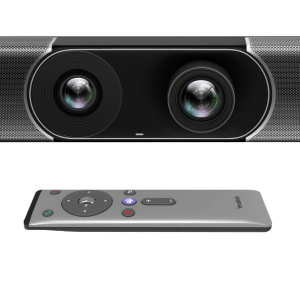
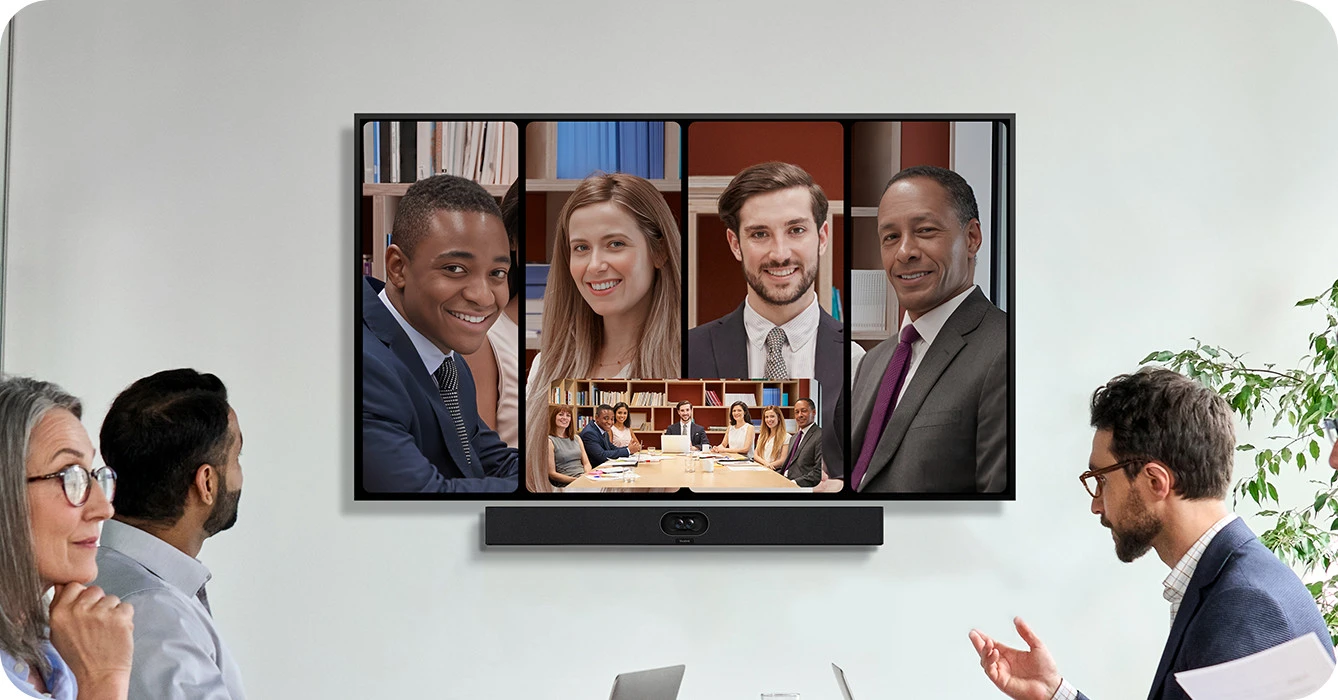
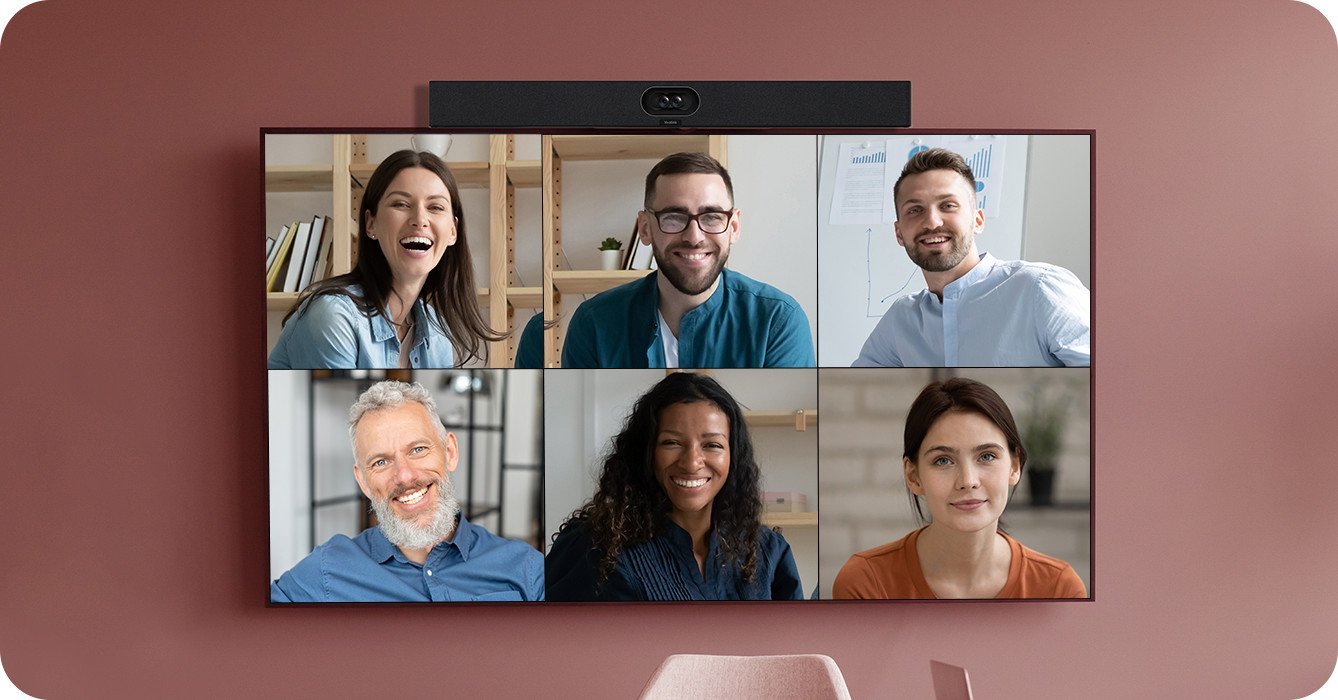
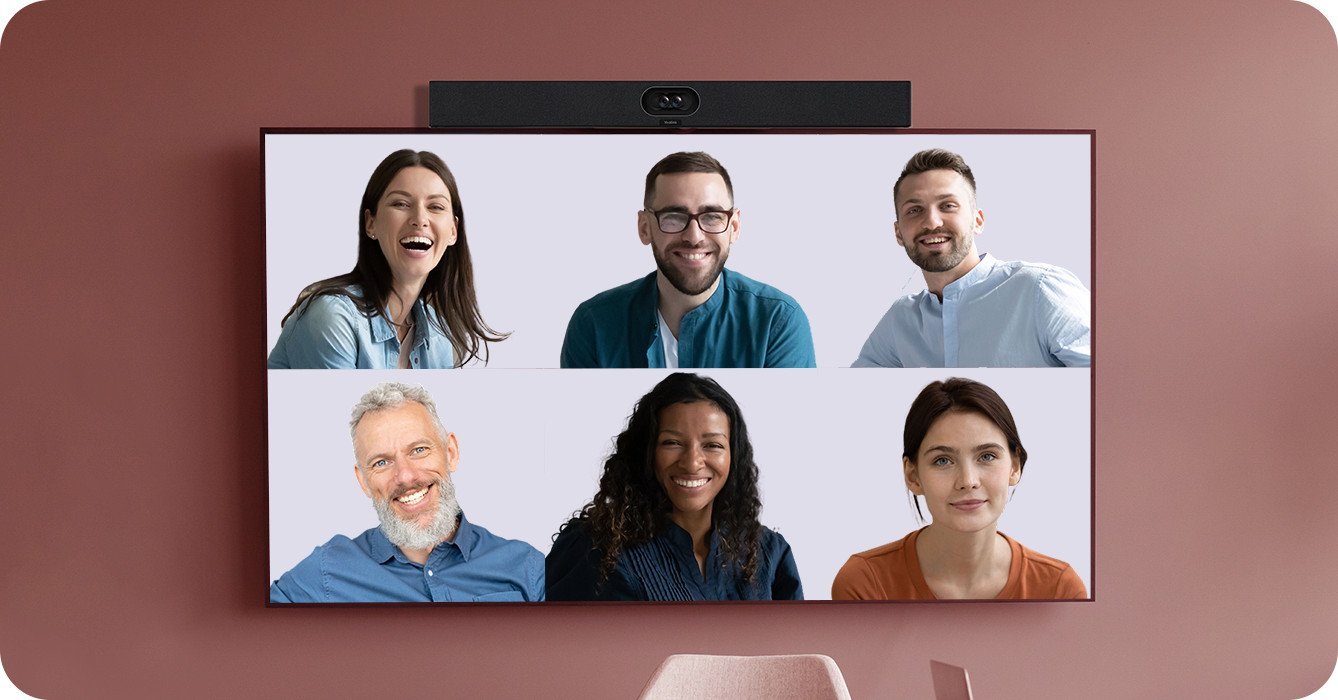
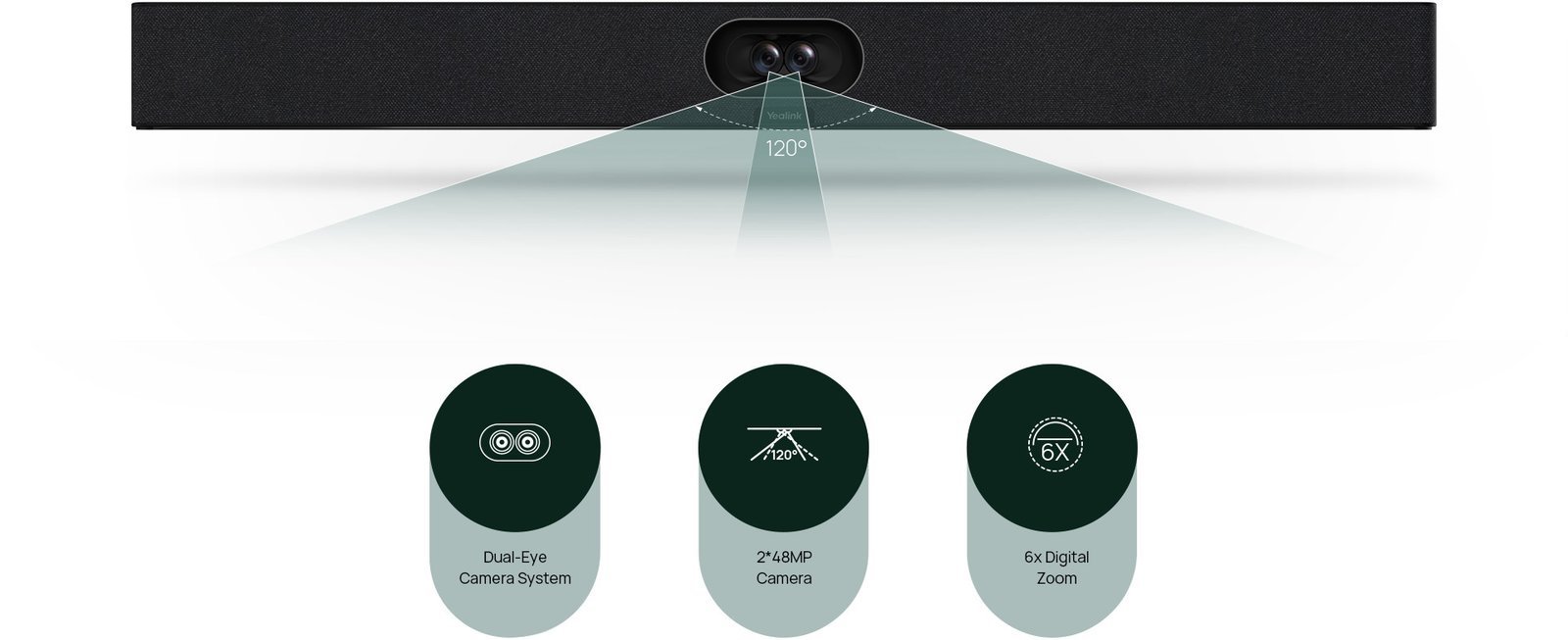
The SmartVision 40 is the camera and audio unit in this kit. Two 48MP sensors with fixed dual-lens stitching produce a seamless 120° panoramic view of the room without the mechanical delays of a PTZ camera — the frame never needs to reposition between speakers because the full room is always in view. Zoom’s Smart Gallery and AI Companion work directly with the SmartVision 40’s on-device AI to present individually framed participants to remote attendees, automatically switching focus as the conversation moves around the table. Video Fence lets you define active tracking zones so participants passing through adjoining areas don’t trigger false speaker switches.
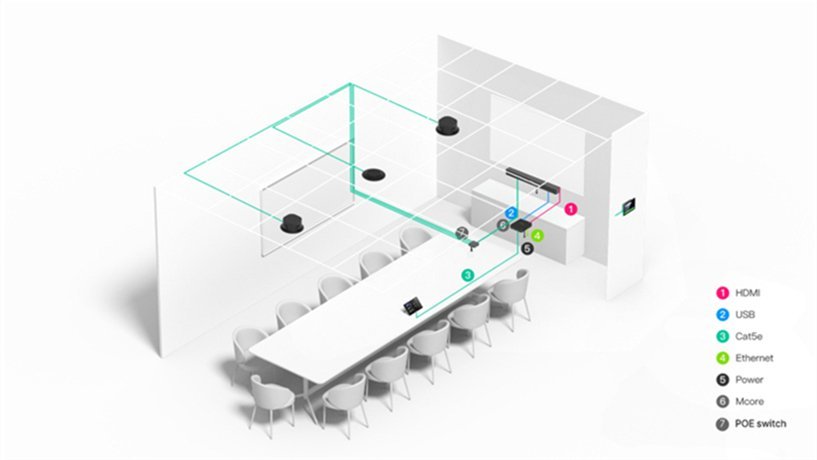
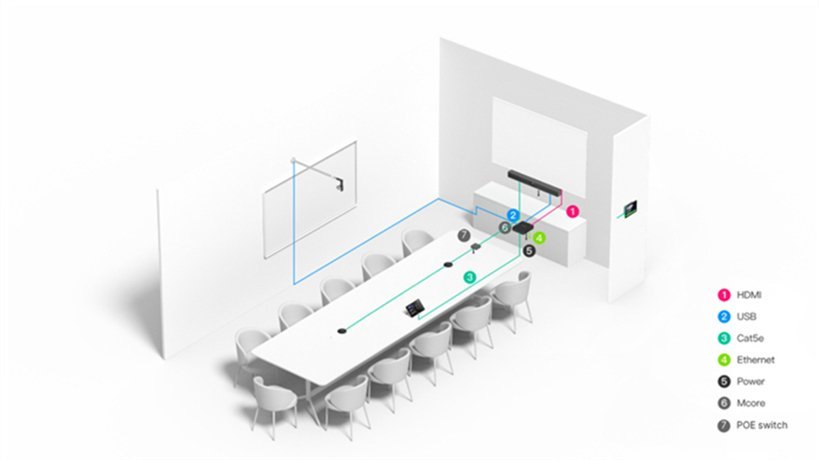
Audio is handled by an 8-element MEMS microphone array with 6-metre pickup range and AI noise reduction built into the SmartVision 40. For rooms that need extended coverage, up to two expansion microphones (VCM35, VCM36, CM20) connect without replacing the camera unit — useful as meeting spaces evolve or room layouts change. Stereo speakers are built in for rooms where a separate soundbar isn’t required.
The MCore 4 runs Windows 11 IoT Enterprise with Zoom Rooms and Yealink RoomConnect preloaded. The Intel Ultra5 125H processor includes a dedicated NPU delivering up to 34 TOPS of AI compute — Zoom’s AI Companion features, Smart Gallery framing, and background processing all run on the NPU while Zoom Rooms operates cleanly on the CPU. Three HDMI outputs support dual displays plus a third output, and a 4K HDMI-In handles auxiliary presentation input at full resolution.
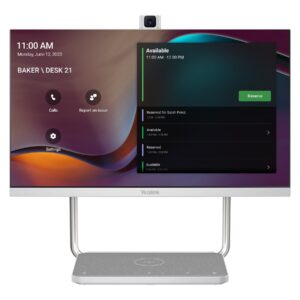
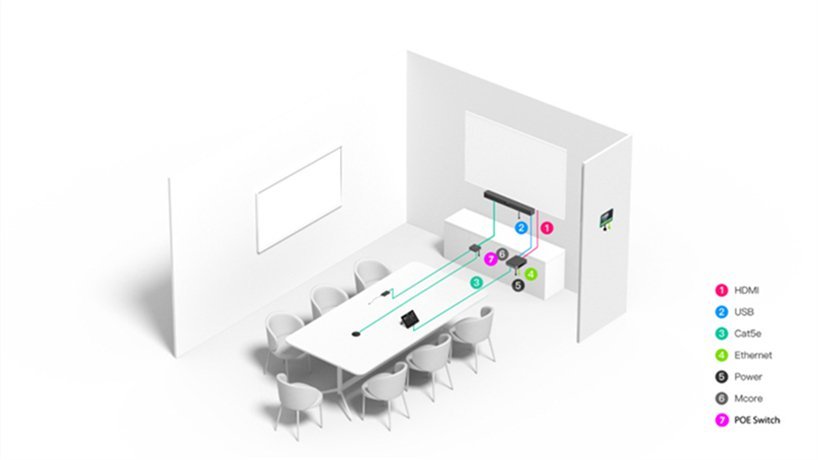
The MTouch Plus 11.6″ IPS panel connects via a single CAT5e cable for both data and power. It displays the Zoom Rooms interface for one-touch meeting join, handles camera and content controls, and surfaces live RoomSensor data — occupancy status, temperature, and humidity. The RoomSensor pairs via Bluetooth and auto-wakes the system when participants enter the room.
Content sharing works across wired HDMI and USB-C inputs and wireless via the optional WPP30 adapter at 1080p/30fps. All devices support Yealink Device Management Platform for centralised remote firmware updates, configuration, diagnostics, and monitoring — removing the need for on-site visits for routine maintenance across Australian metro and regional sites.
The ZVC S40 suits small boardrooms, huddle spaces, focus rooms, and medium training rooms where organisations are standardised on Zoom Rooms and need a single integrated device that handles the full space without the complexity of a multi-camera system.
Browse our full Yealink product range to compare Zoom Rooms models across room sizes, or explore our complete video conferencing equipment guide below.
Dual-Lens Full Room Coverage — Zoom Smart Gallery Ready From Day One

The SmartVision 40 combines two 48MP sensors with fixed dual-lens stitching to deliver a seamless 120° panoramic view from a single ceiling or wall mount. Zoom’s Smart Gallery uses this full-room feed to present individually framed participants to remote attendees — the fixed lenses mean the camera never needs to reposition between speakers, so Smart Gallery has a stable, complete image to work with at all times. No PTZ delays, no missed speaker switches.
Key Features
- SmartVision 40 dual 48MP camera — Zoom Rooms certified — fixed dual-lens stitching delivers 120° full room coverage without mechanical PTZ delays, fully compatible with Zoom’s Smart Gallery
- Zoom AI Companion and Smart Gallery support — on-device AI frames individual participants for remote attendees, works natively with Zoom’s intelligent meeting features
- IntelliFocus and Video Fence on-device — real-time speaker detection with zone control, no cloud processing dependency, no latency
- Intel Ultra5 125H with NPU (34 TOPS) — dedicated AI chip runs all Zoom AI features without impacting Zoom Rooms CPU performance
- 8-element MEMS mic array, 6m pickup — AI noise reduction, supports 2× expansion microphones (VCM35, VCM36, CM20) for larger or evolving spaces
- MCore 4 — Zoom Rooms on Windows 11 IoT Enterprise preloaded — Zoom Rooms app and Yealink RoomConnect installed, 16GB DDR5, 256GB SSD, 3× HDMI outputs
- MTouch Plus 11.6″ touch panel — single CAT5e for data and power, Zoom Rooms one-touch join interface, live RoomSensor environmental display
- 4K HDMI-In plus wired and wireless content sharing — lossless presentations via USB-C, HDMI, or optional WPP30 wireless adapter
- RoomSensor — 120° BLE occupancy detection, auto-wakes Zoom Rooms on entry, real-time temperature and humidity on MTouch Plus
- Full remote management via YDMP — firmware, configuration, diagnostics, and monitoring without on-site visits
- 2-year warranty — Australian stock, freight delivery
On-Device AI — Zoom AI Companion and Smart Gallery Without Cloud Latency

All AI tracking — IntelliFocus, Smart Gallery framing, and Video Fence — runs on the MCore 4’s dedicated NPU without sending video to an external processing service. Zoom’s AI Companion for meeting summaries, transcription, and smart recaps runs natively on the Windows Zoom Rooms platform. The result is real-time speaker detection and framing that responds immediately, with no dependency on network latency for camera decisions.
Intel Ultra5 125H With NPU — Zoom Rooms on Windows, AI on the Chip

The MCore 4 runs an Intel Ultra5 125H with a dedicated NPU delivering up to 34 TOPS of AI compute. Zoom Rooms operates on the CPU; Smart Gallery, AI Companion processing, and camera tracking run on the NPU — complete separation means neither workload impacts the other. Windows 11 IoT Enterprise and Zoom Rooms arrive preloaded and licensed, so the room is ready to enrol in your Zoom account from first power-on with no OS configuration required.
Complete Zoom Rooms Kit — Four Components, One Deployment

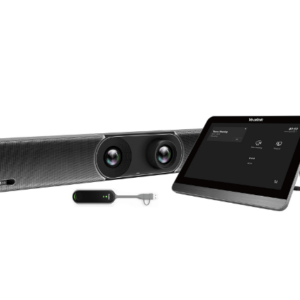
The ZVC S40 ships with every component needed for a fully operational Zoom Rooms deployment: MCore 4 mini-PC, SmartVision 40 camera, MTouch Plus 11.6″ touch panel running the Zoom Rooms controller interface, and RoomSensor for occupancy detection. Zoom Rooms and Yealink RoomConnect arrive preloaded. A single CAT5e connects MCore 4 to MTouch Plus for data and power; RoomSensor pairs via Bluetooth. Minimal cabling, straightforward installation for IT teams managing multiple rooms.
8-Mic Array — Clean Audio for Zoom AI Companion Transcription

The SmartVision 40’s 8-element MEMS microphone array delivers 6-metre pickup with AI noise reduction that removes HVAC noise, keyboard sounds, and room echo before audio reaches Zoom’s processing layer. Clean source audio directly improves Zoom AI Companion transcription accuracy — the less noise in the input, the more accurate the meeting summary and action item detection. Up to two expansion microphones (VCM35, VCM36, CM20) extend coverage for rooms that grow or change layout without replacing the camera unit.
MTouch Plus — Zoom Rooms Controller and Room Intelligence Display

The MTouch Plus 11.6″ IPS panel runs the Zoom Rooms controller interface — calendar meetings display for one-touch join, participant management and camera controls are accessible without touching the main display, and live RoomSensor data (occupancy, temperature, humidity) surfaces directly on the panel. One CAT5e cable carries both data and power to the panel with no separate power adapter needed at the table or wall mount. Supports desktop, fixed desktop, and wall-mounted deployment.
Wired and Wireless Sharing — Complements Zoom Screen Share

The MTouch Plus accepts wired HDMI and USB-C inputs from any laptop for content sharing without additional hardware. The optional WPP30 wireless adapter supports 1080p/30fps one-click casting that works alongside Zoom’s screen share — useful when a presenter wants to share a secondary device without switching the Zoom meeting host. The MCore 4’s 4K HDMI-In preserves full resolution for high-quality presentation input without downscaling.
Remote Management via YDMP — Full Device Visibility Across the Zoom Rooms Estate

All ZVC S40 components — MCore 4, SmartVision 40, MTouch Plus, and RoomSensor — support Yealink Device Management Platform for centralised remote firmware updates, configuration changes, diagnostics, and health monitoring. For Australian organisations managing Zoom Rooms across multiple sites, YDMP removes the need for on-site visits for routine maintenance. Combined with Zoom’s own device management dashboard, IT teams have full visibility across both the Zoom platform and the hardware layer from a single workflow.
Things to Consider Before Buying
| Feature | Specification | Why It Matters for Zoom Rooms |
|---|---|---|
| Room Size | Small to medium — 4 to 12 participants | SmartVision 40’s 120° DFOV covers the full table width in small to medium spaces — Zoom Smart Gallery has the full room view it needs to frame participants accurately |
| Camera | SmartVision 40 — dual 48MP fixed lenses, 120° DFOV | Fixed dual-lens stitching means no PTZ repositioning delays — Zoom’s Smart Gallery gets an immediate full-room feed to work with, delivering faster and more accurate participant framing |
| Zoom AI Features | Smart Gallery, AI Companion, IntelliFocus, Video Fence — on-device | Zoom’s AI Companion delivers meeting summaries, transcription, and smart recaps; Smart Gallery frames individual participants for remote attendees — all supported natively on this certified hardware |
| Video Fence | Configurable active tracking zones | Prevents Zoom’s camera tracking from triggering on people passing through corridors or adjacent spaces — critical in open-plan offices where rooms aren’t fully enclosed |
| Audio System | 8× MEMS mic array, 6m pickup, AI noise reduction, stereo speakers, supports 2× expansion mics | Clean audio input improves Zoom AI Companion transcription accuracy — AI noise reduction removes HVAC and keyboard noise before it reaches the Zoom noise suppression layer |
| Processor | Intel Ultra5 125H with NPU (34 TOPS) | NPU handles Smart Gallery and AI Companion compute independently — Zoom Rooms runs on the CPU without competing with AI workloads, keeping the interface responsive during heavy meetings |
| Memory / Storage | 16GB DDR5 / 256GB SSD | Sufficient headroom for Zoom Rooms on Windows, AI Companion, and simultaneous background processing without performance degradation over a long deployment cycle |
| Display Outputs | 3 × HDMI out + 1 × HDMI-In (4K) | Dual displays let Zoom Rooms show the gallery view on one screen and shared content on the other — the standard dual-display layout Zoom recommends for certified rooms |
| Content Sharing | Wired HDMI/USB-C + wireless WPP30 (1080p/30fps) | Wireless sharing via WPP30 complements Zoom’s screen share without requiring participants to install software — plug in and share in one step |
| Touch Panel | MTouch Plus 11.6″ IPS, single CAT5e (data + power) | Runs the Zoom Rooms controller interface natively — one-touch join, participant management, and camera controls all from the table panel without touching the display |
| Occupancy Sensor | RoomSensor — 120° BLE, temp/humidity | Auto-wakes Zoom Rooms on room entry — no manual wake required; occupancy data supports Zoom’s workspace reservation features for accurate room utilisation reporting |
| Network | Wi-Fi 6 (802.11ax), Bluetooth 5.2, Gigabit Ethernet | Zoom recommends wired Ethernet for room systems — Gigabit LAN ensures the bandwidth Zoom HD video and AI features require, with Wi-Fi 6 as a reliable fallback |
| OS / Software | Windows 11 IoT Enterprise, Zoom Rooms app, Yealink RoomConnect — preloaded | Ships Zoom Rooms ready — enrol in your Zoom account and the room is live; no OS licensing to purchase separately |
| Warranty | 2-year limited hardware warranty | Covers all kit components — MCore 4, SmartVision 40, MTouch Plus, and RoomSensor |
Warranty & Support
The Yealink ZVC S40 is covered by a 2-year limited hardware warranty across all kit components — MCore 4, SmartVision 40, MTouch Plus, and RoomSensor. Australian stock. Freight delivery to metro and regional locations.
Kickstart Computers provides pre-sales consultation, deployment guidance, and post-sales support for ZVC S40 Zoom Rooms installations. Contact us for site assessment, installation referrals, or Yealink Device Management Platform configuration assistance.