
One Camera That Follows the Teacher — Without Anyone Operating It
If you’re a school principal, campus manager, or education technology coordinator looking at hybrid learning setups, the question isn’t whether your staff can learn to operate a camera system — it’s whether they should have to. Teachers are already managing a classroom of students while simultaneously presenting to remote participants. Adding camera control to that workload doesn’t work in practice.
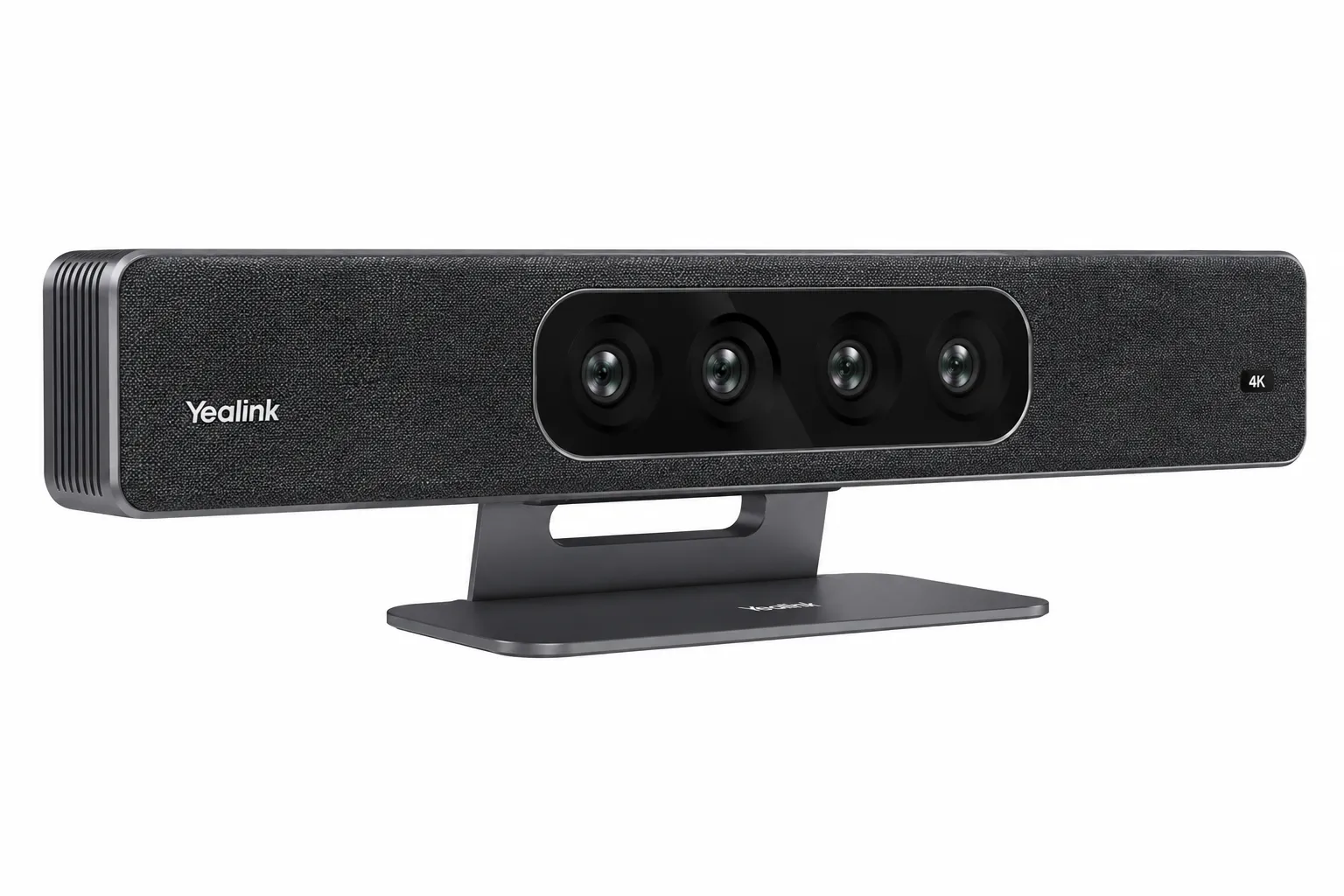
The Yealink SmartVision 80 is designed for exactly this environment. One unit handles a large lecture theatre, training room, or boardroom from a single wall or display mount — and it follows the presenter automatically. As the teacher moves to the whiteboard, the camera tracks. As a student asks a question, the camera switches. As the presenter returns to the front, the camera refocuses. None of this requires anyone to touch a controller or click a button.
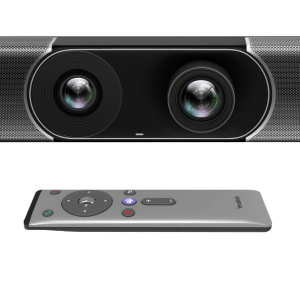
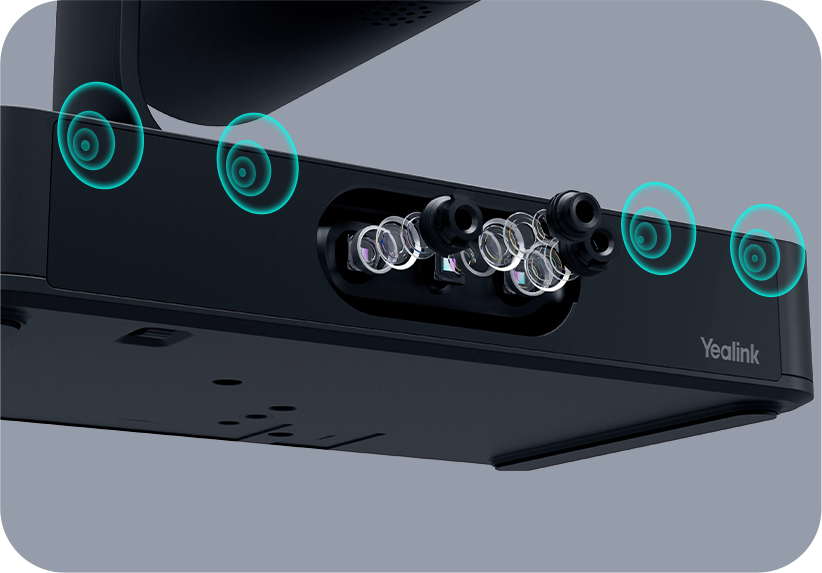
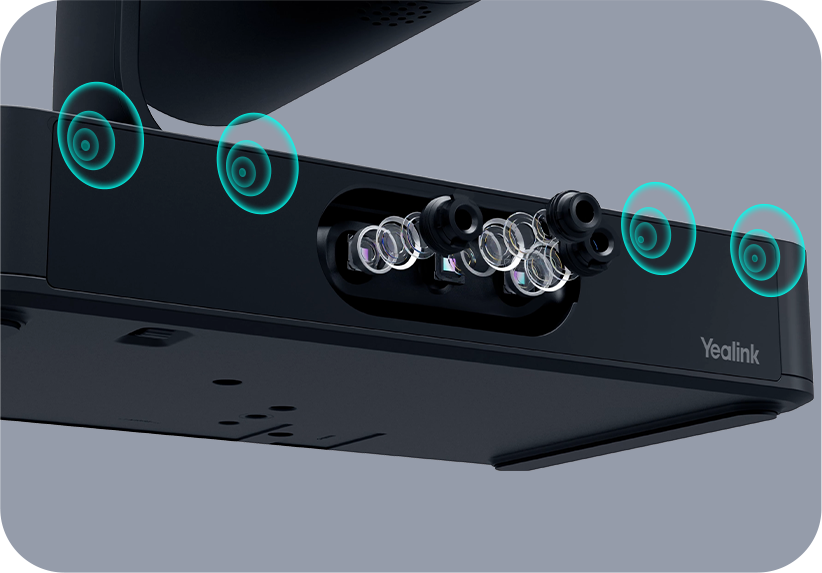
The four-lens design is what makes this possible. A 110° panoramic camera holds a wide view of the full room at all times — remote students always have context for what’s happening in the physical space. Two 51° telephoto electronic lenses deliver close-up shots of individual speakers without mechanical movement. And a 20× optical zoom PTZ camera handles precision tracking of the presenter as they move, maintaining sharp focus up to 15 metres away. Four lenses working simultaneously means remote participants see both the room and the detail — not one or the other.
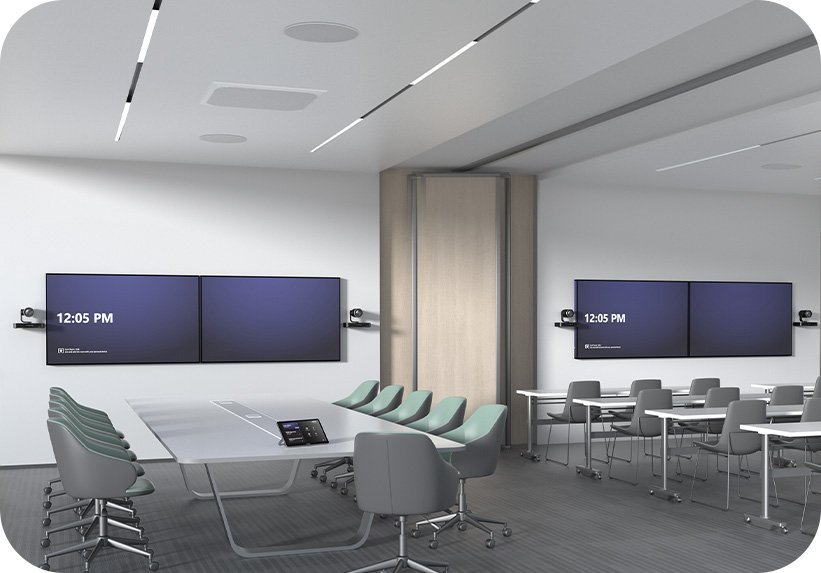
For schools and universities running hybrid sessions across multiple rooms, the SmartVision 80 also scales. When multiple units are used together, they introduce multi-camera IntelliFrame and mic-and-camera linkage — so a large lecture theatre with students on both sides of the room can be covered properly, with the active speaker tracked regardless of which section of the room they’re in.
Audio integration covers Yealink’s full range — VCM35 and VCM36 tabletop microphones, CM20 ceiling arrays, and MSpeaker Pro — with AI noise suppression and dereverberation processing built in. For school environments where HVAC, projector fans, and general room noise are constant, that processing matters for the clarity of what remote participants actually hear.
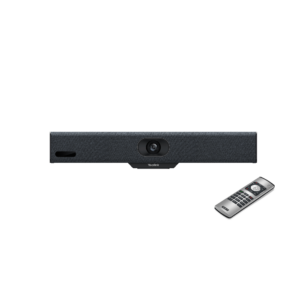
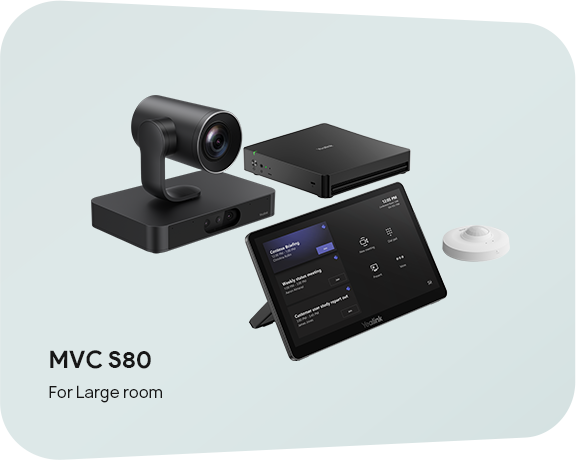
Mounting is flexible: wall, TV mount, or table deployment with an adjustable bracket for precise camera angle control. The VCR20 remote controller ships in the box for rooms where the presenter wants manual camera control as an option. Connection options include USB 3.0 Type-B, HDMI out, two VCH ports (RJ45), network port, and line in/out for integration with existing room audio systems.
For school leadership teams building the case internally: one SmartVision 80 replaces what would otherwise be a separate PTZ camera, a wide-angle camera, and a camera operator or AV technician — and it works reliably across every session without training, without troubleshooting, and without anyone in the room managing it.
Browse our full Yealink product range to compare models, or explore our complete video conferencing equipment guide below.
Four Lenses — Wide View, Close-Up, and Precision Tracking All at Once
The SmartVision 80 combines four lenses in one unit: a 110° panoramic camera that holds the full room view, two 51° telephoto electronic cameras for close-up participant shots, and a 20× optical zoom PTZ camera for precision presenter tracking up to 15 metres away. All four operate simultaneously — remote participants see the room context and individual detail at the same time, without the camera needing to choose between wide and tight framing. For lecture theatres and training rooms where both the presenter and the student audience need to be visible, this is the key difference from a single-lens PTZ camera.
Key Features
- Four lenses in one unit — 20× optical zoom PTZ + 110° panoramic + two 51° telephoto electronic cameras covering every corner of large rooms and lecture theatres simultaneously
- Presenter tracking — no camera operator required — follows the teacher or presenter around the room automatically; switches to student questions and returns to the presenter without manual input
- Speaker tracking with IntelliFocus — detects and frames the active speaker in real time; voice-incentive switching across multiple SmartVision 80 units in larger spaces
- Multi-camera IntelliFrame — when multiple units are used together, introduces mic-and-camera linkage for full coverage of large lecture theatres and divisible training rooms
- Video fence — define active tracking zones to prevent false camera switches from students or staff moving outside the teaching area
- 20× optical zoom PTZ, 15m maximum distance — maintains sharp focus on the presenter regardless of room depth; pan ±96°, tilt -90° to +50°
- Automatic lens cover — physical privacy protection on panoramic and telephoto lenses; closes automatically when not in use
- Audio device compatibility — works with VCM35/36, CM20 ceiling mic arrays, and MSpeaker Pro; AI noise suppression and dereverberation built in
- Flexible mounting — wall, TV, or table deployment with adjustable bracket and VCR20 remote controller included
- On-device AI — Multi-Stream IntelliFrame, participant identification, PIP, auto framing — no cloud processing dependency
- 2-year warranty — Australian stock
Presenter Tracking That Works the Way Teaching Actually Works
Teachers don’t stand still. They move to the whiteboard, walk between student groups, return to the front, and turn to answer questions from different parts of the room. The SmartVision 80’s presenter tracking follows all of this automatically — the PTZ camera adjusts continuously as the teacher moves, without anyone touching a controller. When a student asks a question, IntelliFocus and speaker tracking switch to frame them. When the teacher responds, the camera follows back. For school principals evaluating hybrid learning technology, this is the difference between a system that actually works in a teaching environment and one that requires a dedicated operator to be useful.
Scales With the Room — Multi-Camera IntelliFrame for Larger Spaces
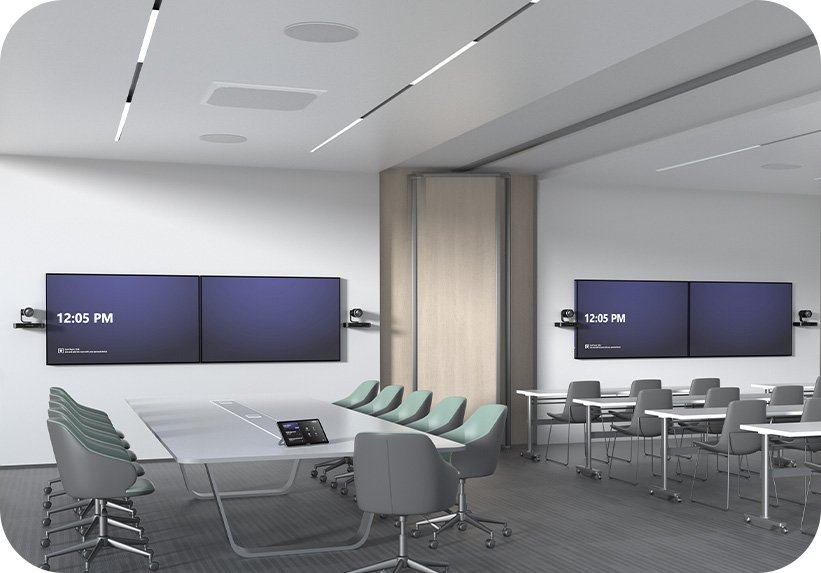
For lecture theatres or training rooms where one SmartVision 80 can’t cover the full seating area, multiple units work together through multi-camera IntelliFrame and mic-and-camera linkage. The system links microphones and cameras across all units — whichever student speaks, the camera closest to them frames them automatically. This means large spaces with students on both sides of the room, or U-shaped lecture configurations, are handled properly without a camera operator managing individual views. Each additional SmartVision 80 expands the coverage range without adding operational complexity.
Flexible Mounting — Wall, Display, or Table for Any Classroom Layout

The SmartVision 80 mounts on walls, above or below displays, or on a table surface — the adjustable bracket allows precise camera angle tuning after installation without dismounting the unit. The VCR20 remote controller ships in the box for rooms where teachers want the option of manual camera control alongside automatic tracking. Automatic lens covers on the panoramic and telephoto lenses close physically when the unit is not in use — providing clear, verifiable privacy for students and parents in school environments where camera visibility matters.
Things to Consider Before Buying
| Feature | Specification | Why It Matters |
|---|---|---|
| Room Size | Large — lecture theatres, training rooms, large boardrooms | Four lenses cover every corner of a large space simultaneously — no blind spots for remote students or participants regardless of where the presenter moves |
| PTZ Camera | 20× optical zoom, 69° DFOV, 15m max distance, pan ±96°, tilt -90°~+50° | Tracks the presenter up to 15 metres away with sharp optical zoom — remote students see a clearly focused teacher even in a deep lecture theatre |
| Panoramic Camera | 110° DFOV, 98° HFOV, 82° VFOV, automatic lens cover | Holds a wide room view continuously — remote participants always have context for the teaching environment, not just a close-up of whoever is speaking |
| Telephoto Cameras | 2 × 51° DFOV, 41.6° HFOV, 32° VFOV, automatic lens cover | Deliver close-up shots of students asking questions or secondary presenters without mechanical repositioning — remote participants see who is speaking without delay |
| Presenter Tracking | Automatic — follows presenter movement around the room | Teachers can move freely — to the whiteboard, between student groups, back to the front — without anyone operating a camera or worrying about the remote view dropping out |
| Speaker Tracking | IntelliFocus, voice-incentive switching, participant identification | When a student asks a question, the camera automatically switches to frame them — Q&A sessions work naturally for remote participants without anyone selecting a camera view manually |
| Multi-Camera Support | Multiple SmartVision 80 units — multi-camera IntelliFrame, mic and camera linkage | Large lecture theatres with students on both sides can be covered with two units — the system links microphones and cameras so the active speaker is always framed regardless of location |
| Video Fence | Configurable active tracking zones | Prevents the camera switching to students entering or leaving the room mid-session — keeps the remote view focused on the teaching area |
| Audio Compatibility | VCM35/36, CM20 ceiling mic, MSpeaker Pro; AI noise suppression, dereverberation | School environments have constant background noise — HVAC, projector fans, corridor noise. AI suppression removes these before remote participants hear them |
| Mounting Options | Wall, TV mount, or table; adjustable bracket + VCR20 remote controller included | Flexible installation suits different classroom and lecture theatre setups — adjustable bracket allows precise angle tuning after installation without dismounting |
| Privacy | Automatic physical lens cover on panoramic and telephoto lenses | Physical lens cover closes automatically when not in use — important in school environments where students and parents expect clear privacy controls on classroom cameras |
| Connectivity | USB 3.0 Type-B, USB 2.0 Type-A, 2 × VCH (RJ45), network (RJ45), HDMI out, line in/out | Connects to Yealink room compute modules and third-party systems — works with existing room AV infrastructure without full replacement |
| Dimensions | 230 × 135 × 171.5mm | Compact footprint for a four-lens unit — unobtrusive in classroom and lecture theatre environments where large camera housings can be visually distracting |
| Warranty | 2-year limited hardware warranty | Standard Yealink Australian warranty — important for school procurement where ongoing hardware reliability across a multi-year deployment matters |
Warranty & Support
The Yealink SmartVision 80 is covered by a 2-year limited hardware warranty. Australian stock.
Kickstart Computers provides pre-sales consultation and post-sales support for SmartVision 80 installations in education, corporate, and government environments. Contact us for compatibility advice, multi-unit deployment planning, or audio accessory selection.