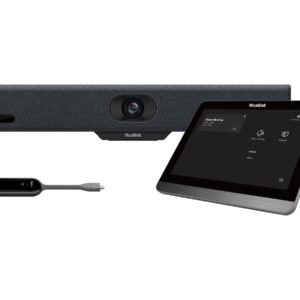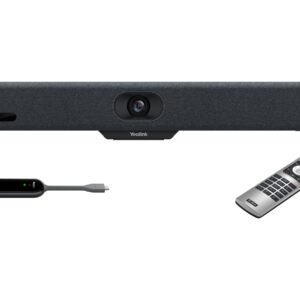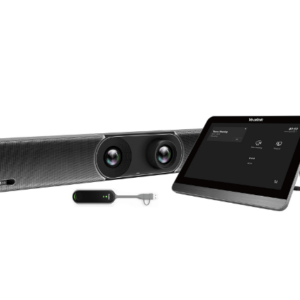


Large meeting rooms create problems that smaller systems can’t solve — participants at the far end of a long boardroom table who are never quite in focus, audio that drops off beyond a certain distance, and camera systems that can’t track multiple simultaneous speakers across a wide space. The Yealink MVC S90 is designed specifically for these environments, built around a dual-camera architecture that handles room coverage and close-up tracking without requiring a camera operator.
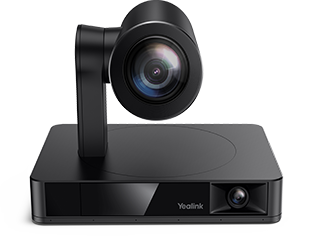
The kit ships with two UVC86 cameras as standard. Each unit combines a 4K sensor with 12× optical zoom (20.4× HD total) across two lenses — a 110° panoramic and a 90° telephoto — giving you wide room coverage and tight speaker framing from the same device. The UVC86 supports up to 9 preset positions, 200° horizontal rotation, and 130° vertical rotation, making it adaptable to rooms with unusual layouts or angled seating. AI tracking modes include auto-framing, speaker tracking with region trigger, presenter tracking with gesture control, multi-focus, and picture-in-picture.
The AVHub processor ties the cameras together. It handles multi-camera video compositing, supports customisable split-screen layouts controlled from the MTouch Plus, and enables Multi-Stream IntelliFrame — so remote participants see intelligently framed individual shots rather than a static wide angle. The AVHub also supports dividable and mergeable room configurations via network cable, allowing two adjoining spaces to operate independently or combine without rewiring.
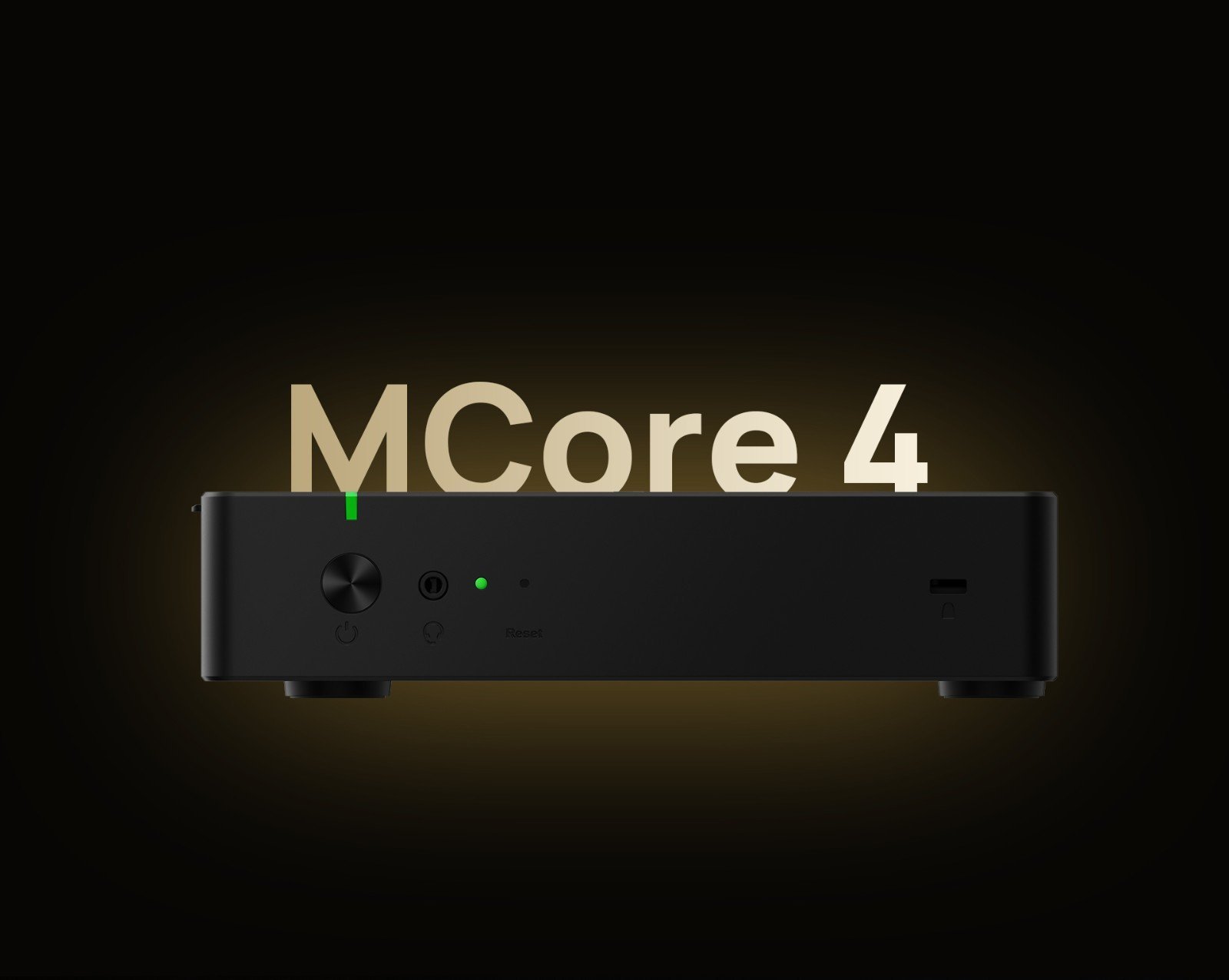
Compute is handled by the MCore 4, running Windows 11 IoT Enterprise with Teams Rooms and Yealink RoomConnect preloaded. The Intel Ultra5 125H processor with dedicated NPU handles AI workloads without impacting platform performance — speaker tracking, framing decisions, and background processing run on the NPU while Teams Rooms runs cleanly on the CPU. Three HDMI outputs (one 2.1, two 2.0) support dual main displays plus an additional output for confidence monitors or overflow screens. A 4K HDMI-In accepts auxiliary presentation streams at full resolution.
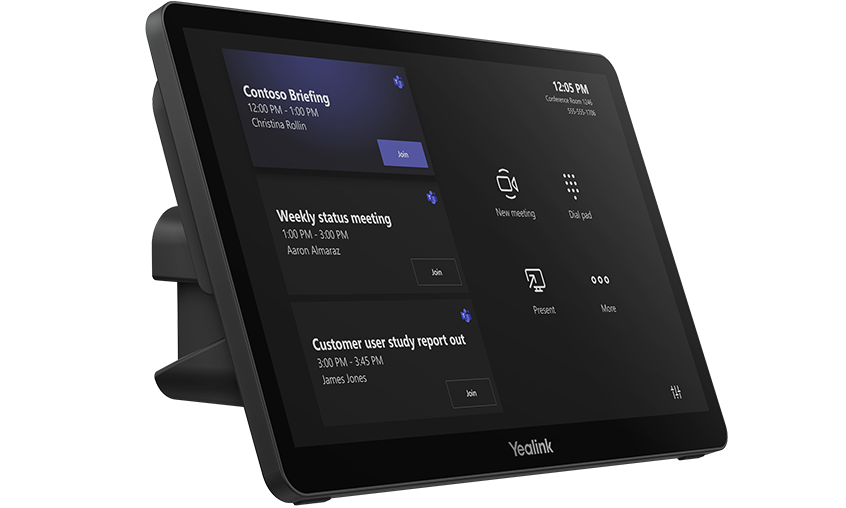
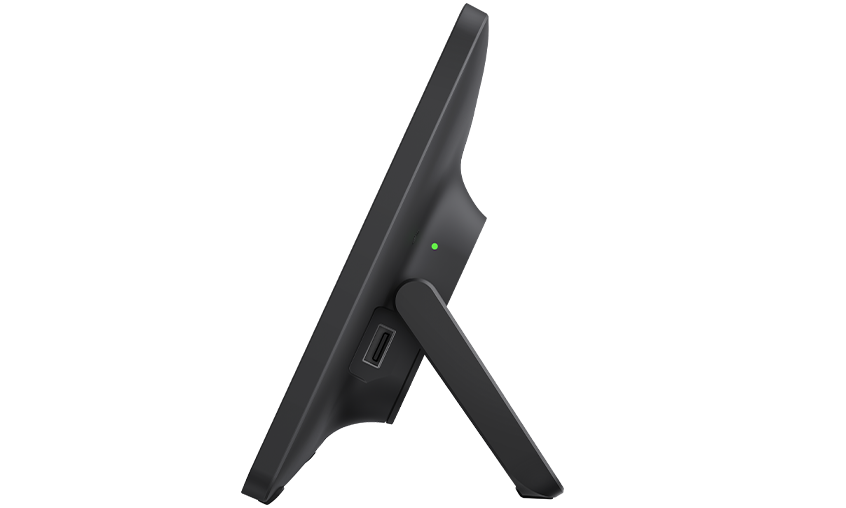
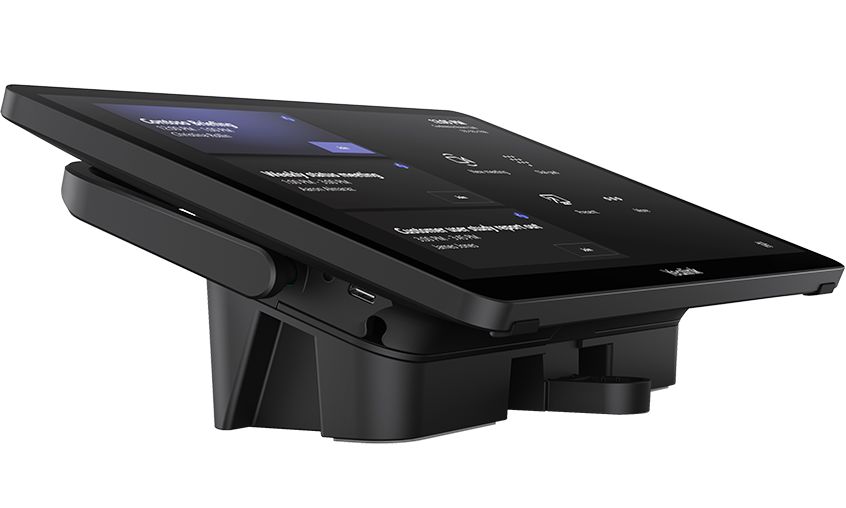
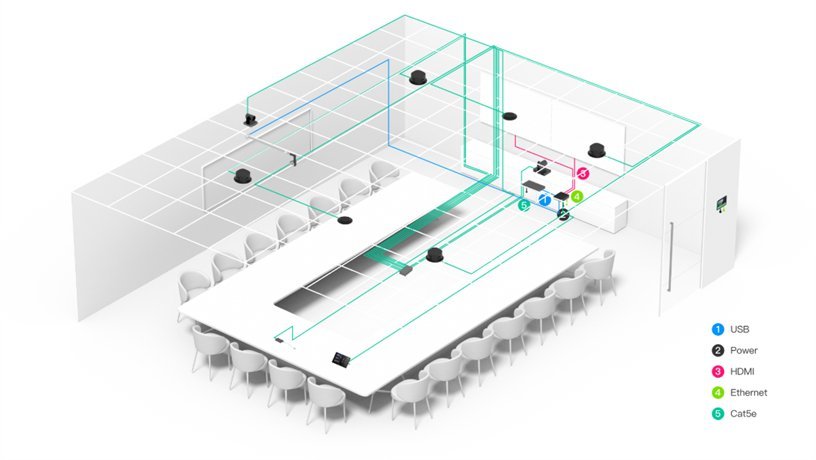
The MTouch Plus 11.6″ IPS touch panel connects to MCore 4 via a single CAT5e cable carrying both data and power — no separate power adapter at the table. It displays upcoming meetings for one-touch join, handles camera layout selection, shows content sharing options, and surfaces live RoomSensor data — temperature, humidity, and occupancy status. The RoomSensor connects via Bluetooth, eliminating another cable run entirely.
BYOD content sharing is handled by the VCH51 Pro — a single USB-C connection from any laptop gives that device access to the room’s cameras, microphones, and displays with no software installation required. Wired HDMI and USB-C inputs on the MTouch Plus provide additional sharing options, and wireless sharing via the optional WPP30 adapter supports 1080p/30fps one-click casting.
All devices — cameras, AVHub, MCore 4, MTouch Plus, and RoomSensor — support Yealink Device Management Platform for centralised remote configuration, firmware updates, diagnostics, and monitoring. For Australian organisations managing multiple sites, this removes the need for on-site visits for routine maintenance.
The MVC S90 suits boardrooms, training centres, divisible conference spaces, and classrooms where a single video bar cannot provide adequate coverage — and where the room layout may need to change over time.
Browse our full Yealink product range to compare models across room sizes, or explore our complete video conferencing equipment guide below.
Intel Ultra5 125H With Dedicated NPU — AI That Keeps Up With the Room
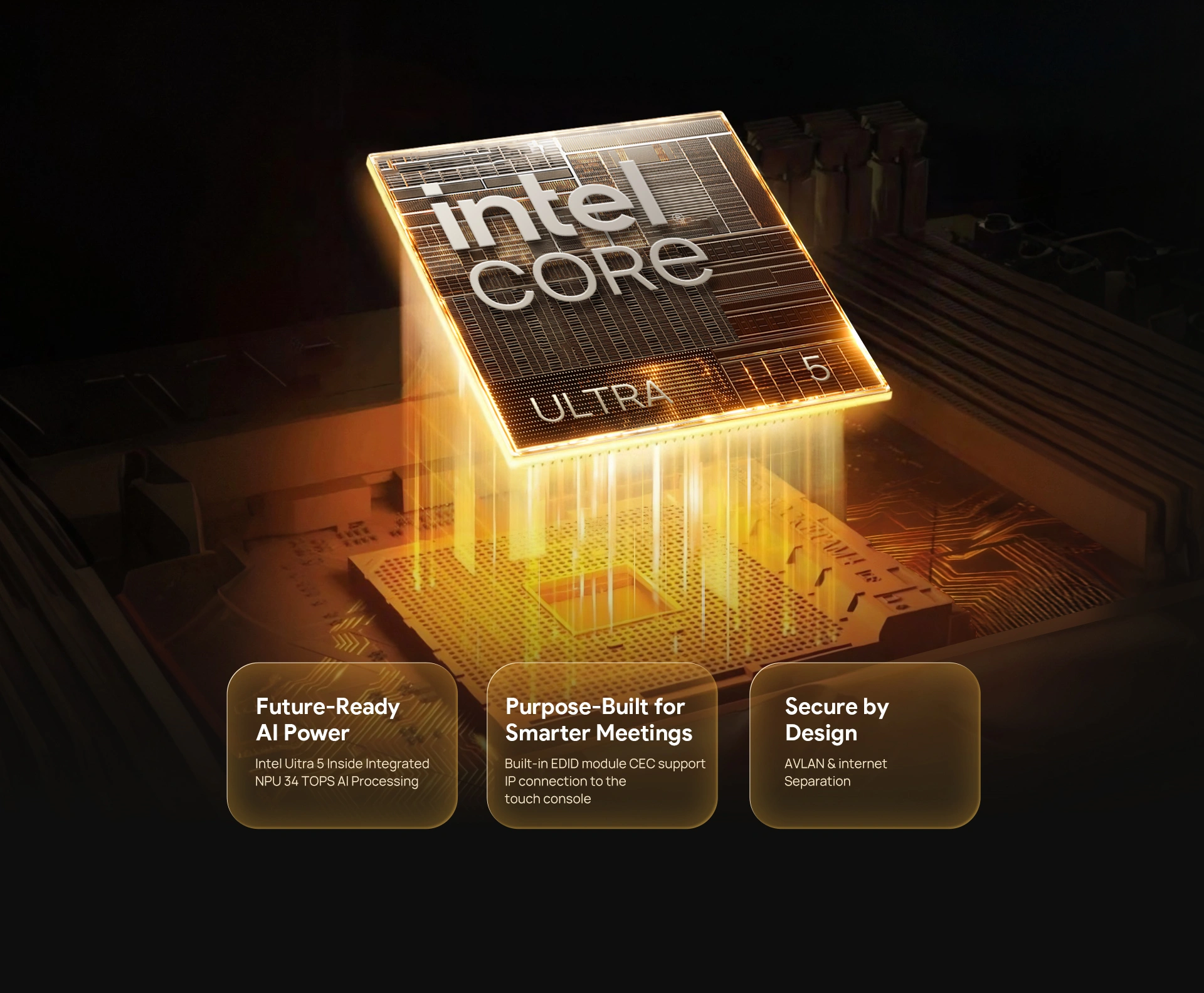
The MCore 4 at the centre of the MVC S90 runs an Intel Ultra5 125H processor with a dedicated NPU delivering up to 34 TOPS of AI compute. Speaker tracking, multi-camera IntelliFrame, presenter following, and background processing all run on the NPU — which means none of it competes with Teams Rooms on the CPU. For rooms that will be in daily use across a long deployment cycle, that compute separation matters for long-term stability.
Key Features
- Two UVC86 4K dual-eye PTZ cameras included — 12× optical zoom, 110° panoramic and 90° telephoto lenses per unit, expandable to 9 cameras total via AVHub
- Multi-Stream IntelliFrame via AVHub — remote participants see individually framed shots; customisable split-screen layout controlled from MTouch Plus
- AI tracking modes on UVC86 — auto-framing, speaker tracking with region trigger, presenter tracking with gesture control, multi-focus, and picture-in-picture
- Dividable and mergeable room support — connect multiple MVC S90 units via network cable to split or combine adjoining rooms without rewiring
- Intel Ultra5 125H with NPU — dedicated AI chip for real-time tracking and framing without impacting Teams Rooms CPU performance
- MCore 4 — Windows 11 IoT Enterprise preloaded — Teams Rooms app and Yealink RoomConnect installed, 16GB DDR5, 256GB SSD, three HDMI outputs
- MTouch Plus 11.6″ touch panel — single CAT5e cable for data and power, one-touch meeting join, camera layout control, RoomSensor environmental display
- VCH51 Pro BYOD sharing — USB-C with DP video input, no software required on guest laptop
- 4K HDMI-In on MCore 4 — lossless 4K auxiliary content stream for presentations
- RoomSensor — 120° BLE occupancy detection, real-time temperature and humidity display on MTouch Plus
- Wi-Fi 6 and Bluetooth 5.2 — flexible network connectivity on MCore 4
- Full remote management via YDMP — configuration, firmware, diagnostics, and monitoring across all devices
- 2-year warranty — Australian stock, freight delivery
A Complete System — Every Component Engineered to Work Together

The MVC S90 ships as a fully integrated kit: MCore 4 mini-PC, two UVC86 4K PTZ cameras, AVHub processor, MTouch Plus touch panel, RoomSensor, and VCH51 Pro. Each component is designed to communicate with the others through Yealink’s proprietary VCH cabling standard — reducing integration complexity and eliminating compatibility guesswork. Windows 11 IoT Enterprise and the Teams Rooms app arrive preloaded and licensed, so the system is ready to enrol from the moment it’s powered on.
UVC86 — 4K Dual-Eye PTZ With 12× Optical Zoom

Each UVC86 combines a 110° panoramic lens and a 90° telephoto lens with a 4K sensor and 12× optical zoom — 20.4× HD total. The panoramic lens holds a wide room shot while the telephoto locks onto the active speaker at full zoom without switching between cameras. Up to 9 preset positions can be stored per camera, with 200° horizontal and 130° vertical rotation range. AI features include speaker tracking with region trigger, presenter tracking with gesture control, auto-framing, multi-focus, and picture-in-picture — all running without manual operator input.
AVHub — Multi-Camera Compositing and Flexible Room Control

The AVHub connects up to 9 Yealink cameras simultaneously and handles all video compositing in hardware. Operators can control each camera independently from the MTouch Plus, or configure split-screen layouts that show multiple camera feeds at once. Multi-Stream IntelliFrame runs on the AVHub itself, delivering individually framed participant shots to remote attendees without requiring cloud processing. Dividable and mergeable room support means two adjoining spaces can operate as one large room or split back into separate bookable spaces — all managed through the same system.
Simple Control, Wired and Wireless Content Sharing
The MTouch Plus 11.6″ IPS panel connects to MCore 4 via a single CAT5e cable — data and power in one run, no separate power adapter needed at the table. One-touch meeting join, camera layout selection, and content sharing controls are all accessible from the panel. The VCH51 Pro handles BYOD laptop connection via USB-C with DP video input — no software install on the guest device. Wireless sharing via the optional WPP30 adapter supports 1080p/30fps one-click casting, and the MCore 4’s HDMI-In accepts 4K auxiliary presentation streams.
Large Conference Rooms — Full Coverage Without Camera Operators
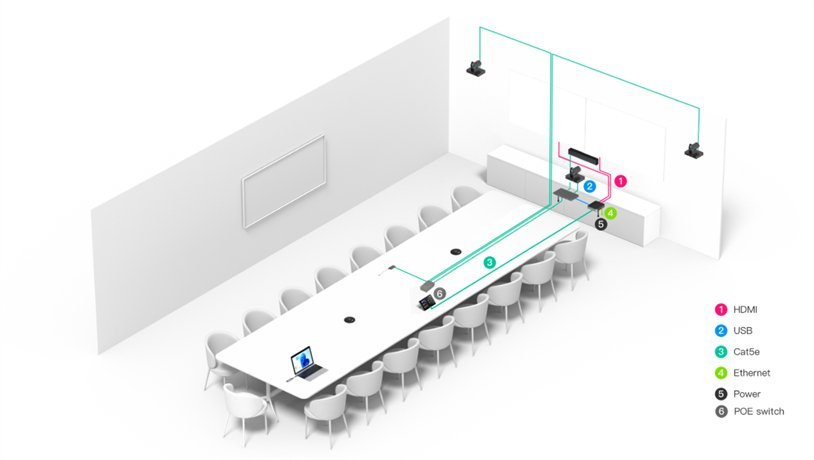
In a large conference room with participants spread across a long table, a single fixed camera leaves half the room in a wide shot that remote attendees struggle to read. The MVC S90’s dual UVC86 setup covers the full table length — one camera handles the far end, the other covers closer participants — while voice-incentive speaker tracking switches automatically between them. Remote attendees see clearly framed individuals, not a static wide angle. Three HDMI outputs support dual main displays plus an additional screen for content or overflow.
Classrooms and Training Rooms — Presenter Tracking That Follows the Instructor
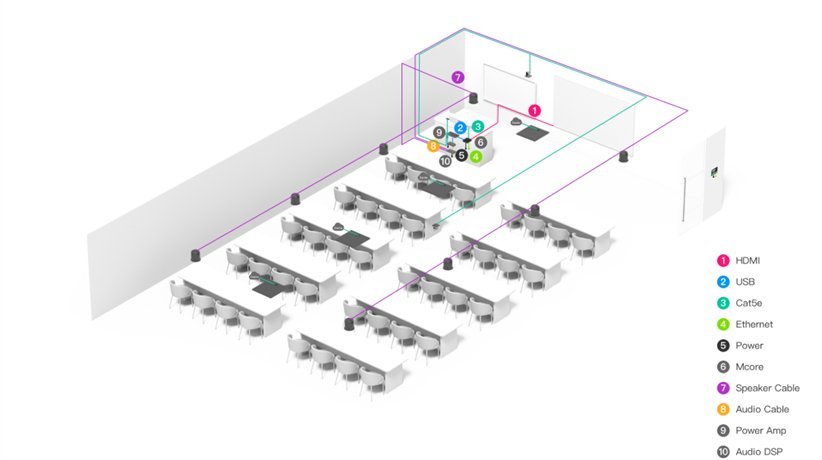
Training rooms present different challenges to standard boardrooms — the presenter moves, faces the audience rather than the camera, and remote participants need to see both the instructor and the content simultaneously. The UVC86’s presenter tracking with gesture control follows the instructor around the room without requiring a camera operator, and picture-in-picture mode keeps the presentation visible alongside the presenter feed. For rooms running hybrid training sessions with both in-room and remote participants, this removes the need for a dedicated AV operator.
U-Shaped and Divisible Rooms — Camera Coverage for Difficult Layouts
U-shaped rooms are one of the hardest configurations for a single camera to cover — participants face inward rather than toward a single display, and anyone on the side arms of the U is off-axis from a front-mounted camera. With two UVC86 units and AVHub compositing, the MVC S90 can cover a U-shaped layout properly, with each camera handling a section of the seating arc. Divisible rooms benefit from the network-cable merging feature — two separate bookable spaces combine into one large room for full-group sessions without any hardware reconfiguration.
Things to Consider Before Buying
| Feature | Specification | Why It Matters |
|---|---|---|
| Room Size | Extra-large — boardrooms, training centres, classrooms, divisible spaces | Designed for rooms where a single video bar cannot provide adequate camera coverage or audio pickup |
| Cameras Included | 2 × UVC86 (expandable to 9 via AVHub) | Two cameras cover the full room width from multiple angles — no blind spots in large or U-shaped layouts |
| PTZ Optical Zoom | 12× optical / 20.4× HD total per UVC86 | Keeps remote participants clearly visible even when the active speaker is at the far end of a long table |
| Camera FOV | 110° HFOV panoramic / 81° HFOV telephoto per UVC86 | Panoramic lens handles wide room coverage; telephoto lens delivers tight speaker framing — both active simultaneously |
| Camera Presets | Up to 9 preset positions per UVC86, 200° H / 130° V rotation | Store positions for common room configurations — switch instantly without manual adjustment during a meeting |
| Processor | Intel Ultra5 125H with NPU (up to 34 TOPS) | Dedicated AI chip runs speaker tracking and framing without degrading Teams Rooms performance |
| Memory / Storage | 16GB DDR5 / 256GB SSD | Sufficient for Windows 11 IoT, Teams Rooms, and simultaneous AI processing without performance compromise |
| Display Outputs | 3 × HDMI out (1 × 2.1, 2 × 2.0) | Supports dual main displays plus a third output for confidence monitors or overflow screens in large rooms |
| Content Input | 1 × HDMI-In (4K) + VCH51 Pro USB-C/DP | 4K input preserves presentation quality; VCH51 Pro gives BYOD laptops full room system access without any software install |
| Room Configuration | Dividable and mergeable via network cable | Two adjoining rooms can operate independently or combine — no rewiring when room layout changes |
| Touch Panel | MTouch Plus — 11.6″ IPS, 1920×1080, single CAT5e | One cable handles both data and power to the panel — clean desk installation with no separate power adapter |
| Occupancy Sensor | RoomSensor — 120° detection, BLE, temp/humidity | Auto-wakes the system on room entry; live environmental data surfaces on MTouch Plus for room management |
| Network / Wireless | Wi-Fi 6 (802.11ax), Bluetooth 5.2, Gigabit LAN | Wi-Fi 6 handles high-bandwidth video reliably in congested enterprise wireless environments |
| OS / Software | Windows 11 IoT Enterprise, Teams Rooms app, Yealink RoomConnect — preloaded | Ships ready to enrol — no OS licensing to purchase separately, Teams Rooms app pre-installed |
| Warranty | 2-year limited hardware warranty | Covers all kit components — MCore 4, UVC86 cameras, AVHub, MTouch Plus, RoomSensor, VCH51 Pro |
Warranty & Support
The Yealink MVC S90 is covered by a 2-year limited hardware warranty across all kit components — MCore 4, UVC86 cameras, AVHub, MTouch Plus, RoomSensor, and VCH51 Pro. Australian stock. Freight delivery to metro and regional locations.
Kickstart Computers provides pre-sales consultation, deployment guidance, and post-sales support for MVC S90 installations. Contact us for site assessment, installation referrals, or YDMP configuration assistance.