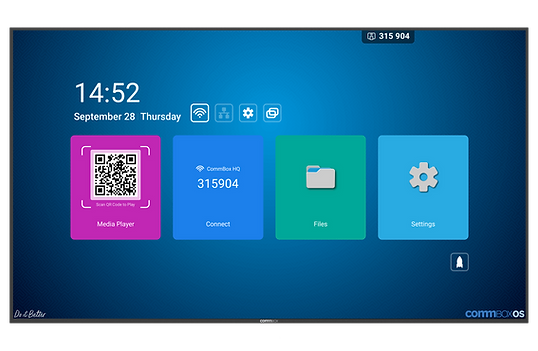
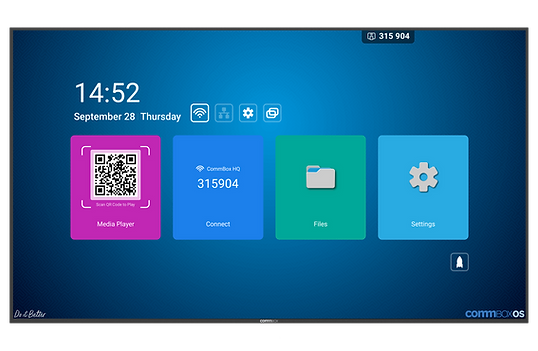
CommBox Intelligent Display Gen 2 55 Inch — The Smarter Commercial Display
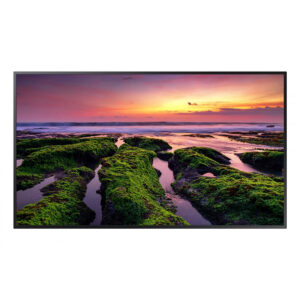
The CommBox Intelligent Display Gen 2 55 Inch bridges the gap between a passive commercial display and a full interactive platform. Running Android 14 with CommBox OS, it has built-in signage, wireless screensharing, and media playback capability without requiring additional hardware boxes — making it genuinely simpler to deploy and manage than a traditional display plus separate media player combination. At 500 nits brightness with 28% anti-glare glass and a 24/7 rated panel, it is built for real commercial environments, not adapted from consumer technology.
The Intelligent Display Gen 2 is built for organisations that need more than a passive screen but do not need full touch interactivity. CommBox Media Player handles signage playlists directly on the display. CommBox Connect enables wireless screensharing from any device on the same network without app installs or dongles. A rear USB-C port at 65W charges most laptops while they present. The LAN Web Controller provides IP-based display control without cloud dependency — important for environments where network security policies restrict external connectivity.
Available in six sizes from 43 to 98 inch, all running the same Android 14 CommBox OS platform at 500 nits brightness, the Intelligent Display Gen 2 is designed for organisations rolling out displays across multiple rooms and sites. Q-SYS certification and RS232/IP control make it suitable for professionally managed AV environments. Optional CommBox Manage adds centralised fleet oversight — configure one display and push settings to every screen in the organisation. Backed by a 5-year warranty and same business day support from CommBox’s local Australian team.
The Smarter Commercial Display — Built-In Intelligence, No Extra Boxes
The Intelligent Display Gen 2 does what most commercial displays cannot do without additional hardware. CommBox Media Player handles signage playlists directly on the screen. CommBox Connect enables wireless screensharing from any device. The LAN Web Controller provides network-based control without cloud dependency. For IT managers and AV integrators, that means fewer boxes to install, fewer failure points to manage, and a simpler deployment process across multiple locations.
- 500 nits across every size — consistent brightness at scale — 500 nits from 43 to 98 inch means no brightness surprises when standardising displays across multiple rooms, floors, or sites. What you specify is what every screen delivers.
- Built-in signage — no extra media player needed — CommBox Media Player and CommBox OS are pre-installed on the display itself. Run signage playlists directly from the screen without adding a separate media player box to every installation.
- Android 14 + CommBox OS — current, stable platform — Android 14 gives access to CommBox Connect for wireless screensharing, CommBox Store for apps, and Screen Presets for quick configuration switching. No proprietary OS lock-in.
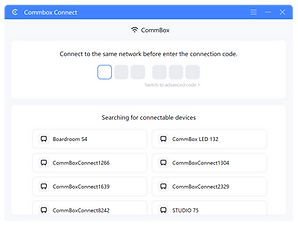
- Wireless screensharing via CommBox Connect — staff and visitors can share their screen from any laptop, tablet, or phone on the same network without installing apps or using dongles. Same-network casting keeps content secure.
- USB-C 65W — one cable for everything — the rear USB-C port charges most laptops at full speed, passes touch signals, and mirrors display — one cable connection for a laptop in a shared meeting room.
- LAN Web Controller — control without cloud dependency — the built-in LAN Web Controller allows IP-based control of the display without requiring cloud connectivity. Suitable for environments with strict network security policies.
- 24/7 rated, 50,000-hour panel — genuinely commercial grade — rated for continuous operation and over 17 years of standard daily use. Aluminium chassis with slim even bezels designed for professional installation environments.
- Q-SYS certified, RS232 and IP control — integrates natively with Q-SYS AV control ecosystems. RS232 and IP control cover legacy and modern room controller integration. LAN In/Out supports daisy-chaining in multi-display AV installations.
- Optional CommBox Manage — deploy once, control everywhere — add CommBox Manage for centralised fleet oversight. Configure one display and push settings to all. Monitor, update, and troubleshoot every screen remotely.
- 5-year warranty with same business day support — backed by CommBox’s local Australian team. Unlimited free virtual training included for the life of the screen.
500 Nits Across Every Size — Consistent Brightness at Scale
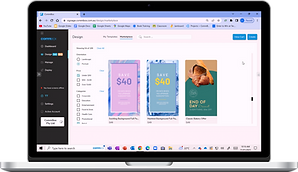
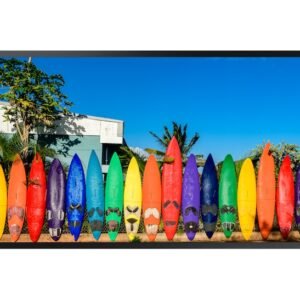
When standardising displays across an organisation, brightness consistency matters as much as the specification itself. The Intelligent Display Gen 2 delivers 500 nits across all six sizes — 43, 55, 65, 75, 86, and 98 inch. What is specified for the boardroom is what gets delivered in the meeting room and the foyer. Combined with 28% anti-glare glass and 178 degree viewing angles, it maintains clear visibility in office lighting, retail environments, and healthcare settings.
Built-In Signage — No Media Player Required

Adding a separate media player to every display installation increases cost, adds cable complexity, and creates additional failure points to manage. The Intelligent Display Gen 2 eliminates that requirement. CommBox Media Player runs natively on the display, handling video, audio, and image playlists from a USB drive, local storage, or network source. For organisations rolling out signage across multiple locations, removing the media player from the bill of materials simplifies both the initial installation and ongoing maintenance.
Wireless Screensharing — Any Device, Same Network
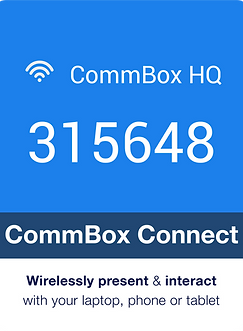
CommBox Connect allows any laptop, tablet, or phone on the same network to share its screen to the Intelligent Display Gen 2 without installing software or using a dongle. Same-network casting keeps content within the local network — suitable for environments with security policies restricting external connectivity. One USB-C cable at the rear handles laptop connection, 65W charging, and touch signal simultaneously for wired presentations.
Android 14 + CommBox OS — A Current, Stable Platform
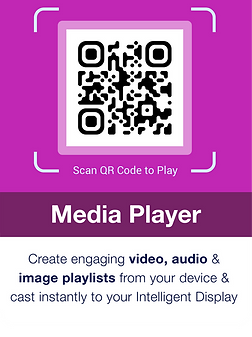
Running Android 14 with CommBox OS means the Intelligent Display Gen 2 has access to the CommBox Store, Screen Presets for quick configuration switching between signage and meeting room modes, and the full CommBox application suite. Unlike proprietary display OS platforms, Android 14 provides a well-understood, widely supported foundation that IT teams already know how to manage. The removable Wi-Fi 6 module can be removed for environments requiring wired-only network security.
LAN Control Without Cloud Dependency
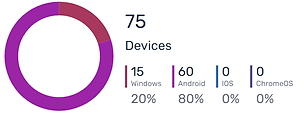
The built-in LAN Web Controller provides full IP-based control of the display over the local network — no cloud account, no internet connectivity required. For government departments, healthcare facilities, and organisations with strict network security policies, this is a significant operational advantage over displays that require cloud connectivity for management features. RS232 control and Q-SYS certification cover AV system integration for professionally managed installations.
Deploy Once — Scale Across Your Organisation
The Intelligent Display Gen 2 is designed for organisations deploying displays across multiple rooms, floors, or sites. Six sizes sharing the same Android 14 CommBox OS platform means the same configuration, the same management approach, and the same user experience across every location. Optional CommBox Manage adds centralised fleet oversight — configure one display, push settings to all. Monitor, update, and troubleshoot every screen from a single dashboard without visiting individual sites.
Commercial Reliability — 24/7 Rated, Built for Long-Term Operation
The Intelligent Display Gen 2 is rated for continuous 24/7 operation with a 50,000-hour panel life — over 17 years at standard commercial usage rates. The aluminium chassis with slim even bezels is designed for professional installation environments: corporate lobbies, retail stores, healthcare corridors, and education campuses where the display needs to perform consistently without attention. Backed by a 5-year warranty and same business day support from CommBox’s local Australian team.
| Specification | Value | What it means for you |
|---|---|---|
| DISPLAY | ||
| Screen Size | 55 inch | Six sizes available from 43 to 98 inch — all sharing the same 500 nit brightness and CommBox OS platform. |
| Resolution | 3840 × 2160 (4K Ultra HD) | Sharp, detailed 4K image across all content types — signage, presentations, and video conferencing all display clearly. |
| Brightness | 500 cd/m² | 500 nits across every size in the range — consistent, predictable brightness when standardising across multiple rooms and sites. |
| Contrast Ratio | 5000:1 | Strong contrast for clear image quality across diverse content types. |
| Viewing Angle | 178° | Consistent image quality from any angle — suitable for open spaces, corridors, and rooms where viewers are positioned off-centre. |
| Glass Protection | Anti-Glare 28% | 28% anti-glare coating reduces reflections in brightly lit environments — offices, retail, healthcare, and education spaces. |
| Orientation | Landscape and Portrait (16:9 / 9:16) | Can be installed in both landscape and portrait orientation — flexible for signage, wayfinding, and meeting room applications. |
| Screen Life | 50,000 hours (24/7 rated) | Rated for continuous 24/7 operation over 50,000 hours — genuine commercial grade, not repurposed consumer panel. |
| Bezel | Even bezel all sides, slim profile | Even bezel on all four sides gives a clean, professional appearance suitable for corporate and retail environments. |
| AUDIO | ||
| Speakers | 2 × 16W Downward-Facing | Built-in audio for meeting room and presentation use — no external speakers needed for standard spaces. |
| PLATFORM | ||
| Operating System | Android 14 + CommBox OS | Latest Android with CommBox OS — access CommBox’s built-in signage, screensharing, and media tools without additional hardware. |
| RAM / Storage | 4GB RAM / 32GB ROM | Handles signage playlists, screensharing, and concurrent apps without slowdown for standard commercial use cases. |
| Built-in Apps | CommBox OS Lite, Screen Presets, CommBox Connect, CommBox Store, CommBox Media Player | Everything needed for signage and meeting room use is pre-installed — no additional media players or streaming boxes required. |
| CONTROL | ||
| RS232 Control | Yes — Baud rate 9600 | Standard RS232 control for integration with any room controller or AV system. |
| IP Control | Yes — LAN Web Controller | Control the display over the network via the built-in LAN Web Controller — no cloud dependency required. |
| Wake on LAN | Yes | Power scheduling and remote wake across a fleet without physical access to each screen. |
| Q-SYS Certified | Yes | Native Q-SYS integration for professionally managed AV environments. |
| Remote Management | Optional — CommBox Manage | Add CommBox Manage for full fleet oversight — configure, update, and monitor all displays from one dashboard. |
| CONNECTIVITY | ||
| Wi-Fi | Removable Wi-Fi 6 Module (2.4/5/6GHz) | Wi-Fi 6 for fast wireless connectivity — removable for environments requiring wired-only security posture. |
| Bluetooth | Bluetooth 5.3 | Connect peripherals and mobile devices reliably. |
| Rear Ports | 3× HDMI In (4K, ARC on HDMI1), 1× HDMI Out, 1× USB-A 2.0, 1× USB-A 3.0, 1× USB-C (65W PD), LAN In/Out, Audio In/Out, S/PDIF, RS-232 | USB-C 65W powers most laptops while presenting. LAN In/Out for daisy-chaining network connections. ARC on HDMI1 for audio return. |
| OPS Slot | Not available on this size | OPS slot available on 65 inch and larger sizes. |
| WARRANTY & SUPPORT | ||
| Warranty | 5 Year Warranty — AU & NZ | 5-year warranty backed by CommBox’s local Australian support team. |
| Training | Unlimited FREE virtual training | Ongoing training included for the life of the screen. |
| Support | Same Business Day Help Desk | Local Australian support — same business day response. |
| Certifications | RoHS, RCM, CE, Q-SYS Certified | Meets Australian compliance requirements with Q-SYS AV integration certification. |
CommBox Warranty & Support
- 5-year warranty — AU & NZ
- Unlimited FREE virtual training for the life of the screen
- Same business day help desk support
- RoHS, RCM, CE, Q-SYS certified
Is the Intelligent Display Gen 2 right for your space?
The Intelligent Display Gen 2 suits spaces that need smart signage, wireless screensharing, and meeting room capability in one display — without full touch interactivity. If you need a simpler non-OS display for Teams Rooms or Zoom Rooms, the CommBox Meeting Room Display Gen 2 is available from 43 to 98 inch. If you need full touch, annotation, and Android apps, the CommBox Classic S5 is the next step up.