interactive digital signage
Interactive Digital Signage Displays — Shop Australia
Touch-enabled commercial displays for retail, corporate, hospitality and public environments where passive signage is not enough — where the screen needs to respond, guide, inform and engage. Samsung interactive digital signage displays available with Australia-wide delivery.
Interactive digital signage is the category of commercial display where the screen does more than broadcast — it responds. A touch-enabled display in a retail environment lets a customer browse a full product catalogue from a screen that takes up the footprint of a single display. A self-service information kiosk in a corporate lobby guides visitors to the right floor without requiring reception staff. An interactive menu board in a food service venue lets customers customise their order before they reach the counter. The common thread is intent: the display is designed to invite input, not just attention.
Interactive digital signage displays are increasingly used in retail, hospitality, healthcare and corporate environments where users need to interact directly with on-screen content. Unlike traditional digital signage displays that present static or scheduled content, interactive displays encourage engagement through touch — allowing visitors to browse information, navigate directories, complete check-ins or access product catalogues without staff assistance.
Retail & Hospitality
Product catalogue browsers, interactive menu boards, self-service ordering points and promotional displays that respond to customer touch input — reducing queue pressure and increasing average transaction value.
Corporate & Public Spaces
Visitor wayfinding, building directory kiosks, room booking panels and employee communication screens in lobbies, reception areas and high-traffic internal corridors where self-service navigation adds operational value.
Healthcare & Education
Patient check-in displays, wayfinding systems in large hospital campuses, student information points and interactive learning resources — environments where guided self-service reduces staff workload and improves the visitor experience.
Touch technology in commercial interactive signage typically means either infrared touch overlays — reliable, durable and suited to public-facing environments with heavy daily use — or capacitive touch panels more familiar from consumer devices, offering faster response and finer precision at higher cost. For most public-facing interactive digital signage deployments where durability and multi-touch reliability across thousands of daily interactions matter more than sub-millisecond response, IR touch is the practical specification. Samsung commercial touch displays in this range use IR touch technology calibrated for the response accuracy and durability that public-facing installations require.
Content management is the other half of an interactive digital signage deployment that panel specification alone cannot address. Samsung's built-in Tizen OS provides a native platform for straightforward interactive content without requiring a separate media player. For more complex interactive experiences — branching menus, database-driven product catalogues, integrated payment terminals — a dedicated content management system running on an external compute source is typically the right architecture. Our interactive digital signage guide covers both approaches and helps you match the right platform to your use case before you specify the hardware.
- Retail product browsers
- Self-service ordering
- Visitor wayfinding
- Building directories
- Patient check-in
- Interactive menu boards
- Room booking panels
- Exhibition displays
- Transport information
If your requirement is specifically a collaborative whiteboard display for a meeting room, classroom or training facility, our interactive whiteboard range covers touch panels designed for annotation, screen sharing and hybrid meeting environments.
Browse Interactive WhiteboardsIf you need a touch-enabled commercial display for a specific application and want to filter by touch capability rather than interactive signage use case, our touch display range covers all touch-enabled panels in the range.
Browse Touch DisplaysBrowsing commercial displays more broadly — standard wall-mount panels for retail, corporate, hospitality, and education environments without a specific touch requirement? Our digital signage display range covers all commercial panels tagged for general signage deployment.
Browse Digital Signage DisplaysNeed help deciding whether interactive signage or a standard commercial display is the right fit for your environment? Our interactive signage guide covers the hardware, content platform, and deployment decisions before you specify.
Read the Interactive Signage GuideNeed help choosing the right interactive display?
Call Andrew on 0416 353 501 or send us a message — interactive signage projects involve enough hardware and software decisions that a quick conversation before you specify is almost always worth having.
Showing 1–16 of 124 results
- $3,041.00
- $4,218.00
- $5,147.00
- $4,017.00
- $5,447.00
- $6,524.00
- Found it cheaper elsewhere? Talk to us first.

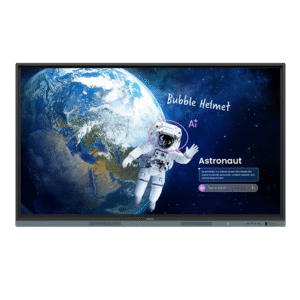
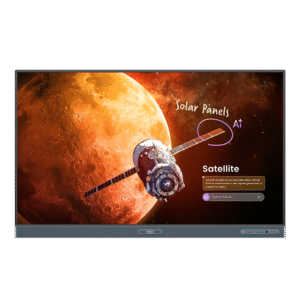
BenQ RE6504FV 65″, 16:9 IFP 4K 3840 x 2160, Essential Series with Google GMS w/built-in cam/NFC reader
Original price was: $5,299.00.$3,399.00Current price is: $3,399.00. - Found it cheaper elsewhere? Talk to us first.
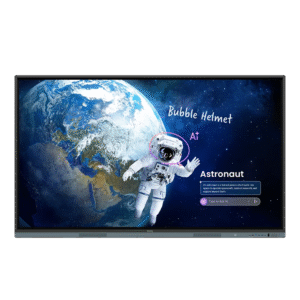
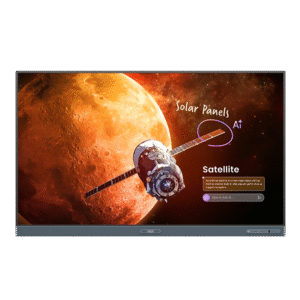
BenQ RE7504FV 75″, 16:9 IFP 4K 3840 x 2160, Essential Series with Google GMS w/built-in cam/NFC reader
Original price was: $7,299.00.$4,999.00Current price is: $4,999.00. - $4,063.00
- $5,594.00
- $6,894.00
- $15,192.00
- Found it cheaper elsewhere? Talk to us first.
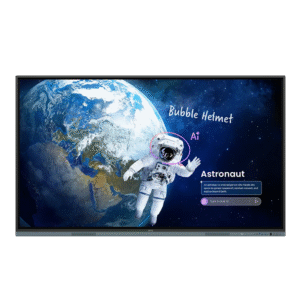
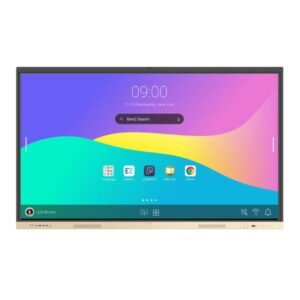
CommBox Interactive Neo 65 Inch Interactive Display | CBIN65
Original price was: $3,199.00.$3,134.00Current price is: $3,134.00. - Found it cheaper elsewhere? Talk to us first.
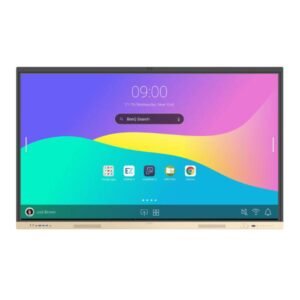
CommBox Interactive Neo 75 Inch Interactive Display | CBIN75
Original price was: $3,999.00.$3,996.00Current price is: $3,996.00. - $5,261.00
- Call for Price