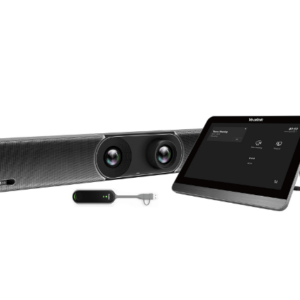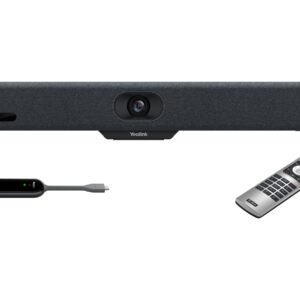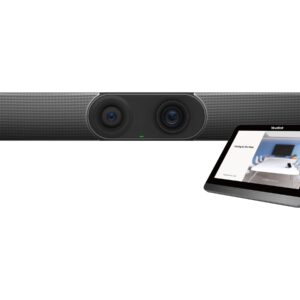


Focus rooms and huddle spaces present a specific deployment challenge — the room is small, the budget is limited, and IT teams need a solution that installs quickly and runs without ongoing intervention. The Yealink MeetingBar A25 addresses all three. A single wall-mounted bar combines camera, microphone array, and speaker into one unit that connects to your existing display via HDMI. Certified natively for Microsoft Teams Rooms and Zoom Rooms on Android 13, it joins your meeting platform without a PC, without drivers, and without a rack of supporting hardware. Wall mount bracket is included in the box.
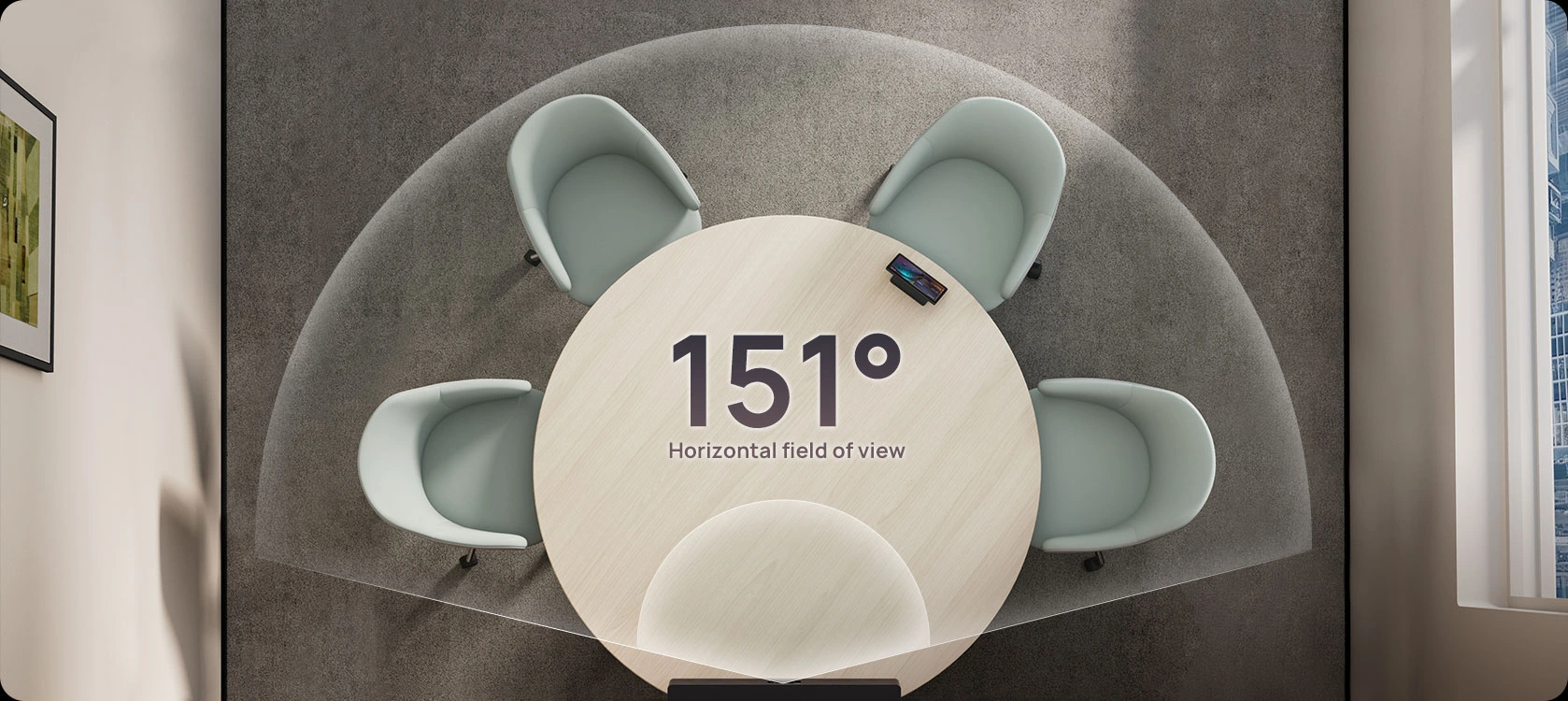
Triple Camera System With 151° Ultra-Wide Coverage
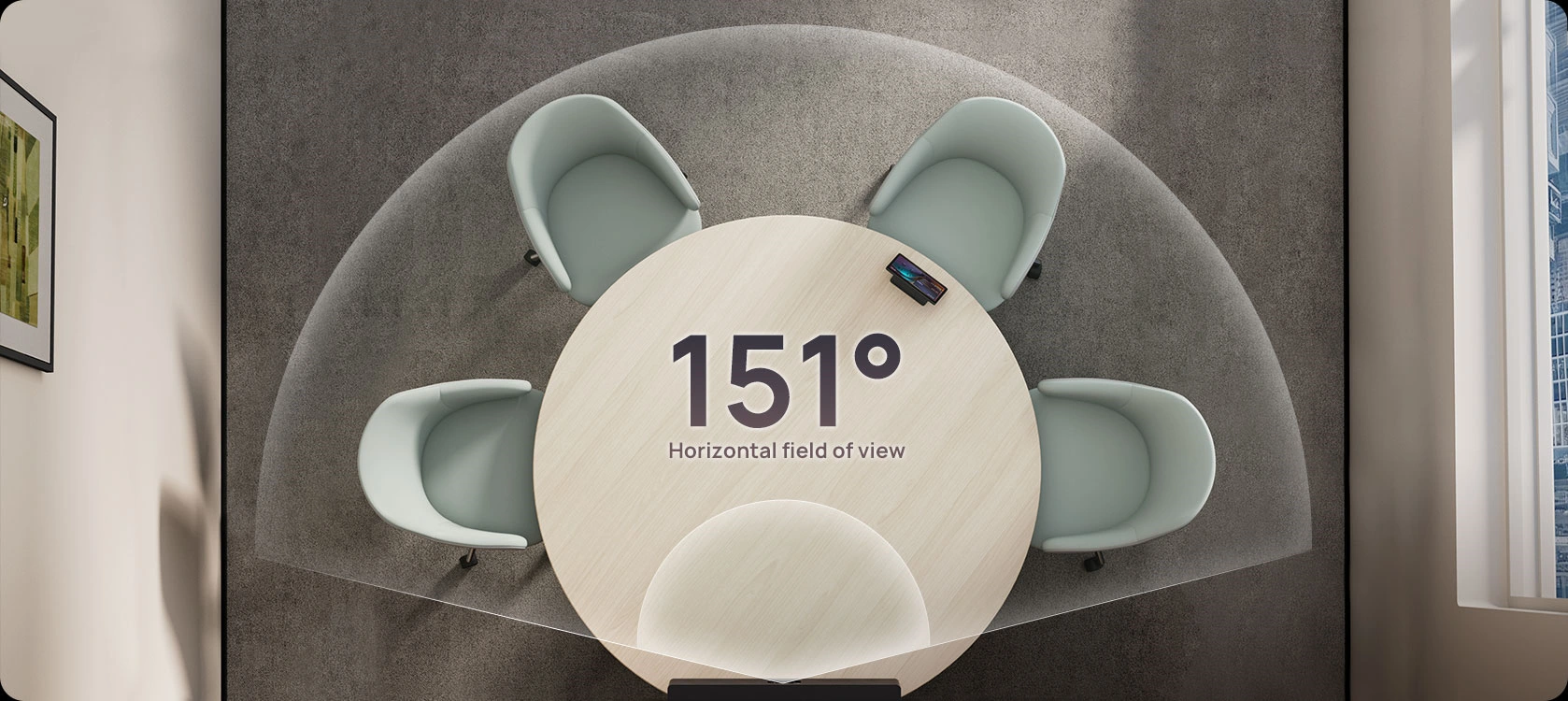
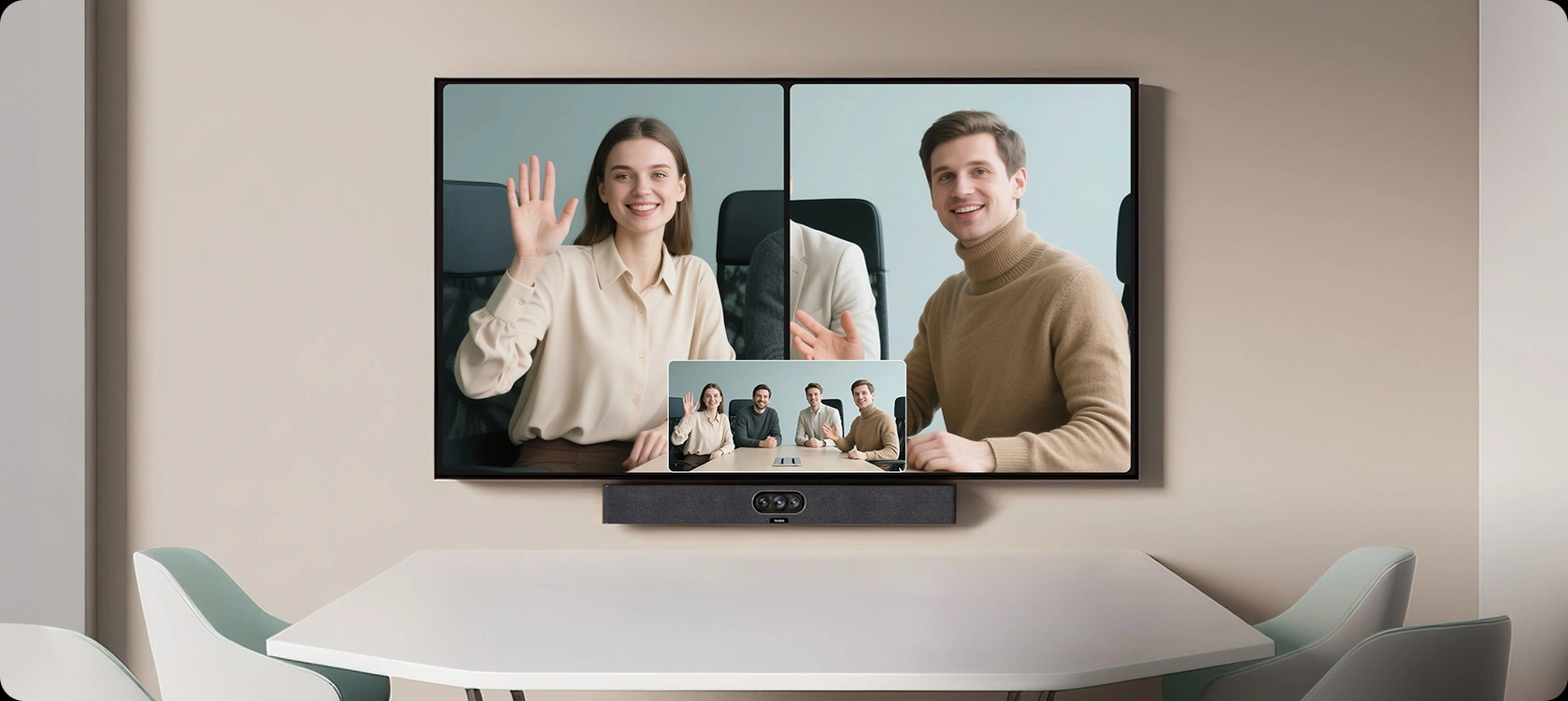
The 151° horizontal field of view ultra-wide camera captures every participant in a focus room without repositioning or manual adjustment. Two telephoto cameras with 84.4° HFOV deliver individual close-up portraits so remote participants clearly identify who is speaking. IntelliFocus switches automatically between wide-room and close-up views — no one touches the camera before or during the meeting.
Key Features
- Triple camera system, 151° ultra-wide field of view — 1× ultra-wide (HFOV 151°) and 2× telephoto cameras, all 8MP 4K sensors, capture every participant in a focus room without repositioning
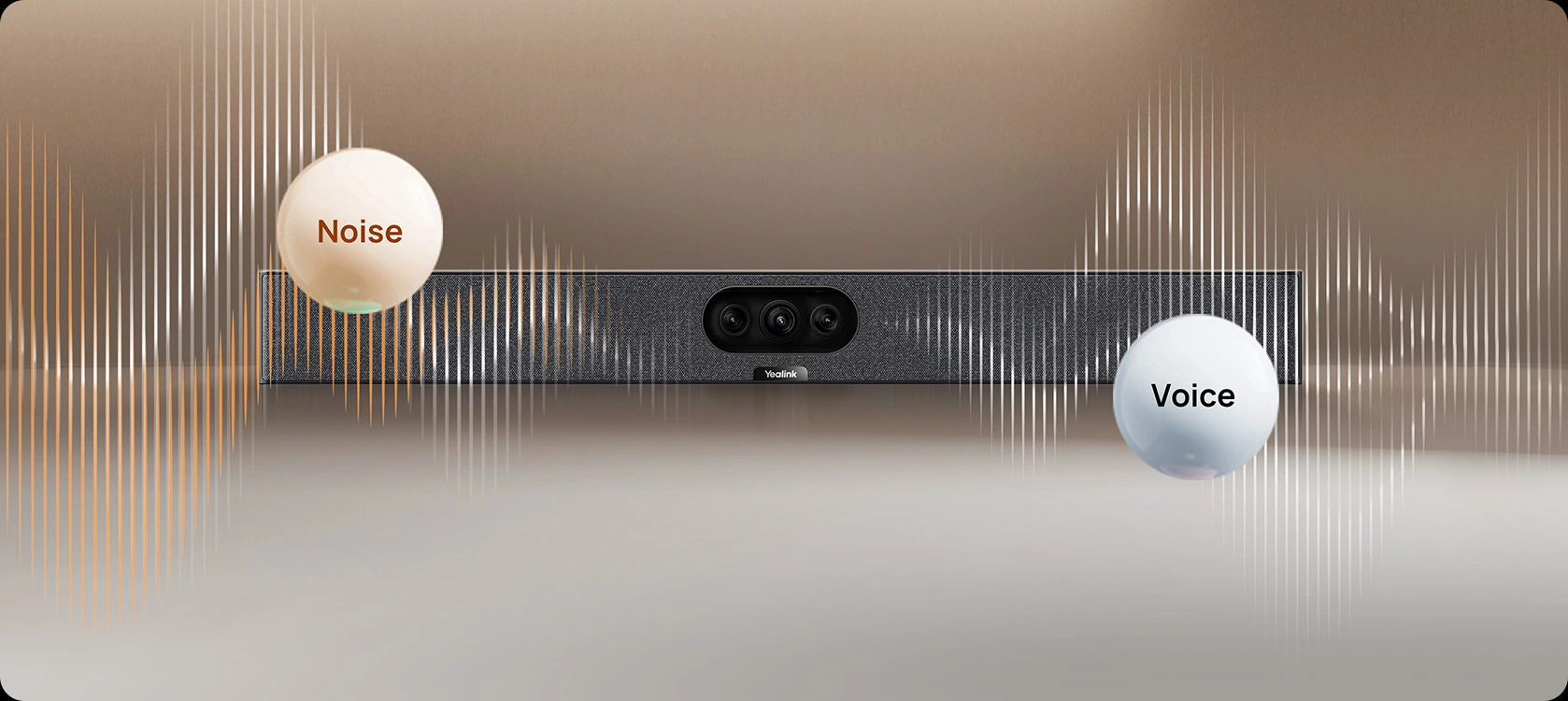
- 8-mic MEMS array, 5-metre pickup — full-duplex coverage across every seat in a focus room; AI-enhanced noise suppression removes background distractions in real time
- 10W forward-facing speaker — clear far-end audio for rooms seating 2–6 without an external amplifier
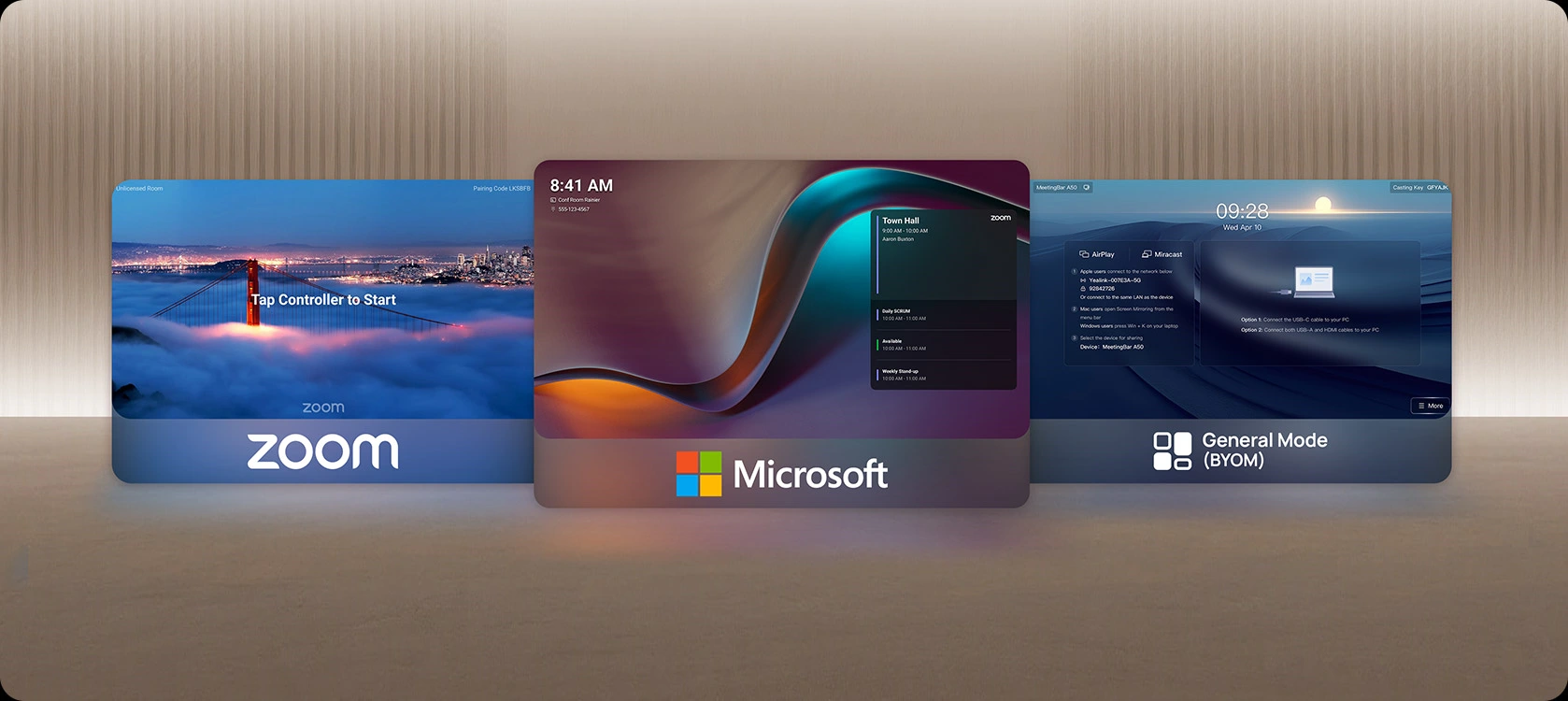
- Native Microsoft Teams Rooms & Zoom Rooms certified — one-touch join from the home screen; BYOD mode via USB-C for any other platform
- Android 13 with MDEP support — Microsoft Device Ecosystem Platform integration for management via Microsoft Intune and Teams Admin Centre
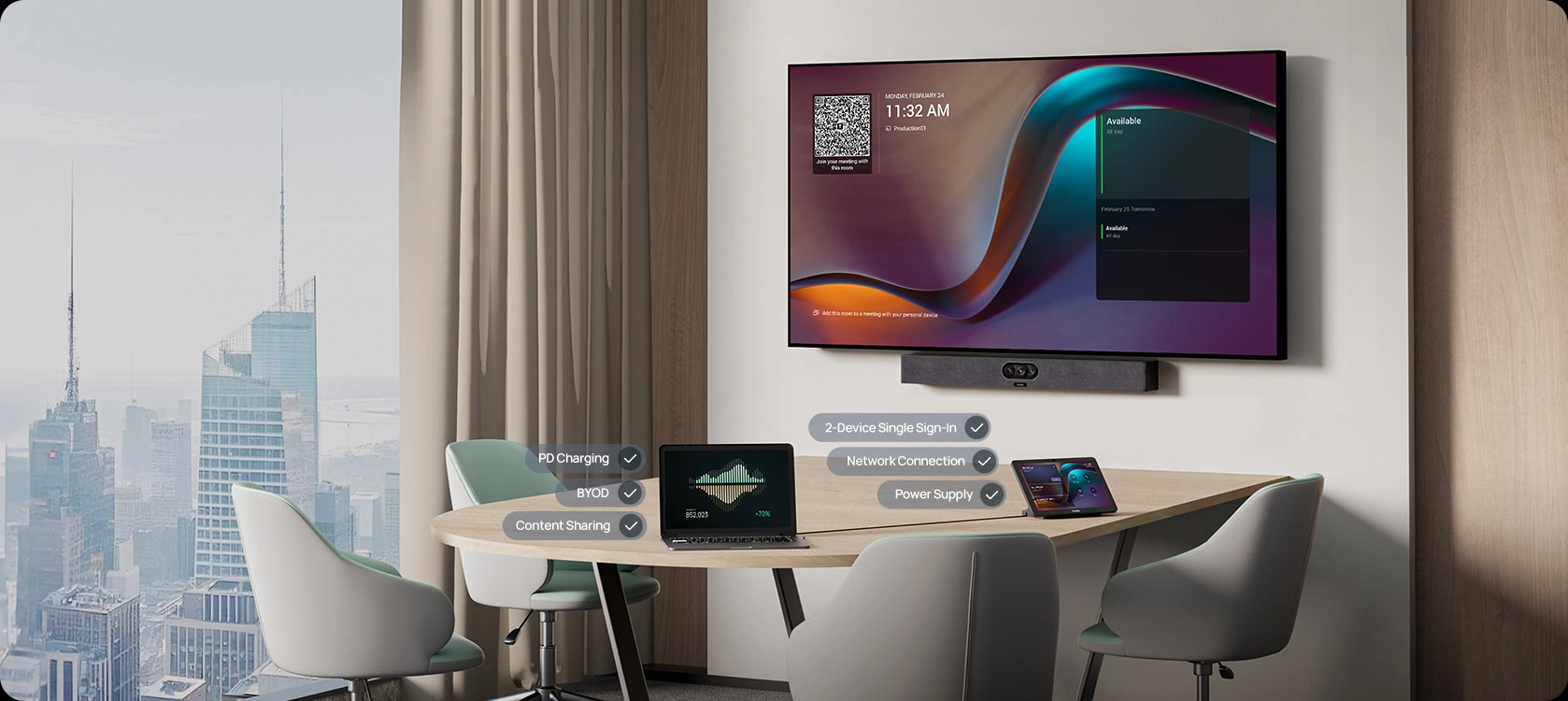
- Single USB-C cable BYOD — connects any laptop and immediately uses the A25 as display, camera, mic, and speaker in one step
- IntelliFocus AI tracking — simultaneous close-up portrait and wide-angle room views; Video Fence restricts camera to within the defined meeting zone
- CTP25 direct connection — A25-031 bundle includes touch panel via VCH port; single login covers both devices
- Remote device management — YMCS, Microsoft TAC, Microsoft Intune, and Zoom ZDM compatible for IT-managed rollouts
AI Camera Intelligence — IntelliFocus, Speaker Tracking & Video Fence
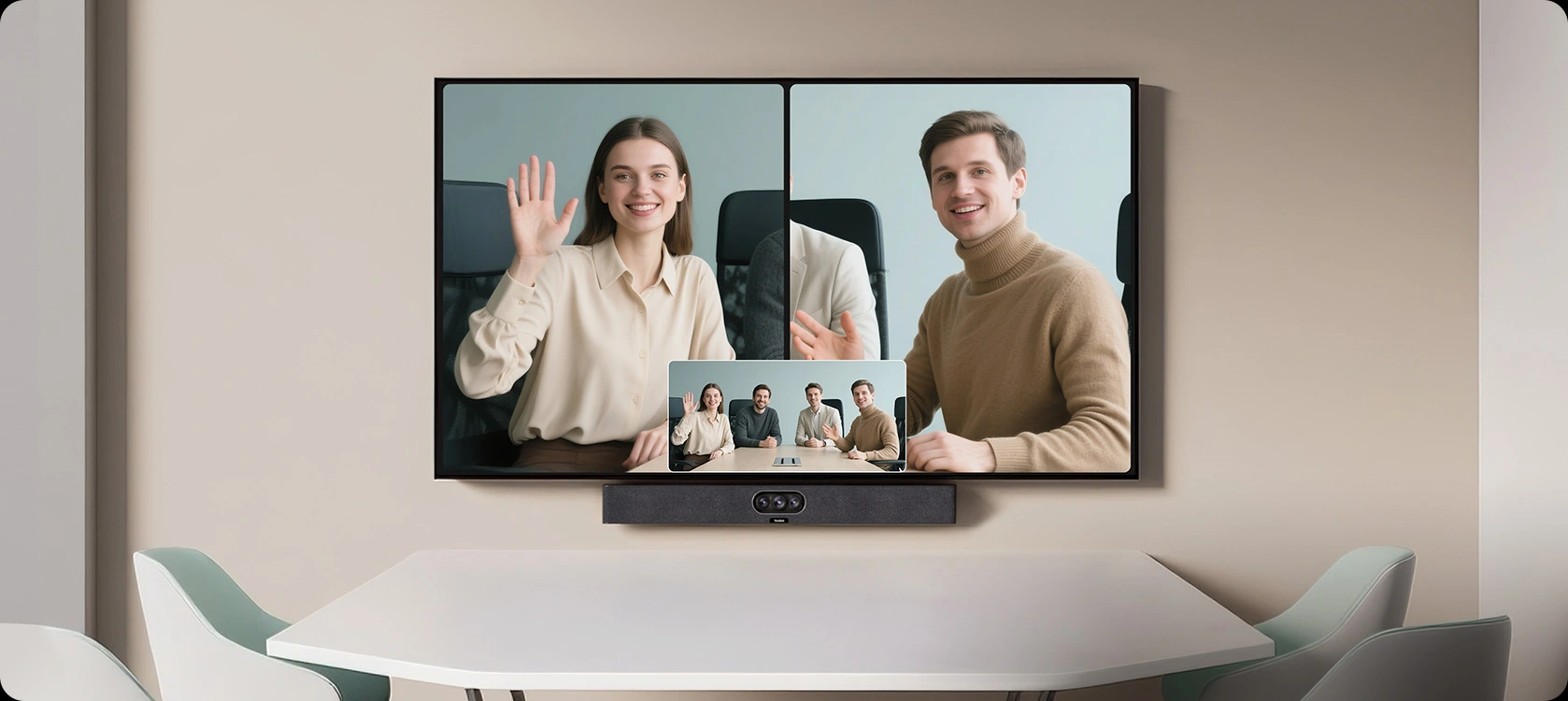
The dedicated AI processor runs IntelliFocus — showing a close-up of the active speaker alongside a panoramic room view simultaneously, so remote participants always have context. Speaker Tracking follows the conversation automatically. Video Fence lets you define a virtual boundary so the camera only tracks people inside your meeting zone — useful in glass-walled focus rooms and open-plan offices where people pass behind participants.
8-Mic Array With AI Noise Suppression for Focus Room Audio
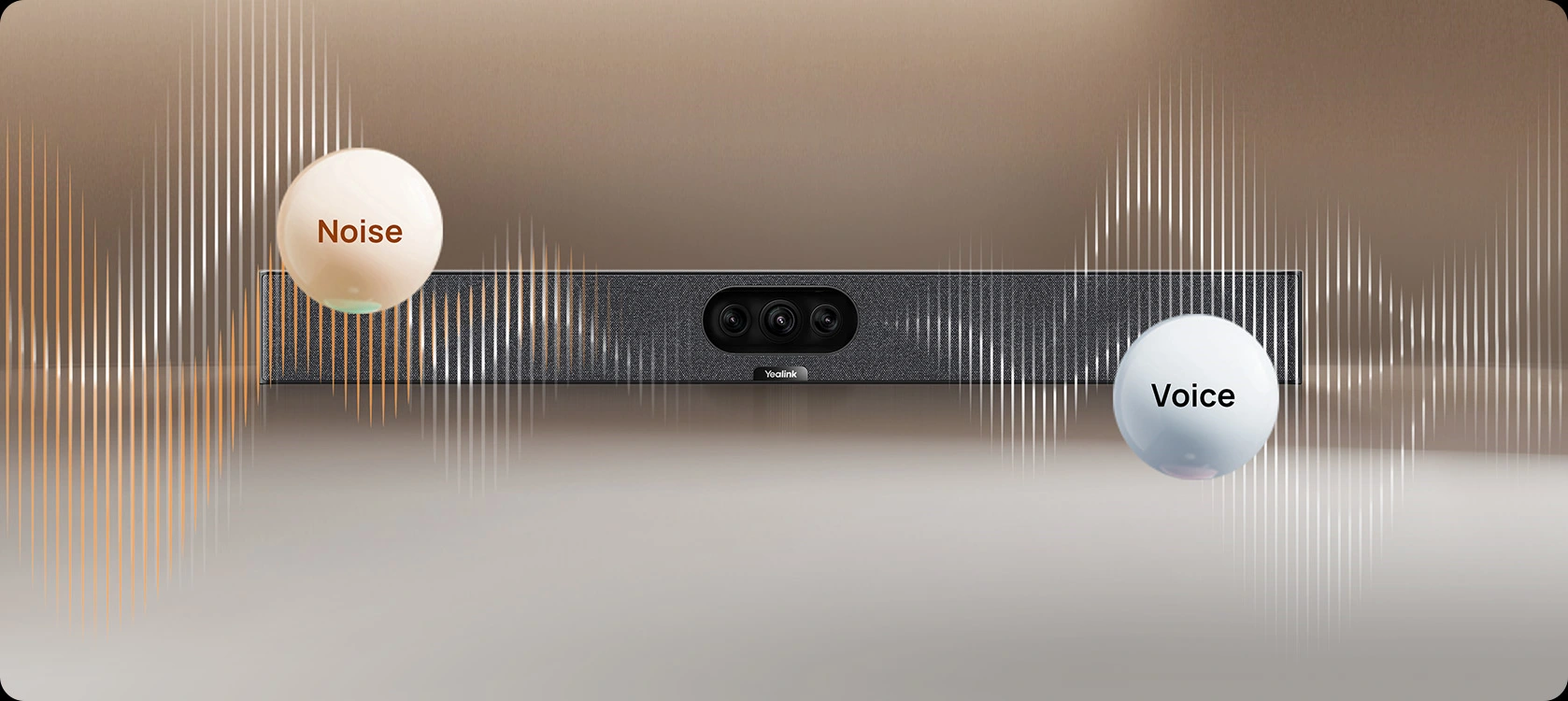
Eight MEMS microphones with full-duplex processing and AI-enhanced noise suppression pick up clear voice up to 5 metres — covering every seat in a focus room or huddle space without an external speakerphone. The AI processing removes keyboard clicks, HVAC noise, and passing conversation before it reaches the far end. The 10W forward-facing speaker delivers clear far-end audio without an external amplifier.
One Cable. One Plug. Instant BYOD or Teams Rooms.
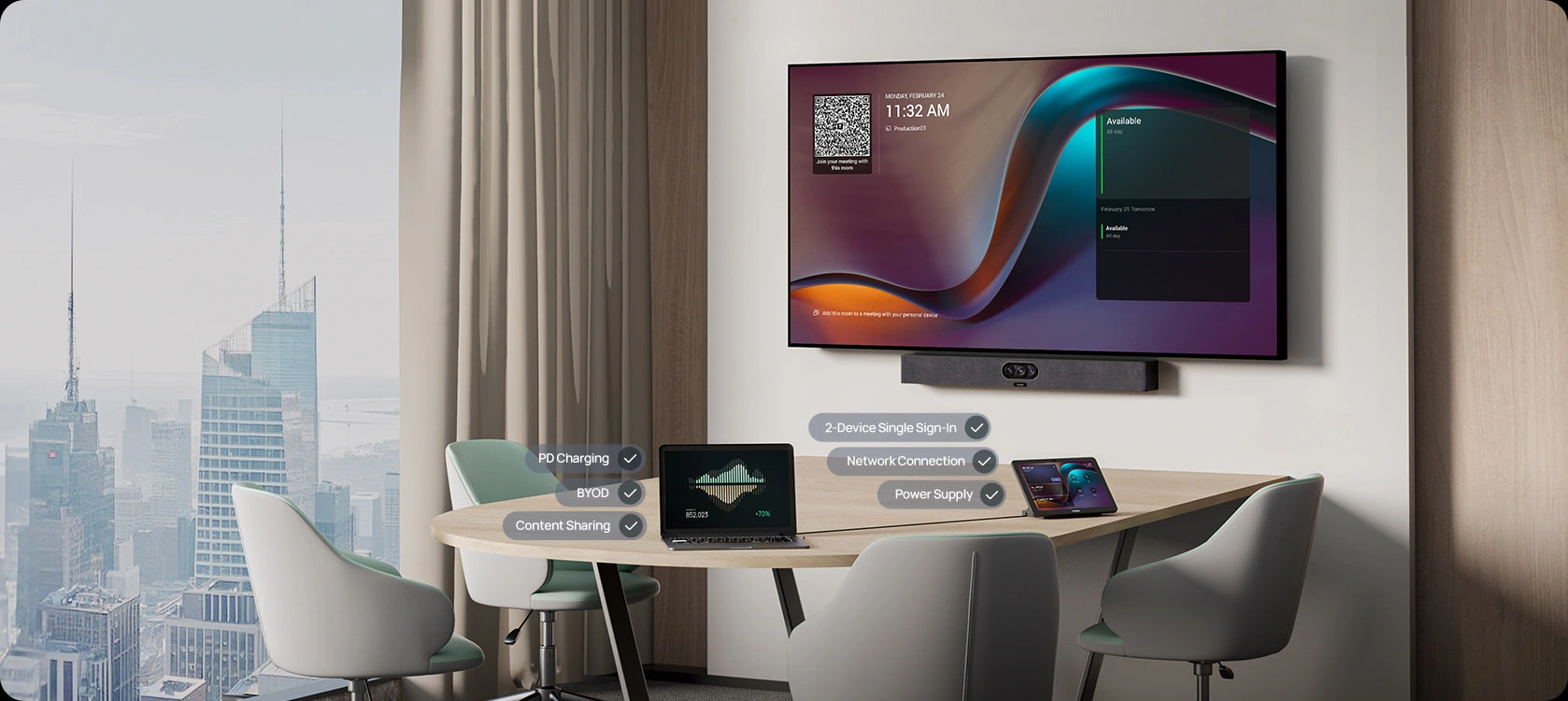
The MeetingBar A25 connects to your room display via HDMI and to your network via a single Ethernet cable or Wi-Fi 6. For BYOD sessions, one USB-C cable from a laptop enables 4K content sharing, camera and audio peripheral use simultaneously — no additional dongles or drivers required. Wall mount bracket is included; standard installation takes under 10 minutes.
Native Teams Rooms, Zoom Rooms & BYOD — One Device, Every Platform
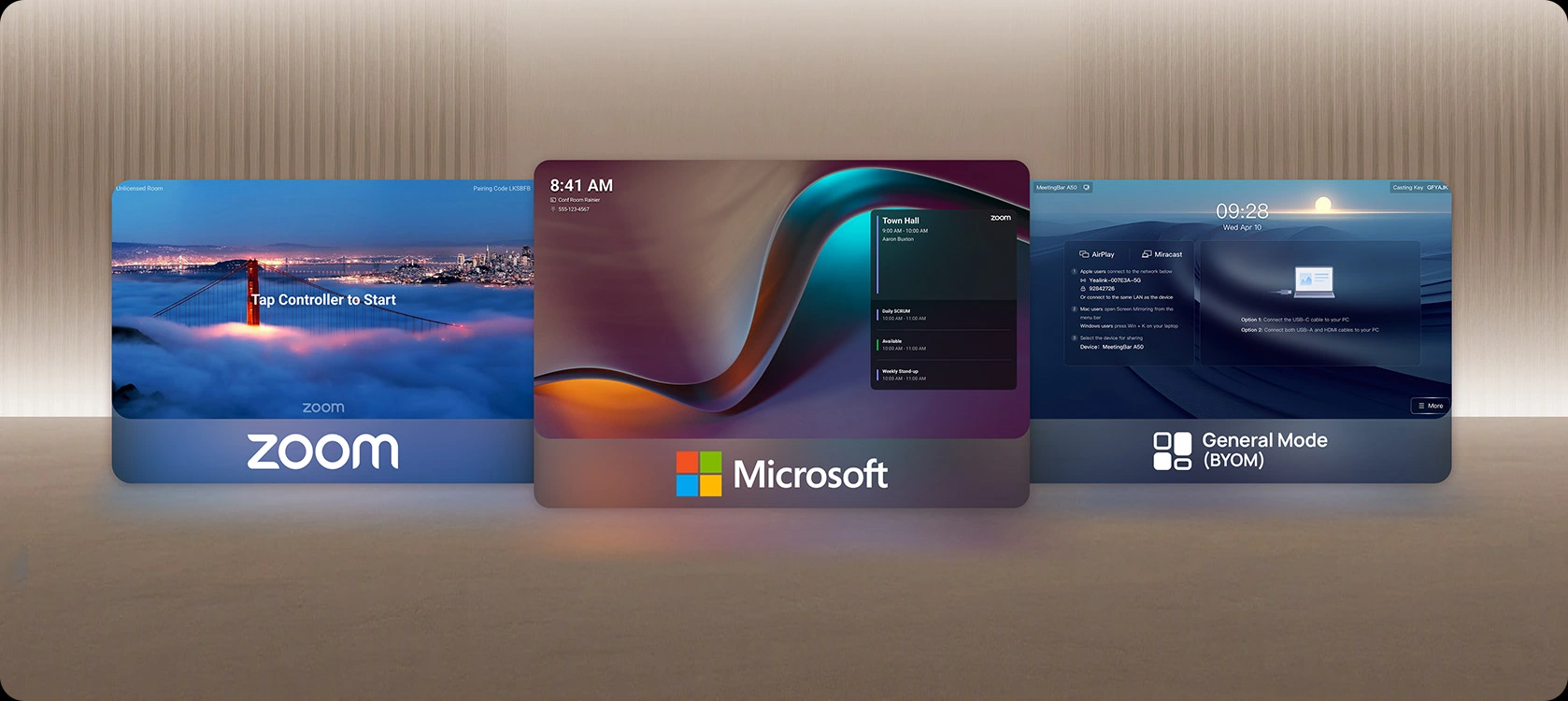
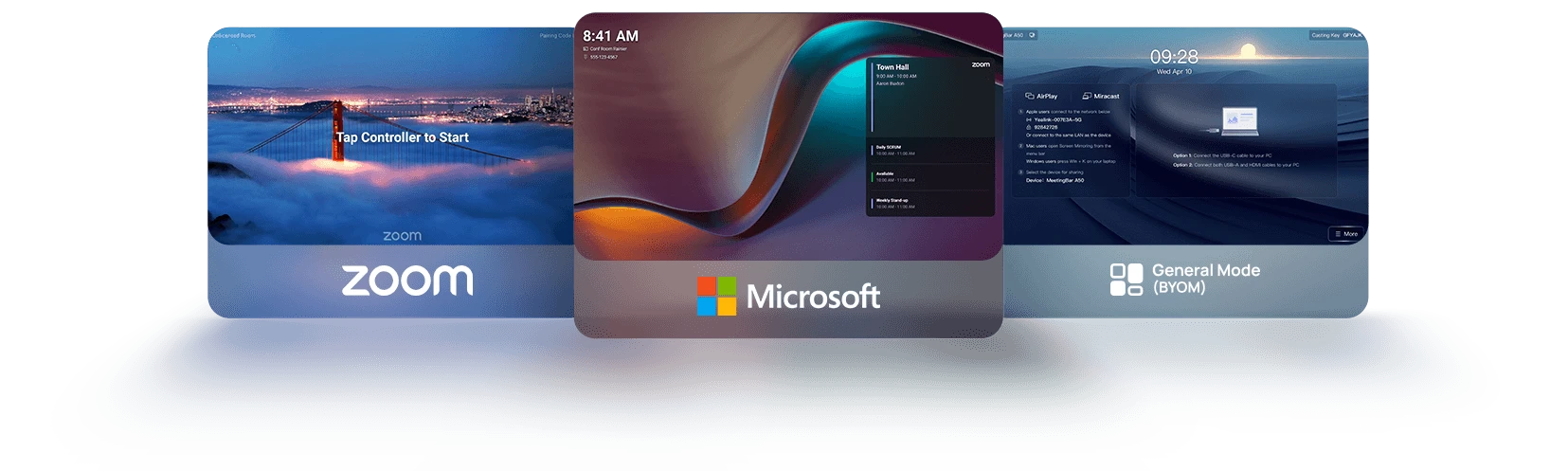
The MeetingBar A25 runs Microsoft Teams Rooms and Zoom Rooms natively on Android 13 — tap once to join without a laptop. General Mode (BYOM) supports H.323/SIP for legacy conferencing infrastructure. For other platforms, BYOD via USB-C connects any laptop and uses the A25 as camera, microphone, and speaker through any third-party application. One permanently installed device covers every meeting scenario.
CTP25 Touch Panel — Flexible Installation for the A25-031 Bundle
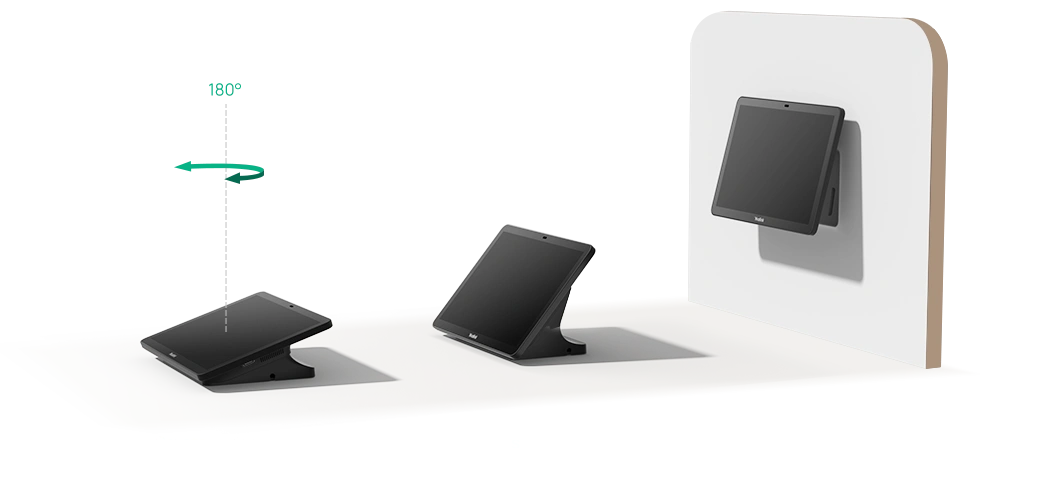
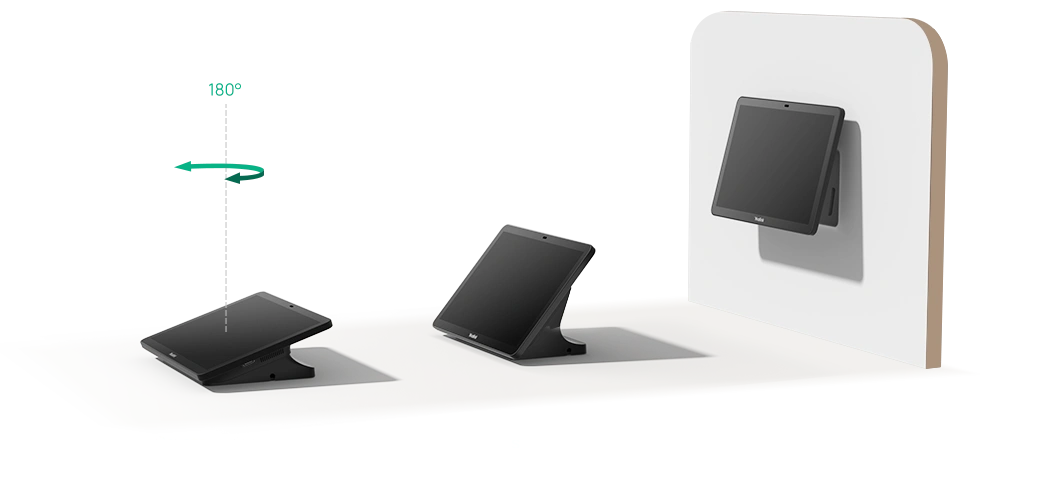
The A25-031 bundle includes the CTP25 touch panel, which connects directly to the MeetingBar A25 via the VCH port. The CTP25 mounts on a desktop stand, desk clamp, or wall bracket — positioning it wherever it’s most accessible in the room. A single login on the CTP25 covers both the panel and the bar. For rooms where a touch panel is not required, the A25-010 bundle includes the VCR11 remote control instead.
Android 13 Interface — Simple Home Screen, Enterprise Management
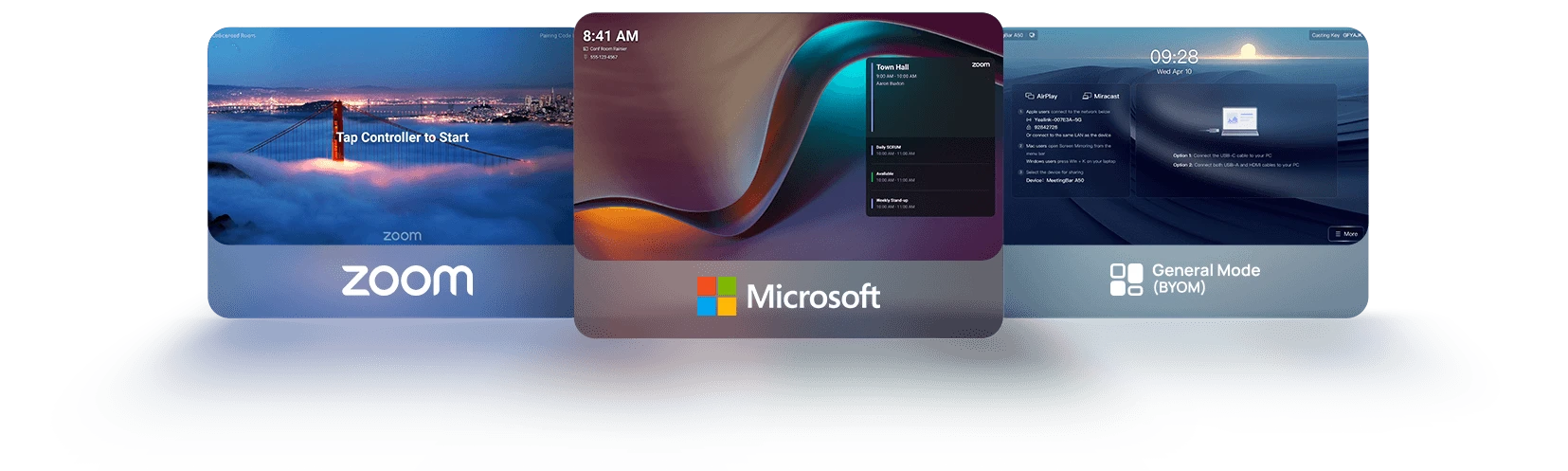
The home screen displays upcoming meetings, one-touch join buttons for Teams and Zoom, and BYOM connection status — designed so anyone can walk in and start a meeting without IT support. Behind the interface, Android 13 with MDEP support allows IT teams to manage the device through Microsoft Intune alongside other corporate endpoints, applying policies, pushing firmware updates, and monitoring device health remotely.
Designed for the Modern Hybrid Focus Room

The MeetingBar A25 suits focus rooms, phone booths, and huddle spaces where meeting quality matters but budget and space are constrained. A permanently installed unit eliminates the setup friction of plug-in webcams, ensures consistent audio and video quality regardless of which laptop a participant brings, and gives IT a centrally managed device rather than an unmanaged peripheral.
Things to Consider Before Buying
| Consideration | What to Know |
|---|---|
| Room size | Designed for focus rooms and huddle spaces seating 1–6 people. The 151° ultra-wide camera and 5-metre mic pickup cover the full room without additional hardware. For rooms seating 6–12 consider the Yealink MeetingBar A40. |
| Touch panel requirement | The A25-010 includes a VCR11 remote — suited to rooms where a wall-mounted or desk touch panel is not required. The A25-031 includes the CTP25 touch panel with stand and cables for a dedicated room scheduling interface. |
| Display | The A25 connects to your existing room display via HDMI — it does not include a display. Ensure your room TV or monitor has an available HDMI input. |
| Microphone expansion | External microphone expansion is not supported. The built-in 8-mic MEMS array covers up to 5 metres — sufficient for standard focus room dimensions. |
| PC requirement | No PC required for Teams Rooms or Zoom Rooms — runs natively on Android 13. BYOD mode via USB-C supports any laptop for other platforms. |
| Open-plan environments | Video Fence creates a virtual camera boundary — relevant in glass-walled focus rooms or semi-open spaces where people pass behind participants. |
Why Choose a Dedicated Video Bar Over a Webcam Setup
| Consideration | Webcam + Bluetooth Speaker | Yealink MeetingBar A25 |
|---|---|---|
| Setup per session | Laptop, webcam, and speaker required every session | Permanently installed — tap once to join, no laptop needed for Teams or Zoom |
| Camera field of view | Typically 90° — misses participants at room edges | 151° ultra-wide — captures everyone without repositioning |
| Audio pickup | 1–2 metres without a dedicated speakerphone | 8-mic MEMS array, 5-metre full-duplex with AI noise suppression |
| Platform support | Dependent on the laptop and app installed | Native Teams Rooms, Zoom Rooms, BYOD USB-C for any other platform |
| IT management | No centralised management | YMCS, Microsoft TAC, Intune, Zoom ZDM — remote management across all rooms |
Camera Specifications
| Feature | Specification | Why It Matters |
|---|---|---|
| Camera system | Triple — 1× ultra-wide (HFOV 151°) + 2× telephoto (HFOV 84.4°), all 8MP 4K sensors | Ultra-wide covers the full focus room; telephoto cameras deliver close-up portraits so remote participants can identify who is speaking |
| Max resolution | 3840 × 2160 @ 30fps | 4K output ensures participant faces are sharp on large remote displays |
| AI modes | IntelliFocus, Auto Framing, Speaker Tracking, PIP, Video Fence, Smart Gallery (Zoom) | Automatic framing means no one adjusts the camera before or during a meeting — important in unmanaged focus rooms |
| Privacy cover | Electric lens cap | Physical camera block when not in use — relevant for privacy-sensitive environments |
| Depth of field | 0.4–2.5 metres | Optimised for the typical participant distance in a focus room or phone booth |
Audio Specifications
| Feature | Specification | Why It Matters |
|---|---|---|
| Microphone array | 8 MEMS, 5-metre pickup, 3.5-metre high-quality pickup, 32-bit/48kHz | Covers every participant in a focus room without an external speakerphone or ceiling microphone |
| Noise suppression | AI-enhanced, full-duplex AEC, AGC | Removes background noise common in open-plan offices and glass-walled focus rooms — keyboard clicks, HVAC, passing conversation |
| Speaker | 10W rated (12W max), 100Hz–16kHz, forward-facing | Adequate output for focus rooms seating 2–6 without an external speaker |
| Line out | 1× 3.5mm line-out port | Supports connection to an external speaker system if higher audio output is required |
| Expansion mics | Not supported | The A25 is designed for focus rooms — for rooms requiring mic expansion consider the Yealink MeetingBoard Pro |
Connectivity & Ports
| Feature | Specification | Why It Matters |
|---|---|---|
| Network | Wi-Fi 6 dual-band (802.11ax, 2×2 MIMO) + 1× Gigabit Ethernet | Wi-Fi 6 allows cable-free installation in rooms where running Ethernet is not practical |
| HDMI out | 1× HDMI out, up to 4K@30fps, CEC supported | Connects to any existing room display — no dedicated monitor required |
| USB-C BYOD | USB 3.0 Type-C — video in 4K@30fps, BYOD out 1080p@30fps | Single cable BYOD — laptop connects and immediately uses the A25 as camera, mic, and speaker |
| VCH port | 1× RJ-45 Yealink VCH | Direct CTP25 connection — single login covers bar and touch panel in the A25-031 bundle |
| Bluetooth | Bluetooth 5.1 | Wireless peripheral pairing without additional USB adapters |
Security & Management
| Feature | Specification | Why It Matters |
|---|---|---|
| Encryption | Full disk AES-128/AES-256, symmetric keys, PKI | Enterprise-grade encryption at rest and in transit — relevant for legal, finance, and government environments |
| MDEP | Microsoft Device Ecosystem Platform compatible | Managed through Microsoft Intune alongside other corporate devices — reduces the number of management platforms IT teams operate |
| Device management | YMCS, Microsoft TAC, Microsoft Intune, Zoom ZDM | Remote firmware updates, configuration, and diagnostics across all deployed units without on-site IT visits |
Physical Specifications
| Specification | Detail |
|---|---|
| Dimensions | 570 × 80 × 65mm |
| Net weight | 3.812kg |
| Power consumption | 38 BTU/hr idle / 58 BTU/hr in meeting |
| Operating temperature | 0–40°C |
| Mounting options | Wall mount (included), TV mount (optional VB-TVMount-01/02), desktop stand (optional VB-TabletopMount-01) |
| In the box (A25-010) | MeetingBar A25, VCR11 remote, power adapter (3.5m), HDMI cable (1.8m), network cable (3m), USB-A to C cable (3m), wall mount, cable cover, QSG |
| In the box (A25-031) | MeetingBar A25, CTP25 touch panel, 65W PD power adapter (2m), network cable (7.5m), USB-C to C cable (1.2m), high stand, cable management cover |
Warranty & Support
The Yealink MeetingBar A25 is covered by a 2-year limited hardware warranty against manufacturing defects. Extended warranty options are available at the time of purchase — contact Kickstart Computers for details. Contact us for warranty claims, on-site assessment, and post-sale technical support across Australia.
Explore the Full Yealink Video Conferencing Range
The MeetingBar A25 is part of the Yealink conferencing ecosystem — designed to work
alongside larger room solutions, touch panels, and accessories under a single management
platform. Browse the full Yealink range to find the right device for every room size in
your organisation.
Browse Yealink Video Conferencing →
Compare All Video Conferencing Equipment
Not sure which solution fits your rooms? Kickstart Computers stocks conferencing
equipment from Yealink, Logitech, Poly, Jabra, and AVer — across every room size from
focus rooms to large boardrooms. Compare brands, platforms, and room solutions in one place.