



The Tracking Camera That Goes Where the Teacher Goes
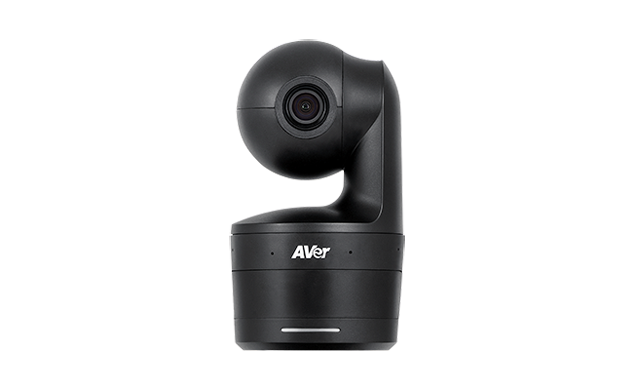
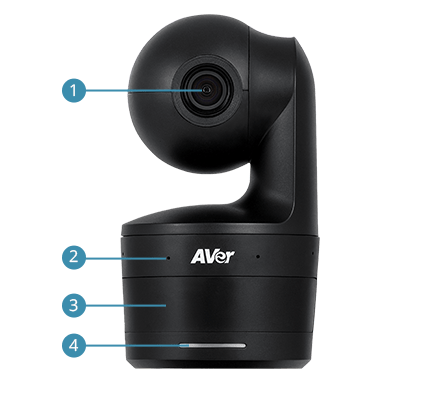
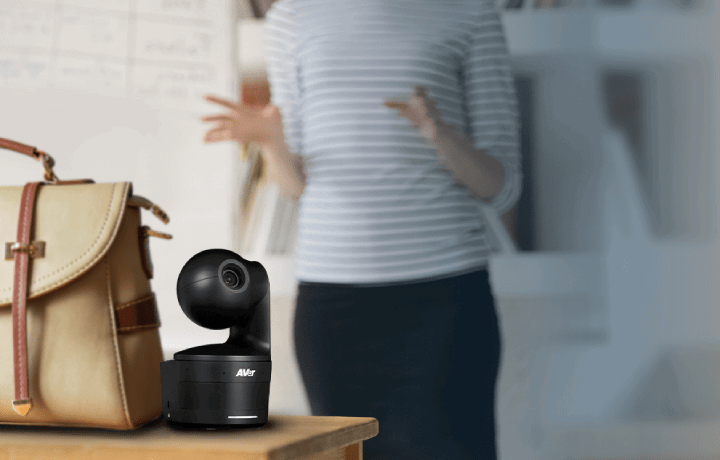
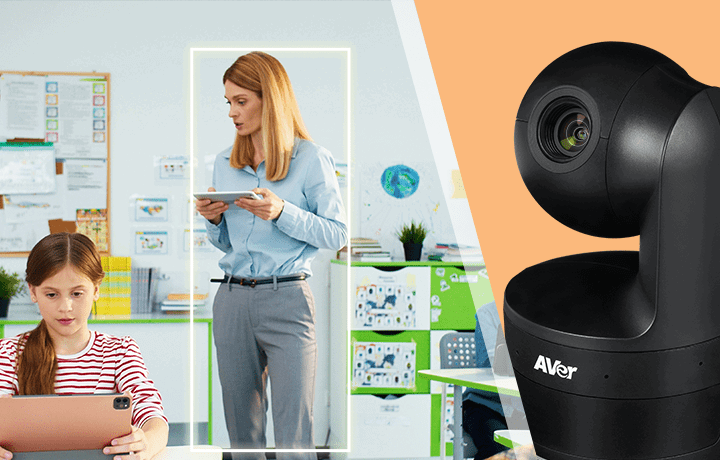
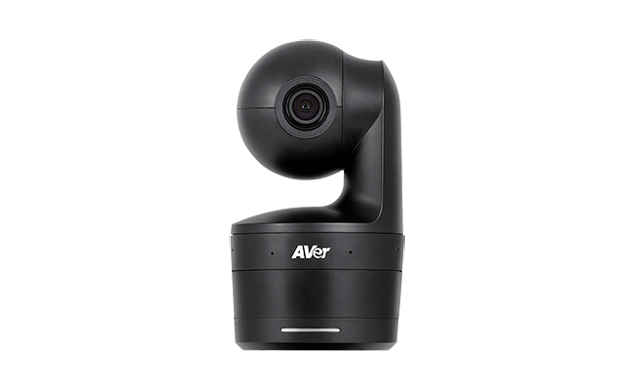
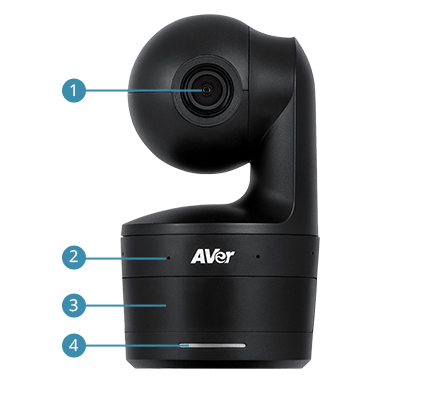
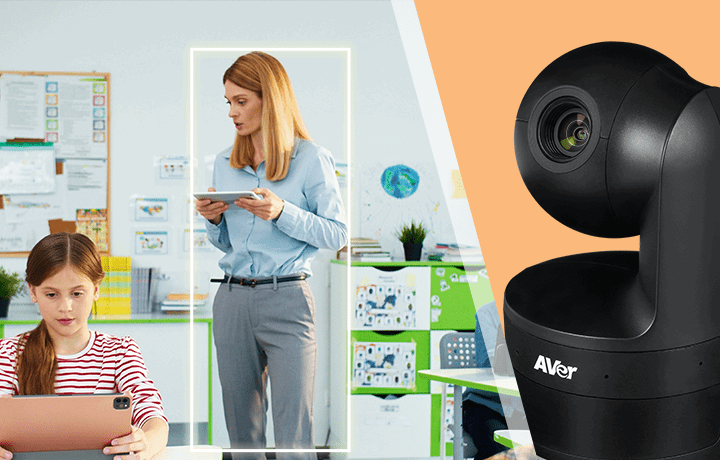
The DL10 is built around a straightforward problem in education: the teacher moves, and fixed cameras don’t. A webcam on the monitor captures whoever is sitting in front of it. A ceiling-mounted camera requires IT installation and can’t follow anyone. The DL10 weighs 760 g, places on the desk or the included tripod in seconds, and uses AI auto-tracking to follow the teacher across the classroom continuously — without wall sensors, IR transmitters, or any additional hardware. The AI algorithm does the tracking entirely from the camera image.
The optics are calibrated for a standard K-12 classroom. The 90° diagonal field of view with 3X optical zoom and 6X total zoom ratio gives enough reach to cover the typical classroom depth without making the image look compressed or telephoto-flat. Output is 1080p at 60fps — smooth enough that gestures, whiteboard writing, and demonstrations look natural rather than choppy. Pan range is ±170° and tilt is ±90°, covering the full classroom space. Minimum illumination is 0.5 Lux with WDR, so the camera tracks reliably even in dimly lit rooms during video playback or presentations.
Gesture control is the feature that makes the DL10 practical in a live classroom. Teachers can toggle tracking on and off, adjust the shooting angle, and control zoom using hand gestures — without touching a keyboard, mouse, or remote control. This matters because stopping mid-lesson to operate a device breaks the teaching rhythm in a way that disrupts both the in-room and remote students. Sleep Mode adds the privacy piece: when the laptop is closed or the conferencing software exits, the DL10 goes fully inactive within 10 seconds — camera off, microphone off, no indicator light visible. Students and staff get clear assurance that the camera is not recording between sessions.
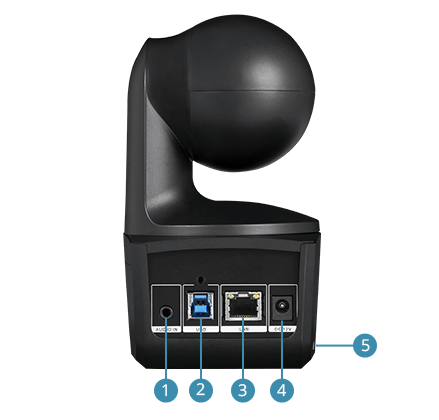
The built-in noise suppression microphones filter keyboards, mice, books, and ambient classroom sounds while preserving the teacher’s voice. Audio format is UAC 1.0 plug-and-play — no separate audio driver required. Works on Windows 7/10/11, macOS, and iOS/iPadOS 9 or later via USB 3.1 Gen 1 Type-B. Compatible with Zoom, Teams, Google Meet, and all UVC-compatible platforms. Three-year camera warranty, one year on accessories.
760 g — Portable Enough to Go Where the Teacher Goes

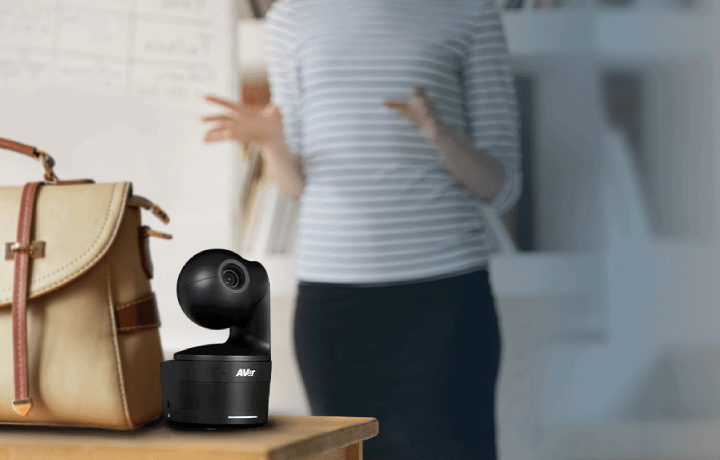
The DL10 weighs 760 g and places on the desk or included tripod in seconds. USB plug-and-play means no IT setup, no driver installation, no fixed mounting required. Teachers can carry it between classrooms, take it home for remote teaching days, or share it across a department — the camera goes where the teaching happens rather than being locked to one room.
Key Features
- AI auto-tracking — no sensors required — follows the teacher across the classroom using AI image analysis alone; no wall sensors, IR transmitters, or additional hardware
- 760 g and portable — desk or tripod placement; carries between classrooms or home; USB plug-and-play means setup takes under a minute
- 90° DFOV with 3X optical / 6X total zoom — calibrated for standard K-12 classrooms; 1080p/60fps for smooth, natural-looking movement; pan ±170°, tilt ±90°
- 0.5 Lux minimum illumination with WDR — tracks reliably in dimly lit rooms and during video playback; auto shutter and exposure control
- Gesture control — hands-free camera management — toggle tracking, adjust angles, and control zoom with hand gestures; no keyboard, mouse, or remote required during class
- Sleep Mode — fully private between sessions — camera and microphone deactivate within 10 seconds of closing the software or laptop; no indicator light when inactive
- Noise suppression microphones — filters keyboards, mice, books, and ambient classroom sounds; UAC 1.0 plug-and-play; no separate audio driver
- Works on Windows, macOS, and iPad — USB 3.1 Gen 1 Type-B; UVC/UAC plug-and-play; iOS/iPadOS 9 or later supported
AI Auto-Tracking — Follows the Teacher With No Extra Hardware

The DL10’s AI tracking algorithm analyses the camera image to follow the educator continuously across the classroom — no wall sensors, IR transmitters, or additional devices required. Teachers can write on the board, move between student groups, and gesture freely. Remote students always see whoever is teaching, not just the spot in front of the desk where the session started.
6X Total Zoom — Calibrated for a Standard Classroom
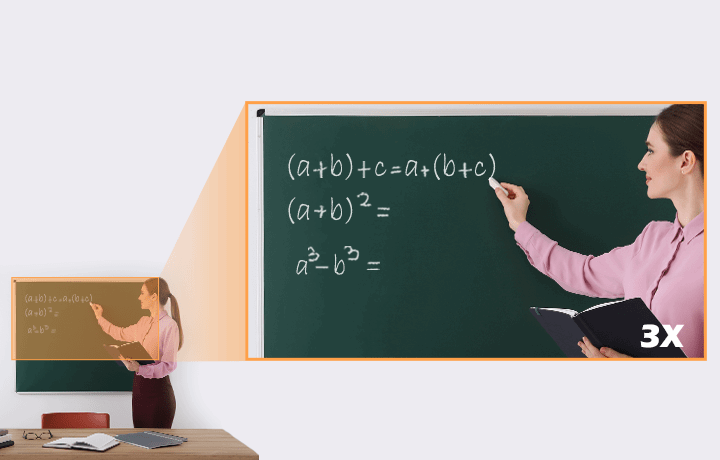
With a 90° DFOV, 3X optical zoom, and 6X total zoom, the DL10 covers a standard K-12 classroom from a full-width wide shot to a clear teacher close-up. The 1080p/60fps output gives remote students smooth, natural-looking video — important when the teacher is demonstrating something at the board or working through problems at a student’s desk.
Noise Suppression Microphones — Teacher’s Voice, Not the Classroom

The DL10’s built-in microphones use advanced noise suppression to filter keyboards, mice, book shuffling, and ambient classroom sounds while preserving the teacher’s voice clearly. No lapel mic or headset required — the camera handles pickup from the desk position and delivers consistently clean audio to remote students throughout the session.
Sleep Mode — Fully Off Between Sessions, Automatically

When the laptop is closed or the conferencing software exits, the DL10 goes fully inactive within 10 seconds — camera off, microphone off, no indicator light visible. It is not a software mute; the device is completely deactivated. When teaching resumes, it picks up with the previous tracking and zoom settings unchanged. Students and staff get clear, unambiguous privacy assurance between classes.
Gesture Control — Adjust the Camera Without Breaking Stride

The DL10 recognises hand gestures to toggle tracking on and off, adjust the shooting angle, and control zoom — no keyboard, mouse, remote control, or app required. Teachers make camera adjustments mid-lesson without stopping, turning away from students, or disrupting the flow of the session. A small feature that makes a measurable difference in live classroom teaching.
Specifications
| Category | Specification | What It Means for You |
|---|---|---|
| Image Sensor | 1/2.8″ 1080p Low Lux CMOS, 2 megapixels | Low lux sensor with WDR for reliable tracking in variable classroom lighting |
| Output Resolution | 1080p/60fps (USB and IP streaming) | Full HD at 60fps for smooth, natural teacher movement on screen |
| Field of View | DFOV 90° (wide) to 35.8° (tele); HFOV 82° to 31.7° | Covers a standard K-12 classroom from full-width to teacher close-up |
| Optical / Total Zoom | 3X optical, 2X digital (6X total) | Sufficient reach for classroom depth without image quality loss |
| Minimum Illumination | 0.5 Lux (IRE50, F2.0, 30fps) with WDR | Tracks reliably during video playback and in dim classroom environments |
| Pan / Tilt | Pan ±170°; Tilt ±90°; manual speed 1°–100°/sec | Full classroom coverage from a single desk or tripod position |
| AI Auto-Tracking | Yes — AI image analysis only; no external sensors | Teacher moves freely; the camera follows without hardware on walls or ceilings |
| Gesture Control | Tracking toggle, angle adjustment, zoom control | Adjust the camera mid-lesson without touching any device |
| Sleep Mode | Camera and audio deactivate within 10 seconds of software/laptop close | Full privacy between sessions; no indicator light when inactive |
| Microphones | Built-in with noise suppression; UAC 1.0 plug-and-play | Filters keyboard, mouse, and ambient classroom noise; no audio driver required |
| Video Format | MJPEG, YUY2; UVC 1.1 | Standard UVC; compatible with Zoom, Teams, Google Meet, and all UVC platforms |
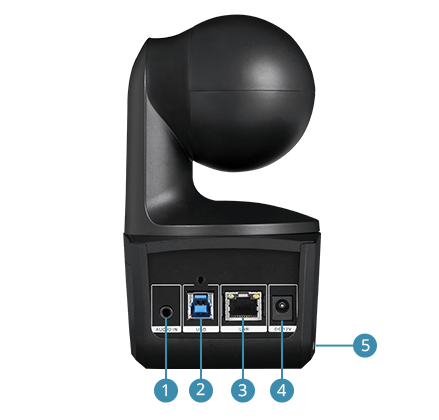
| USB | USB 3.1 Gen 1 Type-B | Plug-and-play on Windows, macOS, and iPad — no custom drivers |
| Power | AC 100–240 V to DC 12 V/2 A; 11 W consumption | Standard power adapter included |
| Weight | 0.76 kg | Light enough to carry between classrooms or take home daily |
| System Requirements | Windows 7/10/11; macOS; iOS/iPadOS 9 or later | Works on school-issued Windows laptops, MacBooks, and iPads |
| Package Contents | Camera, remote control, power adapter, power cord, USB cable, cable ties, cable fixing plate, screws, quick start guide | Everything needed to start teaching immediately |
| Warranty | Camera: 3 years | Accessories: 1 year | AVer hardware warranty; Australian stock via Kickstart Computers |
Warranty & Support
The AVer DL10 is covered by a 3-year limited hardware warranty on the camera unit and a 1-year warranty on accessories. Australian stock.
Kickstart Computers provides pre-sales consultation and post-sales support for DL10 deployments in K-12 schools, universities, and hybrid education environments across Australia.
Explore the full AVer camera and video bar range — conferencing systems, PTZ cameras, and collaboration solutions available at Kickstart Computers for every room size and budget.
Browse our complete video conferencing hub to compare cameras, video bars, and room systems across all major brands, configurations, and price points.
Browse Video Conferencing Equipment