
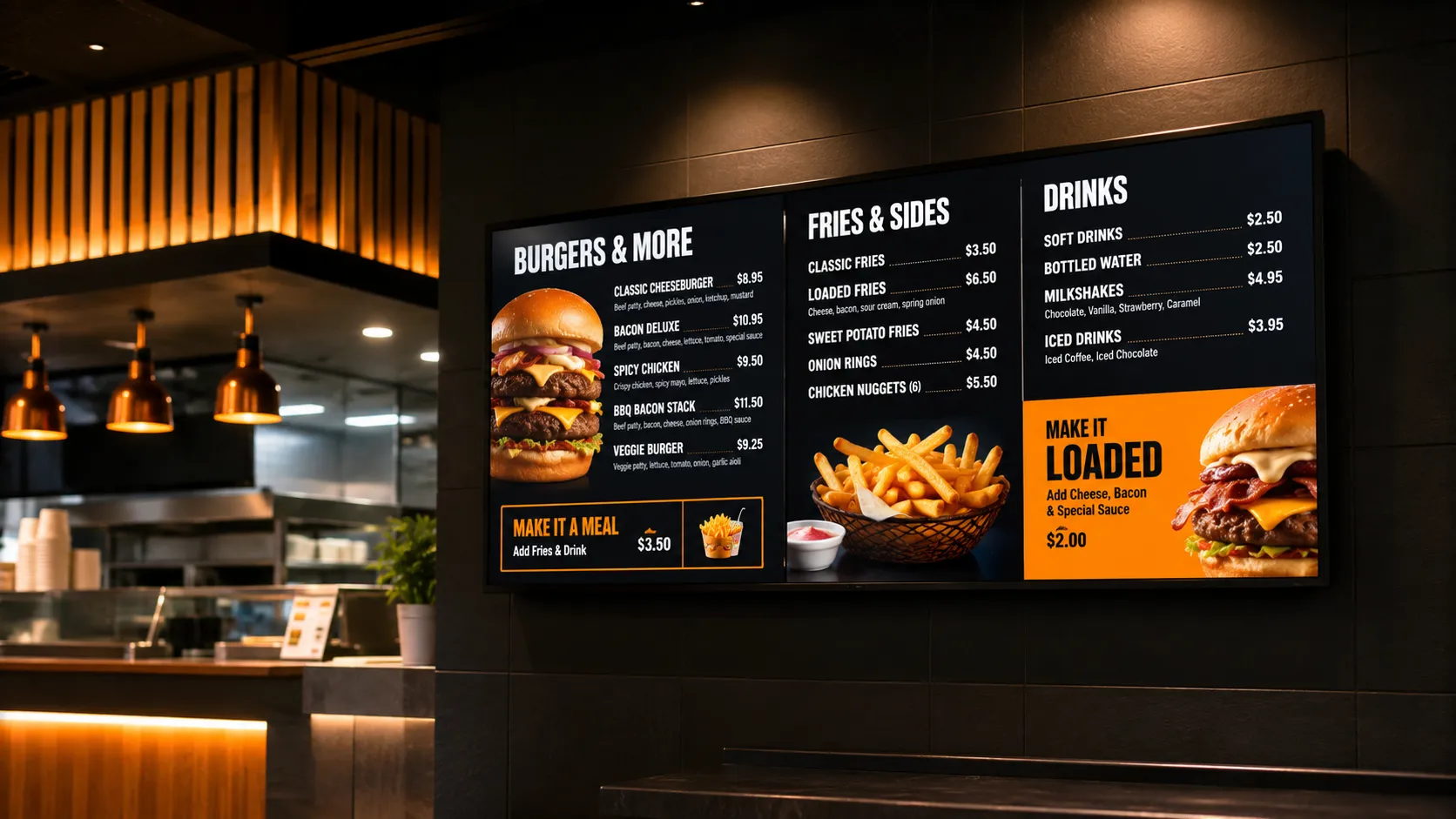
Is Your Display Actually Built to Run the Hours You Need?
Most businesses buying a commercial display focus on screen size, resolution, and brightness. Duty cycle rarely comes up — until a display starts showing uneven brightness, develops dark patches, or fails outside its warranty period.
Duty cycle is the specification that tells you how many hours per day a display is engineered to operate reliably. It is not a marketing claim. It is a design specification that determines which environments a panel is built for — and which ones it is not.
Getting it wrong is one of the most common and most expensive specification mistakes in commercial display procurement. It does not always show up immediately. It shows up six months later, when the screen is running in a café that plays content from open to close, and the panel was only designed for 16 hours a day.
This page explains what duty cycle means, how the standard ratings work, why manufacturers build panels to different ratings, what happens when the wrong rating is specified, and how to match your operating environment to the correct display.
What Duty Cycle Actually Means
A display's duty cycle rating tells you the maximum number of hours per day the panel is designed to run continuously without thermal damage or premature component degradation.
It is expressed as hours-per-day / days-per-week.
The rating is not a recommendation — it is a ceiling. Running a display beyond its rated hours does not simply shorten its life. It changes the warranty position from the moment the display exceeds its rating.
Why Manufacturers Build Different Duty Cycle Ratings
A common assumption is that manufacturers create different product tiers to justify higher price points. The reality is more straightforward: a 24/7 display is not a 16/7 display with a software setting changed. It is a different product, built to a different engineering specification.
Manufacturers typically differentiate higher duty cycle displays across several engineering dimensions:
- Power supply design Components in a 24/7 display are generally specified for continuous load rather than cyclic load. A power supply designed around a daily off period may degrade faster under sustained 24-hour operation, even if it does not fail immediately.
- Thermal management approach Higher duty cycle panels typically incorporate more robust heat dissipation design, whether through component placement, chassis engineering, or in some cases active cooling. A display built around the assumption of a daily recovery period manages heat differently from one designed to run without interruption.
- Component selection and validation Backlighting components, capacitors, and drive electronics in higher duty cycle displays are generally selected and validated against longer operating life at sustained load. The specific approach varies by manufacturer and product line.
- Testing regimes Manufacturers typically validate higher duty cycle displays under extended continuous operation testing. The specific protocols vary, but the principle is consistent: the product is tested against the conditions it is designed for.
- Warranty assumptions The warranty is written against the duty cycle rating because the manufacturer has designed and tested the product to that specification. Operating beyond the rating puts the display outside the conditions the warranty covers.
The price difference between a 16/7 and a 24/7 display reflects these engineering differences. The specifics vary by manufacturer and model — but the underlying principle is consistent: a higher duty cycle rating is the result of deliberate design decisions, not a software unlock or a marketing tier.
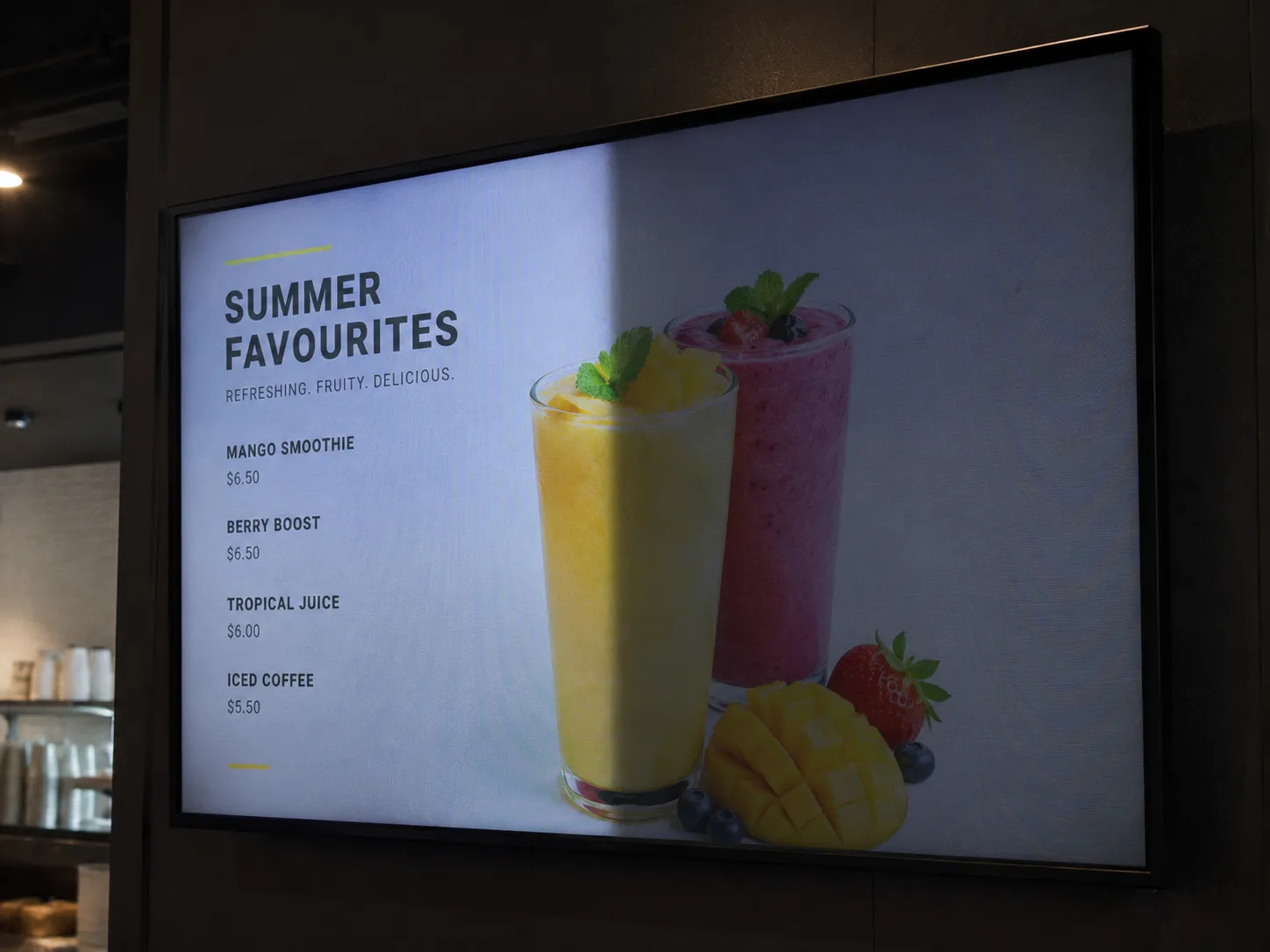
Uneven brightness developing from the edges is one of the first visible signs of a duty cycle mismatch.
Specification Risk
What Happens When You Specify the Wrong Rating
The consequences of a duty cycle mismatch are rarely immediate. They develop over months of operation — and by the time they are visible, the panel has been degrading for a long time.
The five symptoms below typically develop in this sequence — the first signs are easy to dismiss as a calibration issue, the later ones require panel replacement. By the time symptom five is visible, the display has been running beyond its rated hours for months.
Symptom 01
Uneven Brightness
Sections of the panel appear dimmer than others, often starting at the edges or corners. This is a thermal management symptom, not a calibration issue. Sustained heat beyond design tolerances causes backlighting components to degrade unevenly.
Symptom 02
Dark Patches
Localised areas where backlighting has failed entirely. Once a backlight zone fails, the panel cannot be recalibrated around it. The panel requires replacement.
Symptom 03
Colour Shift
The panel's colour temperature drifts over time, particularly in the cooler tones, as components age faster than they were designed to. In retail and food service environments, this becomes visible to customers before the operator notices it.
Symptom 04
Permanent Image Retention
Static elements baked into the panel surface from extended display of fixed content, accelerated by operating beyond the rated hours. Menu boards and pricing displays are particularly susceptible.
Symptom 05
Shortened Operational Lifespan
A commercial display is typically rated for 50,000 to 70,000 hours at its specified duty cycle. Operating at twice the intended daily hours does not halve the calendar lifespan — thermal stress compounds, and degradation accelerates non-linearly.
Andrew's Observation
"The most common specification mistake we see is not brightness. It is not screen size. It is businesses buying a display with the wrong duty cycle rating because they assume all commercial panels are designed to run continuously."
The assumption is understandable. The display is sold as "commercial." It costs more than a consumer television. It looks more robust. The reasoning follows: a commercial display should handle commercial use.
But "commercial" covers a wide range of operating environments. A display designed for a corporate meeting room — used for presentations Monday to Friday — is a commercial display. So is a panel mounted in a 24-hour petrol station forecourt running automated pricing content around the clock. They are not the same product, and they are not rated the same way.
The Deployment
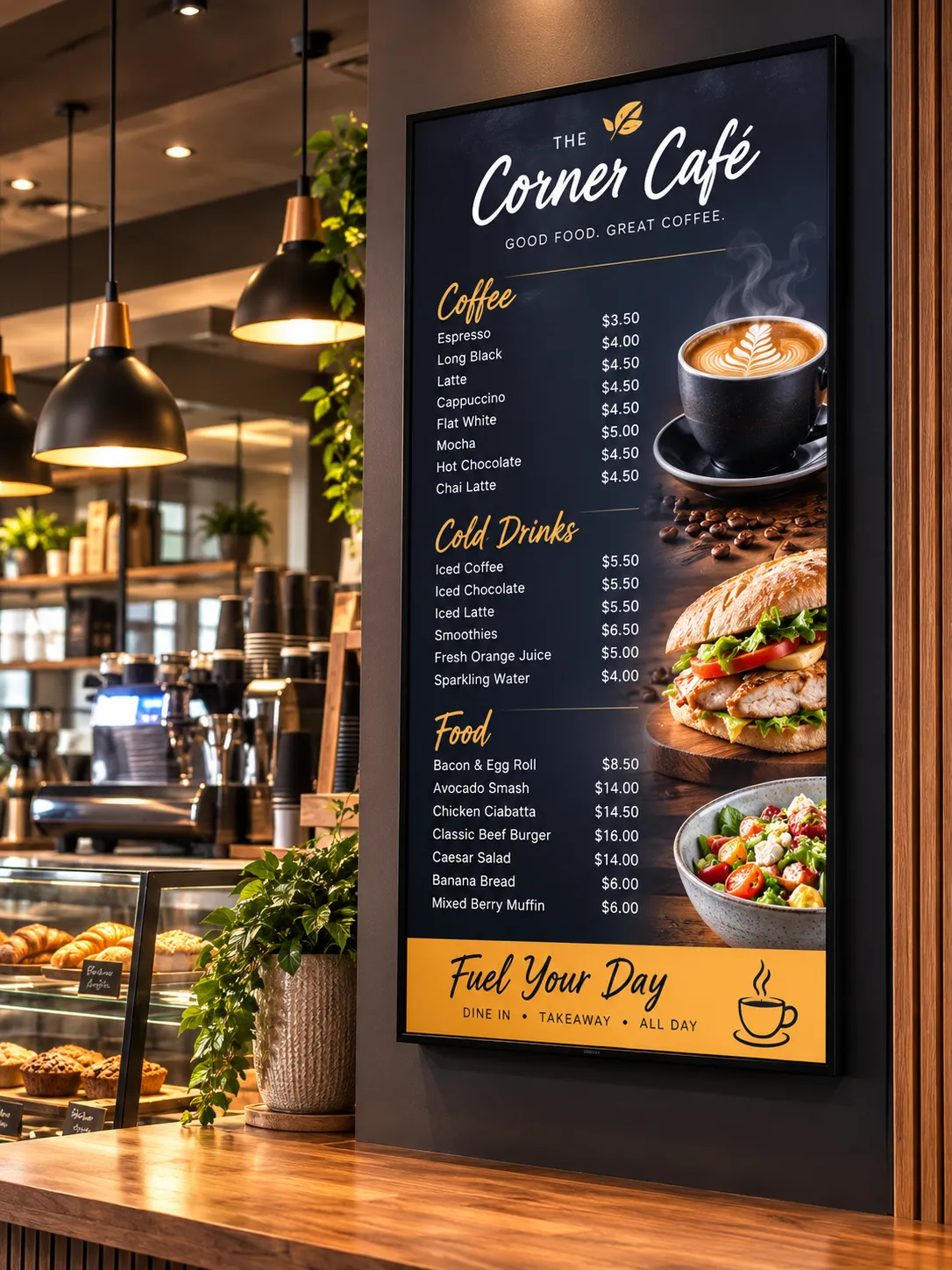
Café owner buys a 16/7 display for a menu board. Operates it from 6am to 10pm — within the rated hours.
The Mistake
Content left running overnight because it is easier than scheduling the display to switch off. The display runs 24 hours.
The Result
Fourteen months later the panel shows uneven brightness. The display has been degrading for months.
The Warranty Claim
Rejected. The manufacturer's operating data shows the display was running 24 hours. The 16/7 rating was breached.
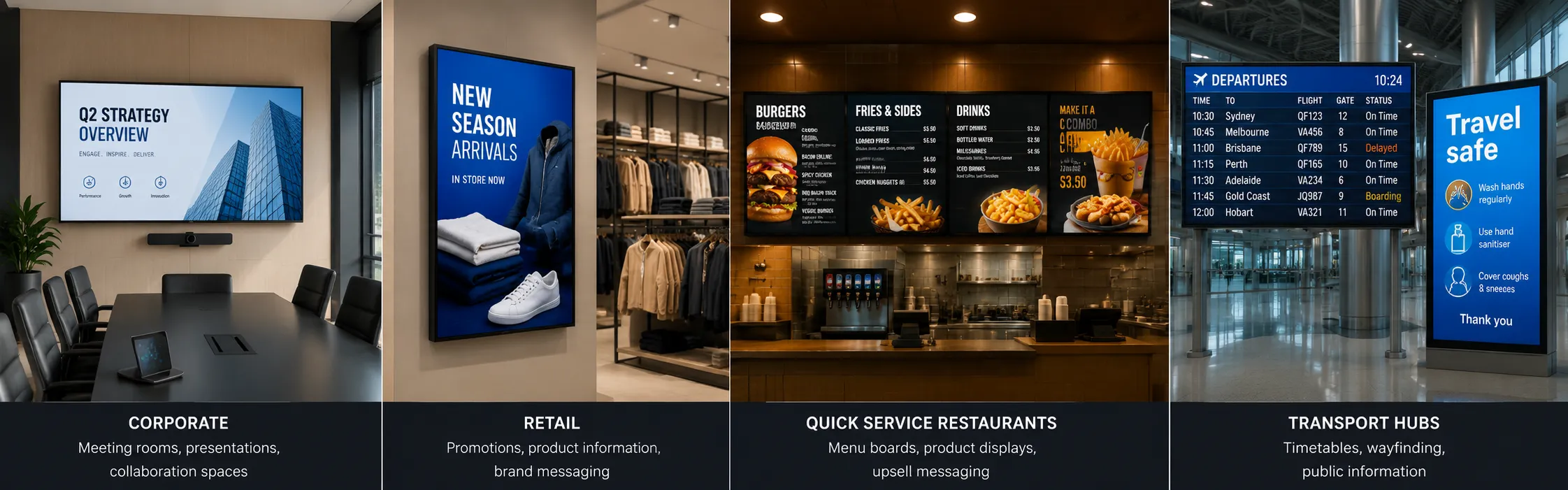
The same word "commercial" covers environments with very different duty cycle requirements.
Common Mistakes
The Five Most Common Duty Cycle Mistakes
These are the specification errors we see repeatedly across commercial display deployments.
Assuming "commercial" means 24/7
Commercial display is a broad category. It covers meeting room panels rated for 12/5 operation and transport hub displays rated for 24/7 continuous use. The word "commercial" describes the product class, not the duty cycle rating. Always check the specification sheet.
Forgetting overnight scheduling
The most common single mistake. A business buys a 16/7 display, operates it within rated hours during the day, then leaves automated content running overnight — for ambience, security cameras, or simply because nobody set a schedule. The display runs 24 hours. The rating is breached. This is the scenario behind the majority of failed warranty claims we see.
Buying for current hours instead of planned hours
A business opening a new café buys a 16/7 display because they plan to trade 8am to 8pm. Six months later they extend to 10pm. A year later the display runs a late-night social media feed until midnight. The specification was made against the opening hours, not the actual operating pattern twelve months in. Specify for where the business is going, not where it is today.
Assuming brightness determines durability
Higher brightness does not mean higher duty cycle rating. A 2,500 nit high-brightness display can still be rated for 16/7 operation. Brightness and duty cycle are independent specifications. A display in a high-ambient-light environment — a window-facing installation, for example — needs both the correct brightness specification and the correct duty cycle rating.
Comparing price before checking operating hours
Two displays at similar price points from different manufacturers can carry different duty cycle ratings. A buyer comparing specifications stops at resolution, brightness, and size. The duty cycle rating — buried in the specification sheet — is the difference between a panel that lasts five years in the installation and one that fails in fourteen months.
Real-World Illustration
The Philips D-Line vs Q-Line
Philips Professional Displays offers one of the clearest practical examples of how duty cycle maps to product design decisions within the same manufacturer's range.
Both are commercial displays. Both cost more than a consumer television. They are not interchangeable — and the difference is not visible on the shop floor. It is in the specification sheet.
This distinction applies across every major manufacturer. Samsung, LG, and others all segment their commercial ranges by duty cycle rating. The product tier names differ, but the engineering logic is consistent: the duty cycle rating reflects how the panel is physically built and tested, not just how it is marketed.
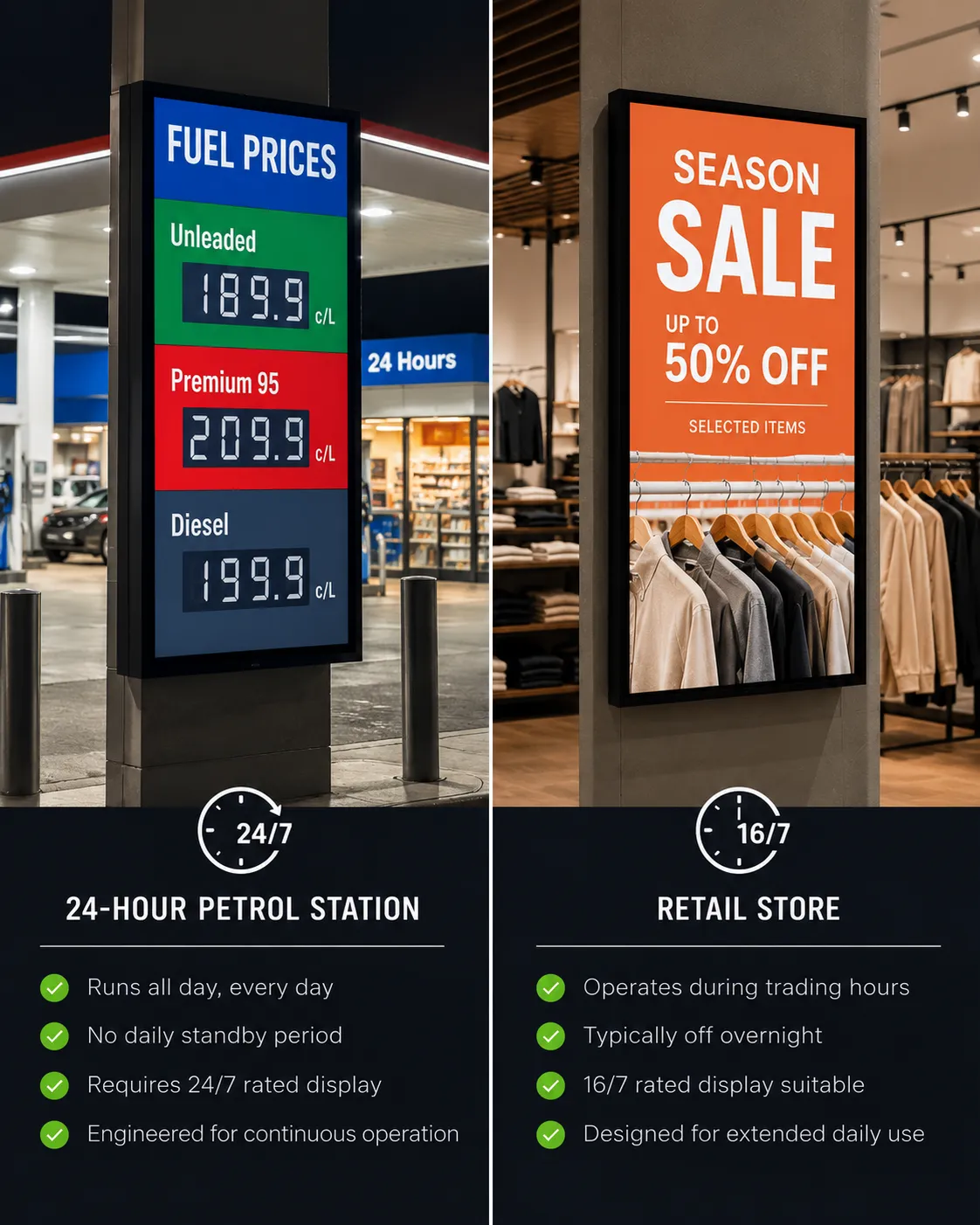
24/7 Rated
Philips D-Line
Built for environments that never switch off — transport hubs, quick service restaurants, petrol station forecourts, 24-hour retail. Designed for continuous, uninterrupted use.
- Transport hubs and airports
- Quick service restaurants
- Petrol station forecourts
- 24-hour retail environments
- Any display running overnight
18/7 Rated
Philips Q-Line
Built for high-demand commercial environments with extended trading hours and a confirmed off period each day. Solid specification for most deployments that do not run overnight.
- Retail stores with standard hours
- Restaurants switched off overnight
- Corporate environments
- Venues with confirmed off periods
Deployment Reference
Matching Your Environment to the Right Rating
Use this table to identify the duty cycle rating your environment requires. The "Why" column explains the key factor driving the rating — not just the hours.
| Operating Environment | Typical Daily Hours | Correct Rating | Why |
|---|---|---|---|
| Corporate meeting room | 8–10 hrs, Mon–Fri | Fixed weekday use, full overnight and weekend recovery | |
| Retail store (standard trading hours) | 10–14 hrs, 7 days | Daily off period allows thermal recovery | |
| Restaurant / café (switched off overnight) | 14–18 hrs, 7 days | Confirmed off period is the critical factor | |
| Restaurant / café (content left running overnight) | Effectively 24 hrs | Overnight scheduling failure is the most common warranty breach | |
| Quick service restaurant (QSR) | 18–24 hrs, 7 days | Extended or continuous trading, no guaranteed recovery period | |
| Transport hub / airport / station | 24 hrs, 7 days | Never off — safety and information displays | |
| Petrol station / forecourt | 24 hrs, 7 days | Pricing and promotional content runs continuously | |
| 24-hour retail / convenience | 24 hrs, 7 days | No overnight closure | |
| Portrait menu board — standard food service | 16–18 hrs, 7 days | Portrait orientation increases thermal stress — rate up | |
| Portrait menu board — hot kitchen environment | 16–18 hrs, 7 days | Proximity to fryers, ovens, or steam vents compounds thermal load — our recommendation is always 24/7 | |
| Outdoor-facing window display | Dependent on site | Ambient light variation often means displays run overnight | |
| Outdoor enclosure / kiosk — shaded | Hours dependent | No climate control — ambient temperature fluctuation requires maximum rating | |
| Outdoor enclosure / kiosk — direct sun exposure | Hours dependent | Duty cycle rating alone is insufficient — see ambient temperature section below | |
| Hotel lobby / reception | 18–24 hrs, 7 days | 24-hour staffed environments rarely switch displays off |
Once you have identified the correct rating for your environment, the links below take you directly to the filtered product range. Each archive shows only displays carrying that duty cycle rating — no filtering required.
Beyond Operating Hours
Ambient Temperature, Enclosures, and High-Brightness Heat
Duty cycle ratings are established under controlled ambient temperature conditions — typically around 25–30°C. The rating assumes the display is operating within that thermal envelope. A panel running 16 hours a day in a 16/7 rated display can still fail ahead of its rated lifespan if the ambient temperature surrounding it is 55°C rather than 28°C.
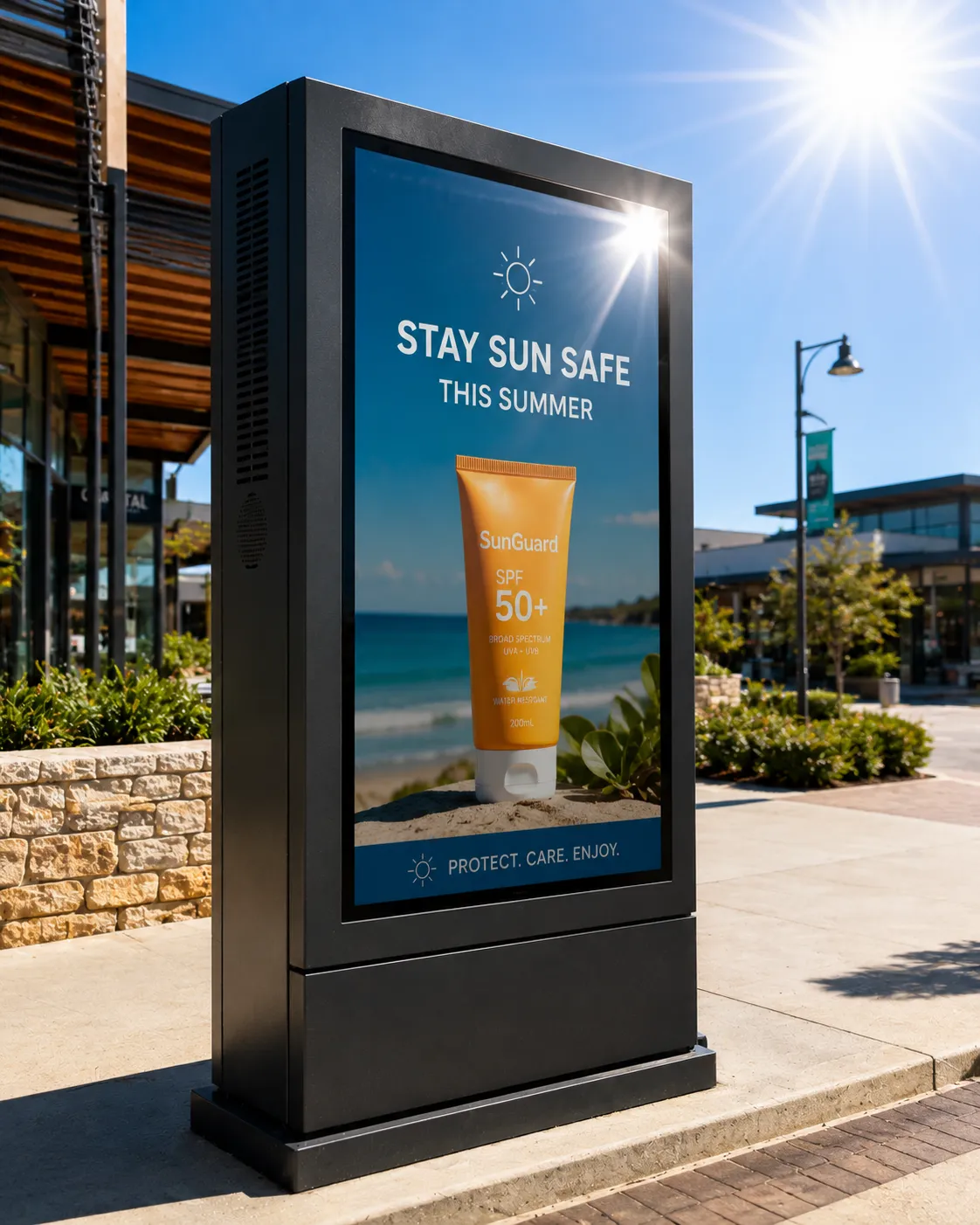
Direct Radiant Solar Heat
A display installed in direct sunlight faces two distinct thermal challenges. The first is ambient air temperature, which in an Australian summer can reach 40°C or above. The second is radiant infrared heat from the sun striking the panel face and chassis directly. These combine to create a surface and internal temperature significantly above the ambient air reading.
Most commercial displays carry an operating temperature range of 0–40°C in their specification sheet. In direct sun, the panel surface temperature can exceed 40°C before the ambient air does. This is a separate warranty condition from duty cycle — and it applies regardless of how many hours the display has been running that day.
Enclosures Without Adequate Cooling
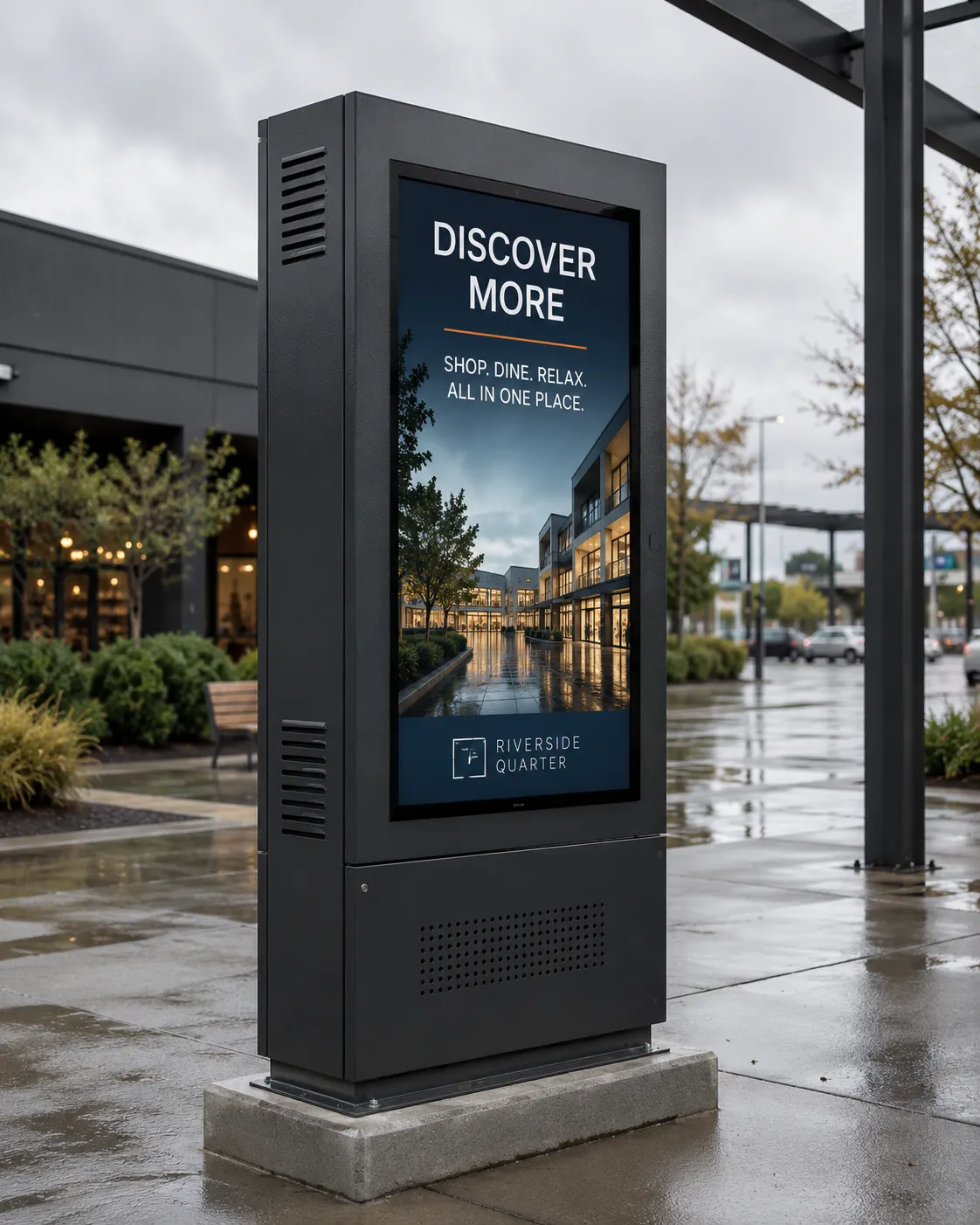
Outdoor kiosks, window boxes, and custom enclosures are common deployment environments for commercial displays — and among the most common sources of premature display failure. Not because the display was wrong, but because the enclosure was not engineered to manage the thermal output of the panel inside it.
A commercial display in an enclosure creates a sealed microclimate. Without active cooling matched to the panel's heat output, air temperature inside the enclosure rises rapidly. In direct sun, this compounds further. We have seen enclosure internal temperatures exceed 60°C within an hour of the display operating in summer conditions — well beyond the rated operating range of any commercial panel.
High-Brightness Panels and Thermal Output
High-brightness commercial displays — panels rated at 2,500 nits or above — generate substantially more heat than standard 500 nit commercial panels. The additional power required to drive backlighting at high intensity converts directly to heat inside the chassis.
Backlighting Heat
A 3,000 nit display generates significant internal heat from its own backlighting — before any external heat source is considered.
Ambient Air Temperature
In an Australian summer, ambient air can reach 40°C or above — already at the top of most commercial display operating ranges.
Radiant Solar Heat
Direct sun on the panel face adds radiant infrared heat on top of ambient air — pushing surface temperatures beyond the rated range independently.
The Combined Problem
Three compounding thermal sources simultaneously. No duty cycle rating covers this combination without adequate enclosure cooling.
What We Recommend Assessing Before Installing in an Enclosure or Sun-Exposed Environment
- Check the display's rated operating temperature range in the full specification sheet — not the product listing
- Assess the peak ambient air temperature at the installation site in summer conditions
- If in direct sun, treat panel surface temperature as likely to be significantly higher than ambient air
- Where available, check the manufacturer's published thermal output — if not published, power consumption is a useful proxy
- Size enclosure cooling against the panel's thermal output, not the enclosure volume
- Treat high-brightness panels as generating meaningfully more internal heat than standard-brightness equivalents at the same screen size
- For complex or high-value installations, consult the manufacturer's application engineering team before committing to a specification — Philips, Samsung, and LG all offer pre-sales technical support for non-standard deployments
Orientation Matters
Portrait Orientation and Duty Cycle
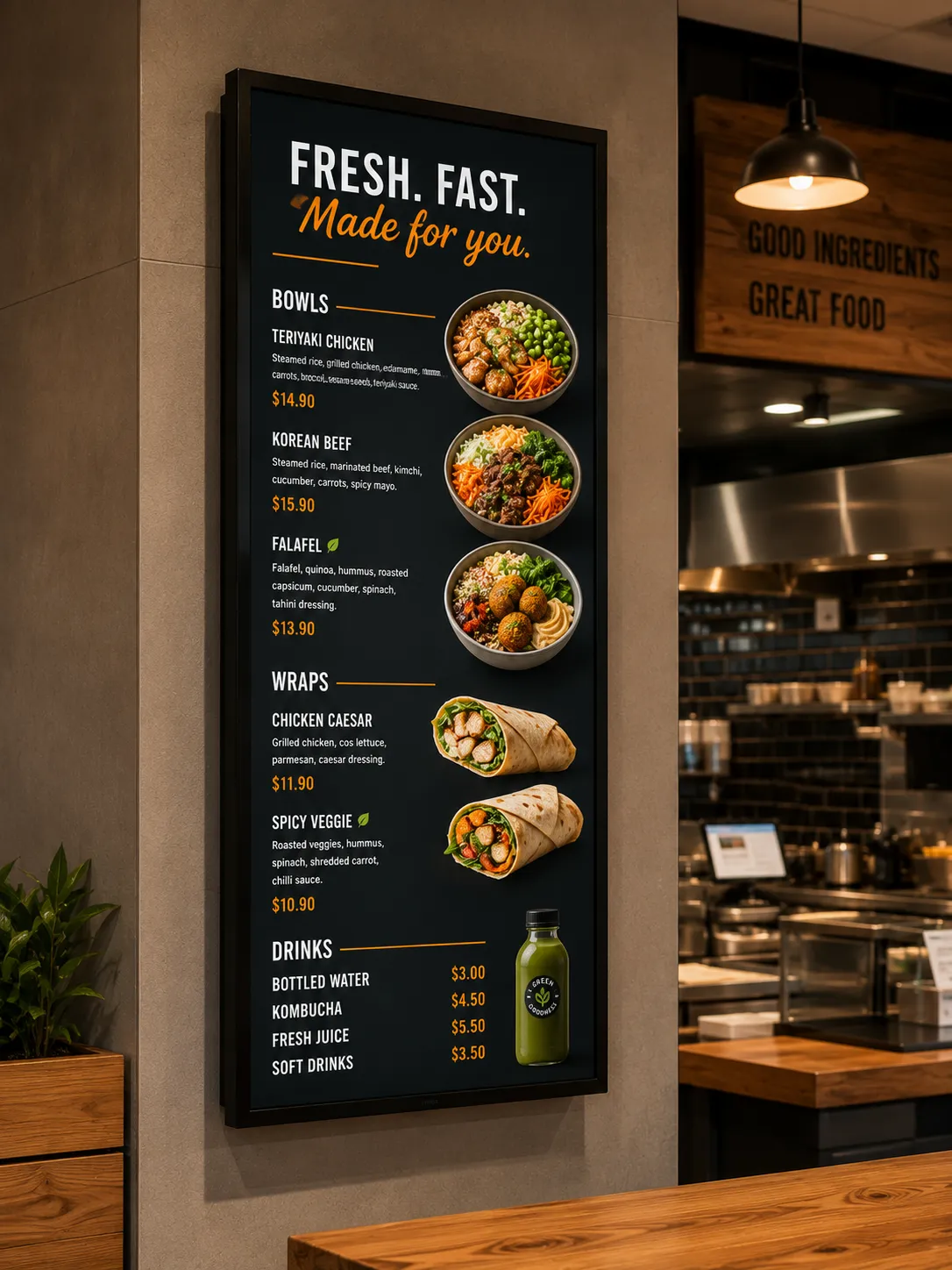
Portrait-orientation displays — the format used for most digital menu boards, wayfinding displays, and narrow-format retail signage — introduce an additional thermal consideration that affects duty cycle specification.
Commercial displays are designed with heat dissipation engineered for landscape orientation. In landscape, the heaviest power electronics sit along the bottom horizontal bezel — the correct position for heat to rise and dissipate through the top of the chassis. When a display is rotated 90 degrees into portrait orientation, those power electronics end up on the side of the panel. Heat from the LCD driver ICs and power components is now trapped rising behind the panel rather than venting away from it, concentrating thermal stress in areas of the chassis that were not designed to manage it.
In Practice, This Means:
- A portrait display running 16 hours per day may be operating under conditions closer to the thermal limits of an 18/7 or 24/7 panel
- Portrait-orientation menu boards in food service environments should be specified at a higher duty cycle rating than the hours alone would suggest
- Displays installed near heat sources — fryers, ovens, steam equipment — face compounded thermal stress. In our experience, specifying a 24/7-rated panel is the right approach regardless of trading hours alone
- Some manufacturers publish specific duty cycle guidance for portrait orientation — check the full specification sheet, not just the primary product listing
The Real Comparison
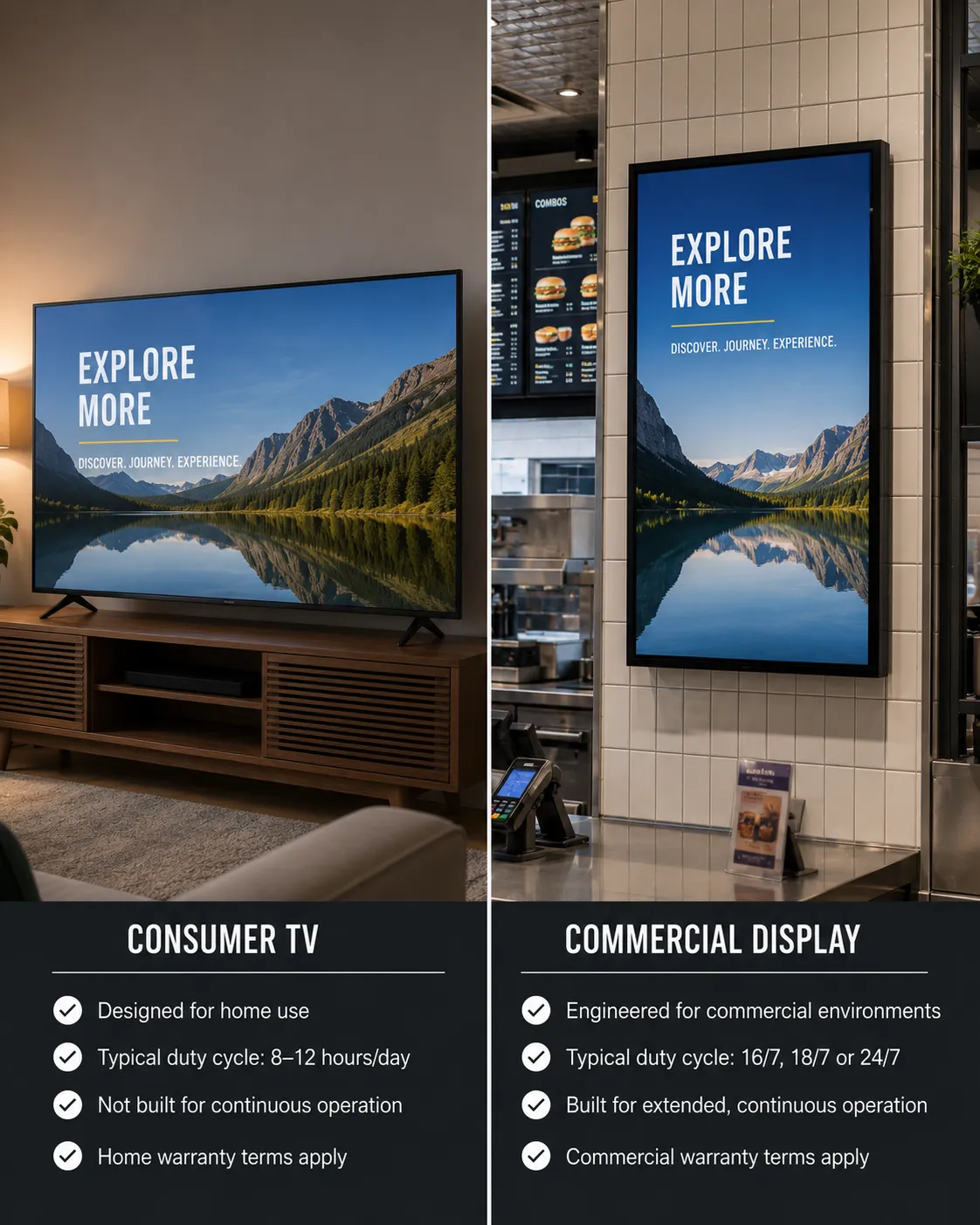
Consumer TV vs Commercial Display
This comparison comes up regularly in food service and small retail, where the price difference between a consumer television and a commercial display is significant and the buyer is looking for a practical reason to justify the cost.
Consumer televisions are designed for typical home viewing rather than continuous commercial operation. Unlike commercial displays, they do not carry a published commercial duty cycle rating — there is no 16/7 or 24/7 specification in the product sheet, because the manufacturer has not engineered or tested the panel for commercial operating hours. The warranty reflects this: consumer TV warranties generally exclude commercial signage use entirely.
The comparison a buyer makes is rarely between a commercial display and a computer monitor. It is almost always between a commercial display and a large-format consumer TV from a retail electronics store — same brand name, lower price, visually similar product. The difference is not visible on the shop floor. It is in the specification sheet, the thermal design, and the warranty terms.
Frequently Asked Questions
Duty Cycle — Common Questions
Does my café really need a 24/7 display?
Can I run a 16/7 display for longer hours occasionally?
Is a 24/7 display always the right choice?
What duty cycle does a standard television have?
Does duty cycle rating matter for interactive whiteboards, not just digital signage?
Does portrait orientation affect duty cycle requirements?
Can I install a commercial display outdoors in direct sunlight?
Does display brightness affect heat output?
How do I check a display's duty cycle rating?
What happens to a display that has been running beyond its duty cycle rating?
Leave a Review
If this explanation helped you make a more confident decision about your display specification, we would genuinely appreciate you sharing that.
As an independent small business, we rely on recommendations from businesses who find our advice genuinely useful.
If you're short on time, even a simple star rating helps other businesses find practical, evidence-based display advice.
Leave a Google Review →Not Sure Which Duty Cycle Rating Your Installation Requires?
Tell us where the display will be installed, how many hours it will operate each day, and whether it will run overnight. We will recommend the correct duty cycle rating before you buy.
Contact Kickstart Computers →Continue Reading
Browse 24/7 Rated Displays
If your environment runs overnight or never switches off, this is the correct starting point. Browse the full range of commercial displays rated for continuous 24/7 operation at Kickstart Computers →
Browse 16/7 Rated Displays
For environments with a confirmed daily off period — retail stores, restaurants that close overnight, corporate settings — browse commercial displays rated for 16/7 operation →
Digital Signage — Full Category Overview
Duty cycle is one specification among several. If you are earlier in the buying process and want to understand how commercial displays, content management, and deployment environments fit together, the digital signage overview is the right starting point →
Digital Menu Boards
Menu board deployments raise specific duty cycle considerations — portrait orientation, kitchen heat, and extended operating hours. If you are specifying a display for a food service environment, the digital menu boards section covers display selection, mounting, and content management →
Samsung Digital Signage
Samsung segments its commercial display range by duty cycle rating. If you are considering Samsung for your deployment, the Samsung digital signage page explains which product lines suit which operating environments →
Philips Professional Displays
The Philips D-Line and Q-Line distinction covered on this page is explained in full on the Philips manufacturer page, alongside the complete Philips commercial display range and how each product line maps to deployment environments →