
How to Choose a Signage CMS Before You Buy Hardware
Digital signage software — also called a signage CMS or content management system — is the layer between your content and your screens. This page is not a product comparison. It is a decision framework. By the time you reach the end, you will understand what a signage CMS does, why the platform decision must happen before hardware selection, which fundamental choices you face, and which questions to answer before evaluating any specific product.
- Decision Framework — Not a Product Comparison
- Covers Manufacturer & Third-Party Platforms
- Australian Market Focus
- Trusted Since 2007
What to Know Before Choosing a Signage CMS Platform
The Decision Order
- Choose your CMS platform before selecting hardware — not after
- Manufacturer CMS platforms tie your hardware choices for the life of the deployment
- Third-party platforms work across multiple manufacturers — better for mixed or growing networks
- Cloud is the practical default for most modern Australian deployments
- The CMS decision determines what hardware you can use — not the other way around
Before You Evaluate Any Platform
- How many screens, across how many locations?
- Are you committed to one hardware manufacturer or will you mix?
- Does your IT infrastructure prefer cloud or on-premise?
- Who will manage content day to day, and how frequently will it change?
- Manufacturer vs third-party is the first decision — cloud vs on-premise comes second
Kickstart Computers supplies commercial signage displays, BrightSign media player hardware, and Fusion Signage software across Australia — and can assist with platform selection conversations before any hardware is ordered. We work across Samsung MagicINFO, Samsung VXT, Philips PPDS Wave, LG SuperSign, and leading third-party CMS platforms. Talk to our team →
What Does a Signage CMS Actually Do?
A digital signage content management system is the software platform that controls what your commercial displays show, when they show it, and how your display network is monitored and managed. At its simplest, a signage CMS handles content scheduling — telling a screen to show a promotional image at 9am, switch to a menu board at 11am, and run a closing-time message at 5pm. At its most capable, it manages thousands of screens across hundreds of locations from a single dashboard, monitors device health in real time, and pushes content updates instantly across an entire network.
Understanding what a CMS does in practice — rather than in marketing language — is the foundation for every platform decision that follows.
Topic 01
CMS vs Media Player — What's the Difference?
These two terms are often used interchangeably, but they refer to different things. A media player is the hardware or embedded chip that physically runs content on a screen. A CMS is the software that manages, schedules, and delivers that content to the player.
In some deployments they are separate — an external media player device such as a BrightSign unit runs the content while a cloud or on-premise CMS platform controls what it receives and when. In others they are integrated — a commercial display with a built-in System on Chip (SoC) runs both the player and a compatible CMS platform without any external hardware.
Topic 02
Integrated SoC Displays vs External Media Players
Modern commercial displays increasingly include built-in System on Chip processors that run signage software without an external media player. Samsung commercial displays run MagicINFO or VXT natively. Philips PPDS displays run PPDS Wave and support a range of third-party platforms. LG commercial displays run SuperSign natively.
External media players — such as BrightSign, Android signage players, or Windows-based signage systems — sit between the display and the CMS, decoupling the two. This allows more flexible CMS choices and can simplify hardware transitions, at the cost of an additional device per screen.
Topic 03
What Remote Management Actually Looks Like in Practice
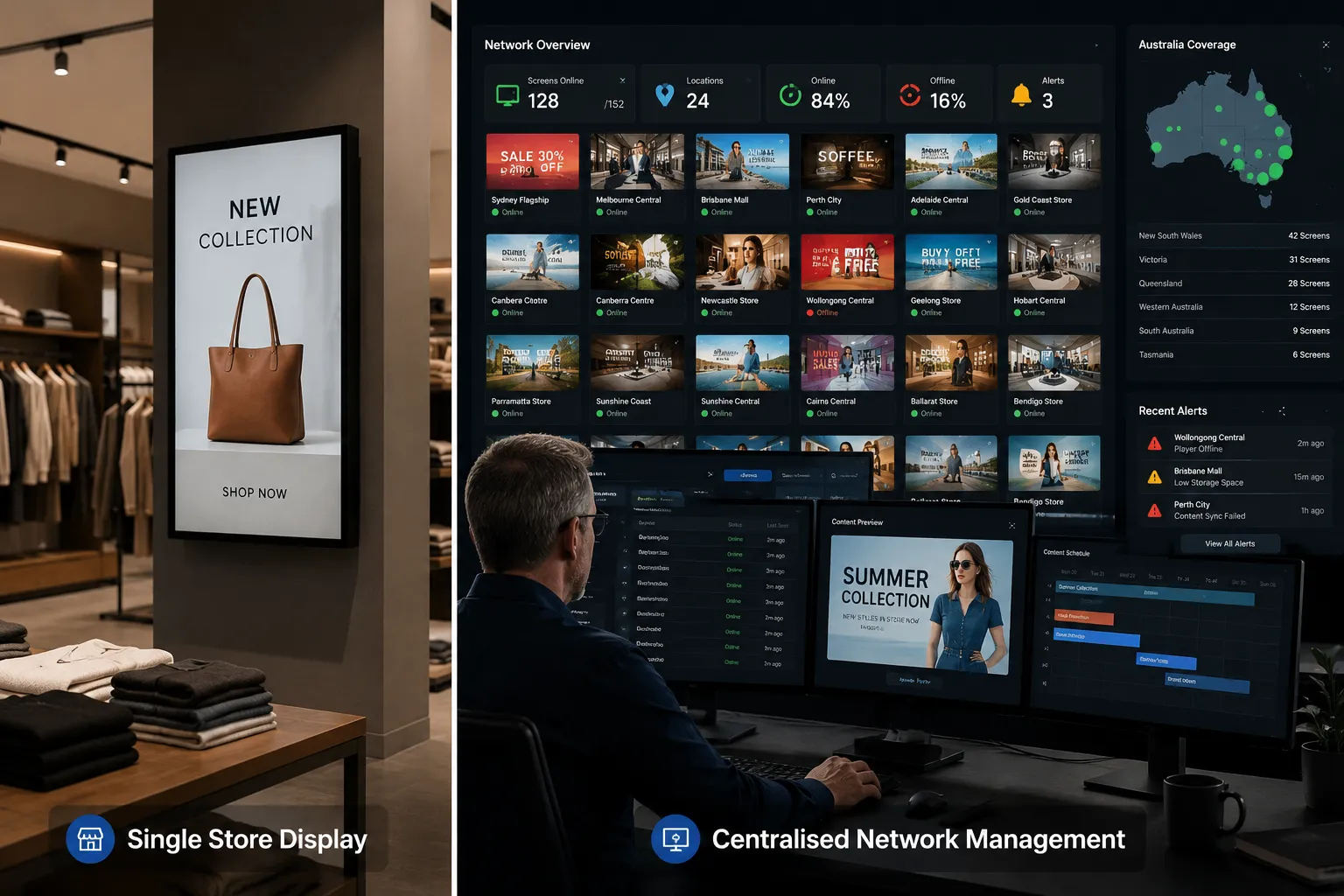
Remote management means the ability to update content, adjust scheduling, reboot a device, check whether a screen is on and displaying correctly, and push configuration changes — all without visiting the physical screen location.
For a single retail location with three screens, remote management is convenient. For a franchise network with forty locations and two hundred screens, it is operationally essential. A screen displaying outdated pricing at a location three states away is a compliance problem, not just a content issue.
Note on terminology: "Digital signage software," "signage CMS," "signage platform," and "content management system" are used interchangeably across the industry. This page uses them interchangeably too. What matters is not the label but the function: the software layer that controls what your screens display and how your display network is managed.
Kickstart Computers can assist with commercial display selection, BrightSign media player hardware, and signage CMS platform discussions across Australia. Whether you are deploying a single-site retail installation or a multi-location network, our team works across manufacturer and third-party platforms to help match the right solution to your deployment requirements. Contact us to discuss your deployment →
Why Your CMS Choice Should Come Before Your Hardware Order
Most signage procurement starts with hardware — screen size, brightness, brand. The CMS conversation happens afterwards, often as an afterthought once the displays have been ordered or installed. This ordering creates problems that are expensive and disruptive to fix.

How Does a Manufacturer CMS Affect Hardware Options?
Several major commercial display manufacturers bundle their hardware with proprietary CMS platforms. Samsung commercial displays are designed to run MagicINFO or VXT. LG displays integrate with SuperSign. Philips PPDS displays support PPDS Wave alongside compatible third-party options.
When a manufacturer's CMS is the right choice — and it often is — this integration is a genuine advantage. The platform is optimised for the hardware, support is consolidated, and deployment is simpler. The problem arises when a buyer selects hardware first, discovers the bundled CMS does not suit their requirements, and then faces a choice between accepting an unsuitable platform or replacing hardware they have already purchased.
What Happens When You Choose Hardware Before CMS?
The less visible problem is future expansion. An organisation that standardises on Samsung hardware running MagicINFO and then needs to add displays from a different manufacturer faces a content management split — two platforms, two management interfaces, two support relationships. This is not insurmountable, but it is a complication that could have been avoided with a platform-first decision.
- IT overhead managing two separate platforms simultaneously
- Staff time lost switching between management interfaces
- Consulting fees for a CMS migration that could have been avoided
- Accelerated hardware replacement cycles when platforms become misaligned
The most common scenario: An organisation selects displays based on price and brand familiarity, deploys with the bundled manufacturer CMS, expands the network with displays from a second manufacturer two years later, and finds themselves managing two content platforms with no clean migration path. The hardware decision that seemed straightforward at the time has produced a content management problem that compounds with every new screen added.
Kickstart Computers works with organisations at the platform selection stage — before hardware is ordered. If you are evaluating Samsung, Philips, or LG displays and need to understand which CMS direction suits your deployment, our team can assist with platform comparisons across manufacturer and third-party options. Talk to us before you order →
Manufacturer CMS or Third-Party Platform? Cloud or On-Premise?
Before evaluating any specific platform, two structural decisions shape every option that follows. Getting clarity on both — even at a high level — will make every subsequent platform comparison significantly more productive.
Decision 01
Manufacturer CMS or Third-Party Platform?
This is the most consequential decision in the process because it determines your hardware flexibility for the life of the deployment.
A manufacturer CMS — MagicINFO, VXT, PPDS Wave, SuperSign — is tightly integrated with that manufacturer's hardware. It is often the simplest and most cost-effective option for organisations committed to a single hardware brand. The trade-off is reduced flexibility: expanding to hardware from a different manufacturer typically means either accepting a second CMS or migrating the entire network.
A third-party CMS — Fusion Signage, SignageLive, Embed Signage, PosterBooking, BrightSign — operates independently of hardware manufacturer. It runs on displays from Samsung, LG, Philips, and others, often simultaneously. This flexibility is the primary advantage. The trade-off is additional software cost and a separate support relationship.
Decision 02
Cloud-Based or On-Premise?
Cloud-based signage platforms manage content and devices through internet-connected infrastructure maintained by the CMS provider. Updates, scheduling changes, and device monitoring happen through a browser or app from anywhere with internet access. This is the practical default for most modern deployments — particularly multi-site networks where centralised remote management is the primary operational requirement.
On-premise platforms run on servers within the organisation's own infrastructure. This model suits organisations with strict data sovereignty requirements, unreliable internet connectivity at screen locations, or existing IT infrastructure investment that makes cloud deployment less attractive.
The majority of new signage deployments in Australia are moving toward cloud-based management. The operational overhead of maintaining local server infrastructure for signage content is increasingly difficult to justify against the flexibility and reduced IT burden of cloud platforms.
Which Decision Comes First?
Manufacturer vs third-party comes first. It is the broader architectural decision that determines which cloud and on-premise options are even relevant to your evaluation. A buyer committed to Samsung hardware evaluating cloud vs on-premise is really evaluating MagicINFO (on-premise) vs VXT (cloud). A buyer open to third-party platforms has a much wider field to consider. Resolve the manufacturer question before the infrastructure question.
| Factor | Manufacturer CMS | Third-Party Platform |
|---|---|---|
| Hardware flexibility | Tied to that manufacturer's displays | Works across multiple manufacturers |
| Integration depth | Deep — optimised for specific hardware | Varies by platform and display model |
| Cost structure | Often bundled or lower per-screen cost | Separate software licence per screen |
| Support | Consolidated with hardware supplier | Separate software and hardware support |
| Multi-manufacturer networks | Complicated — may require migration | Straightforward — designed for this |
| Best suited to | Single-manufacturer, committed deployments | Mixed hardware, flexible, or growing networks |
Not sure which direction suits your deployment? Kickstart Computers works across Samsung MagicINFO and VXT, Philips PPDS Wave, LG SuperSign, Fusion Signage, and BrightSign — and can assist with platform direction conversations before any hardware commitment is made. Talk to our team →
The Digital Signage Platforms You'll Encounter in Australia
The following is an orientation map of the main platforms operating in the Australian commercial signage market — grouped by category to reflect the decision structure from the previous section. This is not a comparison or a recommendation. It is context for understanding what exists before evaluating what suits your deployment.
Platform 01
Samsung MagicINFO
Samsung's established enterprise CMS platform. On-premise deployment. Strong for large networks requiring centralised control, scheduling reliability, and device monitoring across Samsung commercial displays.
Platform 02
Samsung VXT
Samsung's cloud-based signage management platform. Simplifies deployment and management for organisations that prefer cloud infrastructure over on-premise server management. Suited to retail chains, franchise networks, and multi-site operators.
Platform 03
Philips PPDS Wave
Philips PPDS fleet management platform. Cloud-based remote management across Philips commercial displays — content scheduling, firmware updates, device monitoring, and power management from a central console. Also supports compatible third-party CMS platforms.
Platform 04
LG SuperSign
LG's commercial display management platform. Integrates with LG webOS displays for content scheduling and device management. Available in cloud and on-premise configurations depending on deployment scale and IT infrastructure requirements.
| Platform | Manufacturer | Deployment Type | Third-Party CMS Support | Best Suited To |
|---|---|---|---|---|
| MagicINFO | Samsung | On-Premise | Limited | Large Samsung networks, enterprise IT |
| Samsung VXT | Samsung | Cloud | Limited | Retail chains, franchise networks, multi-site |
| PPDS Wave | Philips PPDS | Cloud | Yes | Philips deployments, mixed CMS environments |
| LG SuperSign | LG | Cloud & On-Premise | Limited | LG webOS display networks |
Platform 05
Fusion Signage
Australian-developed cloud signage platform with strong local market presence. Works across multiple hardware manufacturers. A practical choice for Australian organisations wanting local support and cross-manufacturer flexibility.
Platform 06
SignageLive
Enterprise-focused cloud CMS with strong integration across commercial display brands. Suited to large networks requiring reliable scheduling, multi-location management, and enterprise-grade support infrastructure.
Platform 07
Embed Signage
Cloud-based platform known for flexibility across hardware types including Android displays, BrightSign players, and web-based deployments. Competitive for mixed-hardware environments where platform flexibility is the primary requirement.
Platform 08
PosterBooking
Accessible cloud signage platform suited to smaller deployments and organisations prioritising simplicity over advanced scheduling features. Works across Android-based commercial displays with straightforward content management workflows.
Platform 09
BrightSign
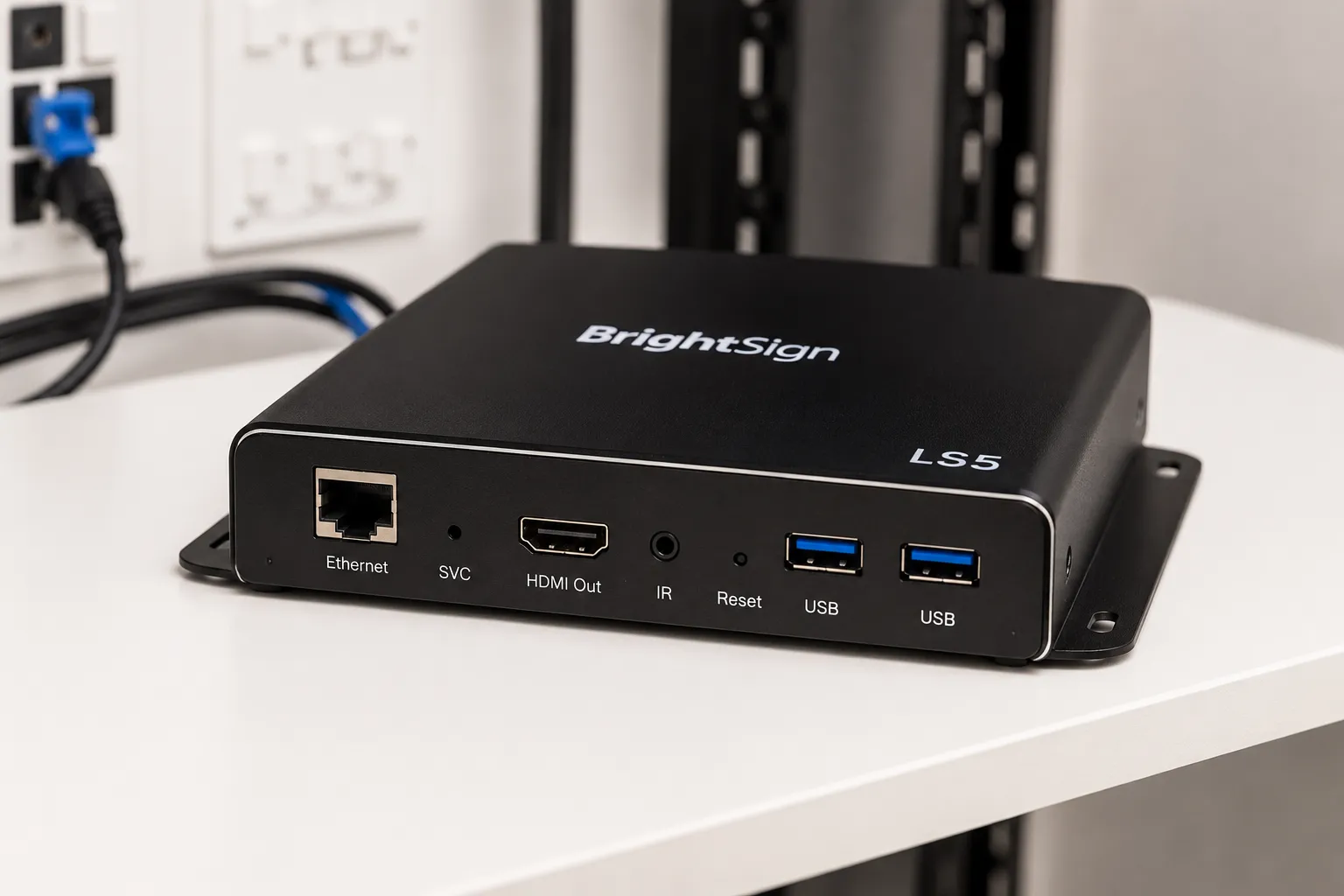
Dedicated hardware media player with its own ecosystem and cloud management platform. BrightSign players sit between the display and the CMS, supporting content from multiple signage platforms. Commonly specified for enterprise and retail environments requiring robust, reliable standalone playback independent of the display's built-in SoC.
Unlike manufacturer CMS platforms that run on the display itself, BrightSign provides a separate, dedicated playback device. This decouples the CMS from the display hardware entirely — allowing organisations to mix display brands freely while maintaining a consistent playback and management platform across the network.
Which Category Should I Be Looking At?
If you are deploying displays from a single manufacturer and expect to remain with that manufacturer long-term, that manufacturer's native CMS platform is worth evaluating first. If you are deploying across multiple manufacturers, planning significant network expansion, or uncertain about your long-term hardware direction, a third-party platform deserves serious consideration before any hardware is ordered.
The four questions in the next section will help you determine which category applies to your deployment before you begin evaluating specific products.
Kickstart Computers supplies commercial displays compatible with all major CMS platforms listed above — including Samsung MagicINFO and VXT, Philips PPDS Wave, LG SuperSign, Fusion Signage, and BrightSign hardware. If you are at the platform selection stage and want to understand which option suits your deployment, contact our team for a no-obligation discussion →