
Promethean Board & ActivPanel Interactive Whiteboard
Promethean is one of the most widely deployed interactive whiteboard brands in Australian schools — and that installed base is both its greatest strength and the source of the most common procurement mistake made when evaluating it. A large installed base means teachers have built real familiarity, real lesson resources, and real workflows around the platform. It does not mean Promethean is automatically the right choice for every school, every classroom, or every deployment context.
The single most common thing schools discover after the hardware arrives is that the ActivPanel 10 Standard and Premium ship with no operating system installed. Every deployment needs a separately purchased computing module — OPS-A2, OPS-M, or ChromeBox. The panel price is not the system price. Understanding that before purchase changes the entire procurement conversation.
This page covers what the ActivPanel 10 range actually delivers, where it performs well, where alternatives deserve serious consideration, and what the switching cost calculation looks like for schools already in the Promethean ecosystem. Current Australian education pricing is available on request — contact us directly before committing.
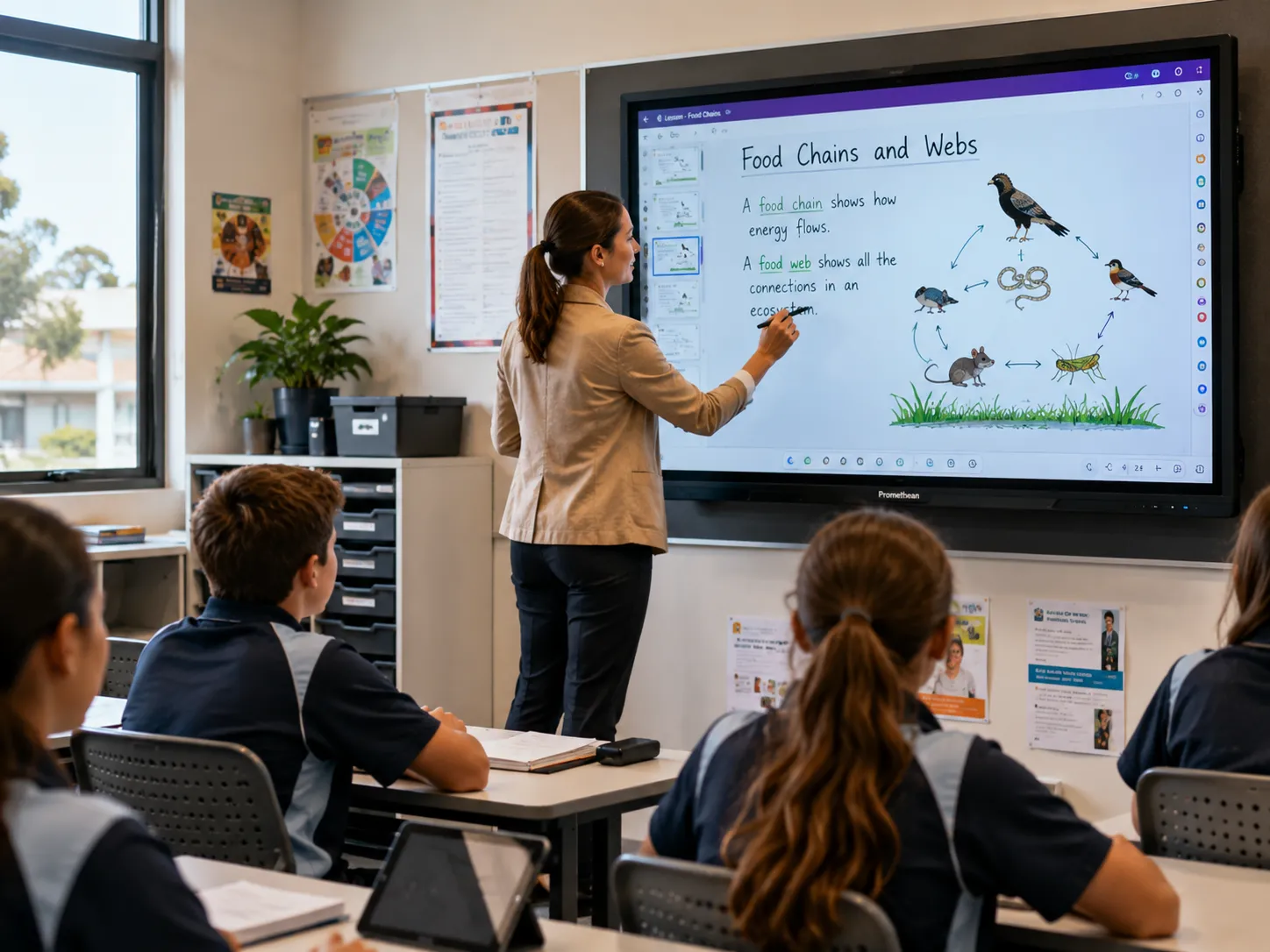 ActivPanel 10 Premium — Australian Classroom
Promethean ActivPanel 10 — The Facts Most Resellers Won't Lead With
Installed base and best fit are not the same thing. Promethean is one of the most widely deployed interactive whiteboard brands in Australian schools — but that does not make it the right choice for every school or every deployment context.
Neither the AP10 Standard nor Premium has a built-in OS. Every deployment requires a separately purchased computing module — OPS-A2, OPS-M, or ChromeBox. This is the single most common thing schools discover after the hardware arrives.
The ActivPanel LE is the exception. It includes Android 14 built in and is Google EDLA-certified natively — the only panel in the current range that operates as a standalone device without an additional computing module.
EDLA on the AP10 comes via the OPS-A2 module, not the panel. Schools asking whether Promethean is EDLA-certified need a more specific answer than yes or no — the panel is not certified; the module is.
ActivInspire is Promethean's genuine competitive advantage. Schools that have built lesson libraries and teacher familiarity around it have a real asset worth protecting — and a real switching cost worth calculating before changing platforms.
Current Australian education pricing is available on request. Contact us directly before committing to a purchase — due to manufacturer pricing agreements, discounted pricing cannot be displayed online.
Fit matters more than familiarity. Promethean's installed base is real, but the right panel for your room depends on things the spec sheet doesn't show — viewing distance, mounting height, and which OPS module the room actually needs. Before comparing Promethean against other brands, it's worth working out what your room actually needs from an interactive whiteboard →
What the ActivPanel 10 Actually Is — and the One Thing Most Buyers Miss
Promethean makes interactive flat panel displays — large touchscreen panels that combine display hardware with a purpose-built education software ecosystem. The ActivPanel 10 is the current generation, available in Standard and Premium configurations across 65", 75", and 86" sizes. The Premium also comes in 55".
What most buyers miss — and what the specification sheets don't lead with — is that the ActivPanel 10 range ships with no operating system installed. Promethean calls this "Secure by Design." What it means in practice is that the panel is a display and touch surface only. To run ActivInspire, access the internet, or use any application, every ActivPanel 10 deployment needs one of three computing modules: the OPS-A2, an OPS-M, or a Promethean ChromeBox — or an external PC.
Every school evaluating Promethean should budget for the complete solution — not just the panel. For most deployments that means the display, the appropriate computing module, mounting, installation, and teacher setup.
The ActivPanel LE is the exception in the current range. It includes Android 14 built in, is Google EDLA-certified natively, and operates as a standalone device without any additional module — making it directly comparable to how BenQ Board and Samsung's education panels work out of the box.
Schools that budget for the panel and assume it works like a standalone Android display consistently encounter this gap at deployment. The OPS module decision — Android, Windows, or ChromeOS — needs to be made before purchase, not after the panels are on the wall.
The image below shows the OPS module slot on the rear of the ActivPanel 10 — the compute module that every AP10 Standard and Premium requires to function.
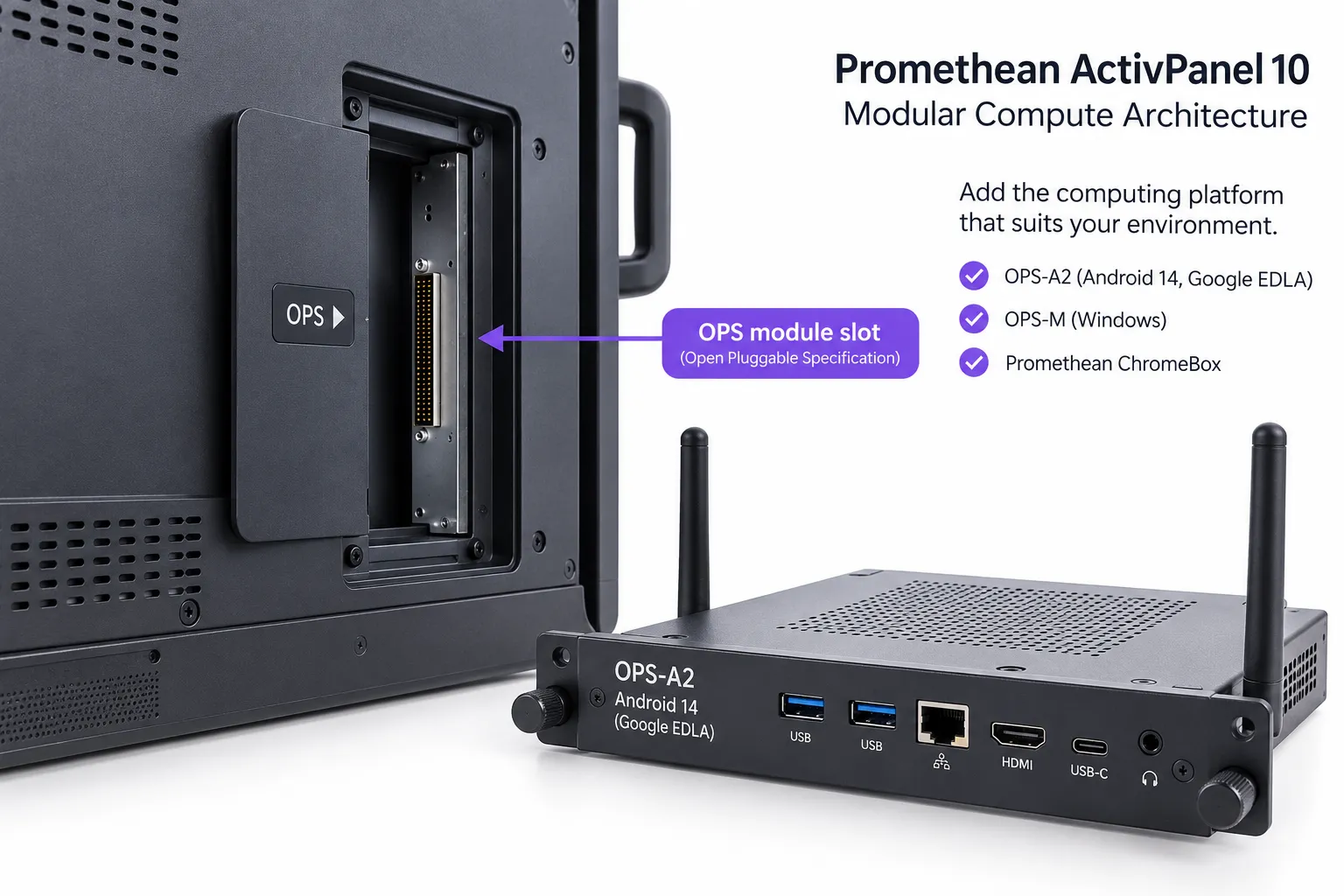
The ActivPanel 10 uses a modular "Secure by Design" architecture — the computing platform (Android, Windows, or ChromeOS) is separate from the display and upgradeable independently.
Promethean ActivPanel Models Compared: Standard vs Premium vs LE
Three distinct panels with different specifications, different deployment requirements, and different total costs of ownership. The table below covers the key decision points before we go into each model in detail.
| Feature | AP10 Standard | AP10 Premium | ActivPanel LE |
|---|---|---|---|
| Built-in Android | ✕ | ✕ | ✓ Android 14 |
| Google EDLA Certified | OPS-A2 required | OPS-A2 required | ✓ Native |
| Optical Bonded Glass | ✕ | ✓ | ✕ |
| Backlight Technology | Direct LED | QLED + Full Array Local Dimming | Direct LED |
| Touch Points | 40 | 50 | — |
| Integrated Mic Array | ✕ | ✓ 8-mic | ✕ |
| ActivPen 2 Included | ✕ sold separately | ✓ included | ✕ |
| Optional 4K ePTZ Camera | ✕ | ✓ | ✕ |
| Sizes Available | 65", 75", 86" | 55", 65", 75", 86" | 65", 75", 86" |
| Entry RRP inc GST | $3,667.40 (65") | $4,231.70 (55") | $3,465.00 (65") |
| Computing Module Needed | Yes — separate purchase | Yes — separate purchase | No — standalone |
| Best Suited To | Established Promethean schools — upgrade path | Premium classrooms, lesson capture, collaboration | Schools wanting standalone Android + native EDLA |
RRP inc GST shown. Education pricing available on request — contact us before purchase. Specifications subject to change; verify against current supplier documentation before finalising procurement.
ActivPanel 10 Standard — The Classroom Workhorse
65" · 75" · 86" · 4K UHD
The ActivPanel 10 Standard is Promethean's core classroom panel — built for daily teaching use across 65", 75", and 86" screen sizes. It is a solid, well-specified interactive display that delivers what most classroom environments need without the optical bonding and local dimming of the Premium series.
Display and touch: 4K UHD resolution across all sizes, bonded glass, Direct LED backlight, 40 continuous touch points via Vellum touch technology. Touch response time is 3ms with a 500Hz scan rate. Palm rejection and writing-hand palm rejection are both active.
Audio: Dual front-facing speakers at 2x20W. No integrated microphone array on the Standard — schools requiring lesson capture or hybrid participation capability from the panel itself will need to factor this in.
- Resolution4K UHD (3840 x 2160) @ 60Hz
- BacklightDirect LED
- GlassBonded, heat tempered, 9H hardness, anti-glare
- Touch Points40 continuous (Vellum touch, 3ms response)
- Audio2 x 20W front-facing speakers
- MicrophoneNot included
- Operating SystemNo OS — requires OPS-A2, OPS-M, or ChromeBox
- ConnectivityHDMI 2.1 x2, DisplayPort 1.4, USB-C 100W PD, OPS slot, LAN in/out
- CompatibilityWindows 10/11, macOS Ventura/Sonoma, Linux Ubuntu, ChromeOS, Android 14
- CertificationEnergy Star, TAA compliant, RCM
- 2x passive battery-less pens
- 1x ActivInspire Professional licence
- 2x ActivSuite seats
- HDMI, USB-A, USB-C cables (3m)
- Remote control + batteries
- Mini PC bracket with screws
The following prices are RRP inc GST. Contact us for current education pricing — due to manufacturer pricing agreements, discounted pricing cannot be displayed online.
| Size | RRP inc GST |
|---|---|
| 65" | $3,667.40 |
| 75" | $5,291.00 |
| 86" | $8,316.00 |
Wall mount sold separately. Prices subject to change — verify before purchase.
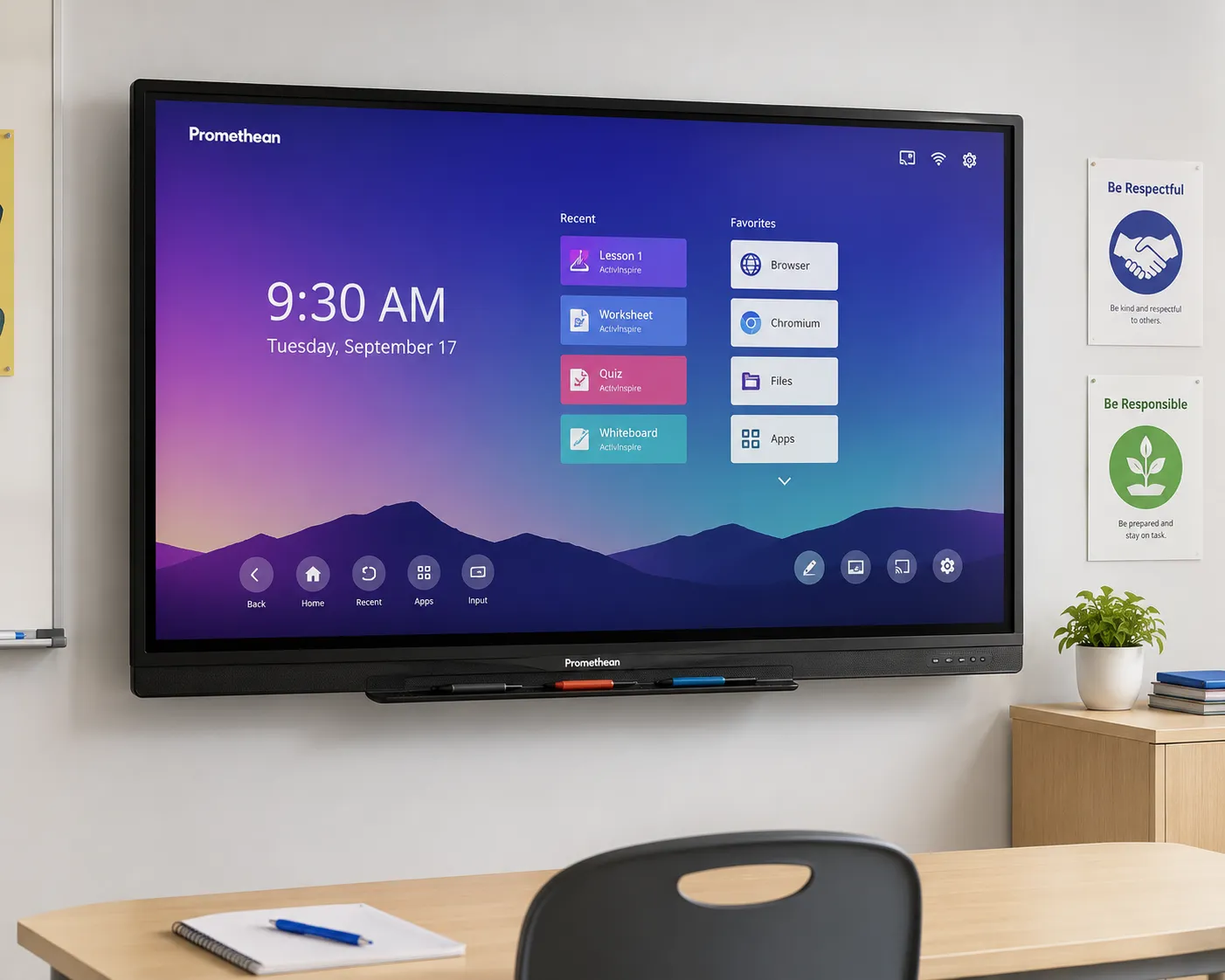
ActivPanel 10 Standard — available in 65", 75", and 86". Direct LED backlight, 40-point Vellum touch, bonded glass. Computing module required separately.
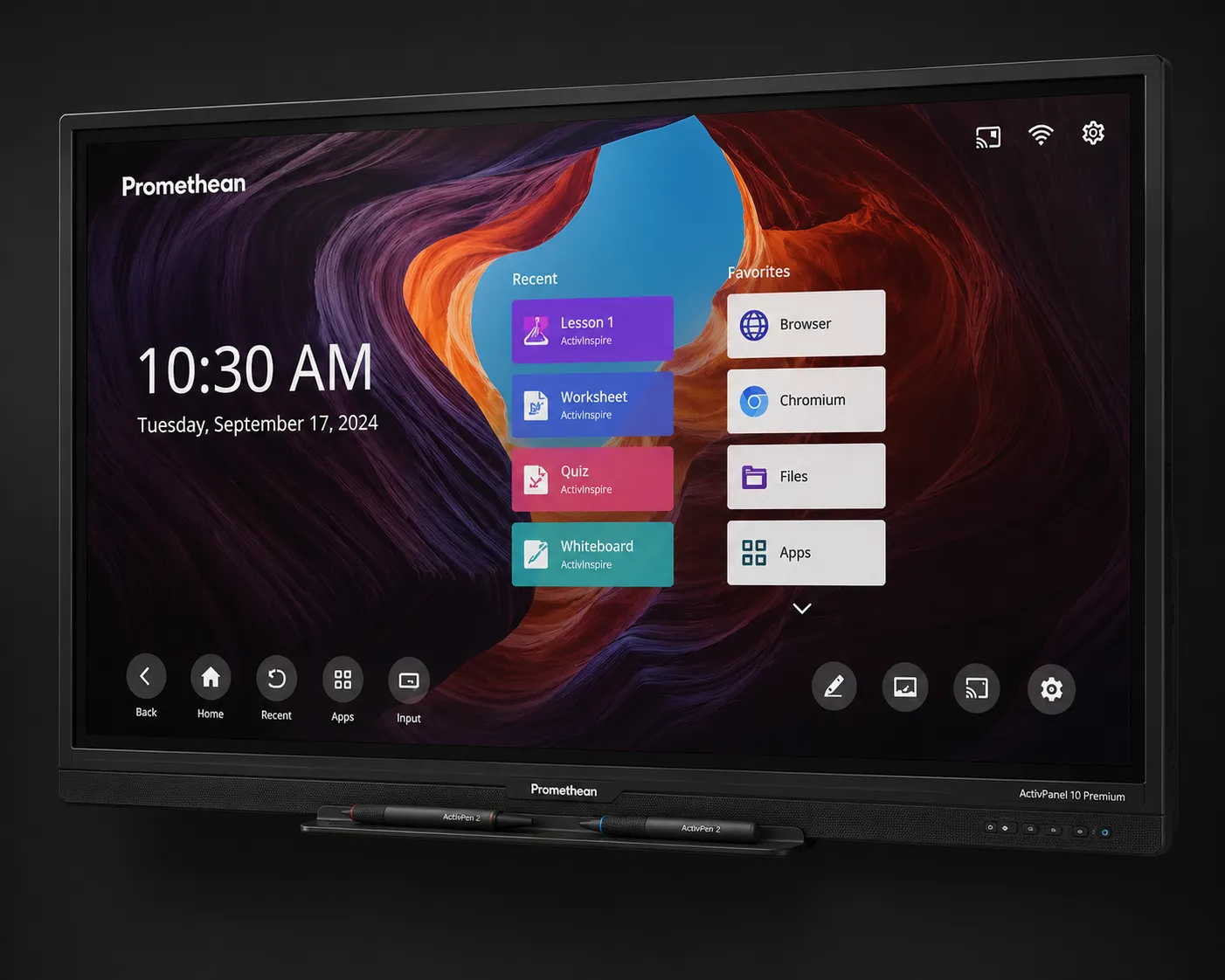
ActivPanel 10 Premium — QLED + Full Array Local Dimming, optical bonded glass, 8-mic array, and ActivPen 2 included. Available 55", 65", 75", 86".
ActivPanel 10 Premium — When the Classroom Demands More
55" · 65" · 75" · 86" · 4K UHD
The ActivPanel 10 Premium is a meaningfully different panel to the Standard — not just a specification bump, but a genuinely upgraded display and interaction experience that produces a visible difference in daily classroom use.
QLED + Full Array Local Dimming (FALD) and optical bonded glass — eliminating the parallax gap so what you write appears exactly where the pen contacts the glass. Brightness up to 1034 cd/m² on the 86".
50 continuous touch points — ten more than the Standard. The higher touch point count matters in active multi-student collaboration scenarios.
2x25W soundbar + 20W subwoofer (55" excludes subwoofer) and an 8-mic array built in — enabling lesson capture and hybrid participation directly from the panel without additional audio hardware.
ActivPen 2 included — wireless active stylus with pressure-sensitive handwriting, air mouse, red dot highlighter, and pagination control. Teachers control the panel from anywhere in the room. Sold separately on the Standard.
Optional 4K ePTZ camera add-on — cable-free, electronic pan-tilt-zoom with manual privacy shutter. Combined with the built-in mic array, gives the panel full video conferencing capability with the appropriate computing module.
- Resolution4K UHD (3840 x 2160) @ 60Hz
- BacklightQLED High Density Direct LED + Full Array Local Dimming
- GlassOptical bonded, heat tempered, 9H hardness, anti-glare
- Touch Points50 continuous (Vellum touch, 3ms response)
- Audio2 x 25W + 20W subwoofer* · 8-mic array (*55" excludes subwoofer)
- Operating SystemNo OS — requires OPS-A2, OPS-M, or ChromeBox
- ConnectivityHDMI 2.1 x2, DisplayPort 1.4, USB-C 100W PD (rear), USB-C 65W PD (front), USB-A top/front, OPS slot, LAN in/out
- Active PenActivPen 2 — pressure sensitive, air mouse, red dot highlighter, wireless charging
- Optional Camera4K ePTZ — electronic pan/tilt/zoom, manual privacy shutter
- 2x passive battery-less pens
- 1x ActivPen 2 + charger
- 1x ActivInspire Professional licence
- 2x ActivSuite seats
- HDMI, USB-A, USB-C cables (3m)
- Remote control + batteries
RRP inc GST shown. Contact us for current education pricing — discounted pricing cannot be displayed online due to manufacturer pricing agreements.
| Size | RRP inc GST |
|---|---|
| 55" | $4,231.70 |
| 65" | $4,867.50 |
| 75" | $6,518.60 |
| 86" | $9,612.90 |
Wall mount sold separately. Prices subject to change — verify before purchase.
ActivPanel LE — The Standalone Entry Option
65" · 75" · 86" · Android 14 Built In
Google EDLA Certified — Native Android 14The ActivPanel LE is the only panel in the current Promethean range with Android 14 built in — and unlike the AP10 Standard and Premium, it is Google EDLA-certified natively. It runs as a standalone device without requiring a separate OPS module or external PC.
For schools where Google Workspace EDLA compliance is a baseline IT requirement, the ActivPanel LE delivers that natively — without the additional cost of an OPS-A2 module on every panel. This is a meaningful procurement distinction that changes the total cost of ownership calculation, particularly at volume.
The ActivPanel LE is positioned below the AP10 range on specification — it uses an ARM A72 processor and does not include the AP10's Full Array Local Dimming, optical bonding, or Premium audio. For schools where standalone simplicity, native EDLA, and lower entry cost are the priorities, the LE deserves evaluation alongside the AP10 Standard.
- Operating SystemAndroid 14 — built in, no OPS required
- EDLA CertificationGoogle EDLA-certified — native Google Play Store access
- ProcessorARM A72
- Resolution4K UHD (3840 x 2160) @ 60Hz
- Pens Included2x passive pens and cable pack
- Computing ModuleNot required — standalone Android device
RRP inc GST shown. Contact us for current education pricing.
| Size | RRP inc GST |
|---|---|
| 65" | $3,465.00 |
| 75" | $4,243.80 |
| 86" | $5,409.80 |
Prices subject to change — verify before purchase. No additional computing module required.
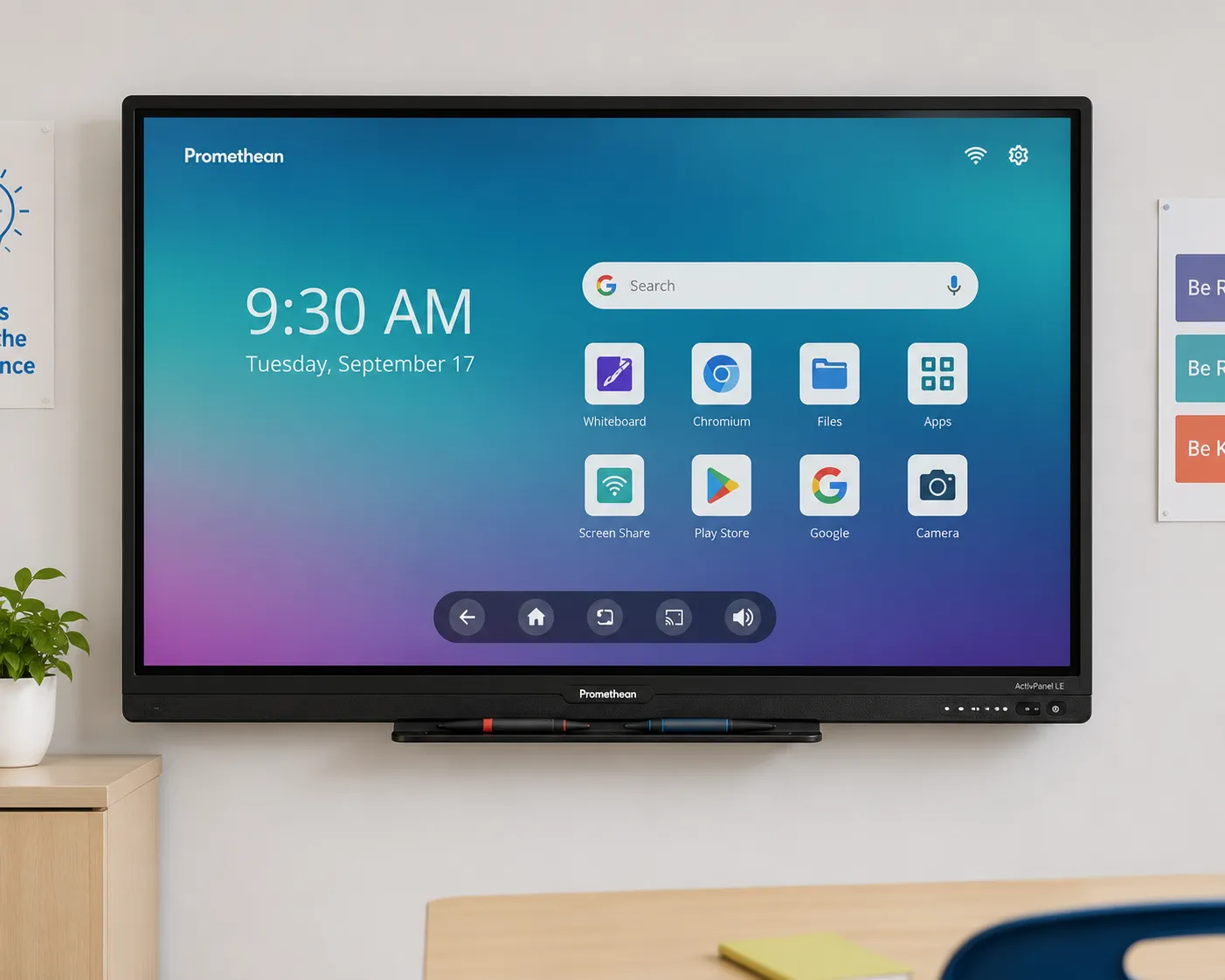
ActivPanel LE — Android 14 built in, Google EDLA-certified natively. The only panel in the current Promethean range that operates standalone without a computing module.
Choosing Your Computing Platform — OPS-A2, OPS-M, or ChromeBox
Every ActivPanel 10 Standard and Premium deployment requires a computing platform. The choice affects not just how the panel runs, but which software ecosystem it sits within, how Google Workspace integration works, and what your IT team manages long-term. This is a decision that needs to be made before purchase — not after installation.
OPS-A2
Android 14 — Google EDLA-Certified
- Android 14 — native app ecosystem
- Google EDLA-certified — compliant Google Play Store access
- Pre-loaded Promethean Essential apps: Explain Everything, Annotate, Screen Share, Spinner, Timer
- Promethean OS and security updates into 2026
- Best for Google Workspace schools requiring EDLA compliance
$683.00
RRP inc GST — contact us for education pricing
OPS-M
Windows — Multiple Configurations
- Range of Intel configurations from N97 to i7 vPro
- ActivSuite for Windows — puts Promethean apps directly in teacher taskbar
- Explain Everything, Spinner, Timer, Annotate, Screen Share Receiver
- Microsoft-provided OS and security updates
- Best for Windows-based school environments
| Configuration | RRP inc GST |
|---|---|
| Intel N97 8GB/256GB — no OS | $847.00 |
| Intel N97 8GB/256GB — Win 11 Pro | $1,448.70 |
| Intel i5 vPro 8GB/256GB — no OS | $1,153.90 |
| Intel i5 vPro 8GB/256GB — Win 11 Pro | $1,318.90 |
| Intel i7 vPro 16GB/256GB — Win 11 Pro | $1,654.40 |
ChromeBox
Google ChromeOS — Managed Environment
- Google-certified ChromeOS device
- Access to Promethean ActivSuite: Explain Everything, Spinner, Timer, Annotate, Screen Share Receiver
- Google-provided OS and security updates into 2030
- Extends Google Admin management to the interactive display
- Best for schools already managing Chromebook fleets via Google Admin
$1,448.70
RRP inc GST — contact us for education pricing
Contact us to discuss which computing platform suits your school's existing infrastructure before purchase. All RRP prices inc GST — education pricing available on request.
Promethean's Genuine Strengths in Australian Schools
These are the strengths that hold up under operational scrutiny — not manufacturer marketing points, but capabilities that produce real outcomes in real classrooms.
ActivInspire Is a Real Competitive Advantage
A mature, education-specific software platform with classroom engagement tools that generic collaboration software doesn't match. Voting and polling tools, container activities, revealer functions, dual-page delivery, and a lesson resource library built specifically around teaching workflows — tools that experienced Promethean teachers use daily and genuinely miss when they move to other platforms.
Teacher Familiarity Has Compounding Value
A teacher who has spent years building ActivInspire lesson resources and integrating the platform into their daily classroom routine has accumulated real operational value. That familiarity makes them faster, more confident, and more creative with the technology. It is not transferable to a different platform without cost.
The Installed Base Creates Peer Support Networks
In schools where Promethean is the dominant platform, teachers share resources, compare techniques, and support each other's adoption in ways that don't happen with minority platforms. This network effect has genuine value that doesn't appear in any specification comparison.
Build Quality for Classroom Environments
Promethean's hardware is built for the demands of a school day — multiple classes, student interaction, extended daily operation. The 50,000-hour LED lifespan and fanless design across the AP10 range reflect the education-first engineering philosophy that underpins the brand.
The "Secure by Design" Architecture Has Longevity Advantages
Because the computing module is separate from the panel, schools can upgrade their Android, Windows, or ChromeOS module without replacing the display. In a 7–10 year hardware lifecycle, this has genuine cost implications — you replace the compute, not the screen.
Demonstrations Available Before You Commit
Promethean ActivPanel displays are available to see and interact with in person through our supplier showrooms in Melbourne, Sydney, Brisbane, and Adelaide. For schools that can't get to a location, we can also arrange an online demonstration — contact us to organise either option before committing to a purchase decision.
For schools evaluating Promethean against SMART Board specifically — including switching cost calculations and the commercial pricing dynamics most resellers won't discuss openly — our dedicated comparison page covers this in depth.
Promethean vs SMART Board for Australian schools →"The schools that get the most from Promethean are almost always the ones that were already in the ecosystem before we arrived. Teachers who have built years of ActivInspire resources are genuinely invested in the platform — and that investment is worth protecting."
"The schools that struggle most with Promethean are the ones that chose it based on brand recognition alone, without evaluating whether the software ecosystem matched how their teachers actually plan and deliver lessons. The hardware is fine. It is always the ecosystem fit that determines whether the investment works."
"The other consistent gap I see at deployment is the computing module question. Schools that have approved the panel budget but not the OPS budget arrive at installation day without a working system. The panel is a display — it needs a brain. Factor that into the procurement conversation from the start, not after the hardware is on the wall."
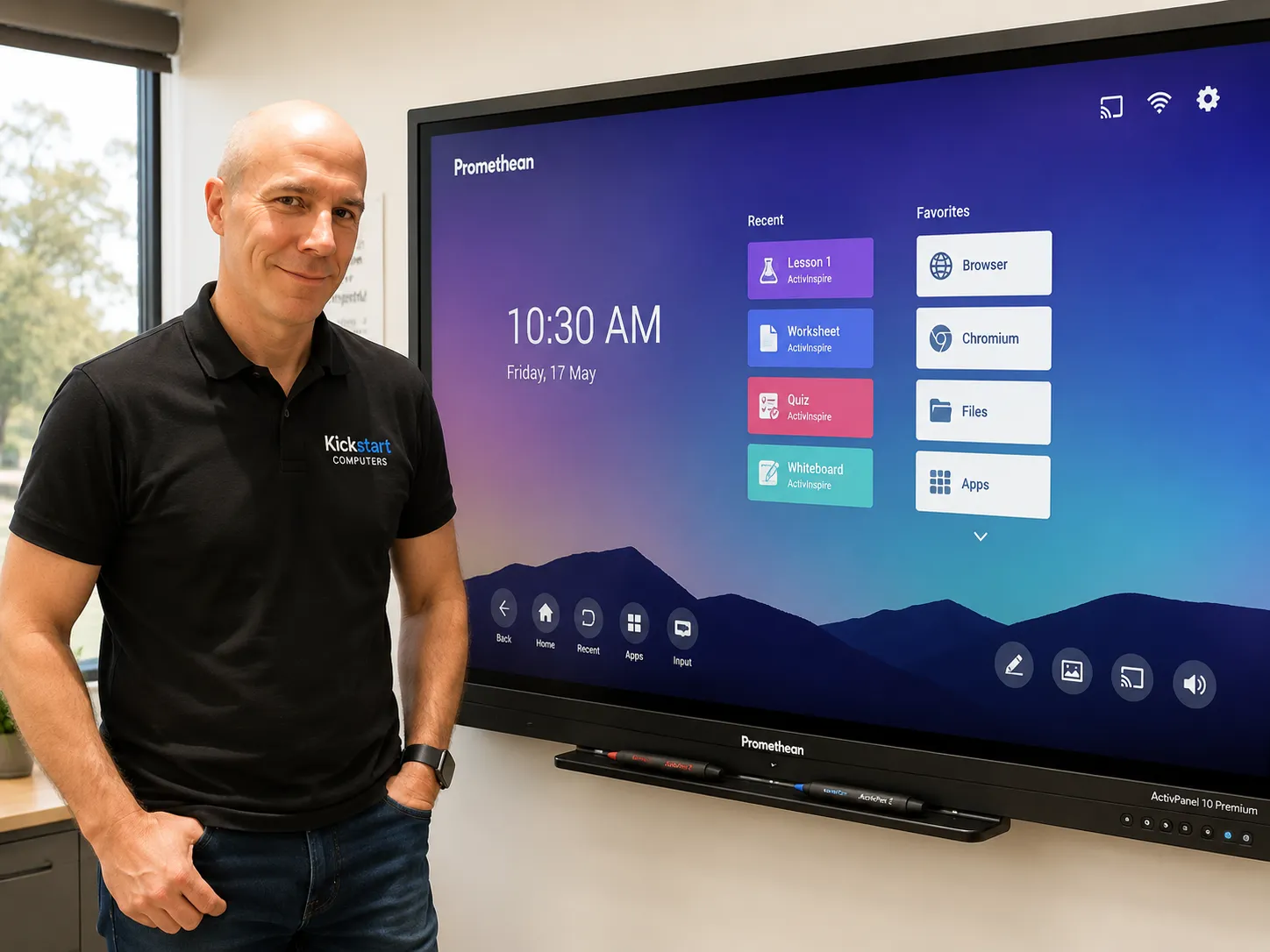
Andrew McKiggan has supplied and deployed Promethean ActivPanel displays across South Australian schools and organisations since 2007 — the observations above reflect that deployment experience directly.
Promethean ActivPanel 10 Limitations to Consider
These limitations don't make Promethean the wrong choice — but they make it the wrong choice in specific contexts. Understanding them before purchase is what separates good procurement from expensive regret.
No Built-In OS on the AP10 Range Adds Procurement Complexity
Unlike BenQ Board and Samsung's education range, which include Android built in as standard, every ActivPanel 10 Standard and Premium requires a separately purchased computing module. The panel price is not the complete picture — the OPS or ChromeBox needs to be in the budget from the start.
EDLA on the AP10 Requires the OPS-A2 Module Specifically
The panel itself is not EDLA-certified. Schools where Google Workspace EDLA compliance is a baseline IT security requirement need to specify the OPS-A2 module explicitly — and factor its cost into the comparison. The ActivPanel LE avoids this entirely with native EDLA built in.
The ClassFlow Retirement Left a Gap
Promethean's cloud collaboration platform was retired at the end of 2023. The cloud-based student interaction capability it provided has not been fully replaced within the native Promethean ecosystem. Schools where cloud-based student device interaction is a daily teaching requirement should clarify Promethean's current cloud roadmap directly before purchasing.
Ecosystem Lock-In Is Real and the Switching Cost Is High
ActivInspire lesson files do not migrate cleanly to other platforms. A school with years of ActivInspire lesson resources faces a genuine content migration challenge if it moves platforms — not just a retraining exercise. Schools entering the Promethean ecosystem are making a long-term commitment, not just a hardware purchase.
Pricing Flexibility at Smaller Volumes Can Be Constrained
Promethean manages pricing through reseller tier structures that protect margins more actively than some competing platforms. For smaller deployments outside competitive tender situations, pricing flexibility may be more limited than comparable SMART Board or BenQ configurations. Larger volume deployments change this dynamic considerably.
Not a Certified Teams Rooms or Zoom Rooms Device
ActivPanel can run Teams or Zoom as applications via the OPS-M module, but it is not a certified Microsoft Teams Rooms device. For corporate environments where managed Teams Rooms certification, central IT management, and certified audio and camera integration are the priority — purpose-built solutions from Yealink, Logitech, or Poly are a better fit.
The Decision Is Made in a Procurement Meeting. The Cost Is Discovered in the Classroom.
ActivInspire lesson libraries that took years to build don't migrate to other platforms. Teacher familiarity that took terms to develop doesn't transfer in a single training day. The professional development budget approved for a new platform covers one day of training — not the six months of gradual adoption that actually produces confident daily use.
And for schools entering the Promethean ecosystem fresh: the panel price is not the system price. Every AP10 Standard and Premium needs a computing module. Factor that into the total cost of ownership before the budget is approved — not after the panels are installed and the IT team is asking what goes in the OPS slot.
The Switching Cost Question — What Schools Consistently Underestimate
If your school is currently running Promethean and evaluating whether to stay or move to another platform, the switching cost calculation deserves explicit attention before any hardware decision is made. The hardware cost of switching platforms is the straightforward part. The operational cost is not.
Teacher Retraining
A teacher who has spent years building ActivInspire familiarity is being asked to rebuild that from scratch on a new platform. This takes longer than a single professional development day and produces a period of reduced classroom effectiveness. For schools with 20 or more classrooms, this transition can extend across an entire academic year.
Content Migration
ActivInspire flipchart files do not open in SMART Notebook, BenQ EZWrite, or Samsung's native environment. Schools with large lesson resource libraries face a real migration effort — either converting files manually, rebuilding lessons, or running a hybrid approach where legacy content is accessed on old software while new content is created in the new platform.
Workflow Disruption
A platform change affects not just how teachers write on a board, but how they prepare lessons, share content with students, manage classroom activities, and integrate with the school's broader digital tools. The disruption is broader than the hardware change suggests.
Before committing to a full platform switch: A structured pilot of at least one semester in a small number of classrooms is the most reliable way to understand whether the operational friction of transition is justified by the benefits of the new platform. Schools that skip the pilot and roll out across all classrooms simultaneously consistently report more disruption than anticipated.