PTZ Camera
PTZ Cameras — Motorised Pan, Tilt & Zoom for Large Meeting Rooms
PTZ cameras give you motorised pan, tilt and zoom control for rooms where a fixed-lens video bar cannot provide the coverage or flexibility needed. Typically deployed in large meeting rooms, boardrooms, training spaces and lecture theatres — they pair with a separate room system or speakerphone rather than running as an all-in-one device.
A PTZ camera is a motorised camera that can pan left and right, tilt up and down, and zoom in or out — either under manual remote control or automatically through AI-driven speaker tracking. Unlike a fixed-lens conference bar camera that covers a set field of view, a PTZ camera can follow a presenter across a room, frame a whiteboard on command, or switch between preset positions for different meeting formats.
PTZ cameras are almost always deployed as part of a modular room system in large meeting rooms, boardrooms and training spaces rather than as a standalone device. The camera handles video capture and framing. A separate room system — a Windows or Android compute unit running Teams Rooms or Zoom Rooms — handles the platform. And a separate microphone array or speakerphone handles audio pickup across the room. This modular approach is more complex than a conference camera in a smaller room but gives you precise control over each component independently.
Large Meeting Rooms
10 to 20 seat rooms where a fixed bar camera cannot cover the full table. PTZ cameras with AI speaker tracking are the standard solution at this room scale.
Boardrooms
Executive boardrooms where presentation quality and reliability are non-negotiable. PTZ cameras paired with premium ceiling microphone arrays are the standard boardroom specification.
Training & Lecture Spaces
Larger spaces where a presenter moves around, uses a whiteboard or needs to be framed independently from the audience. PTZ preset positions and auto-tracking are both essential here.
AI speaker tracking is now standard across most PTZ cameras in this range. The camera detects who is speaking and automatically frames that person — eliminating the need for a dedicated camera operator in most meeting scenarios. The quality of that tracking varies significantly between brands, with AVer, Logitech and Yealink all taking different approaches to how aggressively the camera moves and how quickly it locks onto a new speaker.
Optical zoom is an important specification to confirm before purchasing. Most PTZ cameras in this range offer 12x optical zoom — sufficient for most large meeting rooms. Rooms longer than 12 metres or spaces where participants are further from the camera may benefit from 20x or 30x optical zoom models. Digital zoom is available on all models but degrades image quality — optical zoom is the specification that matters.
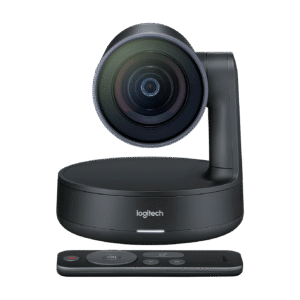
Popular PTZ camera manufacturers in Australia include AVer, Logitech and Yealink. AVer specialises in PTZ cameras for education and corporate environments, with strong optical zoom specifications and AI tracking that prioritises smooth presenter following over rapid switching. Logitech's Rally Camera is one of the most widely deployed PTZ cameras in Australian meeting rooms, with a clean integration into the broader Logitech room system ecosystem. Yealink's UVC86 takes a dual-camera approach — a PTZ unit and a fixed wide-angle camera working together — which suits rooms where both presenter framing and full-table coverage are needed simultaneously.
Choosing the right PTZ camera
Room dimensions are the starting point. A PTZ camera rated for a 10 to 15 seat room will not provide adequate zoom reach in a 30-seat lecture theatre — confirm the optical zoom specification against your room depth before purchasing. Seating layout matters too: a traditional rectangular boardroom table suits a single front-mounted PTZ camera, while a U-shaped or classroom layout may need a different mounting position or a second camera to eliminate blind spots. Microphone placement interacts directly with camera positioning — the camera should frame whoever the microphone is picking up, which means the two systems need to be planned together rather than independently. Finally, confirm whether you need manual PTZ control via a joystick controller, AI auto-tracking only, or both — different rooms and different use cases have different requirements for how actively the camera is operated during a meeting.
Whether you are deploying Microsoft Teams Rooms, Zoom Rooms or a custom conferencing solution, selecting the correct PTZ camera depends on room dimensions, seating layout, microphone placement and required zoom range. Browse the PTZ camera products below or contact us for deployment advice specific to your room.
- Large meeting rooms
- Boardrooms
- Training rooms
- Lecture theatres
- AI speaker tracking
- 12x optical zoom
- 20x optical zoom
- Microsoft Teams Rooms
- Zoom Rooms
- AVer PTZ cameras
- Logitech Rally Camera
- Yealink UVC86
PTZ cameras are the right choice for large meeting rooms — spaces of 10 or more seats where a fixed bar camera cannot provide the coverage or control required. See all products tagged for large room deployments.
Large meeting roomsIf your room is smaller — a huddle space or standard meeting room where a fixed-lens camera is sufficient — a conference camera may be the better fit. Fixed-lens cameras are simpler to deploy and lower cost for rooms that don't need PTZ control.
Conference camerasSpecifying a PTZ camera for a large room or boardroom?
Call Andrew on 0416 353 501 or send us a message — tell us your room dimensions, how many seats it holds and which platform you are running, and we will recommend the right PTZ camera and room system for the space.
Showing all 16 results
- Dont see what youre looking for? Request a quote!
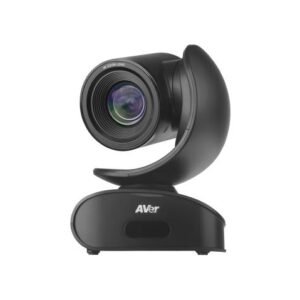
AVer CAM540 4K USB PTZ Conference Camera (4K UHD, USB 3.1, 86 FOV, 16x Zoom, PTZ 160 pan, 90 tilt, RS232) Microsoft teams certified
Add to cartAVer CAM540 4K USB PTZ Conference Camera (4K UHD, USB 3.1, 86 FOV, 16x Zoom, PTZ 160 pan, 90 tilt, RS232) Microsoft teams certified
Original price was: $1,995.00.$1,361.00Current price is: $1,361.00. - Dont see what youre looking for? Request a quote!
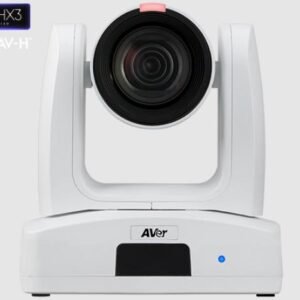
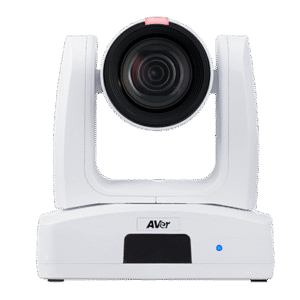
AVer PTZ231 Pan Tilt Zoom Pro Cam 30X Zoom HD Output Pro AV Broadcast PTZ
Add to cartAVer PTZ231 Pan Tilt Zoom Pro Cam 30X Zoom HD Output Pro AV Broadcast PTZ
Original price was: $4,649.00.$3,668.90Current price is: $3,668.90. - Dont see what youre looking for? Request a quote!
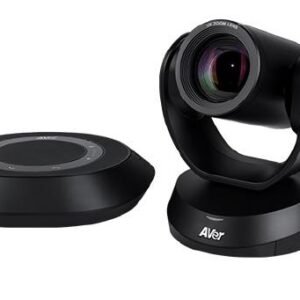
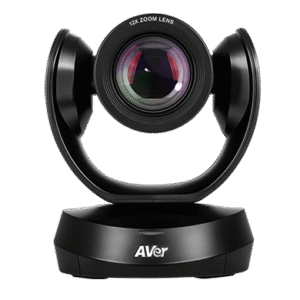
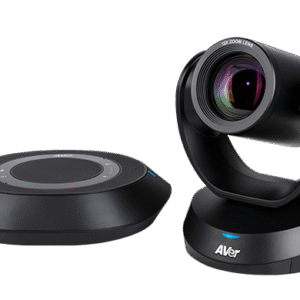
AVer VC520 Pro2 PTZ Conference Camera & Speakerphone / 1080p/ 18x total zoom(12x optical) / 60fps/ RS232 in-out/ LAN
Add to cartAVer VC520 Pro2 PTZ Conference Camera & Speakerphone / 1080p/ 18x total zoom(12x optical) / 60fps/ RS232 in-out/ LAN
Original price was: $3,220.00.$1,662.00Current price is: $1,662.00. - Dont see what youre looking for? Request a quote!
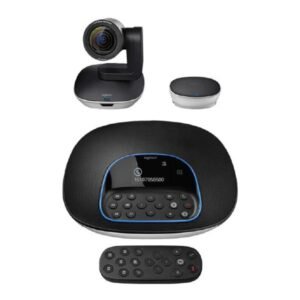
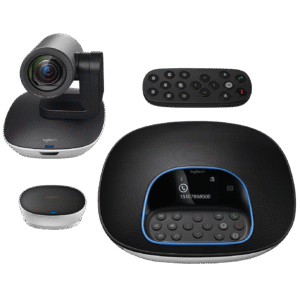
Logitech CC3500e ConferenceCam GROUP FHD Video Conferencing System for mid to large-sized meeting rooms. [960-001054] – Limited stock
Add to cartLogitech CC3500e ConferenceCam GROUP FHD Video Conferencing System for mid to large-sized meeting rooms. [960-001054] – Limited stock
Original price was: $1,999.00.$1,657.00Current price is: $1,657.00.