
Jump Ahead Too
ToggleSamsung Flip Pro (WMB) vs WMFX — What Actually Changed?
Samsung Flip ecosystem · Generation comparison · Deployment advisory
Why This Comparison Matters
There is a quiet but genuine source of confusion running through the Australian Samsung Flip market right now, and it is worth naming it directly before going any further. Many organisations that purchased or specified Samsung Flip Pro displays over the past two to three years are now encountering references to the WMFX — Samsung's current Flip generation — and finding it difficult to understand exactly what changed, what stayed the same, and whether their existing deployments are in any way obsolete.
They are not. But understanding why requires understanding what Samsung actually did with the WMFX generation, and what they deliberately chose not to change.
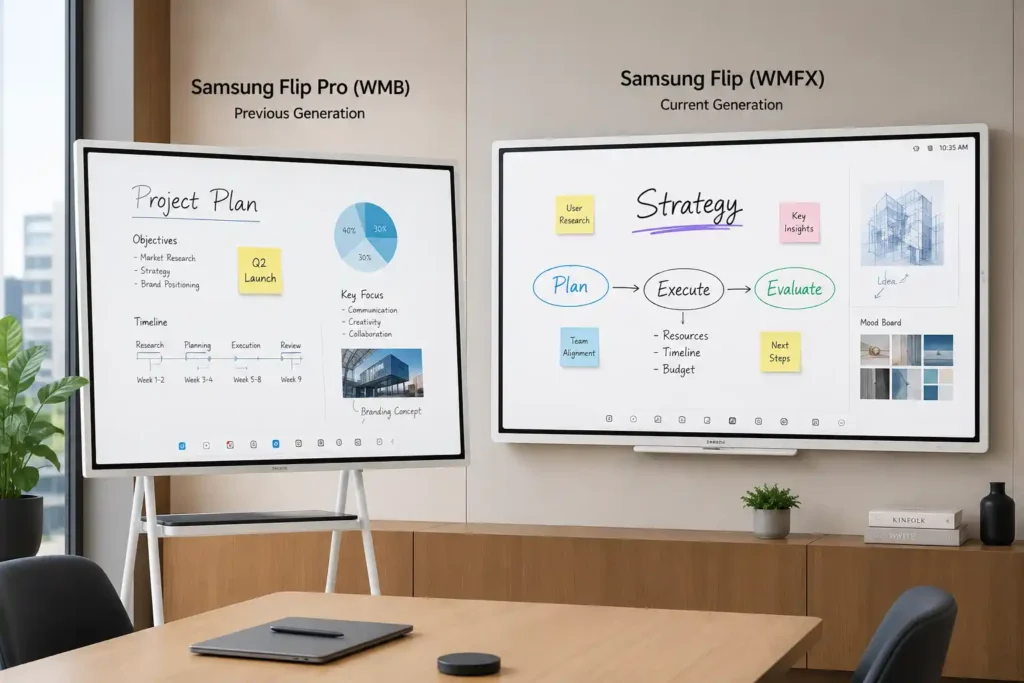
The terminology situation adds another layer of complexity. Samsung simplified their branding internationally with the WMFX release, moving away from "Flip Pro" toward simply "Samsung Flip." In Australia, however, the local channel has not yet fully aligned with that direction. Suppliers, distributors, and procurement teams continue to use the Flip Pro name — sometimes when referring to the older WMB generation, sometimes when referring to the newer WMFX. It is not uncommon to encounter the WMFX marketed under the Flip Pro name by Australian resellers at the time of writing. The physical packaging reinforces this: older WMB units carried "Flip Pro" branding on the box, while current WMFX units typically arrive labelled simply as "Samsung Flip" — which means installers and facilities teams encountering the product on-site may be seeing different naming depending entirely on which generation they are handling.
This article uses both naming conventions deliberately, reflecting the market as it actually operates rather than as the branding guidelines say it should.
→ Samsung Flip Interactive Whiteboard — Full Ecosystem Guide For a full overview of the Flip platform evolution across WMA, WMB and WMFX generationsSamsung Australia had not, at the time of writing, fully published the WMFX range through local channels with complete Australian documentation. Some specifications and feature references in this article draw on international launch documentation, distributor materials, and Samsung's global product listings — where the current generation is listed simply as "Flip," with model references such as the WM55FX and WM65FX.
Feature availability and software details may evolve as Samsung Australia's local documentation becomes more standardised. For procurement decisions, we recommend confirming current local availability and specification details directly with your Samsung-authorised reseller.
Understanding the Flip Lineage
The WMFX did not arrive without context. It is the third generation of Samsung's WM series — a continuous Tizen-based collaboration platform that has evolved since 2019 across three distinct hardware and software generations.
2019–2021 → WMB / Flip Pro
2022–2026 → WMFX / Samsung Flip
2026–present
The WMA series introduced the Flip concept: a large-format display that prioritised pen-quality writing, intuitive annotation, and making shared ideas a persistent digital asset rather than a whiteboard photograph. It was a genuinely different proposition from everything else in the interactive display market at the time, and it found early adoption across both education and enterprise.
The WMB generation — marketed as Flip Pro — built on that foundation with meaningful practical advances: matured USB-C connectivity, AirPlay 2 integration, OPS slot flexibility, and a broader commercial footprint across classroom and meeting room deployments. Tizen 6.5 provided the platform foundation. Knox and Workspace provided the enterprise access layer. The WMB series — WM55B, WM65B, WM75B and WM85B — became the most widely deployed Flip generation to date.
The WMFX is the direct continuation of that lineage. It is not a pivot, a rebrand, or a new product category. It is what the Flip platform looks like when Samsung applies three years of commercial deployment learnings, enterprise feedback, and software development to the hardware and ecosystem decisions that defined the WMB.
What Stayed the Same — The Core Flip Philosophy
This is arguably the most important section of this article, because the temptation when reading any generational comparison is to focus entirely on what changed. What Samsung chose to preserve across the WMB-to-WMFX transition is at least as strategically significant as what they upgraded.
The writing experience — the thing that made Flip genuinely different from every competing interactive display — is unchanged. The 26ms pen latency that gives Flip its characteristic responsiveness is present in the WMFX. The 2,048 levels of pressure sensitivity that allow strokes to feel weighted and natural rather than flat and digital — unchanged. Palm and hand erase, the intuitive correction mechanism that removes the need to reach for a separate eraser tool — unchanged. The rotatable display design that allows teams to switch between portrait annotation mode and landscape presentation mode — preserved and extended to both the 55 inch and 65 inch WMFX models.
Samsung understood something that not every hardware manufacturer gets right at generational transitions: the core experience that built user loyalty is not where the upgrade should happen. You do not improve a platform by breaking the thing that people trust about it. You improve the infrastructure around that experience — the brightness, the management, the connectivity, the software intelligence — while leaving the writing feel intact.
That decision is evident throughout the WMFX. It still feels like Flip. That matters enormously for organisations considering an upgrade path, and for education and enterprise environments that have trained staff and built workflows around the WMB generation.
Quick Comparison — WMB Flip Pro vs WMFX
| Feature | WMB / Flip Pro | WMFX / Samsung Flip | Why It Matters |
|---|---|---|---|
| Brightness | 350 nits (w/o glass) | 450 nits (w/o glass) | ~29% increase — meaningful in glass-heavy offices, open-plan spaces, and high ambient light environments common in Australia |
| Anti-glare | Standard coating | Improved anti-glare handling | Reduces reflection-based readability issues — distinct from brightness, addresses rooms with large windows or strong directional light |
| Operating system | Tizen 6.5 | Tizen 9.0 | Major platform jump — improved security architecture, multi-window performance, app sandboxing, enterprise ecosystem alignment |
| Storage | 32GB | 64GB | Infrastructure for on-device AI processing and richer local workflows — reduces cloud dependency in congested network environments |
| HDMI Out | Via optional CY-TF65B tray | Built-in natively | Eliminates additional hardware cost and complexity for training rooms, lecture theatres, and overflow display environments |
| Device management | MagicINFO | Samsung VXT | Cloud-native fleet management — meaningful for multi-site IT teams managing displays at scale without on-site intervention |
| AI writing tools | Not present | AI Writing Tool — shape refinement, handwriting to text | Moves annotation from recording to intelligent assistance — handwriting and shapes become usable digital assets |
| Multi-window | Available, Tizen 6.5 constraints | Improved fluidity on Tizen 9.0 | Simultaneous document review, browsing, and whiteboarding noticeably more responsive — practical for hybrid meeting workflows |
| AirPlay 2 kept | Yes | Yes — retained | Continued advantage in Apple-heavy BYOD environments — education and enterprise with mixed device ecosystems |
| Knox security | Present via Workspace | Boot-to-shutdown platform feature | Elevated from supporting layer to headline enterprise positioning — relevant for IT procurement and security-managed deployments |
| SmartThings Pro | Not present | Integrated | Connects Flip to building and IoT infrastructure — room occupancy, lighting systems, connected workplace environments |
| Pen latency kept | 26ms | 26ms | Deliberately preserved — the writing experience that defines Flip is unchanged across generations |
| Pressure levels kept | 2,048 | 2,048 | Deliberately preserved — stroke weight and sensitivity continuity across the Flip platform |
What Actually Changed
Brightness & Anti-Glare — Solving a Real Deployment Problem
The jump from 350 nits to 450 nits represents approximately a 29% increase in panel brightness, and it is worth understanding what that actually means in a real installation rather than on a specification sheet. The WMB was a capable display in controlled lighting environments — meeting rooms with neutral overhead lighting, classrooms with blinds, spaces where ambient light could be managed. Where it struggled was in the kinds of environments that have become increasingly common in modern Australian office and education builds: glass-walled boardrooms, open-plan collaboration areas adjacent to large windows, and training rooms with high-intensity LED overhead lighting running during the day.
In those environments, 350 nits is not always enough. The screen competes with the room and, on bright days, loses ground. Content that looked sharp in the morning becomes harder to read by mid-afternoon as sunlight moves around the building.
The WMFX's 450 nits addresses that problem directly. Combined with improved anti-glare coating that reduces surface reflections independently of brightness — reflections being a distinct visual problem from overall luminance — the WMFX performs more consistently across a wider range of real-world lighting conditions. A display that is technically bright but poorly treated for glare will still be difficult to use next to a window on a clear Australian afternoon. The WMFX addresses both variables.
Tizen 6.5 → Tizen 9.0 — Platform Maturity, Not Just a Version Number
The operating system jump from Tizen 6.5 to Tizen 9.0 is probably the least visually obvious change between the WMB and WMFX generations, but it is arguably the most structurally significant. Three years of platform development separate these two Tizen versions — evident in improved app sandboxing, stronger security architecture, better multi-window performance, and alignment with Samsung's current commercial display ecosystem.
Multi-window performance — running a web browser alongside a whiteboard session, or reviewing a document while a video call runs — is noticeably more fluid on Tizen 9.0. The WMB could handle multi-window workflows, but Tizen 6.5's constraints meant complex simultaneous tasks could feel slightly laboured. Tizen 9.0 handles those workflows more gracefully, which matters in hybrid meeting environments where the display is being asked to do several things at once.
Samsung's decision to retain Tizen rather than shift Flip to Android was not inevitable. Tizen preserves the tight integration between Knox, VXT, Workspace, and SmartThings Pro that makes the Flip ecosystem genuinely manageable at enterprise scale. An open Android architecture would have introduced flexibility that the Flip's target buyer typically does not need and often actively does not want.
It is also worth noting that the WMFX runs on a newer underlying hardware platform. The updated system-on-chip architecture contributes meaningfully to smoother multi-window performance and the responsiveness of local AI-assisted workflows. The AI Writing Tool is not simply a software addition that could have been retrofitted to WMB hardware — it depends on the processing headroom that the newer platform provides. This is relevant for organisations wondering whether the WMB generation will receive equivalent AI features through future software updates: the hardware generations are meaningfully different at the infrastructure level.
AI Writing Tools — Workflow Assistance, Not Transformation
The AI Writing Tool introduced in the WMFX generation is worth discussing carefully, because the temptation is to either oversell it as a revolutionary capability or dismiss it as a marketing addition. The reality sits between those positions and is genuinely useful in a specific, practical way.
What the AI Writing Tool does is refine. It takes rough hand-drawn shapes and cleans them into professional graphics. It takes handwritten text and translates it into searchable, editable digital content that can be inserted directly into search fields or documents. A practical example: handwritten URLs or web addresses written on the whiteboard can be converted into tappable digital text, removing the need for someone to manually retype what was written. Handwritten action items or meeting notes become searchable digital content rather than a photograph of a whiteboard.
What it does not do is fundamentally change how you interact with the display. You still write naturally, still draw intuitively, still erase with your palm. For organisations whose Flip sessions currently end with someone photographing the whiteboard and manually transcribing the content, that is a meaningful workflow improvement. For organisations already exporting clean digital notes from their WMB sessions, it is a useful enhancement rather than a game-changing feature.
Storage & Local Performance — Infrastructure for What Comes Next
The doubling of onboard storage from 32GB to 64GB is not primarily a story about having more space to save files. It is a story about platform infrastructure. On-device AI processing requires local storage and computational headroom that 32GB constrains. In practical terms, this translates to AI-assisted annotation workflows that operate responsively without depending on cloud processing — remaining smooth even in environments with congested or unreliable network connectivity. Multi-window sessions feel stable rather than strained, and the platform has the infrastructure capacity to support future software development without the hardware becoming a constraint.
HDMI Out — The Installation Change That Actually Matters Most
Of all the changes between the WMB and WMFX generations, the addition of native HDMI Out is possibly the one that will have the most immediate practical impact on installation planning — and the one most likely to be underappreciated by anyone reading a feature list rather than planning a real deployment.
On the WMB, connecting the Flip to a secondary display — a projector at the back of a training room, an overflow screen in a lecture theatre, an audience-facing panel in a presentation space — required Samsung's optional CY-TF65B front connectivity tray. That tray added cost, added a point of installation complexity, and added another component requiring procurement, installation, and ongoing maintenance. On the WMFX, HDMI Out is built directly into the unit. For an organisation deploying Flip across multiple training rooms or meeting environments where secondary displays are standard, that simplification compounds significantly — fewer components to procure, fewer potential points of failure, and less ongoing maintenance overhead across the estate.
Samsung VXT — Management for the Current Era
MagicINFO served the WMB generation well as a content management and remote push platform, and it remains widely deployed. But it reflects a device management philosophy from an era when display management was primarily a content scheduling and local administration task. VXT is built for how enterprise IT infrastructure operates now — cloud-native, multi-site, and designed to be managed by IT generalists rather than specialist AV teams. The ability to push updates, adjust settings, troubleshoot devices, and manage content across a display estate from a single cloud-based interface — without requiring on-site intervention — changes the ongoing operational cost of managing a Flip fleet in ways that go well beyond the display specification itself.
What Did Not Change
It is worth being explicit about what Samsung did not change with the WMFX, because the framing of "new generation" can inadvertently suggest that the previous generation has been superseded in ways that are not accurate.
The premium pen philosophy is intact. The 26ms latency and 2,048 pressure levels that define the Flip writing experience are present in the WMFX exactly as they were in the WMB. The rotatable display design is preserved. The Workspace environment for remote PC and cloud application access is present. Knox security is present, elevated rather than removed. AirPlay 2 is present. The fundamental collaboration-first design philosophy that made the WMB a genuinely different kind of interactive display is the foundation the WMFX builds on.
Samsung retained Tizen. That is not a small decision — it is a statement about the kind of device Flip is and who it is for. The WMFX is not a different product wearing the Flip name. It is the Flip, with a significantly more capable platform surrounding the core experience that existing Flip users already know.
Who Should Consider Upgrading?
This question deserves an honest answer rather than a sales-oriented one, and the honest answer is that not every WMB installation represents an urgent upgrade case.
Where the WMFX upgrade case becomes genuinely strong is in specific deployment contexts:
Organisations where WMB displays are described as hard to read during daylight hours. The WMFX's 29% brightness increase and improved anti-glare handling addresses this at the hardware level.
Environments requiring secondary displays — projectors, overflow screens, audience panels — currently need the optional CY-TF65B tray on WMB. WMFX removes that dependency entirely.
Organisations managing Flip displays across multiple campuses or office sites will find VXT's cloud-native approach meaningfully reduces IT overhead compared to MagicINFO.
The platform jump from WMA to WMFX spans two full hardware generations. For any environment where the interactive whiteboard experience is central to daily collaboration, the WMFX is a meaningfully more capable platform.
For WMB deployments in controlled lighting, single-display configurations that are serving their environments effectively, a planned refresh cycle is commercially reasonable. There is no functional obsolescence argument here.
Closing — Platform Maturation, Not Platform Replacement
The most accurate framing for the WMB-to-WMFX transition is not "old model replaced by new model." It is a mature collaboration platform that refined what needed refining while preserving what needed preserving.
Samsung identified the areas where the WMB generation showed its age in the context of modern deployment environments — brightness in high ambient light spaces, installation complexity for multi-display setups, management infrastructure for multi-site fleets, and software intelligence for annotation workflows. They addressed each of those areas in the WMFX with meaningful, practical improvements rather than cosmetic upgrades.
At the same time, they made a deliberate choice not to touch the things that Flip users trust: the writing experience, the Tizen ecosystem, the enterprise positioning, the collaboration-first design philosophy. That restraint is what makes the WMFX feel like an evolution rather than a replacement — and what makes the upgrade path for existing Flip deployments feel like a continuation rather than a transition.
For procurement teams, IT managers, and facilities planners working through that upgrade decision, the central question is not whether the WMFX is better than the WMB in absolute terms. It is whether the specific improvements the WMFX offers solve specific problems that exist in your specific deployment environment. Understanding what actually changed — and what deliberately did not — is the starting point for making that decision well.
Planning a School Classroom Deployment?
Choosing between the Samsung Flip Pro and WMFX is a product-level decision — but deploying interactive displays across a school campus involves ecosystem planning, Google Workspace integration, multi-classroom rollout, and staff onboarding that go well beyond the hardware comparison.
Our dedicated classroom interactive display page covers every aspect of the decision for Australian schools — including how Samsung's education range fits into a full campus deployment.
Interactive whiteboard for classroom — full platform decision overview →Frequently Asked Questions — Samsung Flip Pro (WMB) vs WMFX
The Samsung Flip Pro refers specifically to the WMB generation of displays — models WM55B, WM65B, WM75B and WM85B. The WMFX is the current generation of the same Flip platform, succeeding the WMB directly. Samsung simplified the branding with the WMFX release, dropping "Pro" and returning to simply "Samsung Flip." Both belong to the same WM family lineage and share the same core writing philosophy — 26ms pen latency, 2,048 pressure levels, and the same fundamental Flip collaboration experience. The key differences are in brightness, operating system, storage, management platform, and the addition of AI writing tools and native HDMI Out.
Yes, in the right context. The WMB Flip Pro remains a capable and proven collaborative display. For organisations with controlled lighting environments, standard single-display meeting room configurations, and no immediate requirement for HDMI Out or VXT fleet management, run-out WMB stock available through Australian resellers continues to represent strong value. The core Flip writing experience is identical to the WMFX. The upgrade case becomes compelling when specific deployment problems exist — high ambient light rooms, multi-display training environments, or multi-site fleet management requirements.
This is a common situation in the Australian market. Samsung's international branding moved away from "Flip Pro" with the WMFX generation, returning simply to "Samsung Flip." However, Samsung Australia's local channel had not fully aligned with that branding direction at the time of writing, and many Australian suppliers and distributors continue to use "Flip Pro" terminology — sometimes when referring to the WMB generation, sometimes when referring to the newer WMFX. The physical packaging is the clearest indicator: WMB units carry "Flip Pro" branding, while WMFX units are labelled simply "Samsung Flip" or referenced by model number such as WM55FX.
The WMB delivers 350 nits of brightness without glass. The WMFX delivers 450 nits — approximately a 29% increase. In practical terms this makes a visible difference in high ambient light environments: glass-walled boardrooms, open-plan offices adjacent to large windows, and training rooms with strong LED overhead lighting. The WMFX also features improved anti-glare coating which reduces surface reflections independently of brightness — addressing a separate but related readability problem in bright Australian office and education environments.
Samsung VXT has replaced MagicINFO as the device management platform for the WMFX generation. VXT is a cloud-native system designed for organisations managing display fleets across multiple sites without requiring specialist AV knowledge. Unlike MagicINFO, which required more hands-on local management, VXT allows IT teams to push updates, adjust settings, and troubleshoot displays remotely without on-site intervention. For multi-site organisations this represents a meaningful reduction in ongoing management overhead.
Yes. HDMI Out is integrated natively in the WMFX. On the WMB generation, connecting to a secondary display — a projector, overflow screen, or audience-facing panel — required the optional Samsung CY-TF65B front connectivity tray. The WMFX removes that dependency entirely, simplifying installation and reducing total cost of ownership for training rooms, lecture theatres, and multi-display meeting environments.
Yes. AirPlay 2 is retained in the WMFX generation, making it a practical choice for Apple-heavy BYOD environments in both education and enterprise settings. This is a meaningful operational advantage over Android-only interactive displays that require workarounds for iOS and macOS device mirroring.
The WMB Flip Pro runs Tizen 6.5. The WMFX runs Tizen 9.0 — a significant platform jump representing approximately three years of development. Tizen 9.0 brings improved app sandboxing, stronger security architecture, better multi-window performance, and tighter integration with Samsung's enterprise ecosystem including Knox, VXT, and SmartThings Pro. The WMFX also runs on a newer underlying hardware platform, which contributes to smoother multi-window responsiveness and supports the AI writing tools that cannot be retrofitted to WMB hardware.
No. The AI Writing Tool introduced in the WMFX generation depends on the newer underlying hardware platform and the processing headroom it provides. It is not simply a software addition that can be delivered to WMB hardware through a firmware update. Organisations wanting AI-assisted annotation, shape refinement, and handwriting-to-text conversion will need to be on WMFX hardware.