
High brightness commercial displays
Jump Ahead Too
ToggleHigh Brightness Commercial Displays for Australian Businesses
Digital menu boards · Window-facing signage · High ambient light display solutions
Standard commercial displays are engineered for controlled indoor environments — meeting rooms, office corridors, and back-of-house applications where ambient light is predictable and manageable. The moment a display moves into a hospitality environment, a retail storefront, or any space with strong overhead lighting or natural light through windows, standard brightness panels face a fundamental problem: the content becomes difficult or impossible to read.
High brightness commercial displays are engineered specifically for these environments. With brightness ratings from 700 nits through to 4,000 nits, commercial-grade thermal management, anti-glare panel technology, and content platforms ranging from built-in CMS solutions through to simple USB playback, the right high brightness display transforms a challenging lighting environment into a clear, vivid, always-readable communication surface.
Kickstart Computers supplies high brightness commercial displays from Sharp, Soniq, Samsung, LG, Hisense, and Philips to hospitality operators, retailers, QSR chains, real estate agencies, transport operators, and commercial installers across Australia. Our supplier network covers the full range — including models not currently listed on the site. Contact us before assuming a product isn't available.
Start here — find your display by environment
Not sure where to begin? Match your environment to the right product before reading further.
Office or corporate indoor
Sharp P-Series
700 nits · Precision colour · Enterprise AV integration
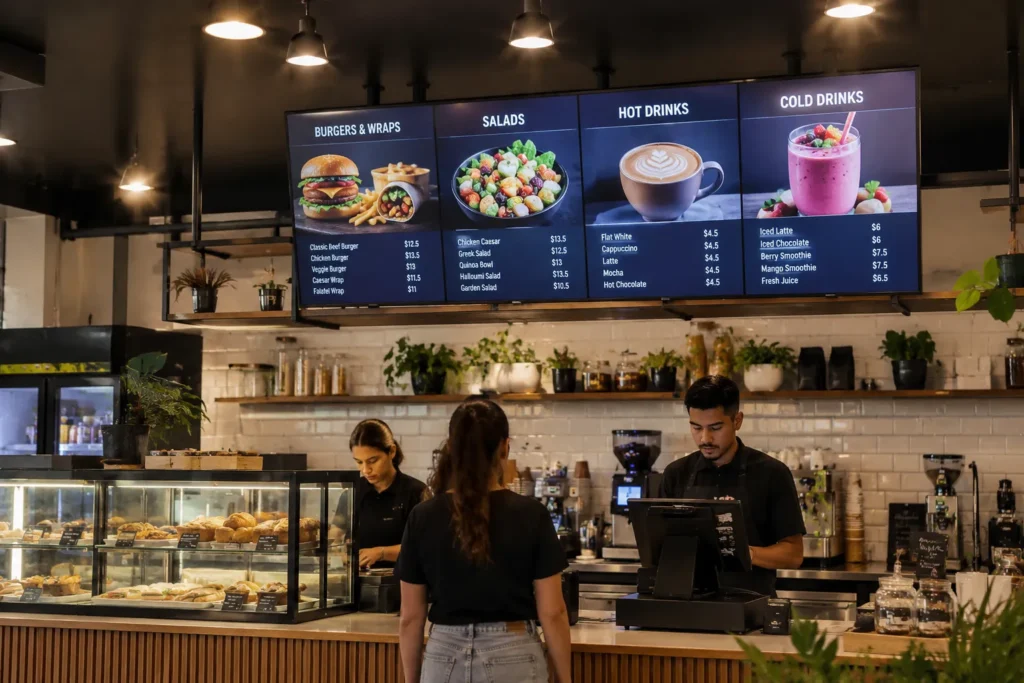
Cafe or restaurant menu boards
Soniq UHD
3,000 nits · Built-in CMS · Value commercial performance
Window-facing signage
Hisense WH80F · LG XS4P
4,000 nits · Maximum sustained brightness · Android built-in
Existing Samsung network
Samsung OMB Series
3,000 nits · MagicINFO compatible · IP5X dust protection
Premium architectural retail
Philips H-Line
2,500–3,000 nits · Thermal management · Polarizer compatible
Not sure which suits your environment?
Contact us
We discuss brightness, anti-glare, and content management before recommending any product
Brightness units explained
What is the difference between nits and lumens — and why does it matter for display purchasing?
Before diving into product specifications, one clarification that prevents a very common and expensive buyer mistake. If you've previously purchased a projector for a boardroom or event space, you'll be familiar with lumens as a brightness measurement. Display panels use a completely different unit — nits, also written as cd/m² or candelas per square metre. These two measurements are not directly comparable and cannot be meaningfully converted between each other. A 3,000-nit display panel and a 3,000-lumen projector are entirely different brightness levels for entirely different technologies. For high brightness commercial displays, always specify in nits.
To put nit figures in context — a reference point most buyers find immediately useful:
| Device type | Typical brightness | Designed environment | Commercial menu board suitability |
|---|---|---|---|
| Standard office LCD monitor | 250–350 nits | Controlled office lighting | Not suitable |
| Laptop or notebook screen | 300–400 nits | Variable — indoor and outdoor use | Not suitable |
| Consumer television (standard) | 300–500 nits | Darkened living room | Not suitable — see Section 4 |
| Standard commercial signage display | 350–500 nits | Controlled indoor signage | Indoor only — no window exposure |
| Sharp P-Series commercial display | 700 nits | Controlled indoor commercial | Indoor controlled lighting — with high-haze coating |
| Soniq UHD high brightness | 3,000 nits | High ambient light, near windows | Cafe, restaurant, retail near windows |
| Hisense WH80F / LG XS4P | 4,000 nits | Direct sunlight through glass | Window-facing, storefront, real estate |
The practical meaning of 4,000 nits
A 4,000-nit window-facing display is approximately 10 to 16 times brighter than the monitor or laptop screen you're using to read this page right now. That brightness difference is what keeps content clearly visible when direct afternoon sunlight is hitting the front of a storefront window in an Australian summer.
Panel technology
Why brightness alone is not enough — understanding anti-glare and haze coatings
A common assumption in high brightness display purchasing is that more nits solves every visibility problem. It does not — because the challenge in most commercial environments is not just ambient light level, it is reflections and glare from overhead lighting, windows, and light sources behind the viewer. Two distinct problems affect display visibility in commercial environments, and they require different solutions.
Ambient light — solved by brightness
Light from windows and overhead sources that washes out the screen image by flooding the panel surface with competing brightness. The brighter the panel, the more it overwhelms ambient light. This is the problem raw nit output addresses — and why window-facing displays need 3,000–4,000 nits rather than the 300–500 nits of a consumer television.
Reflections and glare — solved by panel coatings
Light sources behind the viewer reflecting off the panel surface, creating mirror-like hotspots that make content unreadable regardless of panel brightness. More nits does not fix this — a 4,000-nit display with a standard glossy surface will still show distracting reflections from overhead lights. Anti-glare coatings are the correct solution.
Visual explanation
Standard glossy panel vs high-haze anti-glare panel
The diagram above illustrates the core difference. A standard glossy panel reflects overhead light as a single sharp specular hotspot — the full intensity of the light source concentrates at one point on the panel surface, making content behind that hotspot unreadable. A high-haze anti-glare panel scatters the same incoming light across a wide angle at significantly reduced intensity — no hotspot forms, and content remains readable across the full panel surface.
Understanding haze percentage — what the numbers mean
Anti-glare coatings are measured by haze percentage — the proportion of light that scatters diffusely rather than reflecting specularly. A standard panel has minimal haze — reflections appear as sharp, bright mirror images. A 25% haze coating scatters incoming reflections across a wider angle, reducing their intensity without significantly affecting image clarity. A Pro Haze coating at higher percentages scatters more aggressively — visible reflections effectively disappear at normal viewing distances. Sharp's P-Series uses both 25% Haze and Pro Haze coatings depending on the model — the correct choice for precision indoor commercial environments where both colour accuracy and glare control matter.
The practical result — lower brightness with better coating can outperform higher brightness with standard coating
A 700-nit display with a well-specified Pro Haze anti-glare coating in a controlled indoor environment can outperform a 1,500-nit display with a standard panel coating under the same overhead lighting conditions — because it is managing the reflection rather than overpowering it. Raw brightness and anti-glare technology work together, not independently. Always consider both specifications before purchasing.
Brightness selection guide
How bright does your display actually need to be?
Buying more nits than your environment requires adds cost with no operational benefit. Buying fewer nits than your environment requires produces a display that is difficult to read — and cannot be corrected without replacing the panel. Match your environment to the correct brightness tier before purchasing.
500–700 nits
Controlled indoor
No windows, predictable overhead lighting. Back-of-house staff screens, office corridors, healthcare waiting areas with controlled lighting, corporate meeting rooms. A high-haze anti-glare panel at 700 nits is more effective here than a standard panel at 1,000 nits.
Sharp P-Series — 700 nits, Pro Haze
1,000–2,000 nits
Well-lit indoor
Strong overhead fluorescent or LED lighting, some natural light but no direct window exposure. Cafes and restaurants with standard overhead lighting away from windows, retail stores without direct window exposure, indoor food courts.
Entry-level high brightness commercial displays
2,000–3,000 nits
High ambient light
Near windows, retail glazing, strong natural light ingress. Cafes with street-facing windows, QSR with glass frontage, retail environments near skylights or large windows. The most common specification for Australian hospitality environments.
Soniq UHD 3,000 nits · Samsung OMB 3,000 nits
3,000–4,000 nits
Window-facing
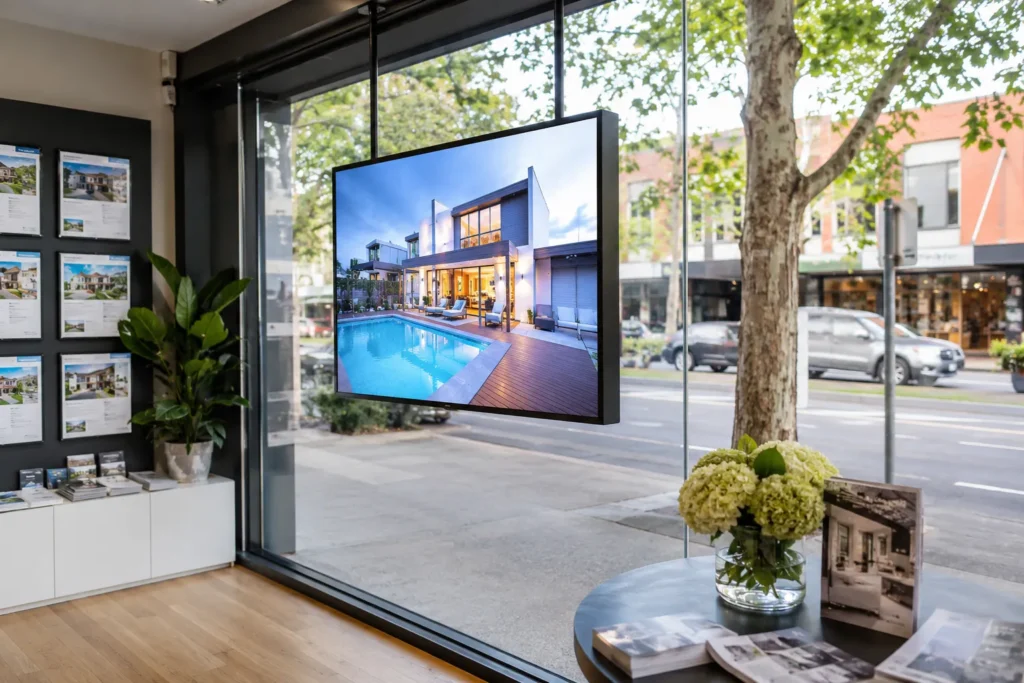
Display faces direct sunlight through glass. Real estate window displays, QSR storefront window menu boards, shopfront window advertising, transport hub glazed environments. At this tier, thermal management and polarizer compatibility are as important as the nit figure.
Hisense WH80F 4,000 nits · LG XS4P 4,000 nits · Philips H-Line 2,500–3,000 nits
Content management
What actually puts content on the screen — and how much does it cost to update?
A high brightness display is a screen. What puts content on that screen — and how easily and cheaply you can update it — is a separate decision that significantly affects the total cost of ownership of the installation. This is the question most buyers don't ask before purchasing, and the one that causes the most frustration after the hardware arrives.
There are three main approaches. The right one depends entirely on how frequently your content changes, how many screens you are managing, and how much ongoing cost you can absorb.
USB drive — zero ongoing cost
Content loaded onto a USB drive and inserted directly into the display. The display plays the content on loop automatically. No subscription, no external hardware, no network connection required. To update content, load new files onto the USB and swap it in the display.
Limitation: requires physical access to the display to update content. Not suitable for remote management or multi-location deployments where travelling to each screen is impractical.
Right for: single-location operators with infrequently changing content — a cafe with a seasonal menu, a real estate window display updated weekly, a retail store with a fixed promotional loop.
BrightSign — one-time cost, no subscription
A dedicated media player sits behind the display and drives the content. BrightSign is the industry standard — reliable, widely supported, and used across major retail chains, QSR networks, and hospitality groups globally. One-time hardware cost, no ongoing subscription for basic deployment.
BrightSign supports scheduled content, network updates, basic remote management, and playlist control — significantly more capability than USB playback without the ongoing cost of a full CMS subscription.
Right for: operators who need more capability than USB but want to avoid ongoing subscription costs. Multi-screen single-location deployments. Operators who want a proven industry-standard platform without CMS lock-in. We supply BrightSign players alongside display hardware.
Native CMS — full remote management
Several displays in our range include a content management platform built directly into the hardware. Soniq displays include Cybercast, Hisense includes VisionInfo, Samsung supports MagicINFO, and LG runs webOS. No external media player hardware required for CMS deployment.
Important: subscription-based platforms including Cybercast and MagicINFO have ongoing costs after trial periods. Always confirm content management costs — including ongoing subscriptions — before purchasing hardware. Factor this into your total cost of ownership calculation.
Right for: multi-location operators managing daily specials across multiple sites, QSR chains requiring centralised content control, hospitality groups with frequent content updates. The subscription cost is justified when managing ten or more screens across multiple locations.
| Approach | Upfront cost | Ongoing cost | Remote management | Best deployment scale |
|---|---|---|---|---|
| USB direct playback | None | None | No — physical access required | Single screen, static content |
| BrightSign player | One-time hardware cost | None for basic deployment | Yes — network updates and scheduling | Single or multi-screen, one location |
| Cybercast (Soniq) | Built into display | Subscription after trial | Yes — full remote fleet management | Multi-location, frequent updates |
| VisionInfo (Hisense) | Built into display | Included in platform | Yes — real-time control and MDM | Multi-location, commercial retail |
| MagicINFO (Samsung) | Built into display | Subscription after trial | Yes — enterprise fleet management | Large multi-site Samsung networks |
| webOS (LG) | Built into display | Basic — included with display | Yes — scheduling and monitoring | Single or multi-location LG networks |
| CMND (Philips) | Built into display | Basic — included with display | Yes — content creation and scheduling | Single or multi-location Philips networks |
Our approach to content management advice
The right content management approach is part of every display consultation we have with buyers. We supply displays, BrightSign players, and can advise on CMS platforms — but we don't push buyers toward subscription platforms when simpler solutions serve their needs equally well. If USB playback is the right answer for your operation, we will tell you that before you purchase. Contact us before purchasing if you are unsure which approach suits your deployment.
Choosing between USB playback, BrightSign, and a manufacturer CMS platform is one of the most consequential decisions in any menu board or window-facing display deployment — and it should happen before hardware is ordered, not after.
Our dedicated CMS decision framework covers what each platform does, when a manufacturer CMS is the right choice versus a third-party platform, the four questions to answer before evaluating any option, and a plain-language comparison of MagicINFO, VXT, PPDS Wave, webOS, Cybercast, Fusion Signage, and BrightSign — including which subscription costs apply after trial periods.
How to Choose a Signage CMS Before You Buy Hardware →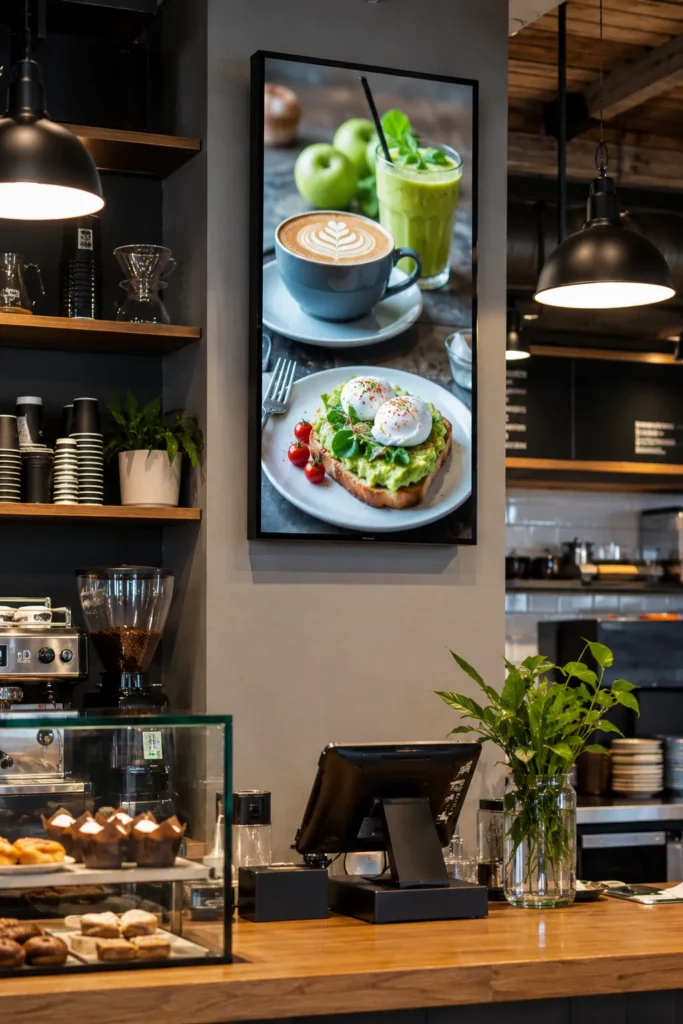
Critical buyer guidance
Can I use a consumer television as a digital menu board or window-facing display?
This is one of the most frequently asked questions in commercial display purchasing — and one of the most important to answer correctly before a purchase is made. The short answer is no. The detailed answer explains exactly why, what happens when buyers ignore this guidance, and what the correct specification is for each environment.
The direct answer
A consumer television is not rated for commercial menu board or window-facing use. Installing one in a commercial environment typically voids the consumer warranty immediately. The display will degrade significantly faster than a commercial display — and in window-facing applications, it faces a specific and irreversible failure mode that commercial displays are engineered to prevent.
Consumer television vs commercial display — the specification differences that matter
| Specification | Consumer television | Commercial display |
|---|---|---|
| Operational duty cycle | 4–6 hours daily — home entertainment use | 16/7 or 24/7 — continuous commercial operation |
| Brightness | 300–500 nits — designed for darkened living rooms | 700–4,000 nits — engineered for commercial lighting |
| Warranty in commercial use | Voided immediately — consumer terms do not cover commercial deployment | 3-year commercial warranty — covers continuous operation |
| Thermal management | Designed for intermittent use — degrades under sustained load | Commercial thermal architecture — sustains rated brightness continuously |
| Portrait orientation | No portrait thermal management — overheats in vertical mounting | Portrait and landscape rated — thermal architecture handles both |
| Window-facing use | Isotropic blackening risk — permanent panel damage under solar load | High Tni panels and thermal sensors — engineered for solar exposure |
| Anti-glare coating | Standard or none — designed for controlled home lighting | Pro Haze or high-haze commercial coatings — engineered for ambient light |
| Content management | No CMS integration — not designed for signage deployment | USB, BrightSign, or built-in CMS platform integration |
| Burn-in risk | High for OLED — static content burns in rapidly under commercial operation | Commercial LCD — managed through pixel shift and scheduled content rotation |
Isotropic blackening — the window-facing failure mode most buyers don't know about
For menu boards and signage installed in window-facing positions, consumer televisions face a specific and irreversible failure mode that commercial window-facing displays are specifically engineered to prevent.
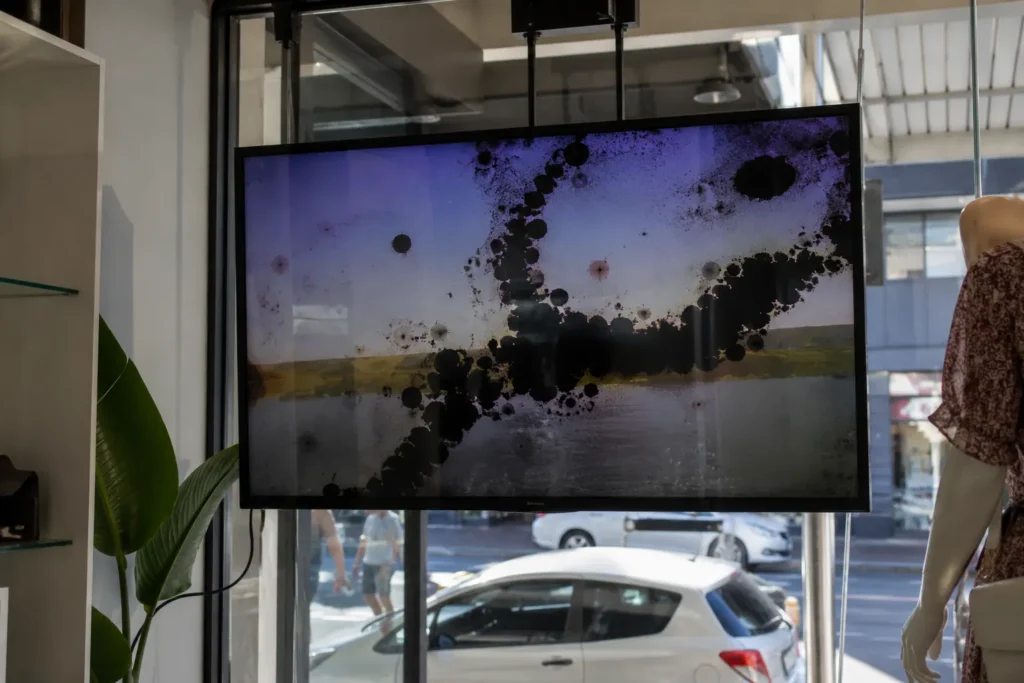
When a standard consumer LCD panel is placed in a storefront window facing direct Australian sunlight, the liquid crystal structure inside the panel is not engineered to handle the sustained thermal load. The liquid crystals — which require precise temperature control to function correctly — begin to degrade under the heat of direct solar exposure. The result is isotropic blackening: permanent dark blotches spreading across the panel surface as the liquid crystal alignment breaks down irreversibly.
Isotropic blackening is not a warranty defect — it is misuse
Once isotropic blackening occurs, the panel cannot be repaired. The display must be replaced entirely. Consumer television manufacturers will not cover this under warranty because the display was operated outside its engineering parameters — in a commercial environment it was never designed for. The replacement cost falls entirely on the buyer. This failure mode is entirely preventable by specifying a commercial window-facing display with High Tni liquid crystal panels and appropriate thermal management from the outset.
Thermal management and operating temperature are only two of the warranty conditions that apply to window-facing and menu board displays. Duty cycle — how many hours per day the panel is rated to run — is the third, and the one most commonly breached by overnight scheduling failures in hospitality environments.
Our dedicated duty cycle page covers what each rating means in plain language — 12/5, 16/7, 18/7, and 24/7 — which environments require which rating, the visible symptoms that develop when the wrong rating is specified, and what the warranty consequences are when a display has been running beyond its rated hours.
Commercial Display Duty Cycle — What It Means and How to Specify It Correctly →Commercial window-facing displays — including the Hisense WH80F, Samsung OMB series, LG XS4P, and Philips H-Line — use High Tni (High Temperature Nematic Index) liquid crystal panels specifically rated for sustained solar thermal load. Built-in thermal sensors actively monitor panel temperature and adjust brightness and operation to prevent the temperature thresholds that cause crystal degradation. This is not a premium feature — it is the engineering requirement for any display installed in a window-facing position in Australian conditions.
Burn-in and image retention — what menu board operators need to know
Burn-in is a separate issue from isotropic blackening and applies to both consumer and commercial displays under specific conditions. For menu board operators, it is worth understanding before specifying any display — commercial or otherwise.
OLED burn-in — high risk for static menu content
OLED televisions and displays produce images through individual organic light-emitting diodes. When static content — fixed logos, permanent price displays, menu board layouts with elements that never move — is displayed at high brightness for extended periods, the organic material in those diodes degrades faster than surrounding areas. The result is a permanent ghost image visible even when the content changes. For menu boards with fixed layouts running continuously, OLED is the wrong technology regardless of price point. All displays in our commercial high brightness range use LCD technology — not OLED.
LCD image retention — manageable with correct settings
LCD displays can experience temporary image retention — a faint ghost of static content visible after the content changes — under sustained high-brightness static display. Unlike OLED burn-in, LCD image retention is typically temporary and recovers when varied content is displayed. Commercial LCD displays include pixel shift, screen saver scheduling, and brightness management settings specifically to mitigate this risk. For menu board applications with predominantly static layouts, enabling pixel shift and scheduling brief off periods overnight eliminates image retention risk in commercial LCD panels.
Practical guidance for menu board operators
If your menu board content is predominantly static — a fixed layout with prices that change occasionally — enable pixel shift in the display settings and schedule a brief off period overnight. If your content includes video, animations, or regularly changing elements, image retention is not a meaningful operational concern for commercial LCD displays. Do not specify OLED technology for any continuous commercial display application where static content will be shown at high brightness for extended periods.
Specification guidance
What are the most common high brightness display specification mistakes?
These are the mistakes that appear most frequently in high brightness display purchases — from first-time hospitality operators and experienced retail fitout managers alike. Understanding them before specifying saves significant time, money, and frustration.
Choosing 700 nits for a window-facing application
700 nits is the correct specification for controlled indoor environments with no window exposure. In a window-facing application with direct afternoon sun, 700 nits will wash out completely. The display will be unreadable during the hours it matters most — peak trading hours with maximum sunlight. Always confirm the display's environment before specifying brightness.
Using a consumer television as a menu board
Consumer TVs are rated for 4–6 hours daily use at 300–500 nits. In a commercial menu board application, brightness degrades significantly within 12 months. In window-facing applications, isotropic blackening from solar heat causes permanent panel damage — irreversible and not covered under consumer warranty. See Section 4 for the full explanation.
Ignoring anti-glare coating specification
Buying the highest available nit count without considering the panel's anti-glare coating. A 4,000-nit display with a standard glossy surface will still show distracting reflections from overhead lights behind the viewer. A 700-nit display with a Pro Haze coating can outperform a 1,500-nit standard panel in controlled indoor lighting. Match the coating to the environment, not just the brightness.
Ignoring thermal management for window-facing applications
Standard commercial panels are not designed for sustained solar heat load. Window-facing displays in Australian retail environments face afternoon sun that standard commercial thermal management cannot handle. Specialist window-facing displays with High Tni liquid crystal panels and built-in thermal sensors are engineered specifically for this environment — standard indoor commercial panels are not.
Forgetting to plan content management before purchasing
Buying a display with a built-in CMS expecting it to be free, then discovering the subscription cost after the hardware is installed. Always clarify content management costs — including ongoing subscriptions — before purchasing hardware. For operators who update content infrequently, USB direct playback or a BrightSign player may be a significantly cheaper total cost of ownership than a subscription CMS.
Wrong panel orientation thermal management
Mounting a standard commercial display in portrait orientation for a menu board application without confirming the panel's portrait thermal rating. Consumer TVs have no portrait thermal management. Standard commercial displays vary — some are portrait-rated, some are not. Running a non-portrait-rated display vertically for extended periods causes heat accumulation and premature panel failure. Always confirm portrait thermal ratings before vertical mounting.
Ignoring viewing angles for menu board applications
A menu board above a counter is viewed from multiple angles — directly below, from the side, from across the room. IPS panels maintain colour accuracy and brightness across wide viewing angles. TN panels degrade significantly at off-axis positions — colours shift and brightness drops when viewed from an angle. For any menu board application, IPS is the correct panel technology specification. All displays in our high brightness range use IPS panels.
Underestimating power draw at high brightness
A 4,000-nit display draws significantly more power than a standard commercial display. For multi-screen installations, total power draw should be calculated and factored into electrical planning before hardware is ordered. Hisense's WH80 series addresses this through local dimming zone architecture — delivering 4,000 nits while consuming less power than comparable window displays — but power planning remains important for any high brightness installation.
Products and manufacturers
Which high brightness commercial display manufacturers does Kickstart Computers supply?
Kickstart Computers supplies high brightness commercial displays from six manufacturers across the precision indoor, high brightness indoor, and window-facing categories. Products available on our site can be browsed and ordered directly. Products available on request can be sourced through our supplier network — contact us with your specification and we will confirm pricing and lead time.
Sharp P-Series — Precision Indoor Commercial
700 nits · Precision tierSharp's P-Series is the precision choice for controlled indoor commercial environments where colour accuracy, enterprise AV integration, and long-term reliability matter more than raw brightness. At 700 nits with Sharp's SpectraView Engine — developed through Sharp's professional display heritage and NEC Display Solutions lineage — and a high-haze anti-glare IPS panel, the P-Series manages ambient light through panel technology rather than brute-force brightness. Buyers familiar with the legacy NEC P-Series professional display range will recognise the same engineering lineage in the current Sharp P-Series product family.
The flame-resistant metal chassis, 24/7 duty cycle rating, and three-year warranty reflect commercial-grade engineering throughout. Enterprise AV ecosystem integration — Crestron XiO Cloud, NVX, Q-Sys, Cisco Webex, Matrox IPMX — makes the P-Series the right choice for corporate and institutional environments where the display needs to integrate into a managed AV infrastructure.
Browse Sharp P-Series displays →
As an authorised Sharp reseller, Kickstart Computers offers competitive pricing below RRP. Contact us or visit our online store for current pricing.
Best suited for: corporate reception, healthcare waiting areas, controlled indoor retail, passenger information systems, prestige hospitality interiors, enterprise AV environments
Soniq High Brightness Commercial Displays
3,000–3,500 nits · Volume tierSoniq has become one of our most frequently recommended brands for high brightness hospitality and retail applications — the brand our cafe, restaurant, and retail clients return to most consistently because it delivers genuine high brightness commercial performance at a price point that makes operational sense for independent operators and multi-site rollouts alike.
The Soniq range spans 55" through 75" at 3,000 to 3,500 nits — capable of maintaining clear, vivid content in strong overhead lighting, near windows, and in environments with significant natural light ingress. Intelligent light-sensing adjustment automatically calibrates brightness to ambient conditions. Advanced commercial thermal management handles the sustained load of high-brightness operation. IPS panel technology delivers wide viewing angles — critical for menu board applications where customers view the screen from multiple positions. Cybercast digital signage software is built natively into all Soniq displays — USB direct playback and BrightSign players are also fully compatible for operators who prefer lower total cost of ownership.
Browse Soniq high brightness displays →
As a Soniq reseller, Kickstart Computers offers competitive pricing below RRP. We are unable to display trade pricing publicly — contact us or visit our online store for current pricing.
Best suited for: cafe and restaurant menu boards, QSR digital menu displays, retail signage near windows, shopping centre tenancy signage, hospitality venue displays, real estate office displays
Hisense WH80F Series — Maximum Brightness Window-Facing
4,000 nits · Maximum brightnessHisense's WH80F series delivers the highest sustained brightness specification in our standard range at 4,000 nits — and does so with energy efficiency that sets it apart from comparable window-facing displays. The WH80 series achieves 4,000 nits while consuming less power than comparable window displays, made possible through an advanced local dimming zone architecture that manages brightness at a granular level. Both models support landscape and portrait orientation. Polarized sunglasses compatibility ensures content remains visible to customers viewing through polarized lenses from outside.
Android 14 on the 75WH80GE with built-in VisionInfo — Hisense's CMS and MDM platform — allows third-party signage apps to install directly without an external device, alongside native content scheduling, real-time control, and remote device management. For hospitality and retail operators whose displays face direct sunlight through storefront glass, the WH80F's 4,000-nit sustained brightness represents a genuine step up from 3,000-nit competitors.
Best suited for: storefront window displays, QSR window-facing menu boards, real estate window advertising, retail tenancy window signage, any window-facing application requiring maximum sustained brightness with energy efficiency
Samsung OMB Series — In-Window Professional Signage
3,000 nits · MagicINFO ecosystemSamsung's OMB series is purpose-engineered for in-window commercial signage — vivid and visible even in direct sunlight at 3,000 nits. IP5X dust protection and robust thermal management make the OMB series the right choice for display environments where dust exposure and heat management are operational concerns alongside brightness. For operators already running Samsung commercial displays with MagicINFO content management, the OMB series extends the same platform to window-facing locations without adding CMS complexity.
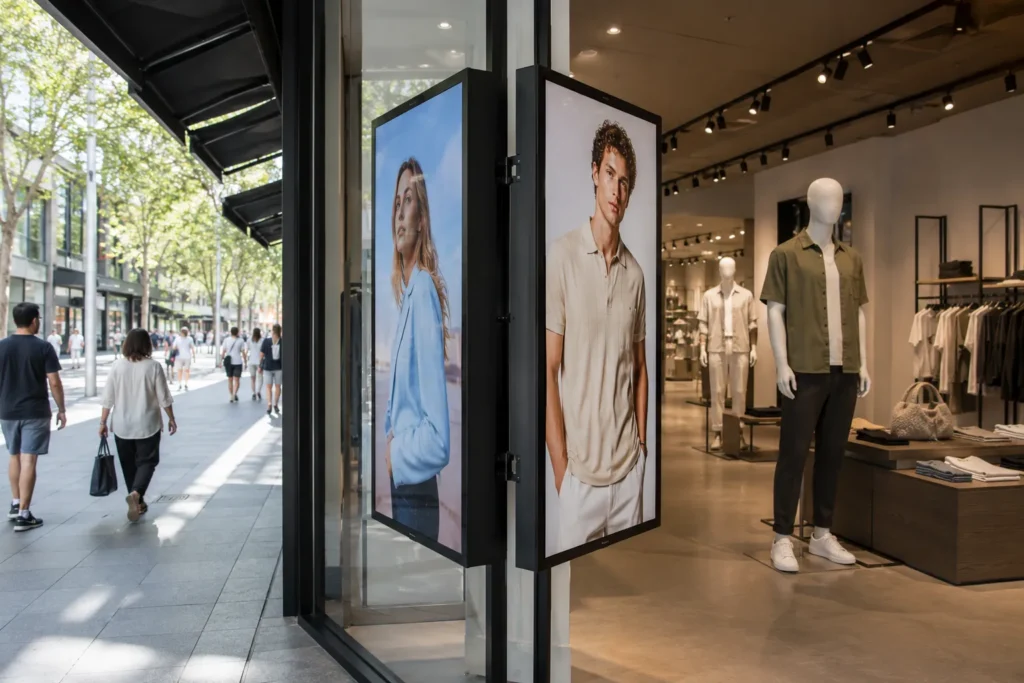
The dual-sided OM55N-DS model is particularly notable — it displays content simultaneously on both sides of the panel from a single installation, facing inward to the retail floor and outward to the street. For retail operators who want to communicate with both passing pedestrian traffic and in-store customers from a single display position, the dual-sided OMB removes the need for two separate display installations.
Best suited for: retail storefront window signage, QSR window-facing menu boards, real estate window displays, dual-sided window and floor displays, operators with existing Samsung MagicINFO infrastructure
LG XS4P Series — 4,000 nits webOS Window-Facing
4,000 nits · webOS ecosystemLG's XS4P series delivers 4,000 nits of brightness with webOS 6.0 — LG's commercial signage platform — built directly into the display. For organisations with an existing LG commercial display estate running webOS content management, the XS4P extends the same platform and management infrastructure to window-facing locations without changing CMS providers or adding platform complexity. The 49", 55", and 75" size options cover the full range of window-facing retail and hospitality display requirements.
Best suited for: retail window signage, QSR window-facing displays, real estate window advertising, operators already using LG webOS content management
Philips H-Line — Premium Window-Facing with Thermal Management
2,500–3,000 nits · Premium tierThe Philips H-Line is the most technically sophisticated window-facing display in our range — engineered with features that go beyond raw brightness to address the full range of challenges a window-facing installation in an Australian retail environment presents. High Tni Liquid Crystal panels with built-in thermal sensors manage the heat load from sustained solar exposure — the specific failure point that causes standard commercial panels to develop permanent image degradation in direct sunlight through glass.
The display polarizer is compatible with polarized sunglasses — ensuring content remains visible to customers viewing through polarized lenses from outside. The OPS slot accepts a full PC or Android compute module, eliminating external media player hardware entirely. CMND & Create content management is built in — drag-and-drop content creation, preloaded templates, and scheduled playback without additional subscription costs for basic deployment.
Contact us for H-Line pricing and availability — available on request through our supplier network.
Best suited for: premium retail storefront windows, luxury hospitality window displays, real estate flagship offices, any window-facing application requiring thermal management and integrated content capability
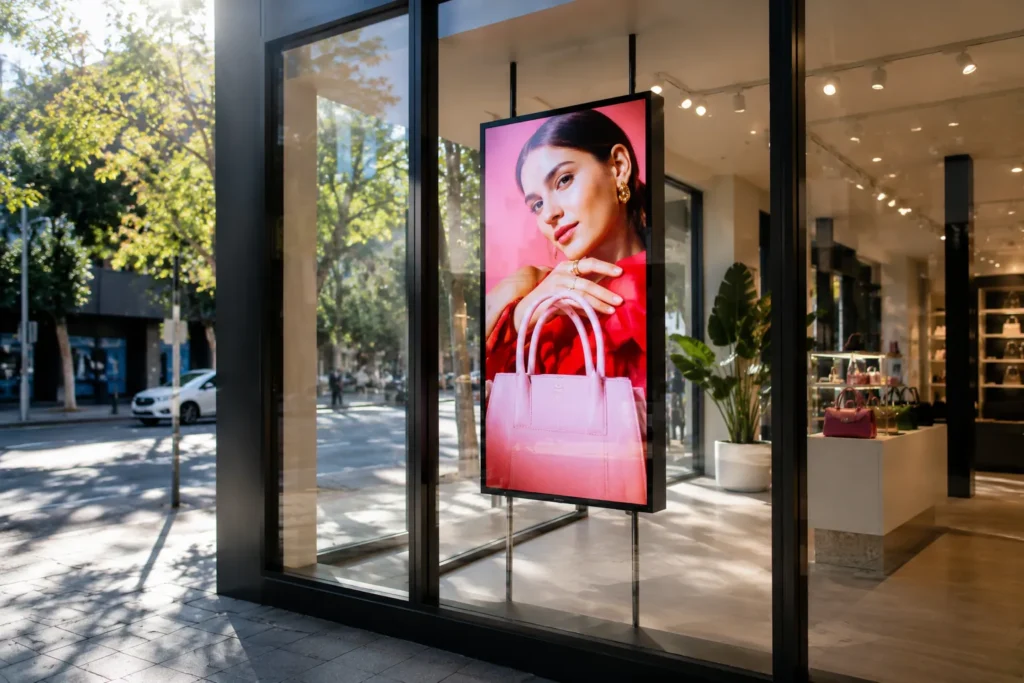
Beyond the listed range — our sourcing capability extends further than this catalogue
The six manufacturers featured above represent our core high brightness display range — the products we supply most consistently and know most thoroughly. But the Australian commercial display market is broader than any single product catalogue, and Kickstart Computers' sourcing capability extends well beyond what is listed on this site.
If you need a specific model, a specific specification, or a product from a manufacturer not featured here — contact us before assuming it is not available. Through our network of Australian commercial display distributors and direct relationships with specialist manufacturers including Chinese suppliers for bespoke and large-format projects, we can source products that fall outside standard distributor stock.
Specialist sourcing enquiries we handle regularly:
If it exists in the Australian or international commercial display market and you need it — contact us first.
Deployment guide
Which high brightness display is right for my environment?
The right product depends on the specific lighting conditions, viewing distance, content type, and content management requirements of your environment. This table maps common Australian commercial environments to the correct display specification.
| Environment | Brightness needed | Recommended product | Reasoning |
|---|---|---|---|
| Corporate office or healthcare waiting area — controlled lighting | 700 nits | Sharp P-Series | Precision colour, Pro Haze anti-glare, enterprise AV integration — 700 nits with correct coating outperforms higher brightness standard panels here |
| Cafe or restaurant — standard overhead lighting, no direct windows | 2,000–3,000 nits | Soniq UHD 3,000 nits | High brightness handles overhead commercial lighting, Cybercast or USB for content, IPS for wide viewing angles above counter |
| QSR or food court — strong overhead lighting, near glazing | 3,000 nits | Soniq UHD · Samsung OMB | 3,000 nits maintains visibility under strong overhead lighting and indirect natural light — Samsung OMB for existing MagicINFO networks |
| Cafe or retail — window-adjacent, indirect sunlight | 3,000–4,000 nits | Soniq UHD · Hisense WH80F | Step up to Hisense at 4,000 nits for stronger indirect light exposure — better sustained visibility through afternoon sun ingress |
| Retail storefront window — direct sunlight through glass | 4,000 nits | Hisense WH80F · LG XS4P | 4,000 nits sustained required for direct sunlight — High Tni panels and thermal management essential at this exposure level |
| Real estate window display — direct sunlight, always-on | 4,000 nits | Hisense WH80F | Maximum sustained brightness, portrait orientation rated, VisionInfo for remote content updates without visiting each office |
| Dual-sided window — inward and outward simultaneously | 3,000 nits | Samsung OM55N-DS | Only dual-sided display in the range — shows different content to street traffic and in-store customers from a single installation |
| Premium luxury retail window — brand environment | 2,500–3,000 nits | Philips H-Line | High Tni thermal management, polarizer compatible, CMND built-in — most technically complete window-facing solution for premium environments |
| Existing Samsung MagicINFO network | 3,000 nits | Samsung OMB series | Extends existing MagicINFO infrastructure to window-facing locations — no new CMS platform, no additional training |
| Existing LG webOS network | 4,000 nits | LG XS4P | Extends existing webOS infrastructure to window-facing locations — consistent platform management across the full display estate |
| Multi-location hospitality — content management priority | 3,000 nits | Soniq UHD with Cybercast | Centralised content management across multiple sites, intelligent brightness adjustment, competitive pricing for volume deployments |
| Single screen — infrequent content updates | Match to environment above | Any — with USB playback | USB direct playback eliminates CMS subscription cost entirely — correct approach for operators who update content occasionally |
Trade and installer supply
Where can electricians, AV integrators, and installers source high brightness commercial displays in Australia?
Kickstart Computers supplies high brightness commercial displays directly to electricians, AV integrators, building contractors, and retail fitout companies across Australia — not just to end buyers. Our supplier network and purchasing volume work in your favour whether you need one panel for a single installation or twenty panels for a multi-site rollout.
Broader supplier pool
Our network spans multiple Australian commercial display distributors plus direct manufacturer relationships. If a specific model is out of stock with your primary supplier — or doesn't exist in standard Australian distribution — we can often source it.
Competitive trade pricing
Our purchasing turnover across the full commercial display range frequently allows pricing that reflects our aggregate volume. Electricians and small AV integrators regularly find our pricing competitive with their direct trade accounts on specific models.
No trade account required
We don't require a trade account or minimum order to supply to the trade. One panel or one hundred — contact us directly. National shipping to metro and regional locations across Australia.
Technical specification support
We understand the product. Brightness tiers, anti-glare coatings, thermal management, content platform compatibility — we can assist with specification questions before you commit to a purchase.
Chinese supplier access for specialist jobs
For bespoke projects — unusual sizes, custom pixel pitch LED, high-volume orders — we have direct relationships with Chinese manufacturers that fall outside standard Australian distribution. Contact us with the brief and we will advise on feasibility and lead time.
Price comparison welcome
If you have been quoted by a supplier and want a comparison, contact us with the model numbers. We will come back with our pricing honestly — if we cannot improve on your existing quote, we will tell you.
Trade enquiries — model sourcing, project pricing, volume orders, specialist specifications:
Get started
Ready to specify the right high brightness display for your environment?
High brightness commercial displays are specification decisions before they are purchasing decisions. The right brightness for your environment, the right anti-glare technology for your lighting conditions, the right content management approach for your operation, and the right manufacturer for your ecosystem — all of these need to be confirmed before a purchase makes sense. Our team discusses all of these before recommending any product.
Contact Kickstart Computers to discuss your high brightness display requirements — whether you need a single cafe menu board, a network of window-facing retail displays, or a specialist product our supplier network can source that isn't listed on the site.
Contact our display specialistsPrefer to reach us directly — for pricing, availability, trade enquiries, or specialist sourcing:
Explore related categories
Other commercial display solutions from Kickstart Computers
High brightness displays are one part of a broader commercial display ecosystem. If your requirements extend beyond menu boards and window-facing signage, these categories cover the full range of commercial display applications we supply across Australia.
Commercial Indoor Display Solutions
Professional flat panel displays for corporate offices, retail environments, education facilities, and healthcare settings — from standard brightness through to specialist configurations.
Multi-Panel Display and Video Wall Systems
Tiled LCD and Direct View LED display systems for large-format commercial installations — corporate lobbies, retail feature walls, control rooms, and high-impact public environments.
Weatherised Displays for External Environments
Fully enclosed outdoor display solutions rated for direct weather exposure — advertising panels, public information displays, and high-visibility external signage beyond window-facing applications.
Touchscreen and Interactive Display Systems
Multi-touch display solutions for customer self-service, retail product browsers, wayfinding kiosks, and collaborative corporate and education environments.
Frequently Asked Questions About High Brightness Commercial Displays
A high brightness commercial display is a professional signage screen engineered to remain clearly visible in environments where standard commercial displays or consumer televisions become difficult or impossible to read.
What makes high brightness displays different from standard commercial displays:
- Brightness ratings from 700 nits through to 4,000 nits — standard commercial displays typically run at 350–500 nits
- Specialist anti-glare and haze coatings — engineered to manage reflections from overhead lighting and windows
- High Tni liquid crystal panels — rated for sustained thermal load from solar exposure
- Built-in thermal sensors and active thermal management — for window-facing and continuous high-brightness operation
- Commercial duty cycle ratings — 16/7 and 24/7 for continuous trading hours operation
- Commercial warranties — 3-year terms covering sustained commercial use
Common deployment environments:
- Retail storefront windows
- Cafe and restaurant menu boards
- Quick service restaurant displays
- Shopping centre tenancy signage
- Real estate window displays
- Transport hubs and public information systems
- Corporate lobbies with high ambient light
Nits and lumens measure completely different light dynamics and cannot be mathematically converted between each other.
Lumens — projector measurement:
- Measures the total amount of light emitted by a light source before it hits a surface
- Screen size, projection distance, and ambient room light all dramatically degrade the final image brightness
- A 3,000-lumen projector in a bright room may produce a dim, washed-out image
- Irrelevant for flat panel display specification
Nits (cd/m²) — display panel measurement:
- Measures luminance — the directional light intensity emitted outward from the display panel surface toward the viewer's eye
- Not affected by screen size in the same way — a 700-nit panel is 700 nits whether it's 43" or 75"
- The only technically accurate metric for defining flat panel display performance in bright environments
- The correct specification unit for any window-facing or high ambient light commercial display
Practical reference points:
- Standard office LCD monitor: 250–350 nits
- Laptop screen: 300–400 nits
- Consumer television: 300–500 nits
- Standard commercial signage: 350–500 nits
- Sharp P-Series commercial: 700 nits
- Soniq UHD high brightness: 3,000 nits
- Hisense WH80F / LG XS4P: 4,000 nits
Isotropic blackening is a specific and irreversible panel failure mode that occurs when a display's internal temperature exceeds the physical limits of its liquid crystal structure.
How it happens:
- Standard consumer televisions use Low Tni liquid crystal panels — rated to approximately 65–80°C before structural breakdown begins
- A storefront window acts as a greenhouse — trapping and amplifying solar heat behind the glass
- Under direct Australian afternoon sun, temperatures behind storefront glazing can exceed these thresholds within hours
- The liquid crystals boil and collapse into permanent misalignment — appearing as dark, blotchy patches spreading across the screen
Why it is irreversible:
- The liquid crystal alignment cannot be restored once thermally degraded
- The panel must be replaced entirely
- Consumer television manufacturers do not cover this under warranty — the display was operated outside its engineering parameters
- The replacement cost falls entirely on the buyer
How commercial window-facing displays prevent it:
- High Tni liquid crystal panels — rated to approximately 110°C before structural breakdown
- Built-in thermal sensors actively monitor panel temperature during operation
- Active thermal management adjusts brightness and operation to prevent critical temperature thresholds
- Philips H-Line, Hisense WH80F, Samsung OMB, and LG XS4P are all engineered for sustained solar thermal load
This is a genuine operational problem that affects window-facing displays not engineered to account for it — and one most buyers never test for before installation.
The cause — polarization conflict:
- LCD panels emit light that is linearly polarized — the light waves travel in a single orientation
- Polarized sunglasses filter light based on its orientation — blocking light waves that are perpendicular to the lens filter
- If the polarization angle of the display's panel and the polarization angle of the sunglasses are perpendicular, the display appears completely black or invisible to the wearer
- This affects a significant proportion of street-facing viewers on sunny days — polarized sunglasses are standard in Australian outdoor conditions
The solution — display polarizer compatibility:
- Window-facing displays engineered for this issue incorporate a specialized polarizer directly into the glass assembly
- Circular polarizers or specifically oriented linear polarizers ensure the display remains visible regardless of the viewer's sunglasses orientation
- The Philips H-Line is factory-polarized specifically to remain fully legible from wide external viewing angles
- When specifying any window-facing display, confirm polarizer compatibility before purchasing — particularly for real estate, retail, and QSR storefronts with high pedestrian traffic
No — and specifying more brightness than an environment requires adds cost, power consumption, and heat generation with no operational benefit.
When higher brightness is justified:
- The display faces direct sunlight through glass — 3,000–4,000 nits required
- The environment has strong overhead commercial lighting and natural light ingress — 2,000–3,000 nits
- The display competes with very strong ambient light sources that cannot be controlled
When higher brightness adds unnecessary cost:
- Controlled indoor environments with predictable overhead lighting — 700 nits with a Pro Haze coating is more effective than 1,500 nits with a standard panel
- Back-of-house or staff-facing displays away from windows — standard commercial brightness is appropriate
- Environments where anti-glare coating solves the visibility problem rather than raw brightness
The correct approach:
- Match brightness to the specific ambient light conditions of the installation environment
- Consider anti-glare coating specification alongside brightness — they work together, not independently
- Overpaying for brightness in a controlled environment is as much a specification mistake as underpaying for a window-facing application
Window-facing signage in Australian conditions is one of the most demanding display environments globally — direct afternoon sun, high UV index, and the greenhouse effect of storefront glazing combine to create extreme conditions for any panel.
Brightness requirements by exposure level:
Window-adjacent — indirect natural light ingress:
- 2,000–3,000 nits — Soniq UHD 3,000 nits or Samsung OMB 3,000 nits
Window-facing — direct sunlight through glass for part of the day:
- 3,000–4,000 nits — Hisense WH80F 4,000 nits, LG XS4P 4,000 nits
Window-facing — direct afternoon sun sustained, west or north-facing storefronts:
- 4,000 nits minimum — Hisense WH80F, LG XS4P
- Thermal management essential — High Tni panels and thermal sensors required
- Polarizer compatibility recommended for pedestrian-facing installations
Important Australian-specific consideration:
- South-facing storefronts receive less direct sun — 3,000 nits may be adequate
- West-facing storefronts receive the most intense direct afternoon sun in Australian conditions — 4,000 nits with full thermal management is the correct specification
- North-facing storefronts receive sustained solar exposure year-round — 4,000 nits recommended
No — an ongoing subscription is never a requirement. Content management depends entirely on the deployment approach chosen.
Three options with different cost structures:
USB direct playback — zero ongoing cost:
- Content loaded onto a USB drive, inserted into the display, plays on loop automatically
- No internet connection required, no subscription, no external hardware
- Right for: single-location operators with infrequently changing content
BrightSign external media player — one-time hardware cost, no subscription:
- Dedicated player sits behind the display, drives scheduled content
- Network updates possible, no ongoing subscription for basic deployment
- Right for: operators needing more capability than USB without recurring costs
Built-in CMS platforms — subscription after trial:
- Cybercast on Soniq displays, VisionInfo on Hisense, MagicINFO on Samsung, webOS on LG
- Full remote management, multi-location scheduling, centralised control
- Subscription costs apply after trial period — confirm before purchasing
- Right for: multi-location operators managing content across multiple sites
A window-facing commercial display is a professional screen specifically engineered to operate inside a storefront window while remaining clearly visible to viewers outside in daylight conditions.
Engineering requirements that distinguish window-facing displays:
- High brightness — 3,000–4,000 nits to overcome direct sunlight
- High Tni liquid crystal panels — rated for sustained solar thermal load without isotropic blackening
- Built-in thermal sensors — active temperature management during solar exposure
- Anti-glare or optical bonding — manages reflections from the exterior environment
- Polarizer compatibility — ensures visibility to viewers wearing polarized sunglasses
- 24/7 commercial duty cycle — for continuous trading hours operation
Common deployment environments:
- Retail storefront advertising facing street traffic
- Real estate window property listings
- QSR and cafe window-adjacent menu displays
- Automotive and travel agency showroom windows
- Hospitality venue entrance displays
Window-facing displays are not the same as outdoor displays — they are designed for installation inside the building behind glass, not for direct weather exposure.
A dual-sided commercial display uses a single installation to present content on two screens simultaneously — one facing outward toward street traffic, the other facing inward toward customers inside the business.
How it works:
- A single enclosure contains two display panels back to back
- Each panel can show different content simultaneously — street-facing promotional content and interior customer-facing content
- A single power and signal connection serves both screens
- Content management handles both sides from one interface
When dual-sided displays are used:
- Retail store entrances where communicating with both passing pedestrians and in-store customers matters
- Shopping centre tenancies with high foot traffic on both sides of the entrance
- QSR or hospitality venues where external menu promotion and internal ordering screens serve different purposes
- Any location where two separate display installations would be logistically complex or architecturally unsuitable
The Samsung OM55N-DS is the dual-sided display in our range — 55", 3,000 nits, displaying simultaneously inward and outward from a single installation point.
Yes — but confirmation of portrait thermal ratings is essential before mounting.
Portrait orientation requirements:
- Consumer televisions have no portrait thermal management — they overheat and fail in vertical mounting under sustained operation
- Standard commercial displays vary — some are portrait-rated, some are not
- High brightness displays generating 3,000–4,000 nits produce significant heat — portrait thermal management is more critical at these brightness levels
Confirmed portrait-capable displays in our range:
- Hisense WH80F — portrait and landscape rated, 4,000 nits sustained
- Samsung OMB series — portrait capable for window-facing menu board applications
- Soniq UHD range — confirm portrait rating for specific models with us before purchasing
Why portrait matters for menu boards:
- Most overhead menu board configurations mount in portrait orientation above a counter
- Portrait orientation concentrates heat differently from landscape — thermal architecture must account for this
- Running a non-portrait-rated display vertically under sustained high-brightness operation causes heat accumulation and premature panel failure
Always confirm portrait thermal ratings with us before specifying a vertical menu board or window display installation.
Commercial high brightness displays are purpose-built business infrastructure — not consumer entertainment products with enhanced specifications.
What the price difference pays for:
Engineering for continuous operation:
- 24/7 duty cycle ratings vs 4–6 hours daily for consumer TVs
- Thermal management architecture for sustained high-brightness operation
- High Tni liquid crystal panels rated for solar thermal load
Brightness and panel technology:
- 700–4,000 nits vs 300–500 nits for consumer TVs
- Pro Haze and high-haze anti-glare coatings — not present on consumer panels
- IPS panels with wide viewing angles rated for commercial operation
Commercial warranties and support:
- 3-year commercial warranties covering continuous operation
- Consumer TV warranties voided immediately in commercial deployment
- Professional service terms vs standard consumer returns process
Commercial features absent from consumer TVs:
- Portrait orientation thermal management
- CMS platform integration — USB, BrightSign, Cybercast, MagicINFO, webOS
- Remote fleet management capability
- Enterprise AV ecosystem integration — Crestron, Q-Sys, Cisco Webex
For any commercial deployment running during trading hours — particularly window-facing or continuous menu board applications — a commercial display is not a premium option. It is the correct engineering specification for the environment. A consumer television in the same application will cost significantly more over its shortened operational life than the commercial display would have cost at purchase.
This is an important installation consideration that is frequently overlooked until after the display is mounted.
Minimum clearance recommendation:
- High brightness panels operating above 2,500 nits generate significant internal heat
- A minimum of 50mm clearance with adequate ventilation paths is recommended for any recessed, enclosed, or pocket-mounted installation
- Insufficient ventilation causes heat accumulation that can trigger thermal protection shutdowns and accelerated component degradation
- For fully enclosed menu board pockets or real estate window display enclosures, active ventilation — a small fan drawing air through the enclosure — is recommended for panels above 3,000 nits operating continuously
What happens without adequate ventilation:
- Display activates thermal protection mode — reducing brightness automatically to protect components
- Sustained thermal stress accelerates backlight degradation
- In worst cases — particularly at 4,000 nits in an enclosed pocket — panel failure occurs significantly earlier than the rated operational lifespan
Confirm ventilation requirements with us before finalising any recessed or enclosed installation design. We include ventilation guidance in all project consultations for enclosed display applications.
Kickstart Computers supplies high brightness commercial displays from Sharp, Soniq, Samsung, LG, Hisense, and Philips to businesses, hospitality operators, retailers, real estate agencies, AV integrators, electricians, and commercial installers across Australia.
What Kickstart Computers offers:
- Full high brightness commercial display range across six manufacturers — Sharp P-Series, Soniq UHD, Hisense WH80F, Samsung OMB, LG XS4P, and Philips H-Line
- Competitive pricing below manufacturer RRP — we are unable to display trade pricing publicly but our pricing is consistently competitive
- National shipping to metro and regional locations across Australia
- Pre-purchase advisory — brightness specification, anti-glare coating, content management, and thermal management all discussed before any product is recommended
- Specialist sourcing beyond the listed range — through our Australian distributor network and direct Chinese manufacturer relationships for bespoke and large-format projects
- Trade supply without minimum order or trade account requirements — suitable for electricians, AV integrators, and building contractors
Who we supply:
- Cafes, restaurants, and QSR operators
- Retail businesses and franchise networks
- Real estate agencies
- Corporate and government organisations
- Schools, universities, and education facilities
- Hospitality venues
- AV integrators and commercial installers
- Electricians sourcing for client installations
To discuss your requirements, request a quote, or check availability on a specific model:
- Email: sales@kickstartcomputers.com.au
- Call: 0416 353 501
- Or visit kickstartcomputers.com.au to browse the full high brightness display range