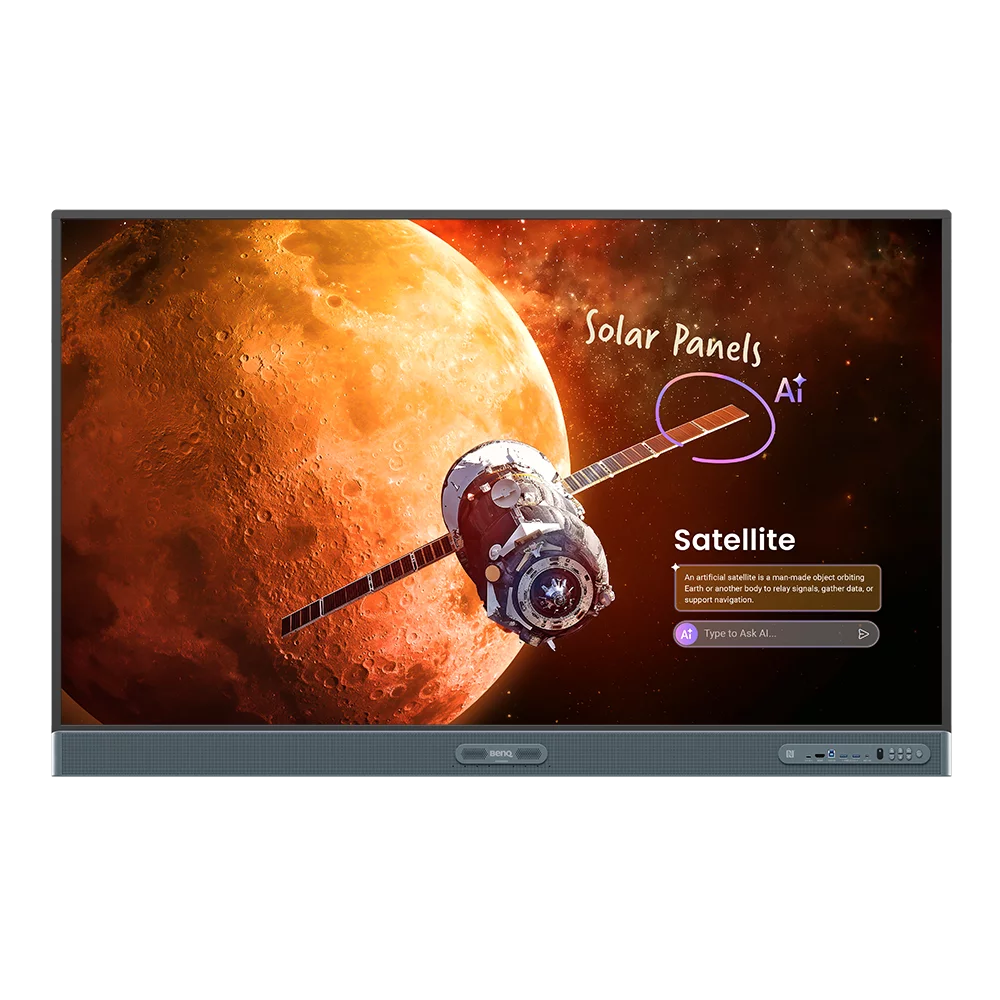


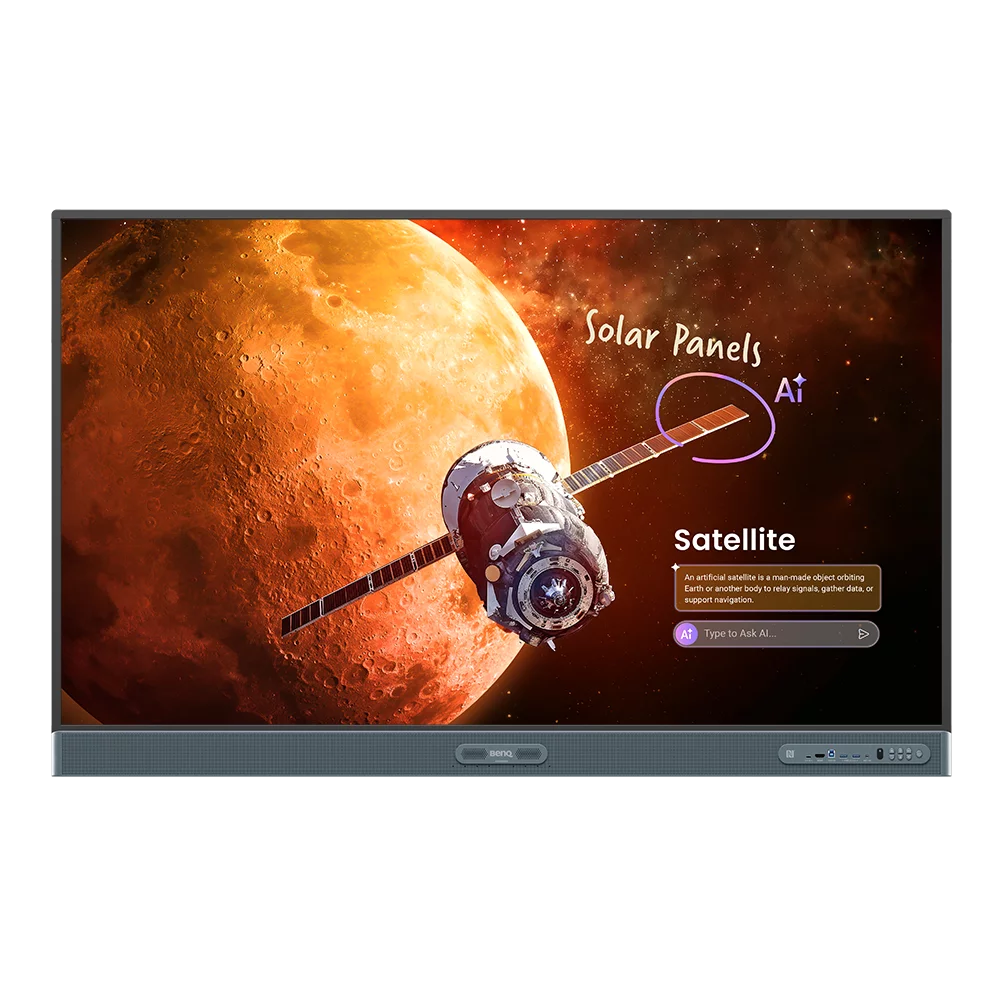
Professional Interactive Whiteboard for Education and Business
The BenQ Board Pro RP05 is BenQ’s most advanced 65″ 4K UHD interactive whiteboard for education, combining a high-performance IPS panel with a 10 TOPS neural processing unit, 16GB RAM, and 256GB storage running Android 15 with full Google EDLA certification. Designed to be intuitive for teachers and straightforward for IT administrators, the RP6505 integrates hardware, software, and classroom management tools into a single device — EZWrite 6 whiteboarding, InstaShare 2 wireless screen sharing, DMS fleet management, and a full suite of on-device AI tools — without requiring additional hardware for most deployments.
EZWrite 6 provides a comprehensive onboard whiteboarding environment with AI-powered tools including Ask AI for on-screen answers to any question, Lasso Search for image-based information lookup, EZMath for real-time handwriting-to-formula conversion, AI Lessons for instant lesson outline generation, and Circle to Artify for sketch-to-artwork transformation. Full-lesson recording captures audio, on-screen activity, and annotations simultaneously for post-class student review, while the cloud whiteboard feature enables in-class and remote learners to annotate the same canvas simultaneously. Auto Translation across more than 50 languages and Text to Speech support multilingual and accessible learning environments. InstaShare 2 enables native wireless screen sharing from Apple, Windows, Android, and Chromebook devices without app installation, with NFC one-tap sharing, touchback laptop control from the board, and Smart Split Screen support for up to nine simultaneous screens.
ClassroomCare technology distinguishes the RP05 Pro from the RM05 Master and all competing interactive displays. Built-in air quality sensors monitor CO₂, PM2.5, PM10, TVOC, formaldehyde, temperature, and humidity in real time with readings displayed on-screen and logged in DMS — the air ionizer actively purifies classroom air by releasing negative ions to reduce inhalable suspended particles. Eyesafe Certified 2.0 at RPF50 — the highest rating in the BenQ range — with TÜV Rheinland certified flicker-free and anti-glare display protects student and teacher eyesight during extended daily use. TÜV and SIAA certified germ-resistant touchscreen, pens, remote, front buttons, and front I/O ports provide 99.9% effectiveness against common bacteria through nano-ionic silver coating. DMS and AMS provide zero-touch deployment with directory sync from Google, Microsoft, ClassLink, and Clever — teachers walk up, tap their NFC card or scan a QR code, and their workspace is ready.
BenQ Board Pro RP05 — also available in larger sizes
The BenQ Board Pro RP05 75″ suits larger classrooms and training rooms that need greater writing area and viewing coverage for groups of 30 or more — all RP05 sizes share identical specifications including the 10 TOPS NPU, 16GB RAM, EZWrite 6, and the full ClassroomCare air quality sensor suite.
For the largest lecture theatres, auditoriums, and open-plan learning spaces, the 86″ delivers maximum writing area and long-distance viewing coverage for audiences of 40 or more, with the same complete feature set as the 65″ and 75″ models.
IT management and secure teacher logins

BenQ DMS (Device Management System) gives IT administrators complete remote control over every enrolled board — device monitoring, app deployment, content distribution, and power scheduling from a single dashboard without physical access to each display. AMS (Account Management System) handles user accounts and access permissions, with directory sync from Google Workspace, Microsoft Azure AD, ClassLink, and Clever eliminating manual account creation for every teacher in the school. Teachers log in securely using QR code or NFC tap from any enrolled device and immediately access their personalised workspace including lessons, files, and preferred apps. X-Sign Broadcast allows administrators to push messages, announcements, or emergency alerts to all displays simultaneously across the fleet.
- 10 TOPS NPU with Android 15 — dedicated neural processing unit delivers on-device AI inference for Ask AI, Lasso Search, EZMath, Circle to Artify, and AI Guardian without cloud dependency.
- 16GB RAM / 256GB storage — double the memory and storage of the RM05 Master series, supporting complex multi-app workflows and large lesson libraries onboard.
- EZWrite 6 onboard whiteboarding — comprehensive whiteboard environment with scalable canvas, split screen, AI tools, 3D image support, cloud storage access, and full-lesson recording including audio.
- InstaShare 2 wireless screen sharing — native casting from Apple, Windows, Android, and Chromebook devices without app installation; supports up to 9 simultaneous screens.
- 50-point Ultra Precision IR touch — sub-2.5ms touch response with 50-point multi-touch for collaborative group annotation and multi-user interaction.
- ClassroomCare air quality monitoring — built-in CO₂, PM2.5, PM10, TVOC, CH₂O, temperature, and humidity sensors with real-time dashboard display and DMS logging.
- Air ionizer — actively purifies classroom air by releasing negative ions to reduce inhalable suspended particles — exclusive to the RP05 Pro series.
- Eyesafe Certified 2.0 (RPF50) — highest level of blue light protection in the BenQ Board range, with flicker-free and anti-glare certification from TÜV Rheinland.
- USB-C 100W Power Delivery — single-cable connection powers and charges connected laptops at up to 100W while sharing screen and touch data.
- DMS + AMS device and account management — zero-touch deployment with directory sync from Google, Microsoft, ClassLink, and Clever; remote monitoring and management from DMS dashboard.
AI teaching tools built into the board

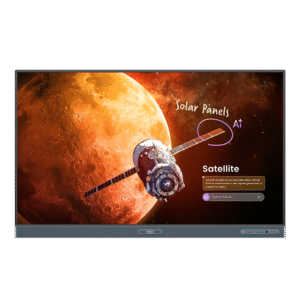
The 10 TOPS neural processing unit runs a full suite of AI teaching tools entirely on-device — no internet connection required and no data sent to the cloud, which matters in privacy-sensitive school environments. Ask AI provides instant, well-considered answers to any question directly on the display without opening a browser or switching apps, so teachers can respond to unexpected student questions without losing lesson flow. Lasso Search lets teachers circle any image on the screen to receive curated, contextually relevant information about it on the spot — useful for science, geography, and current affairs lessons. AI Guardian actively monitors content shared from student devices via InstaShare 2 and automatically blocks inappropriate images and videos before they appear on the classroom display, preventing disruptions without teacher intervention.
EZWrite 6 — beyond a standard whiteboard
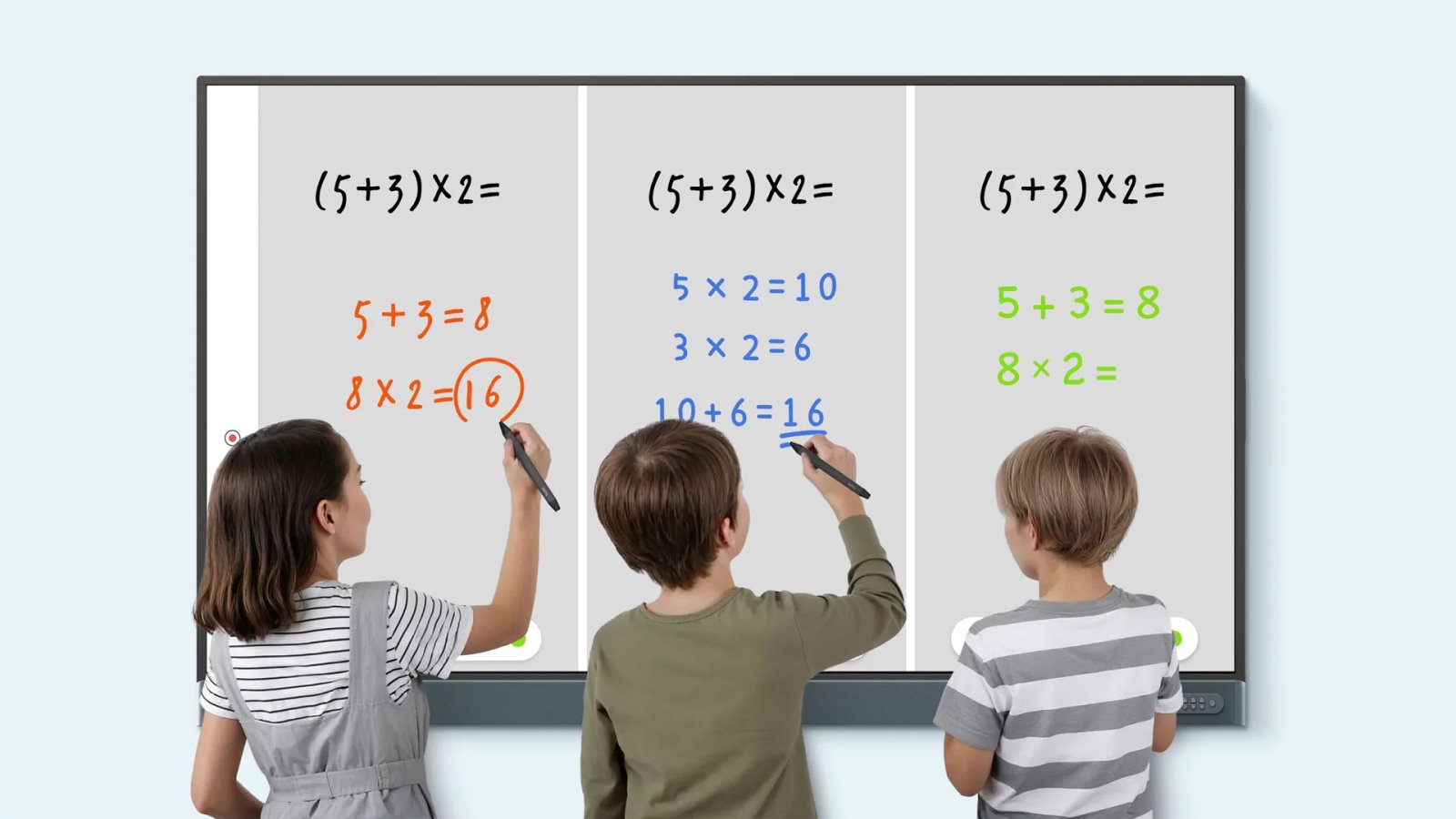
EZWrite 6 is a comprehensive onboard whiteboarding platform that goes well beyond writing and drawing — the scalable canvas expands for more workspace or switches to scroll mode for continuous lesson capture across a single organised canvas, while split screen lets teachers search Chrome and drag-and-drop content directly onto the whiteboard without interrupting the session. AI Lessons generates full lesson outlines and ideas from a topic input in seconds, functioning as a teaching assistant for lesson preparation from any device — laptop, mobile, or the board itself — across Windows, macOS, Android, and browsers. EZMath converts handwritten formulas, shapes, and diagrams into clean, legible, calculated content in real time, while Handwriting Recognition transforms handwritten notes into editable text and Text to Speech reads notes aloud in a clear natural voice with Auto Translation support across more than 50 languages. Full-lesson recording captures audio, on-screen activity, and annotations simultaneously so students can review complete lessons with full context, and the cloud whiteboard feature lets in-class and remote learners annotate the same whiteboard simultaneously from laptops, tablets, or their own BenQ board.
InstaShare 2 wireless screen sharing
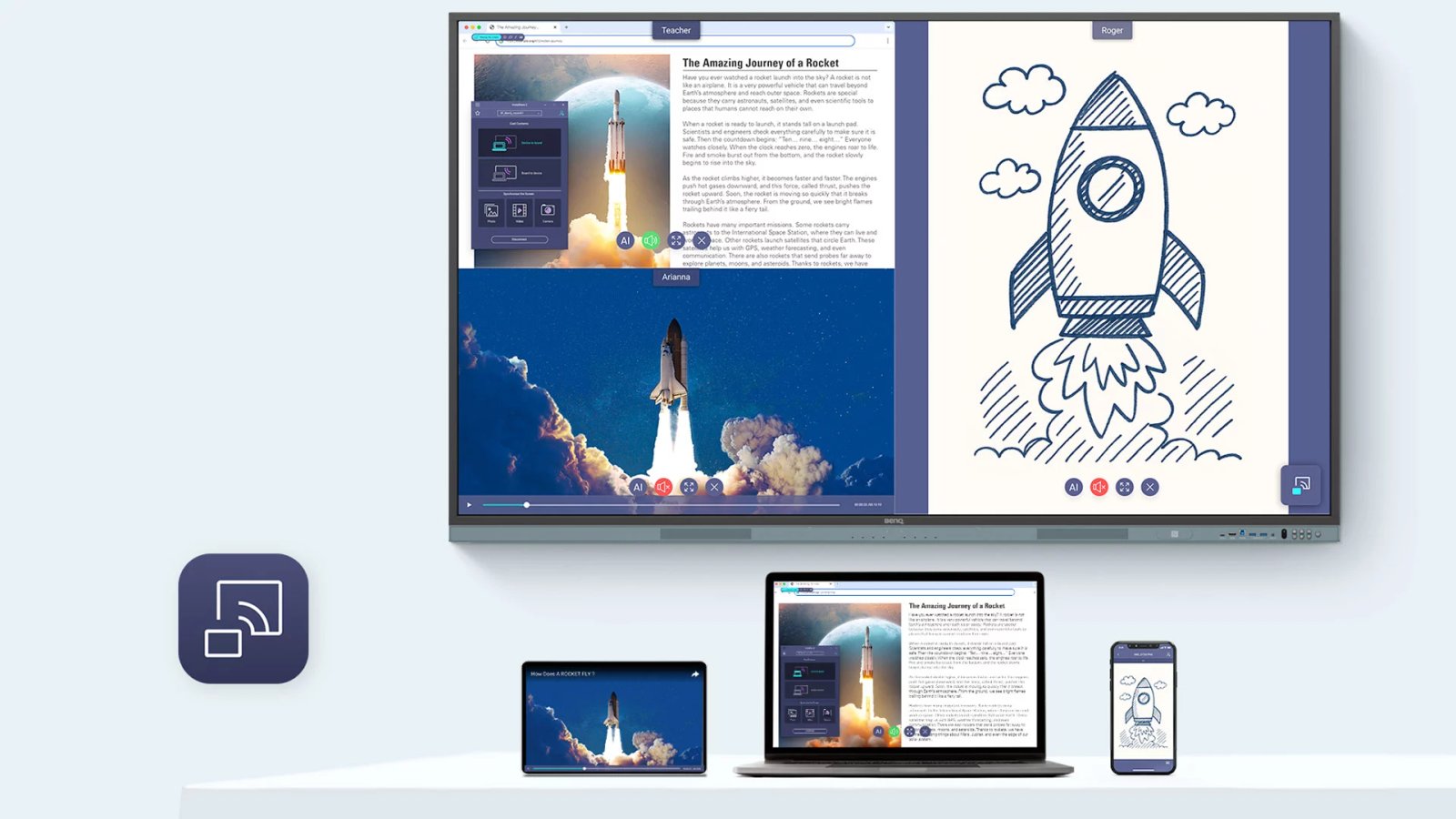
InstaShare 2 enables native wireless screen sharing from Apple, Windows, Android, Chromebook, and Chrome browser devices without requiring any app download or installation — reducing the friction of getting content onto the display to near zero for teachers and students alike. Smart Split Screen mode supports up to nine simultaneous screens on the display, making group presentations, whole-class discussions, and collaborative brainstorming sessions genuinely interactive rather than sequential. The touchback feature lets teachers control their connected laptop — navigate lesson material, open documents, and switch applications — directly from the BenQ Board without walking back to their device, maintaining lesson flow and classroom presence. NFC sharing connects a phone to the board and begins screen casting with a single tap, while AI Lens on shared content identifies thousands of plant and insect species, with facts and insights delivered instantly on the display.
ClassroomCare — air quality, eyes, and surfaces

Built-in air quality sensors continuously monitor CO₂, PM2.5, PM10, TVOC, formaldehyde (CH₂O), temperature, and humidity in real time — readings appear as a dashboard widget on the board and are logged over time in DMS so administrators can track classroom air quality trends and make informed ventilation decisions. High CO₂ levels cause sluggishness and reduced cognitive performance; the RP05 flags these conditions on screen before they affect the lesson, and the built-in air ionizer actively purifies the air by releasing negative ions to reduce inhalable suspended particles — a feature exclusive to the RP05 Pro series not available on the RM05 Master. Eyesafe Certified 2.0 at RPF50 — the highest rating in the BenQ Board range — combined with TÜV Rheinland certified flicker-free display and anti-glare coating protects student and teacher eyesight during extended daily screen time, while 4K UHD resolution ensures lesson content is always displayed in vivid, sharp detail. The germ-resistant touchscreen, pens, remote control, front buttons, and front I/O ports carry both TÜV Rheinland and SIAA certification confirming 99.9% effectiveness against common bacteria through a proprietary nano-ionic silver coating — the RP05 is the only BenQ Board to extend this protection to the front I/O ports.
Less hassle for IT — zero-touch deployment
Directory sync from Google Workspace, Microsoft Azure AD, ClassLink, and Clever means teacher accounts are automatically provisioned on enrolled boards — no manual account creation, no password resets, and no IT involvement every time a new teacher joins the school or an existing teacher moves rooms. DMS provides full remote device management including app installation and removal, firmware updates, power scheduling, brightness control, screen lock, and fault diagnosis across every enrolled board from a central web dashboard. Broadcasting and alert messaging from DMS transmits content and notifications from a central system to individual classroom displays simultaneously, enabling coordinated announcements and emergency alerts across the whole school without visiting each room. The RP05 supports OTA (over-the-air) firmware updates wirelessly across the fleet, keeping all boards on current software without scheduling IT downtime.
50-point Ultra Precision IR touch

The Ultra Precision IR touch panel supports up to 50 simultaneous touch points with sub-2.5ms response time — the fastest and most precise touch technology in the BenQ Board range, delivering a writing experience that closely mirrors pen on paper for natural handwriting and annotation. Multi-user touch enables collaborative group work directly on the display surface, with multiple students writing, drawing, and annotating simultaneously without touch conflicts or lag affecting the session. The 9H tempered germ-resistant glass surface provides both physical durability and the antimicrobial protection required for high-frequency shared touchscreen use in classroom environments. Front-facing USB ports and the NFC sensor are positioned for easy daily access without reaching behind the panel, while the pen tray, two included germ-resistant pens, and remote control are all covered by the same nano-ionic silver antimicrobial treatment.
Google EDLA certified — full Google Play access
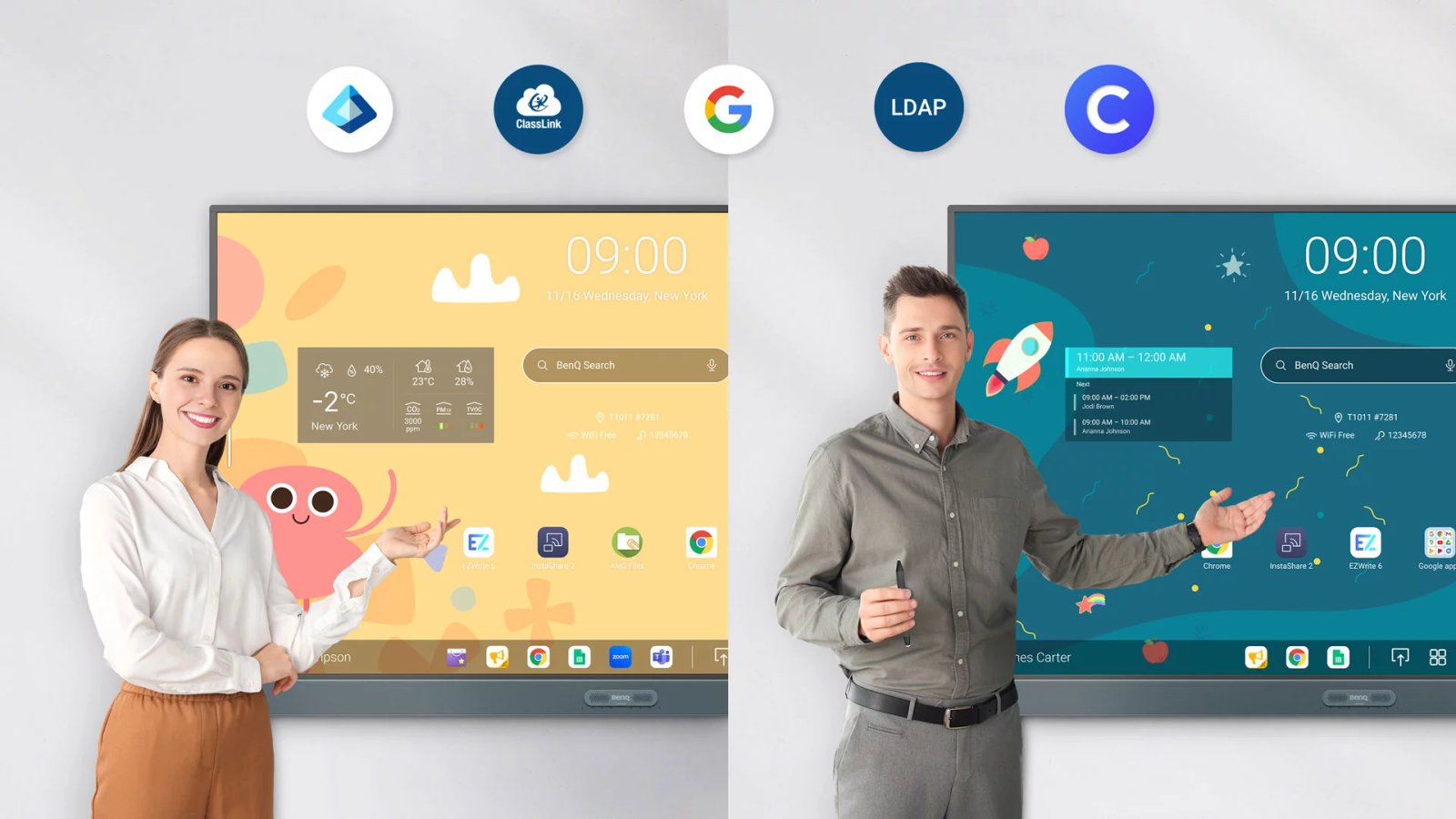
Android 15 with full Google EDLA (Enterprise Device Licensing Agreement) certification means the RP6505 has access to the complete Google Play Store for deploying and managing approved education apps across the board fleet — not a restricted subset of apps, but the full catalogue available to EDLA certified devices. DMS integrates with Google and Microsoft identity providers for single sign-on, so the same credentials teachers use for their school Google or Microsoft account work on the board without a separate login. EDLA certification also provides a clear software update pathway, with Google ensuring continued OS and security updates for EDLA devices on a defined support schedule. The combination of Android 15, EDLA certification, and 10 TOPS NPU future-proofs the board for AI and app capabilities that will continue to develop on the Android platform.
10 TOPS NPU — industry-leading on-device AI

The 10 TOPS (Tera Operations Per Second) neural processing unit is the highest NPU specification in any interactive flat panel display currently available in the Australian market, delivering the processing performance required to run multiple AI features simultaneously without cloud dependency or internet latency. On-device inference means Ask AI, EZMath, AI Guardian, Lasso Search, and Circle to Artify all operate with full performance even when the school network is congested or temporarily unavailable — a significant reliability advantage over cloud-dependent AI implementations. The NPU operates independently from the main CPU and GPU, so AI tasks run in the background without competing with EZWrite 6, InstaShare 2, or other active applications for processing resources. With 16GB RAM and 256GB storage on the RP05, the board has the headroom to handle complex multi-app workflows, large lesson libraries, and full-lesson video recording simultaneously.
Built-in AI features for every lesson
Ask AI provides instant, well-reasoned answers to any learning question directly on the display — no browser, no app switching, no losing the thread of the lesson. Circle to Artify transforms student sketches and notes into lively artwork across three distinct styles, bringing creativity and artistic exploration into lessons across all subject areas. AI Style Transfer lets teachers or students select any image and apply artistic styles — from Van Gogh to Picasso — directly on the board, while Background Remover removes image backgrounds with a single tap to produce clean, professional visuals for lesson content. EZMath converts handwritten mathematical formulas and diagrams into legible, calculated digital content in real time, and AI Lens identifies thousands of plant and insect species from a shared image, live camera feed, or device screen — delivering contextual facts and insights with a single tap for science and biology lessons.
Eyesafe 3.0 — maximum blue light protection
Eyesafe Certified 2.0 at RPF50 is the highest level of blue light protection certification available in the BenQ Board range — RPF50 indicates a 50% reduction in high-energy blue light reaching the viewer while maintaining accurate colour performance for lesson content, diagrams, and video. TÜV Rheinland certification independently verifies both the low blue light and flicker-free performance of the display, providing schools with documented third-party evidence of the eye care specification for procurement and health and safety purposes. The anti-glare screen coating reduces reflections under bright classroom lighting conditions, maintaining content visibility without requiring window blinds or lighting adjustments during lessons. Combined with 4K UHD resolution, the display ensures that lesson content, handwriting, and fine detail are always rendered sharply — reducing the eye strain that comes from squinting at low-resolution or low-contrast content.
70W audio with subwoofer — no external speakers needed
Two 25W full-range speakers combined with a dedicated 20W subwoofer deliver 70W of total audio output capable of filling a standard classroom without external speaker systems — a meaningful operational simplification compared to displays that require separate audio hardware for adequate volume. The built-in 8-microphone array with a 12-metre pickup range captures clear audio from anywhere in the classroom for video conferencing, lesson recording, and voice commands, without a desktop or lapel microphone. Full-lesson recording on EZWrite 6 captures the microphone audio alongside on-screen activity and annotations, producing complete lesson recordings that students can review with full audio context rather than silent screen captures. The 3.5mm line-in, optical S/PDIF out, and earphone jack provide flexibility for connecting external audio sources or monitoring without additional adapters.
| Specification | Value | What it means for you |
|---|---|---|
| Screen size | 65″ | Standard classroom and training room size — provides sufficient writing area and viewing coverage for groups of up to 25 at typical room dimensions. |
| Resolution | 4K UHD (3,840 × 2,160) | 4K on a 65″ IPS panel keeps handwriting, diagrams, and lesson content sharp at close classroom viewing distances. |
| Brightness | 450nit (typ.) | Adequate for typical classroom ambient lighting with controlled window light; anti-glare coating maintains visibility under brighter conditions. |
| Touch technology | Ultra Precision IR, 50-point, <2.5ms | Sub-2.5ms Ultra Precision IR is BenQ’s most responsive touch — supports natural handwriting and simultaneous multi-user interaction without lag. |
| Processor / NPU | Arm Cortex-A78×2 + A55×6 / 10 TOPS NPU | Dedicated 10 TOPS neural processor runs AI features on-device without cloud dependency — Ask AI, EZMath, and AI Guardian operate even without internet. |
| Memory / Storage | 16GB RAM / 256GB | Double the RAM and storage of the RM05 Master — supports larger lesson libraries, complex multi-app sessions, and full-lesson video recording onboard. |
| Operating system | Android 15 (EDLA certified) | Google EDLA certification enables full Google Play access — deploy and manage approved education apps across your fleet via DMS. |
| USB-C (charging) | 100W Power Delivery | Powers and charges a connected laptop at up to 100W over a single USB-C cable — eliminates the need for a separate laptop charger at the board. |
| Wi-Fi / Bluetooth | Wi-Fi 6 / Bluetooth 5.2 (built-in) | Wi-Fi 6 is integrated — no dongle required. Supports InstaShare 2 wireless casting and OTA software updates without a wired network connection. |
| Audio | 2 × 25W speakers + 1 × 20W subwoofer | 70W total output with dedicated subwoofer delivers clear, room-filling audio for video content, recorded lessons, and remote participation without external speakers. |
| Air quality sensors | CO₂, PM2.5, PM10, TVOC, CH₂O, temp, humidity | Real-time classroom air quality monitoring — high CO₂ or pollutant levels are flagged on-screen and logged in DMS, enabling timely ventilation decisions. |
| Air ionizer | Yes (built-in) | Actively purifies classroom air by releasing negative ions — reduces inhalable suspended particles. Exclusive to RP05 Pro; not available on RM05 Master. |
| Germ resistance | TÜV + SIAA certified, nano-ionic silver | 99.9% effective against common bacteria on touchscreen, pens, remote, and front I/O ports — reduces disease transmission risk in shared classroom environments. |
| Eye care | Eyesafe Certified 2.0 (RPF50), flicker-free, anti-glare | RPF50 is the highest Eyesafe rating in the BenQ range — maximum reduction of high-energy blue light while maintaining accurate colour for lesson content. |
| Operation hours | 18 hours / 7 days | Rated for extended daily operation in school environments — suitable for split-shift and extended-day timetables without scheduled downtime. |
| VESA mount | 600 × 400mm (included) | Wall mount included in the box — no additional mounting hardware required for standard classroom wall installation. |
The table below compares the BenQ Board Pro RP05 and Board Master RM05 side by side. The RP05 Pro carries a significant specification advantage over the RM05 Master — double the RAM (16GB vs 8GB) and storage (256GB vs 128GB), faster Ultra Precision IR touch (sub-2.5ms vs sub-5ms), 100W USB-C Power Delivery vs 65W, built-in Wi-Fi 6 vs a supplied dongle, a 70W audio system with subwoofer vs 50W stereo, and exclusively the full ClassroomCare air quality sensor suite and built-in air ionizer. For environments where classroom health monitoring and the highest AI performance headroom are priorities, the RP05 is the appropriate choice.
BenQ Board Pro RP05 vs Board Master RM05 — ClassroomCare Comparison
| Feature | BenQ Board Pro RP05 | BenQ Board Master RM05 |
|---|---|---|
| Touch technology | Ultra Precision IR — <2.5ms response | High Precision IR — <5ms response |
| RAM / Storage | 16GB / 256GB | 8GB / 128GB |
| USB-C Power Delivery | 100W | 65W |
| Wi-Fi 6 / Bluetooth 5.2 | Built-in | Via supplied dongle |
| Audio | 2 × 25W speakers + 1 × 20W subwoofer (70W total) | 2 × 25W speakers (50W total) |
| Air quality sensors | CO₂, PM2.5, PM10, TVOC, CH₂O, temperature, humidity | Not included |
| Air ionizer | Yes — built-in | Not included |
| Eye care (Eyesafe) | Eyesafe Certified 2.0 — RPF50 (highest rating) | Eyesafe Certified 2.0 — RPF35 |
| Germ-resistant peripherals | Touchscreen, pens, remote, front buttons, front I/O ports | Touchscreen, pens, remote, front buttons |
| EZWrite 6 whiteboarding | Yes | Yes |
| InstaShare 2 screen sharing | Yes | Yes |
| 10 TOPS NPU | Yes | Yes |
| Android 15 (EDLA) | Yes | Yes |
| DMS + AMS management | Yes | Yes |
| OPS slot | Yes | Yes |
| Wall mount included | Yes | Yes |
BenQ Australia Warranty
This product is covered by BenQ Australia’s standard warranty for commercial education displays. BenQ interactive flat panel displays carry a 3-year warranty for Australian education and business customers, covering defects in materials and workmanship under normal operating conditions.
Kickstart Computers is an authorised BenQ reseller in Australia. If you experience any issues, contact us and we will manage your warranty claim with BenQ directly.
Choosing the right interactive flat panel display for your school or business depends on room size, IT management requirements, and the level of ClassroomCare health technology your environment needs. Explore the full range of interactive whiteboards — including BenQ Board, LG CreateBoard, and other leading education display brands — to compare specifications and find the right fit for your classrooms. For BenQ’s complete Australian business display range, visit the BenQ digital signage range.
The BenQ Board Pro RP05 RP6505 is available from Kickstart Computers, an authorised BenQ reseller supplying schools and businesses across Australia including Sydney, Melbourne, Brisbane, Adelaide, and Perth.
Frequently Asked Questions — BenQ Board Pro RP6505
What is the difference between the BenQ Board Pro RP05 and Board Master RM05?
The RP05 Pro includes 16GB RAM and 256GB storage (vs 8GB/128GB on the RM05), Ultra Precision IR touch at sub-2.5ms response (vs sub-5ms), 100W USB-C Power Delivery (vs 65W), built-in Wi-Fi 6 and Bluetooth 5.2 (vs a supplied dongle on the RM05), a 70W audio system with dedicated subwoofer (vs 50W stereo), and the full ClassroomCare air quality sensor suite — CO₂, PM2.5, PM10, TVOC, formaldehyde, temperature, and humidity — plus a built-in air ionizer. Both series share the same 10 TOPS NPU, Android 15 EDLA certification, EZWrite 6, InstaShare 2, DMS/AMS management, and germ-resistant ClassroomCare technology.
Does the BenQ Board Pro RP6505 work with Google Classroom?
Yes. The RP6505 runs Android 15 with full Google EDLA certification, giving it access to the complete Google Play Store including Google Classroom, Google Drive, and all Google Workspace for Education apps. Teachers can log in with their school Google account via single sign-on, and IT administrators can deploy and manage Google apps across the fleet through BenQ DMS with directory sync from Google Workspace.
Does the BenQ RP6505 need an external PC to operate?
No. The RP6505 operates as a standalone device running Android 15 on a built-in Arm Cortex processor with 16GB RAM and 256GB storage — EZWrite 6, InstaShare 2, Ask AI, and all onboard apps run natively without a connected PC. An OPS slot is available at the rear for an optional Windows OPS compute module if Windows-based operation is required for specific software.
What is EZWrite 6 and is it included with the RP6505?
EZWrite 6 is BenQ’s onboard whiteboarding platform, included at no additional cost with the RP6505. It provides a scalable canvas, split-screen with drag-and-drop, 3D image and video support, cloud storage access, full-lesson recording including audio, AI Lessons for instant lesson outline generation, EZMath for handwriting-to-formula conversion, and a cloud whiteboard feature that allows in-class and remote learners to annotate the same canvas simultaneously.
How many touch points does the BenQ Board Pro RP6505 support?
The RP6505 supports up to 50 simultaneous touch points using Ultra Precision IR technology with a sub-2.5ms touch response time. This enables multiple students or teachers to write, draw, and annotate on the display surface simultaneously without touch conflicts or lag.
Does the BenQ RP6505 have built-in Wi-Fi?
Yes. The RP6505 has Wi-Fi 6 and Bluetooth 5.2 built directly into the board — no dongle is required. Wi-Fi 6 supports InstaShare 2 wireless screen sharing, OTA firmware updates, cloud storage access, and network-based DMS management without a wired Ethernet connection at the board.
What does ClassroomCare mean on the BenQ Board Pro RP6505?
ClassroomCare is BenQ’s suite of health-focused classroom technologies. On the RP6505 this includes: built-in air quality sensors monitoring CO₂, PM2.5, PM10, TVOC, formaldehyde, temperature, and humidity in real time; a built-in air ionizer that actively purifies classroom air; Eyesafe Certified 2.0 at RPF50 with TÜV Rheinland certified flicker-free and anti-glare display for eye protection; and TÜV and SIAA certified germ-resistant touchscreen, pens, remote, front buttons, and front I/O ports with 99.9% effectiveness against common bacteria.
What warranty does the BenQ Board Pro RP6505 carry in Australia?
The RP6505 carries a 3-year warranty for Australian education and business customers through BenQ Australia, covering defects in materials and workmanship under normal operating conditions. Kickstart Computers is an authorised BenQ reseller — if you experience any issues, contact us and we will manage your warranty claim with BenQ directly.
What size room is the BenQ Board Pro RP6505 suited to?
The 65″ RP6505 is suited to standard classrooms and training rooms accommodating up to 25–30 people at typical room dimensions. All three sizes in the RP05 range — 65″, 75″, and 86″ — share identical specifications apart from panel dimensions and weight.
Where can I purchase the BenQ Board Pro RP6505 in Australia?
The BenQ Board RP6505 is available from Kickstart Computers, an authorised BenQ reseller supplying schools and businesses across Australia including Sydney, Melbourne, Brisbane, Adelaide, and Perth. Contact us for pricing, demonstration requests, or education and government procurement enquiries.