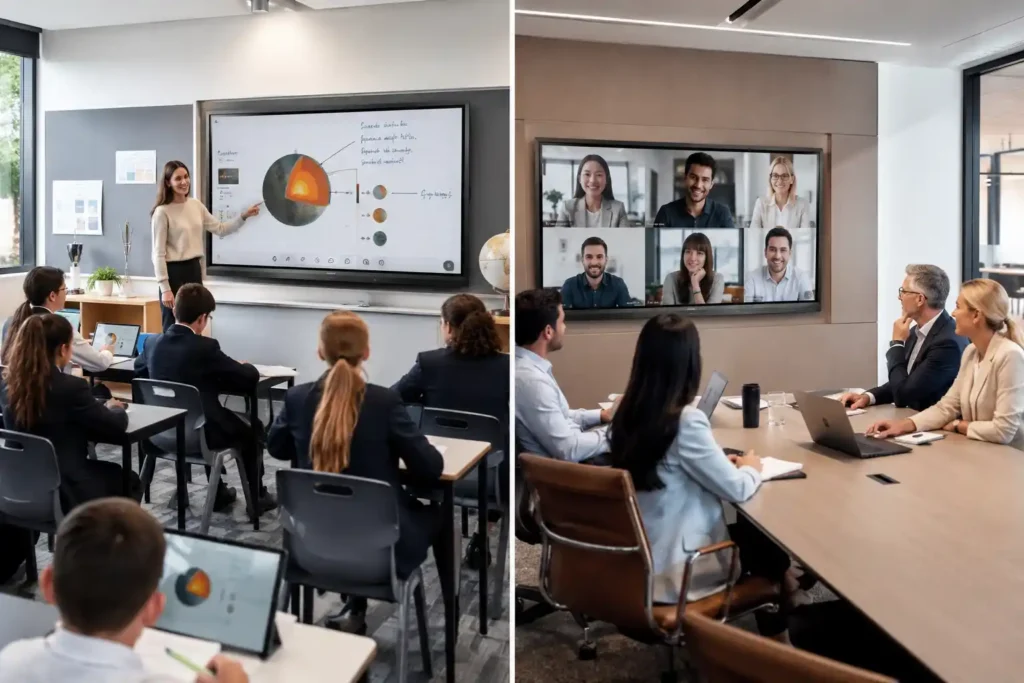
BenQ interactive displays deployed across education and corporate environments in Australia

BenQ Interactive Displays & Education Technology Australia

BenQ has developed a distinctive and genuinely credible position within the Australian display market — one built around education technology, corporate collaboration, and annotation-focused interactive displays, while placing far greater emphasis on these environments than broader commercial signage categories.

That specialisation matters for procurement decisions. Organisations evaluating BenQ are typically not comparing it against retail signage or outdoor display manufacturers. They are comparing it against SMART Board, Promethean ActivPanel, Samsung WAD, and increasingly against corporate collaboration platforms like the Samsung Flip Pro and Yealink MeetingBoard. Understanding where BenQ performs strongly within that specific competitive landscape — and where alternative platforms may be more operationally appropriate — is the purpose of this guide.


BenQ's Position Within the Australian Display Market

Within Australian education technology procurement, BenQ has established itself as one of the most credible Google-centric alternatives within classroom deployments. Schools shortlisting interactive displays in Australia are typically evaluating SMART, Promethean, BenQ, Samsung WAD, and occasionally ViewSonic — not commercial advertising display manufacturers. BenQ competes meaningfully within that specific group, and understanding why requires looking at deployment practicality and ecosystem depth rather than specification comparisons alone.

BenQ's approach to the education market has been to offer genuine interactive whiteboard and collaboration capability at a price point that sits below SMART and Promethean's premium education ecosystem pricing, while delivering more education-specific software depth and annotation quality than standard Android commercial display platforms. That middle ground is a legitimate and useful market position — particularly for schools that need credible interactive display technology across multiple classrooms without the per-unit cost of the premium education ecosystems.

The 05 generation of BenQ Board represents a meaningful generational step rather than an incremental refresh. The introduction of a dedicated 10 TOPS neural processing unit across the entire range brings genuine on-device AI capability to every tier — AI-assisted whiteboarding and annotation tools that run directly on the panel rather than relying entirely on cloud processing. For schools where network reliability varies, that local processing capability matters operationally. Combined with Android 15 EDLA certification, extended microphone arrays, and Eyesafe 3.0 certification across Pro and Master tiers, the 05 generation positions BenQ more competitively within the premium education display segment than its previous generation allowed.

Beyond education, BenQ has developed a genuinely separate corporate product line — the CP series — built around video conferencing quality, colour accuracy, AI meeting productivity, and data privacy compliance. That product distinction means BenQ is not simply an education display manufacturer that also sells into boardrooms. It has purpose-built products for both environments with genuinely different feature priorities in each.

For organisations comparing BenQ against other interactive display manufacturers across education and corporate environments, the Interactive Whiteboard Hub covers the full category including SMART, Promethean, Samsung, Yealink, ViewSonic, and Hisense in operational depth.

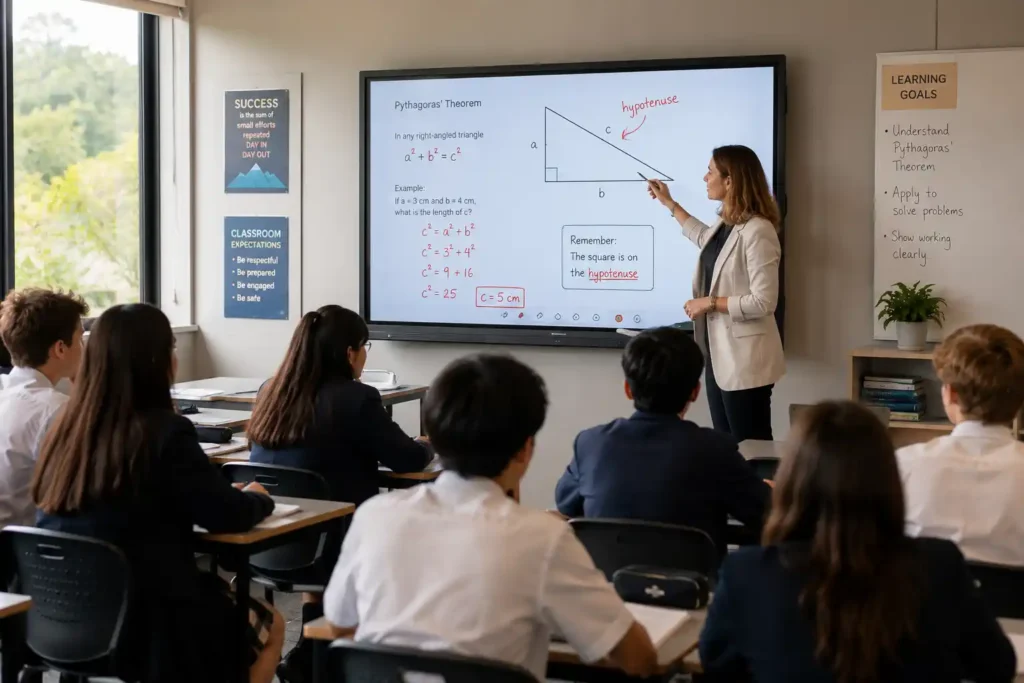
BenQ Board interactive whiteboard in use in a modern Australian secondary school classroom

BenQ Interactive Displays for Education — The Board Range

BenQ's education interactive display range is the manufacturer's strongest and most credible product category in the Australian market. All three tiers of the current BenQ Board range carry Google EDLA certification — meaning Google Play access, Google Core Services, Google Drive integration, and Google Play Protect security are standard across every model. For Australian schools operating within Google Workspace environments, this is a meaningful baseline that removes the compatibility friction that can complicate non-EDLA Android display deployments.

The annotation experience on BenQ's education displays is a meaningful differentiator within the mid-tier education display segment. EZWrite 6 provides a feature-rich whiteboarding environment that goes considerably beyond basic annotation — expandable canvas, split-screen collaboration, template libraries, AI-powered tools including text-to-speech, multilingual translation, and OCR, and cloud whiteboarding that extends sessions to remote students. The platform has matured substantially and now competes credibly with the annotation environments of more expensive education-first ecosystems.


Teacher Adoption and Classroom Deployment Practicality

One of BenQ's less prominently discussed but operationally significant strengths is how quickly teachers actually adopt and use the technology in practice. This matters considerably more than specification comparisons in most school deployment decisions — a display that requires IT support for routine daily operation, or that less tech-confident staff find intimidating, fails to deliver deployment value regardless of its technical capability.

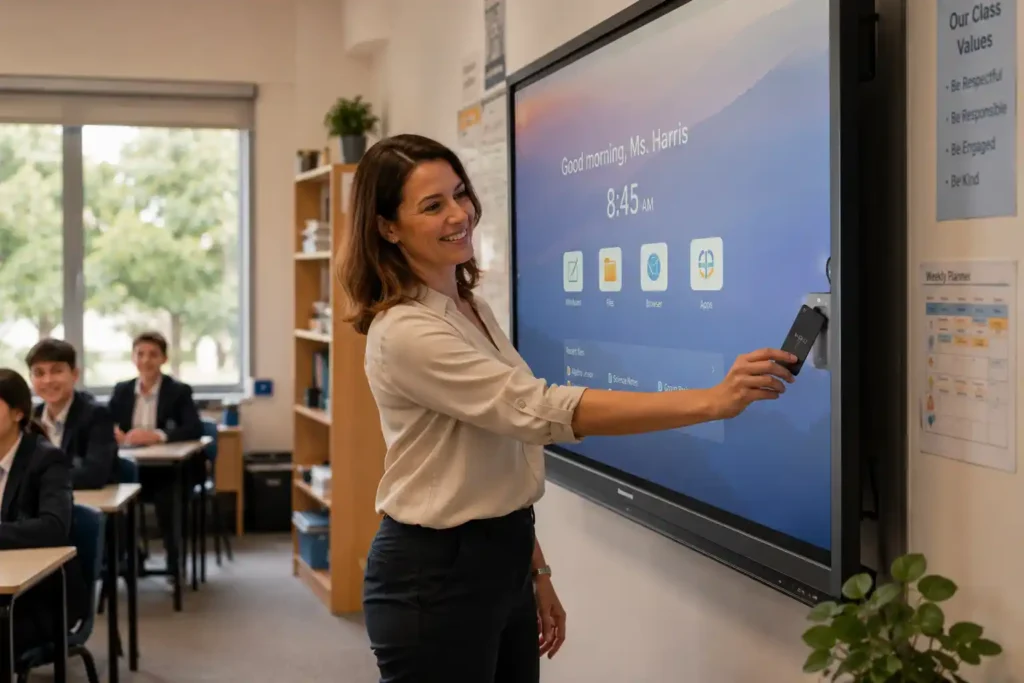
The NFC card login system across the Pro and Master tiers is a good example of where BenQ's design philosophy translates into genuine classroom workflow improvement. A teacher tapping their NFC card and having their personalised workspace, cloud files, app shortcuts, and display settings load instantly is a meaningfully different operational experience from manually entering credentials on a large touchscreen between lessons. In a school running six or seven periods daily, that friction reduction compounds across every teacher, every room, every day. The QR code login alternative on all tiers serves the same purpose for teachers who prefer phone-based authentication.

Deployment Insight — Teacher Adoption: A display that eighty percent of teachers use confidently and daily delivers more educational value than a technically superior platform that half the staff avoid because it feels complicated. When evaluating interactive displays for school deployment, ask the vendor how long teacher onboarding typically takes in practice — not in a formal training session, but before a teacher feels comfortable operating the display independently in a live classroom. That timeline is one of the most honest indicators of real-world deployment value.

Directory sync with Google Workspace, Microsoft Entra ID, ClassLink, and other identity providers means IT administrators can import and manage user accounts without building them manually — removing the administrative overhead that makes large-scale interactive display deployments more complex than the hardware itself warrants. Wireless casting via InstaShare 2 works from laptops, tablets, and mobile devices without requiring specialist configuration.


Eye-Care Technology and Extended Daily Use — ClassroomCare

BenQ has built more deliberate and consistent branding around eye-care display technology than any other manufacturer in the interactive display category — and in education environments, that focus reflects a genuine operational consideration rather than a marketing point.

Teachers stand in front of interactive displays for the majority of their working day. Students in modern classrooms interact with display technology across multiple lessons. The cumulative effect of extended exposure to display light — flicker, blue light emission, glare, and brightness variation — contributes to eye fatigue in ways that accumulate over weeks and months of daily use rather than appearing dramatically in a single session.

The 05 generation introduces Eyesafe 3.0 certification across both Pro and Master tiers — the highest level of blue light protection certification currently available for interactive displays, combined with circadian optimisation that supports healthy sleep cycles for students and teachers exposed to display light throughout the school day. Flicker-free certification, anti-glare surface treatment, and automatic brightness adjustment round out the eye-care stack across all models.

Beyond eye comfort, BenQ's ClassroomCare approach extends to germ resistance — nano-ionic silver antimicrobial treatment on touchscreen surfaces with TÜV-certified effectiveness against common germs, and IP5X dust protection on panel surfaces. On the Pro tier specifically, built-in air quality monitoring covers CO₂, PM2.5, TVOC, temperature, and humidity, alongside a built-in air ionizer. For schools where student and staff health is a genuine procurement consideration, BenQ offers a more comprehensive classroom environmental health strategy than most competitors currently emphasise.

benq board teacher nfc login classroom adoption

The BenQ Board Range — Choosing the Right Tier

BenQ's current Board range spans three tiers — Pro, Master, and Essential — each designed around a distinct deployment brief. The table below summarises the key operational differences before the detailed descriptions that follow.

Board Pro RP05Board Master RM05Board Essential RE04
Android VersionAndroid 15 EDLAAndroid 15 EDLAAndroid 14 EDLA
AI Processing10 TOPS NPU10 TOPS NPUNot confirmed
RAM / Storage16GB / 256GB8GB / 128GB8GB / 32–64GB
Touch Points505040
Touch Response<2.5ms (65"/75")<5ms<5ms
Microphone8-mic array, 12m range8-mic array, 12m rangeSingle mic input
NFC LoginYesYesNo — QR only
Wi-Fi 6StandardOptionalNot listed
Air Quality MonitoringYesNoNo
Audio70W (speakers + sub)50W (speakers)40W (speakers)
Eyesafe3.03.0TÜV certified
Best ForFlagship rooms, health-aware environments, maximum performanceMulti-classroom rollout, full AI capability, practical valueBudget-conscious deployment, core classroom functionality

BenQ Board Pro RP05 — Flagship Classroom Display

The RP05 is BenQ's most capable classroom display and the most future-proofed option in the range. Running Android 15 EDLA with 16GB RAM, 256GB storage, and a dedicated 10 TOPS NPU, it delivers the performance headroom that demanding multi-app classroom workflows and AI-assisted teaching tools require to run smoothly under sustained daily use.

The AI toolkit — Ask AI for on-the-spot answers, Lasso Search for circling and searching content, EZMath for clean mathematical formula rendering, and Circle to Artify for converting sketches into polished artwork — runs natively on the device without cloud dependency. In school network environments where bandwidth reliability varies, local AI processing is a practical operational advantage rather than a specification talking point.

The 8-microphone array with 12-metre pickup range and 70W total audio system — 2x25W speakers plus a 20W subwoofer — produce a classroom audio environment that supports both teacher voice pickup for video conferencing and clear content audio delivery for audiovisual lessons. ClassroomCare on the RP05 is the most comprehensive in the range — Eyesafe 3.0, circadian optimisation, air quality monitoring across six environmental parameters, and the built-in air ionizer that is unique to the Pro tier within the BenQ range.

Wi-Fi 6 is standard on the RP05. USB-C power delivery at 100W supports high-powered device charging alongside content mirroring from a single cable. Available in 65", 75", and 86".

Best for: Schools making a long-term infrastructure investment in flagship classroom environments, environments with specific health and wellbeing commitments, university lecture theatres, and training facilities where maximum AI performance, classroom health monitoring, and future-proofed Android capability are priorities.

The BenQ Board Pro RP05 is available in three sizes to suit different room configurations. View the BenQ Board Pro RP05 65" interactive flat panel display — the ideal choice for standard classrooms and training rooms. Also available in 75" and 86" for larger rooms and lecture theatres.


BenQ Board Master RM05 — The Practical Multi-Classroom Choice

The RM05 is the most deployment-relevant model in the BenQ range for most Australian schools — capable enough for serious daily classroom use, accessible enough in price to make multi-room rollouts practical without meaningful compromise to the core teaching experience.

The RM05 shares the same Android 15 EDLA platform, 10 TOPS NPU, and full AI toolkit as the RP05. It runs the same EZWrite 6 whiteboarding environment, the same InstaShare 2 wireless sharing, the same DMS device management, and the same NFC and QR code login system. The 8-microphone array extends to the same 12-metre pickup range as the Pro. For the majority of classroom teaching workflows, the RM05 delivers an experience that is difficult to meaningfully distinguish from the Pro in daily use.

The differences sit in areas that matter more for specific deployment briefs than for general classroom operation. The RM05 carries 8GB RAM and 128GB storage rather than the Pro's 16GB and 256GB — adequate for standard classroom workflows but worth considering for environments running multiple demanding applications simultaneously. The audio system delivers 50W from 2x25W speakers without the Pro's subwoofer — still capable for standard classroom environments, slightly less impactful for large rooms or audiovisual-heavy lessons. ClassroomCare includes Eyesafe 3.0 and circadian optimisation, but the air quality monitoring and ionizer are Pro-only features.

Wi-Fi 6 is optional rather than standard on the RM05 — factor in the Wi-Fi module requirement when scoping total per-unit cost for wireless deployments. Available in 65", 75", and 86".

Best for: Multi-classroom school rollouts where full AI capability and Android 15 are required without the Pro's health monitoring premium. The practical default choice for most Australian school deployments balancing performance and budget across multiple rooms.

The BenQ Board Master RM05 is available in three sizes to suit different room configurations. View the BenQ Board Master RM05 65" interactive flat panel display — the ideal choice for standard classrooms and training rooms. Also available in 75" and 86" for larger rooms and lecture theatres.


BenQ Board Essential RE04 — Value-Conscious Classroom Deployment

The Essential tier serves Australian schools where broad classroom coverage within a constrained budget is the primary deployment driver. The RE04 runs Android 14 EDLA — notably a newer Android version than the previous-generation RM04 Master — with capable performance for standard classroom annotation and content delivery workflows.

The RE04 carries the full EZWrite 6 whiteboarding environment, InstaShare 2 wireless sharing, and Google EDLA certification. ClassroomCare basics are maintained — flicker-free, low blue light, anti-glare, and antimicrobial touchscreen coating. QR code login is available; NFC login is not present on the Essential tier. The connectivity reduction from the Master tier is the most operationally significant difference — fewer USB ports, single mic input rather than an array, and no Wi-Fi module listed. For schools planning wireless casting workflows, confirming network connectivity options before deployment is worth doing explicitly.

The RE05 is expected to follow the same generational update pattern as the Pro and Master — bringing Android 15 and the 10 TOPS NPU to the Essential tier. Until RE05 availability is confirmed for the Australian market, the RE04 remains the current Essential tier option.

Best for: Budget-conscious multi-classroom rollouts where core Google EDLA functionality, EZWrite annotation, and reliable daily classroom use are the primary requirements and per-unit cost is the primary constraint.

View the BenQ Board Essential 65inch RE04FV

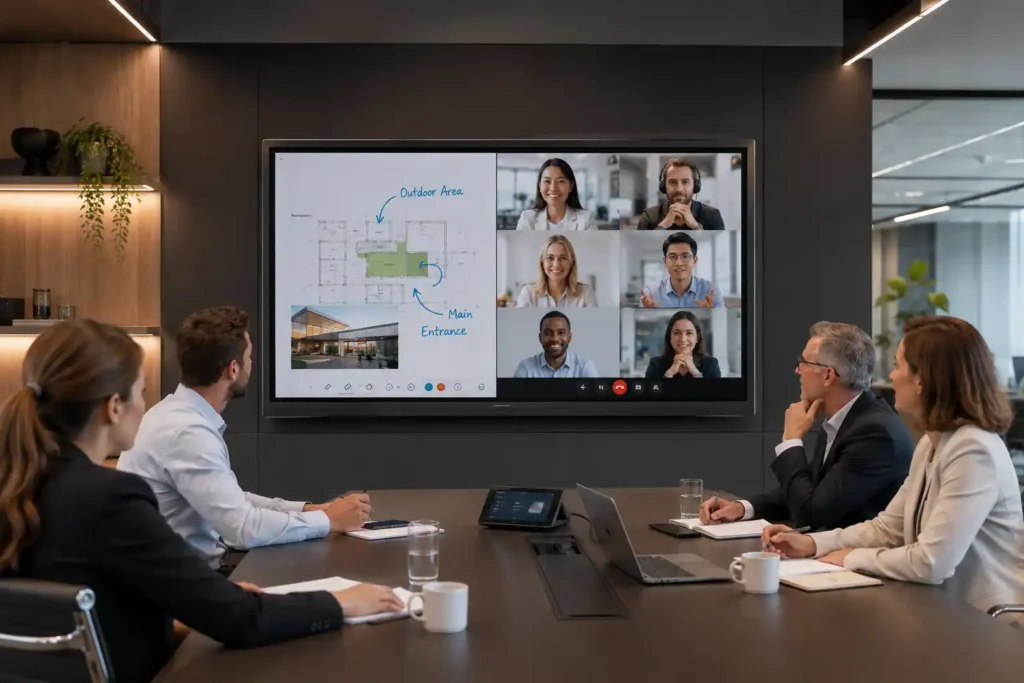
benq cp5505 corporate collaboration meeting room

BenQ Board CP5505 — Corporate Collaboration & Visual Precision

The CP5505 is a genuinely different product from BenQ's education Board range — not a boardroom-adapted version of a classroom display, but a purpose-built corporate collaboration platform engineered around video conferencing quality, colour accuracy, AI meeting productivity, and data privacy compliance.

The most immediately apparent difference from the education boards is the camera system. A built-in 50MP AI camera with 160-degree field of view, AI Gallery View, AI-powered speaker tracking, and active noise cancellation produces video conferencing quality that dedicated conference room cameras typically require as separate hardware. In environments where hybrid meeting quality is a genuine daily operational requirement rather than an occasional accommodation, having this capability integrated into the display rather than managed as a separate peripheral simplifies both the installation and the ongoing management overhead considerably.

SummarAI — automatic AI-generated meeting minutes — is unique to the CP series within the BenQ range and reflects the corporate workflow priorities that differentiate this product from the education boards. A meeting room display that captures, processes, and distributes a summary of what was discussed and decided addresses a genuine daily friction point in corporate collaboration environments. Combined with Ask AI, Lasso Search, and Circle to Artify running on the same 10 TOPS NPU as the education 05 generation, the CP5505 brings AI meeting productivity tools built around corporate workflows rather than classroom annotation.

The colour accuracy credentials open up deployment verticals that interactive whiteboards rarely address. Pantone and Pantone SkinTone validation — covering over 2,000 Pantone colours and 110 scientifically calibrated skin tones — makes the CP5505 a credible choice for design agencies, architectural practices, and creative industries where colour accuracy across collaborative sessions matters. DICOM mode provides medical-grade image accuracy for healthcare training and diagnostic discussion environments. These are not features that appear on education interactive displays at any tier, and they meaningfully expand BenQ's corporate deployment reach beyond standard meeting room collaboration.

CASA certification and global data privacy compliance address the governance requirements that frequently stall corporate display deployments in regulated industries — government, healthcare, financial services, and legal environments where data handling certification is a procurement prerequisite rather than a preference.

Deployment Note — CP5505 Specifications: BenQ's approach with the CP5505 reflects a product philosophy that specifications communicate poorly in isolation. The projected capacitive touch response, the 50MP camera quality in a live hybrid meeting environment, and the Pantone colour accuracy in a real design or medical context are experiences that a specification table doesn't fully capture. If the CP5505 is relevant to your deployment brief, a demonstration conversation is a more useful starting point than a spec comparison. Contact us directly to discuss sizing, configuration, and pricing.

Best for: Corporate boardrooms, executive meeting suites, design and creative industry collaboration spaces, healthcare training environments, and any organisation where video conferencing quality, colour accuracy, AI meeting productivity, and data privacy compliance are genuine procurement requirements.

Contact us to discuss CP5505 sizing, configuration, and pricing for your specific deployment environment.
📞 0416 353 501  |  📩 sales@kickstartcomputers.com.au


The 04 to 05 Generation — What Changed and Why It Matters

For schools currently evaluating or upgrading from the previous RP04 and RM04 generation, understanding what the 05 generation actually changed helps inform both upgrade decisions and new deployment choices.

The most significant change is the introduction of dedicated AI processing. The 10 TOPS NPU in the 05 generation enables on-device AI tools — Ask AI, Lasso Search, EZMath, Circle to Artify — that run independently of cloud connectivity. In the 04 generation these capabilities either didn't exist or required external processing. For schools where AI-assisted teaching tools are becoming part of the standard classroom toolkit, this is a functional capability upgrade rather than a specification footnote.

Memory and storage doubled on the Pro tier — from 8GB RAM and 128GB storage on the RP04 to 16GB RAM and 256GB on the RP05. The microphone array extended from 8-metre to 12-metre pickup range, Eyesafe certification upgraded from 2.0 to 3.0 across Pro and Master tiers, and circadian optimisation was added as a new ClassroomCare feature. Audio improved on the Pro from 56W to 70W total with a larger subwoofer.

For schools mid-deployment on RP04 hardware, the DMS device management platform and software ecosystem remain consistent across generations — meaning mixed 04 and 05 deployments within the same school can be managed from the same console without platform fragmentation. That consistency matters practically for schools that are rolling out in stages rather than replacing all rooms simultaneously.

BenQ's interactive display range sits within the broader digital signage and interactive technology landscape. If you are still orientating your research across the full market, the links below cover each category across all manufacturers — not BenQ alone.

Digital Signage Displays

Digital Signage Displays

Professional commercial displays designed for retail stores, hospitality venues, schools, and corporate environments.

Video Walls

Video Walls

Large-format multi-screen display systems designed for immersive commercial communication and visual impact.
Interactive Digital Signage

Interactive Digital Signage

Interactive touchscreen display systems designed to improve engagement, communication, and customer experiences.


BenQ vs The Alternatives — Deployment Comparisons

BenQ vs Samsung WAD eBoard

The Samsung WAD eBoard and BenQ Board Essential compete in similar value-conscious education deployment territory, but with different ecosystem orientations. The WAD eBoard's strength is its EDLA certification within Samsung's broader commercial ecosystem and its familiarity for schools already operating Samsung hardware. BenQ's Essential and Master tiers offer deeper education-specific software through EZWrite 6, more comprehensive ClassroomCare health features, and a stronger teacher adoption track record in Australian school environments. For schools operating within Google Workspace, BenQ's EDLA integration tends to feel more native. For schools within broader Samsung deployments, the WAD eBoard's ecosystem consistency has practical value. A detailed operational comparison is available in our Interactive Whiteboard Hub.

BenQ vs SMART Board

SMART Board carries the deepest curriculum-integrated lesson software ecosystem in the Australian education market and the longest deployment track record. For schools where SMART's lesson delivery tools, curriculum alignment features, and education software depth are central to the teaching strategy, SMART remains a strong choice that BenQ doesn't fully replicate at the software level. BenQ competes on teacher adoption simplicity, Google ecosystem depth, AI capability in the 05 generation, and more accessible multi-classroom rollout pricing. Schools that need a credible, capable interactive display without the premium curriculum software overhead will generally find BenQ delivers stronger value for the investment. Schools that need the deepest possible curriculum software integration should evaluate SMART directly alongside BenQ before deciding.

BenQ vs Yealink MeetingBoard

The Yealink MeetingBoard is purpose-built for Microsoft Teams Room environments — tighter native Teams integration, certified Teams Room hardware, and a simpler deployment path for organisations standardised on Microsoft infrastructure. BenQ Board and CP5505 compete across broader collaboration ecosystems — Google Meet, Zoom, general BYOD workflows, and mixed-platform environments. For organisations running Teams as their primary and near-exclusive collaboration platform, Yealink's native integration simplifies the meeting experience meaningfully. For organisations running mixed workflows or prioritising Google ecosystem compatibility alongside conferencing integration, BenQ's platform flexibility is the more practical fit. The Interactive Whiteboard Hub covers the Yealink MeetingBoard in more detail for organisations making this comparison directly.


Where BenQ Fits — and Where It Doesn't

BenQ is the right choice for organisations whose primary requirement is credible interactive display technology for education or corporate collaboration environments, with genuine Google ecosystem depth, AI capability, and teacher-friendly deployment practicality.

For schools comparing BenQ against SMART and Promethean, the decision typically comes down to curriculum software depth versus deployment practicality and value. If deep curriculum-integrated lesson software is central to the school's teaching strategy, SMART and Promethean remain strong considerations. If reliable annotation, AI-assisted teaching tools, teacher adoption simplicity, and sensible multi-classroom rollout cost are the primary drivers — particularly within Google Workspace environments — BenQ competes strongly.

For corporate environments comparing BenQ Board against Samsung's Samsung's Flip, the decision comes down to how central annotation quality and writing experience are to the daily use case. Environments running intensive whiteboarding sessions and extended annotation-heavy meetings will find the Flip Pro's optical bonding and pressure-sensitive writing experience worth the premium. Environments where hybrid meeting connectivity, Google Meet integration, and general collaboration are the primary requirements will find BenQ Board a capable and more accessible alternative.

For corporate environments with specific video conferencing quality, colour accuracy, or data privacy requirements, the CP5505 addresses a deployment brief that neither the education boards nor the Samsung Flip Pro are designed for.

BenQ is not the strongest choice for organisations whose primary requirement is large-scale retail digital signage, high-brightness outdoor displays, or video wall installations. Those deployment categories are better served by Samsung, LG, and specialist signage manufacturers with deeper track records in those specific environments.
kickstart computers benq display consultation australia

Compare Other Display Manufacturers

Kickstart Computers supplies and advises across multiple commercial display and interactive technology manufacturers — not a single brand. The manufacturers below occupy similar or adjacent territory to BenQ across interactive displays, digital signage, and collaboration environments. If BenQ is not the right fit for your specific deployment brief, the pages below cover each manufacturer in the same operational depth as this guide.

Samsung Digital Signage

Samsung Digital Signage

Samsung competes directly with BenQ across interactive whiteboards and collaboration displays — the Flip WMFX and WAD series sit in the same education and corporate deployment territory as the BenQ Board range.

Explore Samsung Displays

LG Digital Signage

LG Digital Signage

LG's CreateBoard range competes with BenQ Board across corporate collaboration and education interactive display environments — worth evaluating alongside BenQ for organisations comparing Google ecosystem depth and platform flexibility.

Explore LG Displays

Sharp Digital Signage

Sharp Digital Signage

Sharp's AQUOS Board interactive flat panel range competes with BenQ in education and corporate IFP environments — offering commercial-grade reliability and strong brightness performance at comparable price points.

Explore Sharp Displays

Soniq Digital Signage

Soniq Digital Signage

Soniq offers value-tier interactive displays and digital signage solutions — a practical consideration for budget-conscious deployments where BenQ's pricing is the primary constraint.

Explore Soniq Displays

BenQ Interactive Displays Australia — Deployment Support

Whether you are planning an interactive whiteboard rollout across a school, a corporate meeting room collaboration display upgrade, or evaluating BenQ against SMART, Promethean, Samsung, or Yealink for a specific deployment environment, Kickstart Computers can assist with product selection, deployment planning, and ecosystem guidance across the full BenQ range — including the CP5505 corporate collaboration platform.

We work across multiple interactive display and digital signage ecosystems — including BenQ, Samsung, LG, SMART, Promethean, ViewSonic, Yealink, Hisense, and Soniq — which means recommendations are based on deployment suitability for your specific environment rather than a single-vendor approach.

If you are comparing BenQ against other interactive display manufacturers, the Interactive Whiteboard Hub covers the full category across SMART, Promethean, Samsung, BenQ, ViewSonic, Yealink, and Hisense in operational depth — across classroom deployment, corporate collaboration, hybrid meeting environments, and premium versus value rollout strategies.

BenQ sits within a broader interactive display and digital signage market that spans multiple manufacturers and deployment categories. If you are still comparing BenQ against other brands or researching the wider category before committing to a decision, the Digital Signage Hub covers every manufacturer and solution type we supply across Australia.

Digital Signage Hub

BenQ's interactive display range — including the Board Pro, Master, Essential, and CP5505 — is available to order through Kickstart Computers. The link below takes you to our full interactive display and digital signage shopping category where you can browse available models and configurations.

Shop Digital Signage & Interactive Displays

BenQ's Board range is also available within our dedicated Interactive Whiteboard shopping category, where you can compare BenQ models alongside other interactive whiteboard manufacturers we supply.

Shop Interactive Whiteboards

📞 0416 353 501
📩 sales@kickstartcomputers.com.au

Shopping Cart
Scroll to Top