
Why Training Rooms Need a Different Interactive Whiteboard to a Meeting Room
Most businesses fitting out a commercial training space start by looking at the same interactive whiteboards they considered for their meeting rooms. The problem is that a meeting room display and a training room display may look identical on paper, but they are designed for fundamentally different patterns of use.
Choosing the wrong one often isn't obvious until the display has been running every day for several months — by which point the budget conversation is considerably less comfortable. This post covers what makes a facilitator environment genuinely different, why ViewSonic's ViewBoard range suits it well, and which models make sense at which budget.
- ViewSonic ViewBoard specialist
- Australian stock
- Independent advice since 2007
- Adelaide-based, Australia-wide supply
What most buyers get wrong before they start comparing brands
We've found many customers initially compare these displays against meeting room models, only to realise after discussing their daily usage that reliability, audio quality, and writing performance matter far more than conference features. The displays look the same. The spec sheets overlap. The price points aren't wildly different. But a corporate learning room puts a fundamentally different set of demands on a display, and those demands only become visible after several months of daily use.
This post works through that difference systematically — what a facilitator environment actually needs from a display, where ViewSonic sits in that picture, and which ViewBoard models make sense for which deployment scenarios. If you already know you want to compare ViewSonic against Hisense at a similar price point, the ViewSonic vs Hisense comparison post covers that directly. If you're still working out the category, start here.
For the broader interactive whiteboard category — all brands, all environments, platform decisions — the interactive whiteboard hub covers the full picture.
The most common version of this mistake I see is a business that's bought a solid meeting room display and then put it into a training room. It works. But six months later the facilitators are complaining about audio carrying to the back, or the writing feels slightly behind on sustained annotation sessions, or the warranty runs out faster than anyone planned. The display wasn't wrong — it was just in the wrong room.
Defining the environment before comparing products saves more time and money than any amount of brand research.
What a commercial training space actually asks of an interactive display
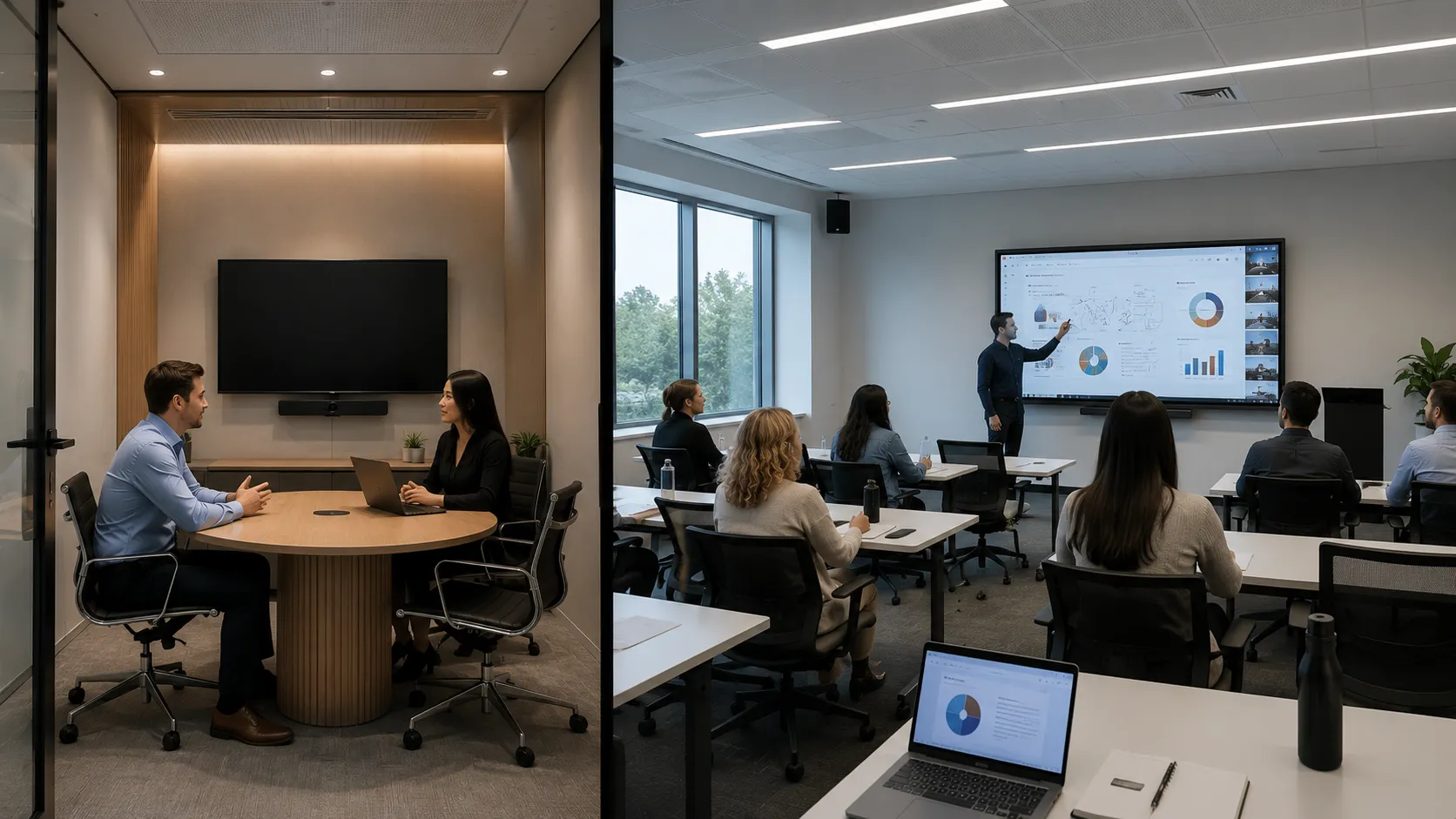
A meeting room display gets used for an hour here, a couple of hours there. Participants are mostly passive. The display is a tool for sharing information. A corporate learning room is a different environment entirely — and that difference drives three specific specification priorities that rarely appear clearly on a product listing.
The image below illustrates the core difference — a passive meeting room environment on one side, an active facilitated training environment on the other. The same display specification serves those two rooms very differently.
01
Audio — more critical than it looks
In a meeting room, participants are close to the screen and a laptop or external speaker handles audio adequately. In a facilitator environment, the presenter often moves around the room rather than standing beside the display. Clear front-firing speakers need to carry to the back row without a separate audio system adding cost and installation complexity. Onboard speaker quality becomes a genuine operational requirement, not a specification footnote.
02
Writing feel under sustained use
A display that feels slightly off when you pick up the stylus for ten minutes becomes genuinely fatiguing over a full day of facilitated sessions. Touch latency — the gap between pen contact and ink appearing — and the quality of palm rejection both matter considerably more when someone is writing continuously for hours rather than annotating occasionally. Bonded glass with zero air gap makes ink appear to sit directly on the surface, eliminating the parallax effect that becomes noticeable and tiring during extended annotation work.
03
Commercial build and warranty length
Professional development rooms and staff training spaces are among the hardest-working environments for a commercial interactive display. Unlike meeting rooms that might only be active for a few hours a day, these spaces often operate continuously from early morning through to late afternoon, sometimes across back-to-back sessions with different facilitators. A display specified for light meeting room use, running eight-hour days five days a week, will age faster than the specification suggests.
The specification most buyers skip: A commercial display rated for 16/7 or 24/7 operation is the right foundation for a busy staff training space. Consumer-grade displays rated for 8 hours daily are a common and expensive substitution that usually only becomes apparent in year two or three of a planned seven-year deployment.
Where ViewSonic fits in the Australian interactive whiteboard market
ViewSonic is not the most prominent brand in Australian interactive whiteboard conversations — that ground is held by SMART Board, Promethean, and Samsung. But ViewSonic occupies a strong mid-market position that suits facilitator environments specifically well, for reasons that don't always show up in brand comparison posts.
The audio engineering stands out at the price point. The myViewBoard software platform is mature and genuinely useful for facilitated training — annotation, screen sharing, wireless casting from participant devices, and whiteboarding tools are all included. Core functionality works without additional subscriptions, which matters for organisations that don't want ongoing licence costs sitting on top of hardware investment.
The range covers the full size spread relevant to corporate learning rooms — 65", 75", and 86" — at pricing that sits comfortably in the mid-market without requiring a premium brand budget.
A training organisation fitting out three rooms — one 65", one 75", one 86" — that needs consistent audio performance across all rooms without specifying separate speaker systems for each space. ViewSonic's onboard audio across the IFP51 series handles that requirement directly, keeping the deployment simpler and the total cost lower than adding external audio to a competing display with weaker onboard speakers.
Where ViewSonic sits relative to the market
| Brand | Market tier | Primary strength |
|---|---|---|
| SMART Board | Premium | Writing feel, education software depth |
| Promethean | Premium | Education ecosystem, ActivInspire |
| Samsung | Premium–mid | Annotation precision, Google Workspace |
| ViewSonic ← | Mid-market | Audio engineering, training rooms, value |
| Hisense | Mid-value | Integrated conferencing, budget Android |
ViewSonic is not trying to compete with SMART or Promethean on education software depth. It is competing on audio performance, deployment simplicity, and mid-market value — and in that lane, for training room deployments specifically, it is genuinely strong.
Audio and touch — where ViewSonic earns its position in a facilitator environment
Two specifications separate ViewSonic from comparable displays at the mid-market price point. Neither appears prominently in most brand comparison posts — but both are directly relevant to daily use in a professional development room or staff training space.
The IFP51's front soundbar is a physical design choice, not just a specification number — the speaker housing is positioned to project sound forward into the room rather than downward or rearward. The image below shows the grille configuration that delivers the 70W output discussed here.
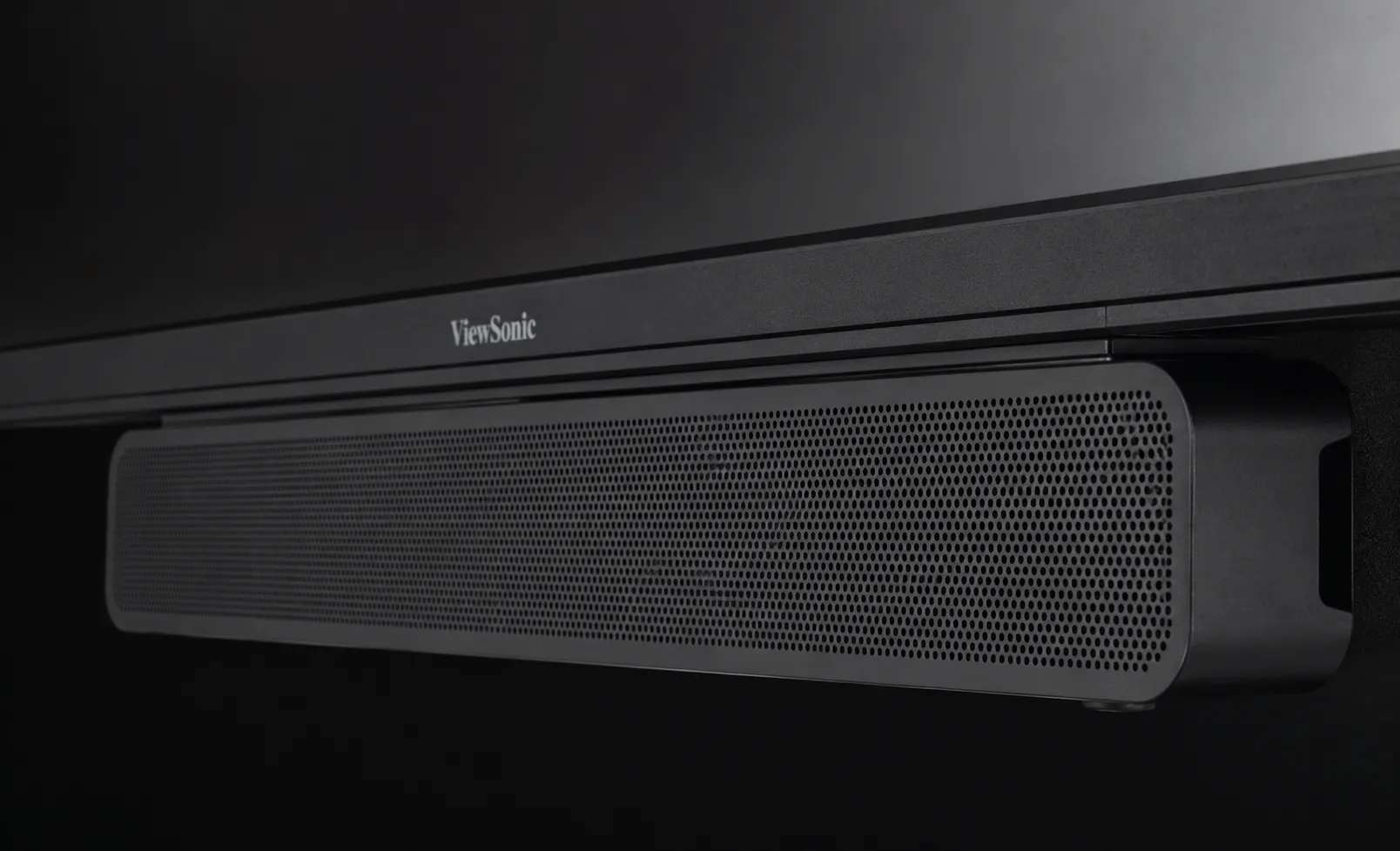
70W audio system
25W + 25W front soundbar + 20W subwoofer
The IFP51 series carries a 70W audio system — dual 25W front soundbar speakers plus a 20W subwoofer. That is a meaningfully different proposition from the 10W to 15W onboard audio typical at comparable price points from competing brands.
The practical difference: in a training room where the facilitator moves away from the display, sound needs to carry clearly to the back row. With 10W–15W onboard audio, volume becomes an issue. With 70W, it doesn't — and the subwoofer adds presence that makes voice content easier to follow over a full session.
Multi-user touch on a commercial interactive display looks straightforward in a product listing — 50 touch points sounds like more than enough. What the spec doesn't show is how the display handles simultaneous contact from different users without interference, or how palm rejection performs under continuous annotation. The image below shows both in practice.
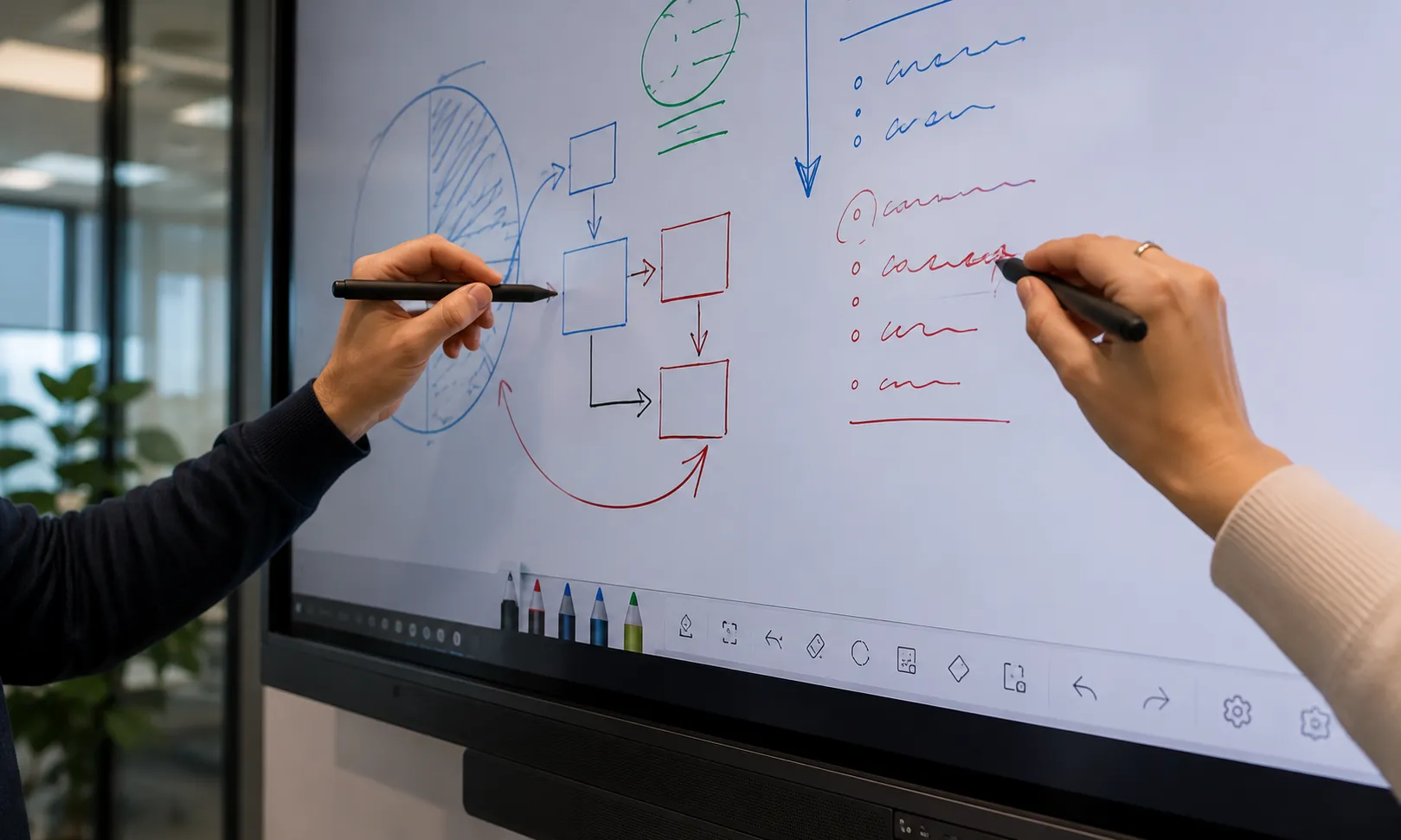
50-point Ultra Fine Touch
IR recognition — palm rejection included
The IFP51 uses Ultra Fine Touch IR recognition with 50 points of simultaneous touch and full palm rejection. In practice, multiple participants can interact with the display at the same time without interference. A facilitator can rest their hand naturally on the screen while writing without the display misreading contact.
Over a full day of facilitated sessions, palm rejection makes a measurable difference to how natural annotation feels. Without it, every hand contact on the screen creates interference that interrupts the writing flow — fatiguing for a facilitator who is at the board continuously.
The audio gap between ViewSonic's IFP51 and comparable displays at the same price point is the most underreported specification difference in this category. Most comparison posts focus on Android version, touch points, and screen resolution — all of which are similar across the mid-market tier. The 70W system versus 10–15W system difference is not similar, and in a professional development room it's felt immediately.
If your primary use case is facilitated training in a room larger than a small meeting room, that audio specification should sit near the top of your comparison criteria — not buried in the technical footnotes.
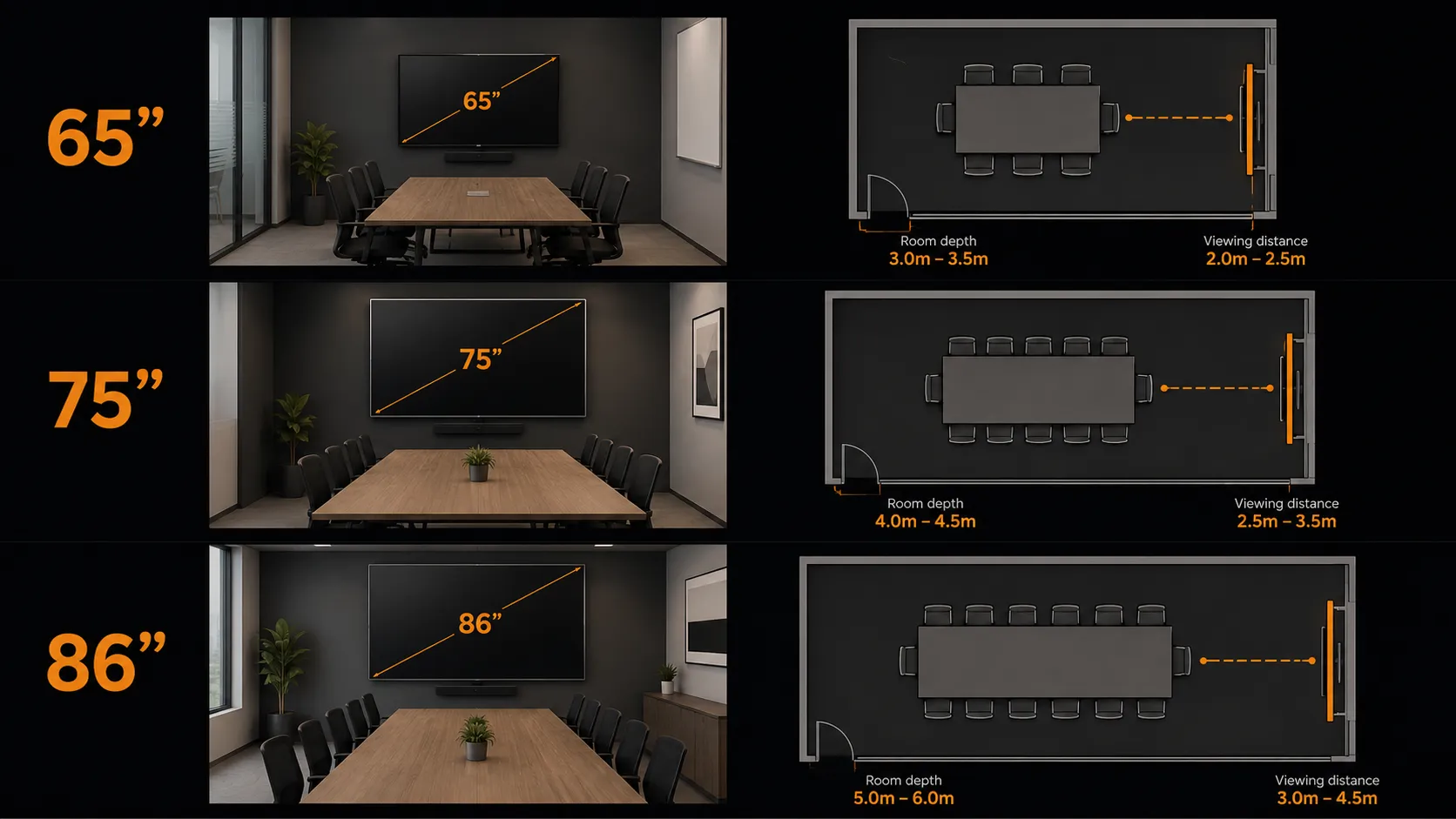
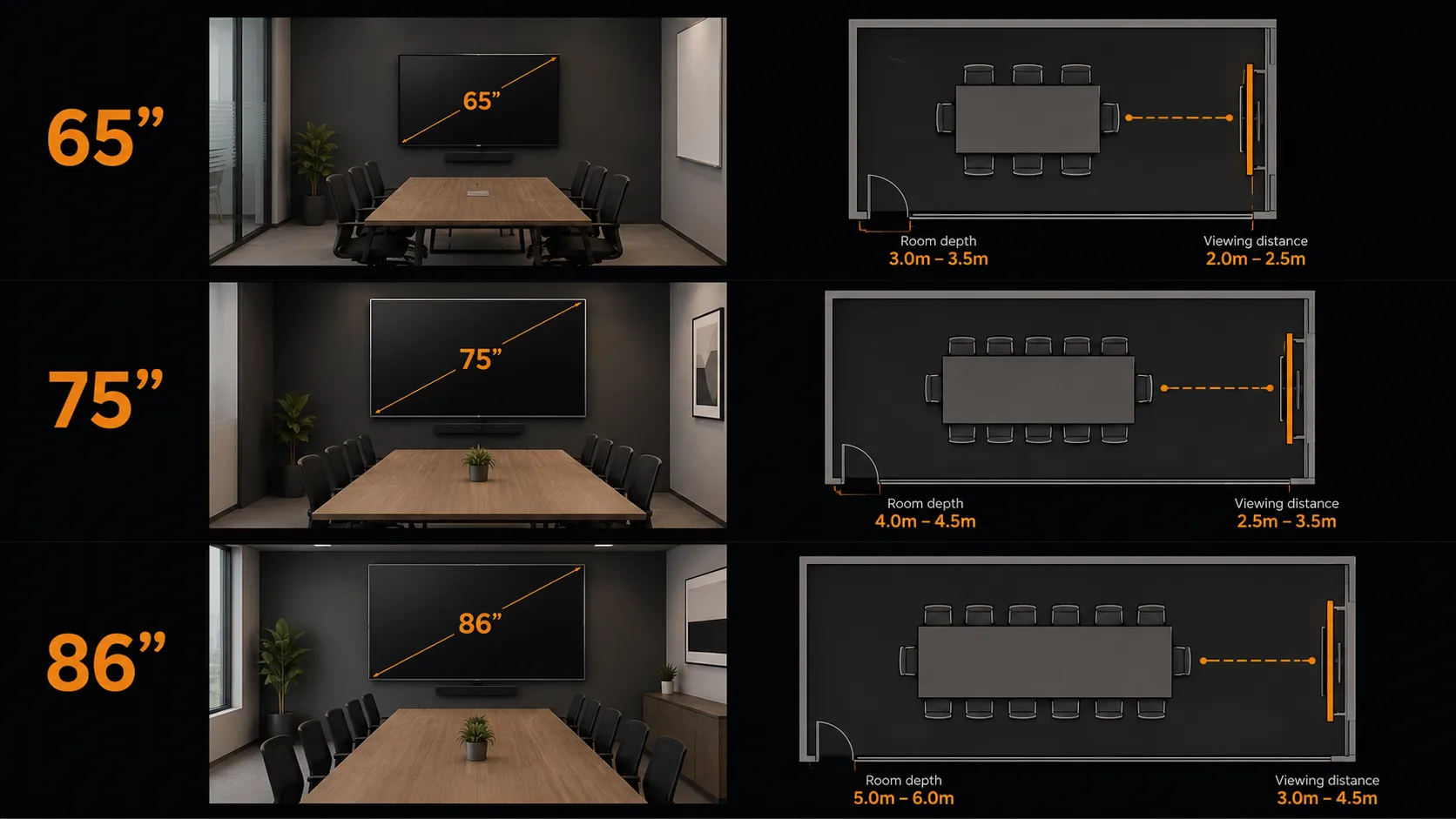
What size interactive display does a training room actually need?
Most corporate learning rooms land at 75" or 86". The right size for your space comes down to room depth and how far your back row sits from the screen. Measuring before committing saves more regret than any other single step in the buying process.
65"
Smaller training spaces · Breakout rooms
Suits rooms up to approximately 6 metres in depth where the back row is close to the screen. Works well for small group facilitation, workshops with up to 10–12 participants, or breakout spaces that double as training rooms. Comfortable viewing distance: up to around 4–4.5 metres.
75"
Standard training rooms · Most deployments
Where most professional development rooms and staff training spaces land. Suits rooms up to approximately 8 metres deep, groups up to 20–25 participants. The IFP7551's 70W audio carries comfortably to the back row without needing supplementary speakers.
86"
Larger training rooms · Full-group sessions
Suits larger facilitated environments where the audience is further back, groups above 25, or purpose-built training facilities where the facilitator needs a larger canvas for detailed annotation visible to the full room. The IFP8651 at $7,999 inc GST RRP is the right anchor for serious training room investment.
Practical rule of thumb: comfortable viewing distance is roughly 2.5 to 3 times the screen height. A 75" display is approximately 94cm tall — comfortable viewing distance to roughly 2.4–2.8 metres. Measure your room's longest viewer-to-screen distance before committing to a size.
What about schools — where does ViewSonic fit in an education context?
Training space priorities and classroom priorities overlap more than the environments suggest. A school running professional development sessions, staff training, or flexible learning environments will find the ViewBoard range a practical fit. The Android EDLA platform integrates cleanly with Google Workspace for Education, and the myViewBoard software handles annotation and collaborative activities well.
For schools comparing ViewSonic against the education-first brands — SMART Board, Promethean, and Samsung — the honest answer is that ViewSonic doesn't carry the same depth of curriculum-specific software. SMART Notebook and ActivInspire are genuinely differentiated for daily classroom teaching. But for a school fitting out a staff room, professional development space, or flexible learning environment where curriculum software depth is not the priority, ViewSonic is a strong and cost-effective option.
Staff rooms and professional development spaces. Flexible learning areas where the priority is wireless sharing and annotation rather than curriculum software. School administration areas needing a collaborative display. Tuck shops and canteen information displays where a simple interactive display beats a full signage system.
If the space isn't a daily teaching classroom, ViewSonic is usually worth serious consideration.
Daily classroom teaching environments where SMART Notebook, ActivInspire, or deep Google Classroom integration drives the software decision. Schools already invested in a specific brand ecosystem where switching costs outweigh any hardware saving.
For the full classroom decision, the interactive whiteboard hub covers all brands honestly.
For the full interactive whiteboard picture across all brands and all school environments:
Interactive whiteboard hub — all brands, all environments →ViewSonic vs the alternatives at this price point
The most direct comparison at ViewSonic's mid-market position is Hisense GoBoard. The more aspirational comparison is Samsung. Here is the honest version of both.
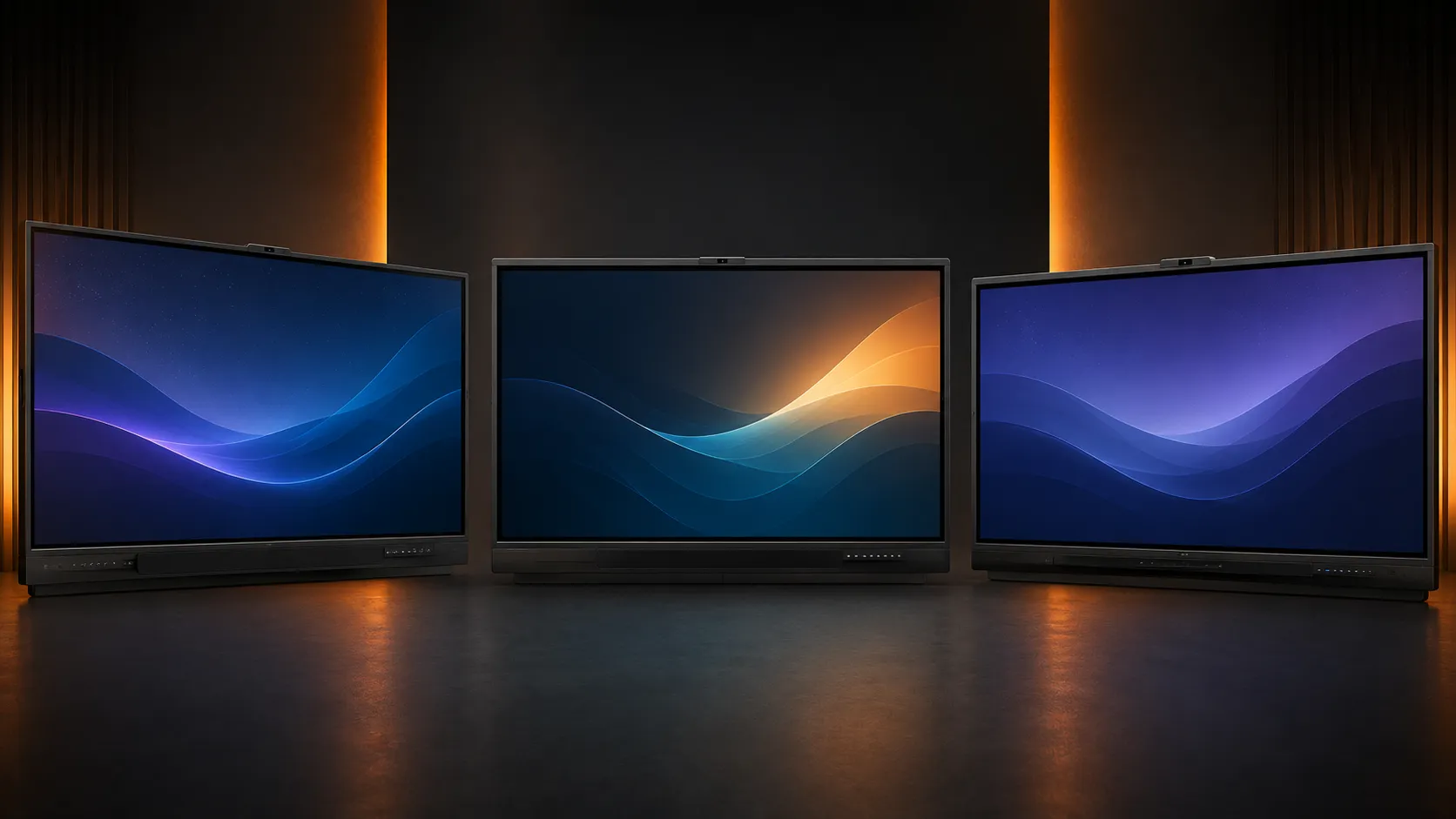
Most direct comparison
ViewSonic vs Hisense GoBoard
Both run Android EDLA. Both sit below Samsung and SMART on price. Both are legitimate mid-market options for organisations that don't need premium brand ecosystems.
Where they separate: Hisense GoBoard integrates a 4K conferencing camera directly into the display — a meaningful advantage for hybrid meeting environments where Teams or Zoom is the primary use. ViewSonic's audio engineering pulls ahead for facilitated training where room audio matters more than a built-in camera.
The decision is mostly settled by primary use case. Hybrid meetings with remote participants → Hisense GoBoard's camera is the stronger fit. Facilitated training in a room of 15–30 in-person participants → ViewSonic's audio is the stronger fit.
ViewSonic vs Hisense — full comparison →Step-up comparison
ViewSonic vs Samsung WMFX
Samsung WMFX sits at a higher price point and is genuinely stronger on annotation precision — the pressure-sensitive stylus and Samsung's writing engine are meaningfully better for environments where writing feel is the primary daily priority.
For a facilitator environment where annotation is one part of the session alongside content presentation, wireless sharing, and group activities, the writing feel premium may not justify the price step. ViewSonic's IFP51 covers training room requirements well without requiring a Samsung budget.
If annotation precision is the number one daily requirement — for example, a training room used primarily for detailed diagramming or technical illustration — the Samsung WMFX is worth the budget conversation.
If this post helped you understand the ViewSonic ViewBoard range — whether you ended up buying from us or not — we would genuinely appreciate a Google review.
As an independent small business supplying commercial displays since 2007, we rely on recommendations from people who find our advice genuinely useful.
Even a simple star rating helps other organisations find practical, independent display advice without a brand agenda behind it.
Leave a Google ReviewThere is no single best interactive whiteboard for every training space
The right choice depends on room size, how intensively the display will be used, whether Windows software is a hard requirement, and the available budget. A smaller breakout space with light facilitation use has different priorities to a purpose-built corporate training facility running back-to-back sessions five days a week.
Understanding those requirements first — before comparing brands or prices — leads to a better long-term purchase than simply choosing the cheapest display with the biggest screen. For most commercial training spaces running daily, that process usually ends at the ViewSonic IFP51 series — the audio output, the 5-year warranty, and the Android EDLA platform cover the environment's requirements well at a mid-market price that doesn't require a premium brand budget.
- Define the environment and use pattern first How often will it be used? How large is the room? Is audio a daily operational requirement? Does Windows software matter? Those answers settle the series choice before any brand comparison begins.
- Buy on warranty for high-use environments For a professional development room or staff training space running daily, the IFP51's 5-year warranty is the right foundation. The saving on the IFP35 looks different when weighed against a mid-deployment replacement.
- Check current pricing on the shop before deciding The RRP figures in this post are indicative. Prices move, and online pricing is typically lower than RRP. Current pricing across the full ViewBoard range is always live on our interactive whiteboard shop.
Talk to someone who stocks them all
Kickstart Computers stocks ViewSonic ViewBoard alongside SMART Board, Promethean, Samsung, BenQ, Yealink, and Hisense — with independent advice on which platform suits your environment, your workflow, and your budget. Australia-wide supply since 2007.
- Australian stock — all major brands
- Commercial specialists since 2007
- Independent advice — no brand favourites