
The Samsung Flip Pro and Yealink MeetingBoard are both premium commercial interactive displays — but they were engineered for fundamentally different daily functions. The Flip Pro is built around a premium writing and annotation experience with wireless content sharing; the MeetingBoard is a fully integrated Microsoft Teams Rooms platform with a built-in 4K AI camera, beamforming microphones, and native Teams certification. Choosing the wrong one for your room is a common and costly mistake.
This comparison helps Australian businesses, schools, and enterprise IT teams identify which platform matches their actual daily operational requirements — not just their wishlist.
Jump Ahead Too
ToggleWhy the Samsung Flip Pro and Yealink MeetingBoard Keep Ending Up in the Same Shortlist
The Samsung Flip Pro and Yealink MeetingBoard appear together in a lot of procurement conversations — and understandably so. Both are large-format commercial interactive displays. Both sit at a premium commercial price point. Both are designed for professional collaboration environments. And both are regularly recommended to businesses, schools, and enterprise teams researching interactive display solutions.But comparing them directly on a specification sheet misses something important: these two products were designed around fundamentally different philosophies, built for different primary use cases, and optimised for different daily operational requirements.Understanding that distinction before purchasing is what separates a deployment that works seamlessly every day from one that disappointingly underdelivers on the expectations that drove the original investment.The most important question to answer before comparing these two products is not ‘which one has better specs’ — it is ‘what must this display achieve every single day in my environment?’
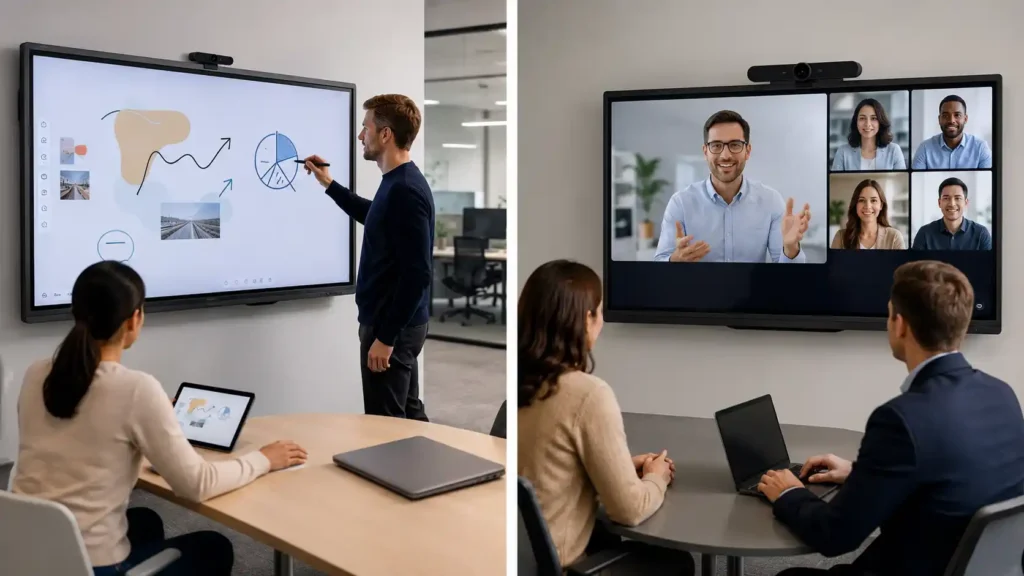
What Is the Samsung Flip Pro Actually Designed to Do?
To understand the Samsung Flip Pro, it helps to understand the commercial philosophy behind its development.Samsung made a deliberate strategic decision when designing their interactive display range. Rather than building an all-in-one conferencing system with integrated cameras, complex operating platforms, and OPS computing slots — which add cost, complexity, and capabilities that many users simply never use — Samsung chose to concentrate their engineering investment on what they believed most people in a collaboration environment actually need every single day: a premium writing and annotation experience at a commercially viable price point.That decision meant stripping away the conferencing hardware stack, keeping the platform focused, and delivering a display that excels at what it was designed for — rather than attempting to be everything to everyone and inevitably compromising on each individual capability.The result is the Samsung Flip Pro — a display that is widely regarded as delivering one of the best writing and annotation experiences available in a commercial interactive whiteboard and display platform, at a price point that makes it genuinely accessible for businesses, education environments, and corporate collaboration spaces.What Samsung Concentrated On
- Near zero-gap glass bonding for natural, connected writing feel
- Low touch latency targeting sub-10ms for immediate annotation response
- Pressure-sensitive stylus input for natural line weight variation
- Refined digital ink engine for smooth, accurate stroke rendering
- Wireless presentation and content sharing
- Clean, intuitive interface that requires minimal training
- Commercial build quality at an accessible premium price point
At Kickstart Computers we remember purchasing the first generation Samsung Flip — it was a genuine pioneer in the market, delivering interactive display capability at a performance price point that simply had not existed before. At launch it could not connect with Apple MacOS devices, which was a real-world limitation our clients noticed immediately. But Samsung was actively listening to the market, and it was not long before a firmware update resolved the compatibility issue entirely. That responsiveness to real-world user feedback said a great deal about how Samsung approaches product development — and it is something we have seen continue across the range ever since.
What Samsung Deliberately Left Out
- Integrated conferencing cameras
- Integrated microphone arrays
- Native Teams Rooms or Zoom Rooms certification as a standalone system
- OPS computing slot for Windows environments
- Built-in video conferencing platform

What Is the Yealink MeetingBoard Actually Designed to Do?
The Yealink MeetingBoard was designed from an entirely different starting point.
Yealink looked at the modern enterprise meeting room and asked a different question: what does a team need to run a high-quality video conference every single day, in a single integrated system, without the complexity of assembling multiple separate hardware components?
The answer became the MeetingBoard — a unified communications platform that combines a large-format interactive touchscreen display, a 4K AI conferencing camera, a beamforming microphone array, premium integrated audio, and native Microsoft Teams Rooms certification into a single commercial system.
For environments where video conferencing is the primary daily activity, the MeetingBoard eliminates the need for a separate camera system, separate microphone bar, separate speaker system, and separate conferencing PC — replacing all of those components with a single, certified, centrally managed platform.
What Yealink Concentrated On
- Native Microsoft Teams Rooms certification for seamless enterprise conferencing
- Integrated 4K AI conferencing camera with Auto Framing and Multi-Focus capability
- Beamforming microphone array for clear voice pickup across the room
- Premium integrated audio with noise cancellation and echo suppression
- Unified hardware platform — one device replaces camera, microphones, speakers, and PC
- Enterprise device management and provisioning capability
- Touchscreen annotation and wireless presentation as supporting collaboration tools
What This Means in Practice
A room equipped with a Yealink MeetingBoard is a fully functional enterprise video conferencing environment from day one — without additional hardware purchases, without cable management complexity, and without the IT overhead of managing multiple separate devices.
Single-cable deployment: For executive boardrooms, government fitouts, and enterprise environments where cable concealment and a clean installation are mandatory, the MeetingBoard’s all-in-one design is a significant operational advantage. A separate camera, speakerbar, USB extender chain, and conferencing PC each represent an additional point of failure and an additional cable run. The MeetingBoard eliminates all of them.
AI noise suppression in practice: The MeetingBoard’s beamforming microphone array does more than pick up voices across the room — its AI noise suppression actively filters common meeting room interference: HVAC hum, paper rustling, keyboard noise, and chair movement. In hybrid work environments where remote participant audio experience is operationally critical, this is the difference between a meeting that runs cleanly and one that requires constant “can you repeat that?” interruptions.
The annotation and whiteboarding capability of the MeetingBoard is genuinely capable for everyday collaboration — but it is designed to support the conferencing mission, not lead it. For environments where video conferencing is the absolute daily requirement, that priority ordering is exactly right.
In practice, the MeetingBoard is designed for organisations that want the meeting room itself to become a fully integrated conferencing environment rather than a display with conferencing added later. The visual difference between a collaboration-focused display and a conferencing-first platform becomes especially obvious when comparing the deployment environments side by side.
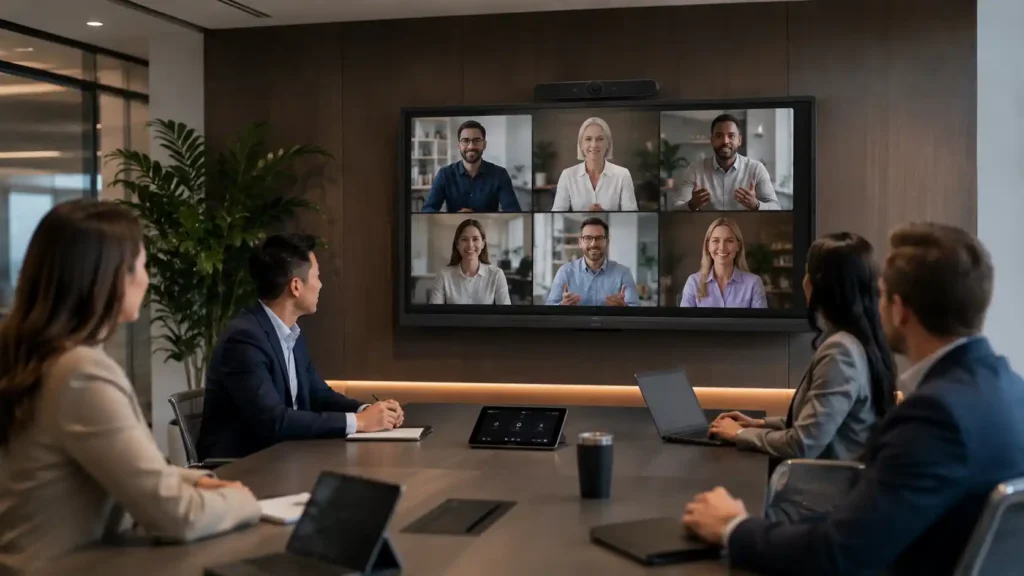
How Does the Samsung WAD eBoard Compare — And When Is It the Better Choice?
Before going further into the Flip Pro vs MeetingBoard comparison, it is worth addressing a question that often comes up in practice: if writing experience is important but the Flip Pro investment feels excessive, what is the alternative?The Samsung WAD eBoard exists precisely for this scenario. It is built on the same Samsung design philosophy as the Flip Pro — focused collaboration without the conferencing hardware stack — but at a significantly more accessible price point.The WAD uses a more traditional infrared touch system rather than the Flip Pro’s premium bonded glass and digital ink engine, which means the writing experience is capable for general classroom and collaboration use but does not match the natural, connected feel of the Flip Pro. Users who annotate frequently and prioritise writing quality will notice the difference.The practical decision framework across the Samsung range: If premium daily writing experience is your absolute requirement — Flip Pro. If writing is useful but not critical and budget matters — WAD eBoard. If video conferencing is your absolute daily requirement — MeetingBoard.
Before You Compare Specs: What Does Your Room Need to Do Every Single Day?
The most useful commercial question to ask before comparing these products is not which one has the better specification sheet. It is: what must this display achieve on day one, every single day, to justify the investment?Absolutes are the non-negotiable daily functions the display must perform reliably from the moment it is installed. Nice-to-haves are capabilities that would be useful but are not operationally critical to daily workflows.Samsung Flip Pro — Daily Absolutes
- Premium annotation and writing experience is used daily by teachers, presenters, or facilitators
- Wireless content presentation from laptops, tablets, or phones is a core daily workflow
- Natural stylus interaction and smooth digital ink feel matter to the primary users
- The environment prioritises collaboration, annotation, and content delivery over video conferencing
- A clean, focused platform with minimal operational complexity is preferred
Samsung Flip Pro — Nice-To-Haves
- Occasional video conferencing via a connected external camera and conferencing software
- Future expansion with additional conferencing hardware if requirements change
- Integration with wireless presentation systems for visiting presenters
Yealink MeetingBoard — Daily Absolutes
- Microsoft Teams video conferencing runs in this room every single day
- A unified system — camera, microphones, audio, display — in one device is operationally essential
- Native Teams Rooms certification is required for enterprise IT compliance
- High-quality remote participant audio and video experience is non-negotiable
- Reducing IT management complexity across a meeting room fleet is a priority
- A clean, single-cable installation is required — executive boardrooms, fit-outs, and formal meeting environments where visible cable runs are not acceptable
Yealink MeetingBoard — Nice-To-Haves
- Touchscreen annotation and whiteboarding for occasional collaborative sessions
- Wireless content presentation from participant devices
- Future expansion into additional conferencing platforms beyond Teams
| Consideration | Samsung Flip Pro | Yealink MeetingBoard |
|---|---|---|
| Best Use Case | Premium writing, annotation, and wireless collaboration | Integrated Teams Rooms video conferencing platform |
| Writing Experience | Premium — near zero-gap glass, low latency, pressure-sensitive stylus | Capable for everyday use — not the primary design priority |
| Integrated Camera | No — external camera required for conferencing | Yes — integrated 4K AI camera with Auto Framing |
| Integrated Microphones | No — external microphone required | Yes — beamforming microphone array |
| Integrated Audio | Standard onboard speakers | Premium audio with noise cancellation and echo suppression |
| Microsoft Teams Rooms Conferencing | No native certification as standalone system | Yes — natively certified Microsoft Teams Rooms platform |
| Video Conferencing | Possible with external hardware additions | Built-in — primary daily function |
| Wireless Presentation | Yes — core daily capability | Yes — supporting capability |
| System Environment | No OPS slot | Windows-based Teams Rooms environment |
| Best Suited To | Annotation-heavy collaboration, education, training, corporate presentation environments | Daily Teams video conferencing, enterprise boardrooms, unified meeting room deployments |
| Price Position | Premium collaboration display | Premium unified conferencing platform |
Which Interactive Display Is Better for Teams Rooms, Training Rooms, and Collaboration Spaces?
Not every room inside an organisation serves the same operational purpose — and this is where many interactive display purchasing decisions go wrong. A formal Microsoft Teams boardroom has fundamentally different daily requirements to a collaborative training room or workshop space. One prioritises integrated conferencing, remote participant experience, and simplified AV management; the other prioritises annotation, wireless presentation, and natural in-room collaboration. Visualising the deployment environment first often makes the right platform choice immediately clearer.
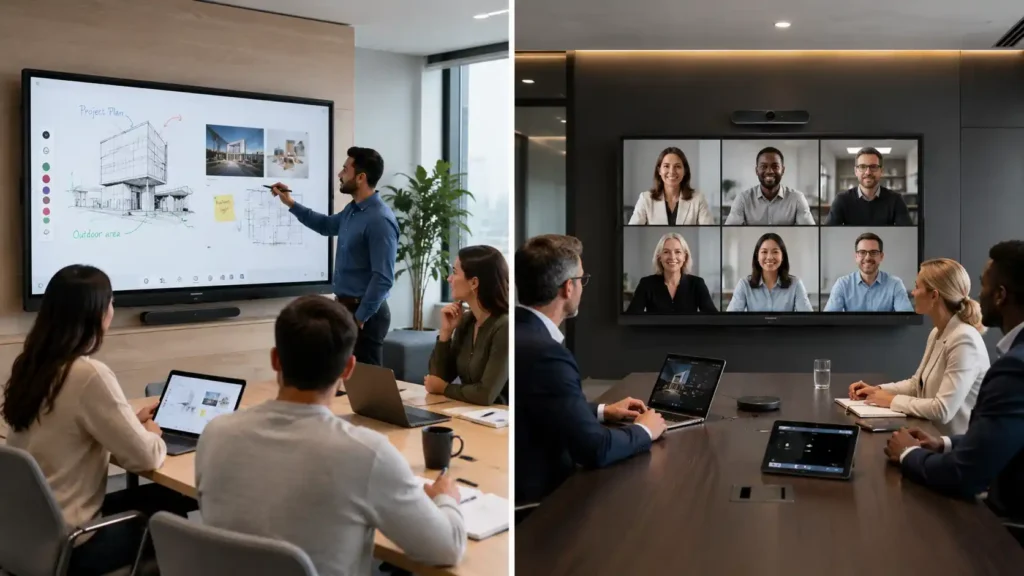
Samsung Flip Pro — Environments Where It Excels
- Training rooms where facilitators annotate, present, and collaborate daily with participants
- Education environments where teachers write on the board throughout the school day
- Creative and design studio environments where natural stylus interaction is important
- Corporate collaboration spaces used primarily for internal team workshops and brainstorming
- Environments where wireless content sharing from multiple participant devices is a daily workflow
- Organisations that do not run daily scheduled video conferences in that specific room
Yealink MeetingBoard — Environments Where It Excels
- Dedicated boardrooms and meeting rooms running Microsoft Teams video conferences daily
- Enterprise organisations requiring IT-managed, certified Teams Rooms deployments
- Rooms where remote participant audio and video quality is operationally critical
- Organisations wanting to eliminate the complexity of managing separate camera, microphone, speaker, and PC hardware
- Multi-site enterprise environments requiring consistent, centrally managed meeting room technology
- Hybrid work environments where in-room and remote participants must collaborate seamlessly every day
Can They Complement Each Other in the Same Organisation?
Yes — and in many larger organisations, this is exactly the right deployment strategy. A business might deploy Yealink MeetingBoards in dedicated formal meeting rooms and executive boardrooms where daily video conferencing is the primary function, while equipping training rooms, collaboration spaces, and workshop areas with Samsung Flip Pro displays where annotation and content presentation are the daily priorities.
These are not competing products within an organisation — they are complementary platforms serving different operational environments. Recognising that distinction from the outset helps organisations deploy the right tool in the right room from day one, rather than discovering a mismatch after installation.
How to Choose: Samsung Flip Pro vs Yealink MeetingBoard Decision Guide
Start with your absolutes. The display that best serves your non-negotiable daily requirements is the right choice — regardless of which product has the longer specification sheet.
Step 1 — What is this room’s primary daily function?
Step 2 — Is native Microsoft Teams Rooms certification required?
Step 3 — How important is premium writing quality?
Choose the Samsung Flip Pro if your daily absolutes are:
- Natural, premium writing and annotation experience used by teachers, trainers, or facilitators every day
- Wireless content presentation and collaboration without conferencing as a primary function
- A focused, intuitive platform that anyone can use without training overhead
- Premium writing feel at a more accessible price point than a full conferencing platform
Choose the Yealink MeetingBoard if your daily absolutes are:
- Microsoft Teams Rooms video conferencing running in this room every working day
- A fully integrated, certified system — camera, microphones, audio, and display in one device
- Enterprise IT management, Teams Rooms licensing, and centralised device control
- High-quality remote participant experience without assembling multiple hardware components
Consider the Samsung WAD eBoard if:
- Writing and collaboration are useful but not your primary daily priority
- Budget is a significant constraint and the Flip Pro premium is difficult to justify
- General classroom or collaboration use is the primary function
- The natural writing experience of the Flip Pro is not operationally critical to daily workflows
Consider a combined deployment if:
- Your organisation has both dedicated meeting rooms running daily video conferences and separate collaboration or training spaces
- Different rooms serve genuinely different primary functions and should be equipped accordingly
- IT management consistency across both display types is achievable within your infrastructure
For many organisations, the best deployment outcome is not choosing the ‘best’ display overall — it is choosing the right platform for the specific operational role each room serves.
Talk to an Australian Display Specialist Before You Buy
Kickstart Computers has supplied Samsung Flip Pro, Yealink MeetingBoard, and Samsung WAD eBoard solutions across Australian education, corporate, government, and enterprise environments since 2007. We can help you identify your daily absolutes, evaluate your operational environment, and recommend the right platform based on what your team genuinely needs to achieve every day — not just what looks impressive on a specification sheet.

Frequently Asked Questions — Samsung Flip Pro vs Yealink MeetingBoard
No — the Samsung Flip Pro is not a native Microsoft Teams Rooms device. It is designed primarily for annotation, collaboration, and wireless presentation. However, organisations can still run Microsoft Teams meetings using connected Windows PCs, OPS-style compute environments, or external conferencing hardware where required.
No. The Yealink MeetingBoard includes an integrated camera, microphone array, speakers, and Microsoft Teams Rooms environment within the display itself. This creates a simplified all-in-one conferencing deployment with fewer external AV components and reduced installation complexity.
Yes — many organisations successfully use the Samsung Flip Pro for conferencing by connecting external webcams, room PCs, or USB conferencing peripherals. Samsung’s approach is more modular, allowing organisations to build conferencing capability around the display rather than integrating everything directly into the panel itself.
For training rooms, workshops, classrooms, and facilitator-led collaboration environments, the Samsung Flip Pro is usually the stronger fit because of its smoother writing experience, lower annotation latency, and more natural digital ink feel during continuous daily use.
Yes — the MeetingBoard still supports interactive whiteboarding and touch collaboration. However, its engineering priorities focus more heavily on conferencing, remote participant experience, integrated microphones, camera systems, and hybrid meeting workflows than premium annotation refinement.
Samsung invested heavily in reducing writing latency and improving digital ink responsiveness on the Flip Pro. For teachers, presenters, trainers, and facilitators who annotate continuously throughout the day, the writing experience often feels smoother and more natural during fast-paced collaboration sessions.
A collaboration display prioritises annotation, touch interaction, brainstorming, and wireless presentation. A Teams Rooms display prioritises integrated conferencing, remote participant experience, microphone arrays, speakers, cameras, and simplified hybrid meeting deployment.
Absolutely. Many organisations deploy Yealink MeetingBoard systems in formal conferencing rooms while using Samsung Flip Pro displays in training rooms, collaboration spaces, classrooms, and workshop environments where annotation matters more than integrated conferencing.
Yes — especially for organisations prioritising value and Google EDLA Android functionality over premium writing refinement. The Samsung WAD eBoard provides easier Android application access and strong classroom collaboration capability, while the Flip Pro focuses more heavily on premium annotation feel and presentation workflows.
Not necessarily. The Samsung Flip Pro is designed to deliver fast day-to-day collaboration, annotation, wireless presentation, and touchscreen performance without requiring additional OPS compute. Samsung optimised the platform specifically for its intended daily workflows, so most classrooms, training rooms, and collaboration spaces will never need extra processing hardware.
However, some organisations may choose to add external Windows or OPS-based compute where the display is expected to handle more advanced conferencing environments, dedicated room applications, multi-user video conferencing layouts, or specialised enterprise software beyond the Flip Pro’s core collaboration-focused design.
If conferencing quality, integrated microphones, remote participant experience, and simplified Teams Rooms deployment are the highest priorities, the Yealink MeetingBoard is usually the stronger fit. If annotation, collaboration, presentation, and writing experience matter more daily, the Samsung Flip Pro is often the better long-term solution.