Conference Microphones & Audio

Conference speakerphones and microphones for meeting rooms — Australia
Kickstart Computers — Est. 2007

Microphones, Speakerphones & Conference Audio — Shop Online Australia

Kickstart Computers supplies conference microphones, speakerphones and meeting room audio for Microsoft Teams Rooms, Zoom Rooms and USB video conferencing deployments across Australia. From compact speakerphones for small meeting rooms through to distributed microphone arrays for large boardrooms — we supply conference audio to match your room size, platform and budget. Most devices we supply are certified for Microsoft Teams Rooms, Zoom Rooms or both platforms.

  • Speakerphone & microphone specialists
  • Teams Rooms & Zoom Rooms certified
  • Four competing brands — independent advice
  • Australia-wide delivery
  • In business since 2007
What You Need to Know

Which type of conference audio is right for your room?

Audio quality has a greater impact on perceived call quality than almost any other factor in a meeting room. Remote participants tolerate poor video far better than they tolerate poor audio — and yet conference microphone and speakerphone specification is the most commonly overlooked part of a room setup. If you get one thing right, get the audio right.

Modern conference audio devices use echo cancellation, noise suppression and beamforming microphone technology to improve speech intelligibility for remote participants. A quality speakerphone or microphone array does far more than just pick up sound — it actively processes the audio to remove room reflections, background noise and feedback before it reaches the far end of the call.

A long boardroom table and a round collaboration table often require completely different microphone layouts — the shape of your table matters as much as its size when specifying conference microphones. A single centrally placed speakerphone that works perfectly on a round table will leave participants at both ends of a long rectangular table difficult to hear.

There are three main categories of conference audio used in Australian meeting rooms. The right choice depends on your room size, table layout, whether you are running a managed room platform, and whether your audio needs to work alongside a separate camera or as a standalone solution.

Best for: Small to medium rooms

Speakerphones

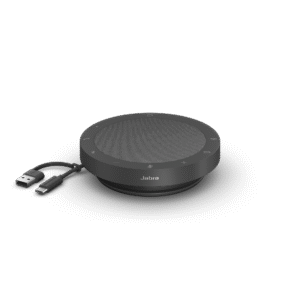
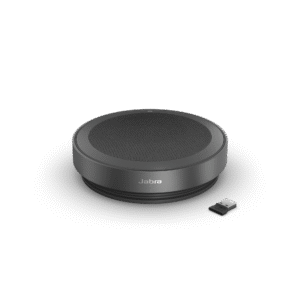
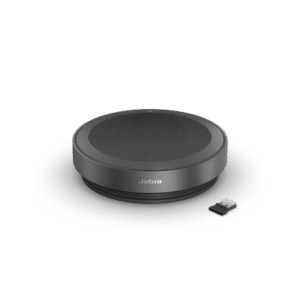
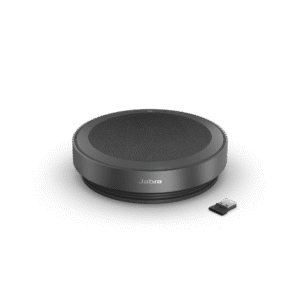
A speakerphone integrates a conference microphone array and speaker into a single device that sits on the table. It is the simplest conference audio solution and in small rooms it is often all you need — no separate camera, no complicated setup. Modern speakerphones use beamforming microphone technology and echo cancellation to deliver clear audio in rooms up to medium size. Jabra and Yealink are the strongest names in this category for Australian deployments.

Best for: Medium to large rooms

Microphone arrays & expansion pods

Microphone arrays and expansion pods extend conferencing microphone coverage in rooms where a single speakerphone or bar microphone cannot reach all participants. They pair with an existing conference bar, room kit or compute module. In large rooms, distributed meeting room microphone coverage is the single most impactful upgrade you can make to call quality — more so than camera or display upgrades.

Best for: BYOD & flexible setups

USB & wireless collaboration audio

USB and wireless audio devices work with any video conferencing application without requiring a managed room platform licence. They suit BYOD setups, flexible collaboration spaces and environments where a full Teams Rooms or Zoom Rooms deployment is not required. Simple to deploy, simple to support and increasingly capable at the price points available today.

Quick reference — conference audio type by room size
Audio typeRoom sizeBest forPlatform needed
SpeakerphoneSmall to mediumSimple standalone audioAny
Mic pods / arraysMedium to largeExpansion audio for bars and kitsTeams / Zoom
USB / wireless audioAnyBYOD and flexible setupsNone required
Distributed audioLarge / boardroomFull coverage at scaleTeams / Zoom

Back to video conferencing shop

If you want to compare all three product categories before deciding, our main video conferencing shop gives you the full picture including brands, room guides and platform compatibility in one place.

Video Conferencing Shop →

Room cameras

If you are building a modular setup and need a standalone camera to pair with your conference microphone or speakerphone, our room cameras category covers PTZ and fixed options for medium to large spaces where a modular configuration outperforms a bar.

Shop Room Cameras →

All-in-one systems

If you prefer a single integrated device that handles camera, audio and collaboration in one unit, our all-in-one systems category covers conference bars and full room kits — including options with built-in conference microphone arrays for every room size.

Shop All-in-One Systems →
Shop by Room Size

Find the right audio solution for your room

Room size determines microphone pickup range, the number of pickup zones needed and whether a single speakerphone is sufficient or distributed conference microphone coverage is required. The audio solution that works in a small meeting room will not work in a large boardroom.

Room Type 01

Small meeting rooms

Small rooms for 2–4 people are where a speakerphone is often the entire solution. A quality Jabra or Yealink speakerphone handles both audio pickup and playback — no installation, no separate camera required if video is not a priority.

Many businesses over-specify small room audio by purchasing expansion microphone systems designed for much larger tables. The result is a complicated setup that performs no better — and often worse — than a well-placed speakerphone on a small table.

Our small meeting rooms guide covers which conference audio solutions suit a small room and when a speakerphone is the right answer versus an all-in-one bar with built-in audio.

Small Meeting Room Guide →

Looking for conference speakerphones specifically — compact, USB or Bluetooth, no platform licence required. Browse all speakerphone models.

Filter: Speakerphone →

Need plug-and-play audio with no room system licence? Browse all BYOD-compatible conference audio products.

Filter: BYOD →
Room Type 02

Medium meeting rooms

Rooms for 5–10 people typically need more coverage than a compact speakerphone can provide on its own. A mid-range speakerphone with good omnidirectional pickup handles most medium rooms. For longer tables, expansion microphone pods start to add real value.

In medium rooms the conference microphone decision often comes down to table length rather than headcount. A 6-person room with a long narrow table needs more microphone coverage than a 6-person room with a compact round table.

Our medium meeting rooms guide covers the audio decision in detail — including when expansion conference microphones add value and when they are unnecessary.

Medium Meeting Room Guide →
Room Type 03

Large meeting rooms

Large rooms are where audio consistently causes the most problems in Australian deployments. A single speakerphone cannot cover a large table — participants at the far end are difficult to hear and remote participants miss contributions from across the room entirely.

In larger meeting rooms, microphone placement and the number of pickup zones have a greater impact on call quality than any other audio factor. Getting distributed conference microphone coverage right is the most impactful upgrade you can make in a large room.

Our large rooms guide covers audio selection for large meeting rooms, how many microphone pickup zones are typically needed and what the most common large room audio mistakes are.

Large Meeting Rooms Guide →
Room Type 04

Dedicated boardrooms

Boardroom audio demands are different to standard large room audio. Clarity, low background noise pickup, consistent volume levels across all participants and reliable integration with a touch controller are all non-negotiable. Distributed microphone systems and premium speakerphone arrays are the boardroom standard.

Boardroom audio specification is almost always the last thing people think about and the first thing they notice when it is wrong. The cost of retrofitting distributed meeting room microphones after a boardroom is installed is significantly higher than specifying correctly from the start.

Our boardroom conferencing guide covers what separates boardroom-grade conference audio from a standard large room solution and why audio specification matters more in a boardroom than any other room type.

Boardroom Conferencing Guide →
Room Type 05

Training & collaboration spaces

Training rooms and flexible collaboration spaces present the most demanding conference microphone brief — multiple presenter positions, variable room configurations and the need to pick up questions from anywhere in the room all require a distributed approach that standard meeting room solutions cannot deliver.

Training rooms are consistently under-specified for conference microphone coverage. The instinct to treat them like a large meeting room almost always results in remote participants missing questions from the back of the room — the furthest point from any centrally placed speakerphone.

Our collaboration spaces guide covers the specific meeting room microphone requirements for training and flexible environments where a standard speakerphone approach consistently falls short.

Collaboration Spaces Guide →
Brands We Stock

Four brands, one independent recommendation

We stock conference microphones and speakerphones from Jabra, Yealink, Logitech and Poly — covering compact speakerphones, expansion microphone pods and distributed audio systems across every room size. Jabra leads this section because audio is their primary expertise, not a secondary product line.

Jabra Speak speakerphone — conference audio

Jabra

The Jabra Speak Series is the most widely deployed speakerphone range in Australian small and medium meeting rooms. Strong omnidirectional pickup, reliable echo cancellation, and simple USB and Bluetooth connectivity. Jabra also produces the PanaCast 50 which combines a 180-degree camera with Jabra's audio expertise in a single device.

Jabra's audio-first engineering approach means their speakerphones consistently outperform bars and conference systems from manufacturers where audio is a secondary consideration rather than the primary product focus.

Our Jabra guide covers the full Speak Series and PanaCast range — which models suit which room sizes and how Jabra's conference microphone approach compares to the broader market.

Explore Jabra →
Yealink CP Series speakerphone — conference audio

Yealink

The Yealink CP Series speakerphones — including the CP965 and related models — cover small rooms through to medium room deployments with strong omnidirectional pickup and reliable Teams and Zoom certification. The Yealink VCM Series microphone arrays extend coverage in larger rooms and integrate seamlessly with Yealink room systems.

Businesses already standardised on Yealink bars and room systems often choose Yealink CP Series and VCM expansion microphones for seamless integration and consistent management across the full room setup.

Our Yealink guide covers the CP Series speakerphone and VCM microphone array range — room size recommendations and how the expansion audio integrates with Yealink room systems.

Explore Yealink →
Logitech Rally Mic Pods — conference microphone expansion

Logitech

Logitech Rally Mic Pods are among the most widely deployed expansion conference microphones in Australian meeting rooms — designed to pair with the Rally Bar and Rally Bar Mini and extend audio coverage for larger tables. The Zone Wireless range also covers personal and small room audio needs.

Rally Mic Pods are particularly effective in medium to large rooms where the built-in Rally Bar microphone array cannot reach participants at the far end of a long table — a common scenario in medium boardroom setups.

Our Logitech guide covers the Rally Mic Pod range alongside Logitech's camera and bar products — including how expansion conference microphones integrate into a complete Logitech room system.

Explore Logitech →
Poly Sync Series speakerphone — conference audio

Poly

The Poly Sync Series speakerphones — including the Sync 20, Sync 40 and Sync 60 — cover small rooms through to medium room deployments with strong enterprise credibility and broad certification. Poly expansion microphones extend coverage into large room and boardroom configurations within the Poly ecosystem.

Poly Sync Series speakerphones are often specified in enterprise environments where organisations have existing Poly infrastructure and want conference microphone consistency across sites and room types.

Our Poly guide covers the Sync Series speakerphone range and expansion audio options alongside Poly's camera and room system products.

Explore Poly →
Platform Compatibility

Is your conference audio certified for Teams or Zoom?

The platform you are running determines which audio devices are certified, how they are managed and which audio processing features are available. Using an uncertified speakerphone or conference microphone in a managed room platform is one of the most common and most avoidable audio mistakes in Australian deployments.

Microsoft Teams Rooms

Teams Rooms certified audio devices integrate directly with the Teams Rooms management and audio processing stack. A certified speakerphone or conference microphone uses hardware-enforced integration with the Teams Rooms compute module — enabling the platform's native AI noise suppression, echo cancellation and full-duplex acoustic processing to work correctly with the device hardware.

An uncertified speakerphone in a Teams Rooms environment bypasses the platform-level audio processing chain. The result is often inconsistent echo cancellation, unreliable noise suppression and limited remote manageability — problems that are difficult to diagnose and frustrating to fix after installation.

Our Microsoft Teams Rooms guide covers certified audio devices, what Teams Rooms audio certification means in practice and what to verify before purchasing any speakerphone or conference microphone for a Teams environment.

Microsoft Teams Rooms Guide →

Zoom Rooms

Zoom Rooms certified audio devices work reliably within the Zoom Rooms ecosystem — including intelligent audio features, room health monitoring and management through the Zoom dashboard. Audio certification requirements differ from Teams Rooms so checking before purchase matters, particularly if you are migrating between platforms.

Zoom Rooms audio certification requirements are often overlooked by businesses migrating from Teams Rooms — the certified speakerphone and conference microphone lists for each platform overlap but are not identical, and assuming compatibility can result in a costly mistake.

Our Zoom Rooms guide covers certified audio hardware for Zoom deployments and what to consider when selecting conference microphones and speakerphones for a Zoom Rooms environment.

Zoom Rooms Guide →
Buying Guide

How to choose conference audio for your room

Conference microphone and speakerphone decisions interact with room size, platform and camera choices in ways that are not always obvious. Work through these five steps before you browse the products above to avoid the most common and most frustrating audio specification mistakes.

01

Determine your room size

Room size drives almost every conference audio decision. Small rooms suit a standalone speakerphone. Large rooms need distributed conference microphone coverage. If you are unsure, our room size guides cover each environment in plain language.

Room size guides →
02

Standalone or expansion audio

A standalone speakerphone is right for small and many medium rooms. Expansion conference microphone pods are right when a bar or room kit is in place but does not provide enough coverage. Do not add expansion mics to a room that does not need them.

03

Check platform certification

If your room runs on Teams Rooms or Zoom Rooms, conference microphone and speakerphone certification is not optional. An uncertified device in a managed room environment loses platform-level audio processing. Check before you purchase.

Teams Rooms certified audio →
04

Confirm camera pairing

If you are building a modular setup with a separate camera and conference microphone, make sure both are appropriate for the same room size. Mismatched audio and camera coverage creates an inconsistent experience for remote participants.

Shop room cameras →
05

Consider table shape

Audio pickup pattern matters as much as microphone count. A round table with a central speakerphone behaves differently to a long rectangular table with participants at both ends. The right conference microphone accounts for the shape of your table, not just its size.

Why Kickstart

Why buy your conference audio from Kickstart?

Australian stock

Speakerphones, conference microphones and audio accessories held locally — no waiting on international freight for a deployment with a go-live date.

Check stock availability →

Audio certification checked first

We verify Teams Rooms and Zoom Rooms audio certification before recommending any speakerphone or conference microphone — not after you have bought the wrong one.

Teams Rooms certified audio →

Camera pairing advice included

We will not sell you a conference microphone or speakerphone without making sure your camera covers the same room. Audio and camera decisions interact — getting both right on the first purchase saves a costly second visit.

Shop room cameras →

Multi-room experience

We have deployed conference audio across single-room setups and multi-site Australian rollouts — the distributed microphone problems that appear at scale in large rooms are ones we have already solved.

Video conferencing guide →

In business since 2007

Kickstart Computers has supplied business technology solutions across Australia since 2007. We have seen every audio platform and certification standard change in that time — that perspective matters when you are specifying conference microphones for a room that needs to work reliably for years.

FAQ

Common questions about conference microphones & speakerphones

A speakerphone integrates a conference microphone and speaker in a single device — it handles both audio pickup and playback. A microphone array is a pickup-only device that captures audio from multiple directions and passes it to a separate speaker or room system. Speakerphones are the complete audio solution for small and medium rooms. Microphone arrays and expansion pods are used when a room system or bar already handles playback and you need to extend conference microphone coverage across a larger table.

For small rooms a single speakerphone centrally placed covers the table adequately. For medium rooms one speakerphone or bar microphone handles most setups, with expansion pods added for longer tables. For large rooms the rule of thumb is one pickup zone for every 2–3 metres of table length. Boardrooms with tables longer than 6 metres typically need at least two or three conference microphone pickup points to ensure all participants are heard clearly by remote attendees.

The shape of the table matters as much as the size — a round table needs different microphone coverage to a long rectangular one. Contact us with your room dimensions and we can advise the right configuration.

Get microphone advice for your room →

Not always — most conference bars include a built-in microphone array that covers small and medium rooms adequately. However in larger rooms or rooms with a long table, the built-in conference microphone often cannot reach participants at the far end. Expansion microphone pods are designed specifically for this situation and are supported by most major bar systems including Logitech Rally Bar, Yealink MeetingBar and Poly Studio.

Our all-in-one systems category covers which bars support expansion conference microphones and what the compatibility requirements are.

All-in-one systems with expansion audio →

For most small meeting rooms a Jabra Speak Series or Yealink CP Series speakerphone covers the room well at a sensible price point. The key specifications to check are omnidirectional pickup range and whether the device is certified for your platform. For a room of 2–4 people around a standard table, a mid-range speakerphone from either brand performs as well as or better than a conference bar in most real-world deployments.

Our small meeting rooms guide covers the full audio decision for small rooms including when a speakerphone is the right answer versus a full bar system.

Small meeting rooms guide →

Yes — a USB speakerphone will work as a standard audio device in the Teams desktop application without requiring a Teams Rooms licence. Teams Rooms is a managed room platform with specific licensing and hardware certification requirements. A USB speakerphone connected to a laptop or room PC running standard Teams is simply a peripheral — no additional licence required.

Our Microsoft Teams Rooms guide covers the distinction between standard Teams and Teams Rooms in detail — including what it means for conference audio device selection.

Microsoft Teams Rooms guide →

A USB speakerphone works as a standard audio peripheral with any application. A Teams Rooms certified speakerphone uses hardware-enforced integration with the Teams Rooms compute module — enabling the platform's native AI noise suppression, echo cancellation and full-duplex acoustic processing to work correctly with the conference microphone hardware. If you are running a managed Teams Rooms environment, certified audio devices unlock capabilities that a standard USB speakerphone cannot provide.

Our Microsoft Teams Rooms guide covers this distinction in detail for different deployment scenarios.

Microsoft Teams Rooms guide →

Yes — most expansion conference microphone systems support daisy-chaining to extend coverage across larger tables. Logitech Rally Mic Pods, Yealink VCM expansion microphones and Poly expansion mics all support this. The maximum number of pods you can chain depends on the specific system.

Contact us with your table dimensions and we will advise the right microphone configuration for your specific setup.

Get microphone configuration advice →

Yes — most certified speakerphones in our range work with Zoom Rooms. As with Teams Rooms, certification matters — a certified speakerphone integrates with the Zoom Rooms management stack and unlocks platform-level audio features. An uncertified USB speakerphone will still work as a basic audio device but without the management and feature integration that a Zoom Rooms certified device provides.

Our Zoom Rooms guide covers certified audio devices and what Zoom Rooms audio certification means for your deployment.

Zoom Rooms guide →

Yes — Kickstart Computers ships speakerphones, conference microphones and audio accessories Australia-wide and has worked with businesses from single room setups through to multi-site audio deployments since 2007. Pre-configuration and pairing with room systems is available on request before shipping.

Get Expert Advice

Not sure which audio solution is right for your room?

Conference microphone and speakerphone specification gets complicated quickly — room size, table shape, platform certification and camera pairing all interact. Our team works with Australian businesses on exactly these decisions every day. Call Andrew on 0416 353 501 or send us a message and we will match the right audio solution to your room without the sales pitch.

  • Australian stock
  • Certification checked before purchase
  • Camera pairing advice included
  • Four competing brands
  • In business since 2007
Shopping Cart
Scroll to Top