Video Bars — All-in-One Conference Systems for Australian Meeting Rooms
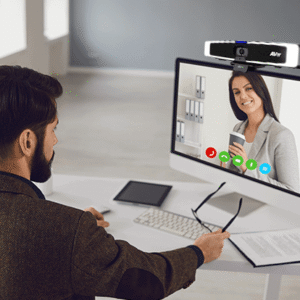
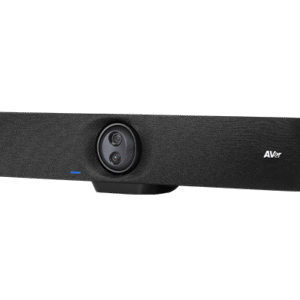
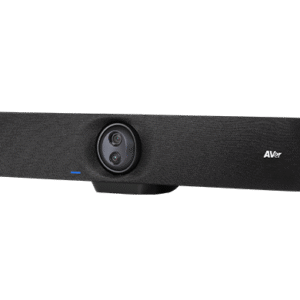
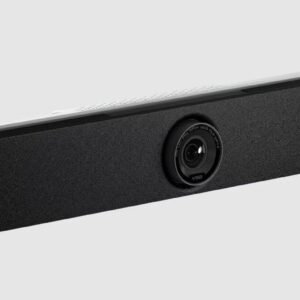
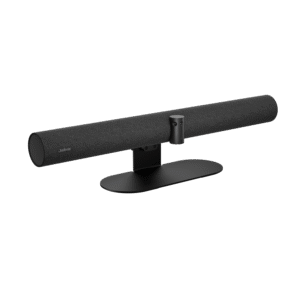
Video bars integrate camera, microphone, speaker and compute into a single unit that mounts below or above your display. The right model depends on your room size and platform — browse by filter below or use the links to narrow by platform, room size or use case.
A video bar is the most common solution for Australian meeting rooms because it removes the complexity of a separate camera, speaker and microphone from the equation. One device, one cable to the display, one thing to manage and one thing to replace if something goes wrong. For most rooms of 1–10 people, a video bar is both the simplest and the most cost-effective path to a working video conferencing setup.
The single most common video bar mistake in Australian deployments is choosing a model rated for a small room and placing it in a medium or large space. The camera field of view is too narrow, the microphone pickup falls short of the far end of the table, and the result is a system that looks and sounds worse than something half the price would in the right room. Start with your room dimensions, not the product spec sheet.
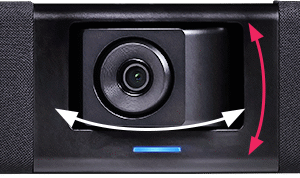
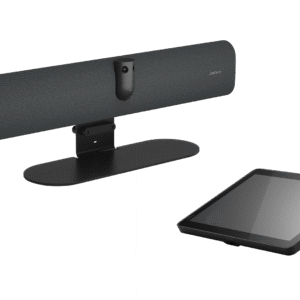
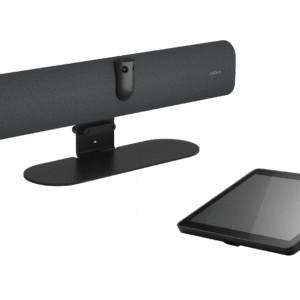
Video bars split broadly into three tiers by room size. Compact models handle small rooms and huddle spaces for 2–4 people with minimal fuss. Mid-range bars with auto-framing and AI director features suit medium rooms of 5–10 people well. Full room kits — a bar paired with a touch controller, expansion microphones and sometimes a separate compute module — cover larger spaces where the bar alone cannot reach every seat at the table.
Small Rooms — 1 to 4 people
Compact video bars with wide-angle lenses and built-in audio. Plug-in USB models work with any laptop. Android-based models run Teams or Zoom natively without a PC.
Medium Rooms — 5 to 10 people
Mid-range bars with auto-framing, AI speaker tracking and longer microphone reach. Touch controllers for one-touch join become worth the cost at this room size.
Large Rooms — 10 people plus
Full room kits with expansion microphone pods, dedicated compute and wider camera coverage. A standalone bar is rarely enough above 10 seats.
Platform certification matters before you buy. Most video bars in this range carry Microsoft Teams Rooms or Zoom Rooms certification — but not always both, and not always at the same feature tier. A certified bar joins meetings with one touch, appears in your admin console and supports the management features your licence already pays for. An uncertified bar may connect to a call but behaves like a peripheral, not a room system. Filter by platform below or use the links to browse certified models directly.
BYOD video bars — USB models with no platform licence required — are the right answer when your team needs a simple plug-in solution that works from any laptop regardless of platform. They are the most flexible option for rooms that host guests, external meetings or teams that haven't standardised on a single platform. Filter for BYOD below if that describes your situation.
Zoom Rooms certified video bars run Zoom natively on dedicated hardware — no laptop required, one-touch join, full Zoom Rooms management features included.
Video bars are the most common solution for medium rooms of 5–10 people. Our guide covers which models perform best at this room size and where the all-in-one approach starts to need expansion audio.
Call Andrew on 0416 353 501 or send us a message — tell us your room size, how many people it seats and which platform you are running, and we will point you to the right model without the guesswork.