
Commercial video wall solutions
Jump Ahead Too
ToggleCommercial Video Wall Solutions for Australian Businesses
A video wall is one of the most impactful commercial display investments an organisation can make — and one of the most complex to specify correctly. Unlike a single commercial display where the primary decisions are size, brightness, and duty cycle, a video wall involves technology selection, pixel pitch, viewing distance, structural requirements, content resolution, and ongoing management considerations that don't exist in single-screen deployments.
This page is designed to guide buyers through those decisions honestly — including the cases where a video wall is not the right answer and a large single-screen display would serve the environment better at lower cost and with less complexity.
Kickstart Computers supplies commercial video wall panels and Direct View LED systems to businesses, AV integrators, electricians, and building contractors across Australia. Our supplier network covers the full commercial video wall range — including models not currently listed on the site. Contact us before assuming a product isn't available.
Video walls sit within the broader commercial display and digital signage category. If you're also researching single-screen commercial displays, outdoor signage, interactive solutions, or digital menu boards, our digital signage hub covers the full range of commercial display technologies available in Australia.
Advisory and feasibility
Do you actually need a video wall — or would a large single screen work better?
The commercial display market has changed significantly in recent years. A single 98" professional display from Sony, Philips, or Samsung now delivers 4K resolution, 700+ nits of brightness, and a screen area that comfortably serves most boardrooms, reception areas, and mid-sized presentation environments — without bezels, without a video wall controller, without structural wall reinforcement, and without the content resolution complexity that comes with a multi-panel tiled installation.
Before specifying a video wall, these questions determine whether you actually need one:
Choose a large single-screen display when
Consider a video wall when
Large single-screen alternatives worth evaluating first
If your environment sits clearly in the single-screen column, a video wall will cost more, require more infrastructure, and deliver no meaningful advantage over a premium large-format display. These are the products worth considering before committing to a multi-panel installation:
Sony Bravia BZ53L — 98"
780 nits · Full Array LED · Dolby Vision · 24/7 · view Sony 98" BZ53L
Philips U-Line — 84" and 98"
500 nits · IPS panel · 50,000hr MTBF · 24/7 · view Philips range
Samsung large format QMC / QHC series
Browse the full Samsung range on our site — view Samsung displays
Technology comparison
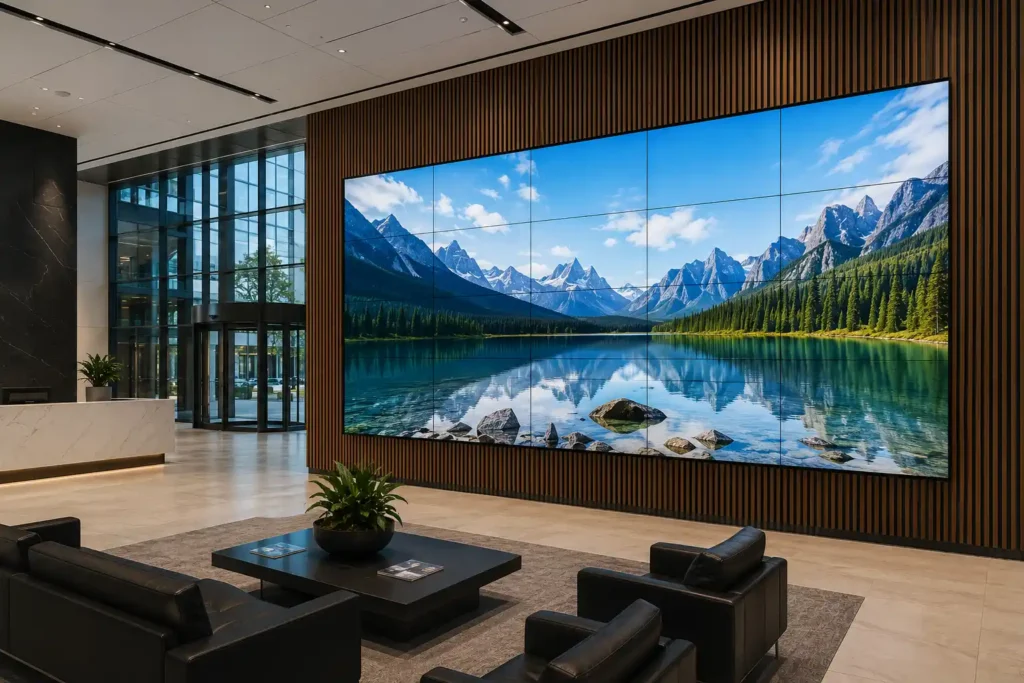
What is the difference between an LCD video wall and a Direct View LED display?
The commercial video wall market is divided into two architecturally different technologies. The difference between them is not one of quality — both are legitimate professional solutions used in major commercial installations globally — but of application, viewing distance, budget, and installation environment. Specifying the wrong technology for the environment is the most common and most expensive mistake in video wall procurement.
LCD Tiled Video Walls
Purpose-built commercial LCD panels mounted in a grid configuration — 2x2, 3x3, 4x4, or larger — with ultra-narrow bezels engineered to minimise the visible gap between panels. Premium commercial LCD video wall panels can achieve bezel-to-bezel gaps as low as approximately 0.44mm on premium panels — a gap so narrow it becomes effectively invisible at normal viewing distances. Each panel connects to a video wall controller that splits and distributes the source signal across the full array as a single unified image.
LCD wins for:
Limitations:
Physical bezels exist even at 0.44mm — visible in certain lighting conditions. Brightness typically 500–700 nits per panel. Not suited to very high ambient light or direct sunlight exposure.
Direct View LED (dvLED)
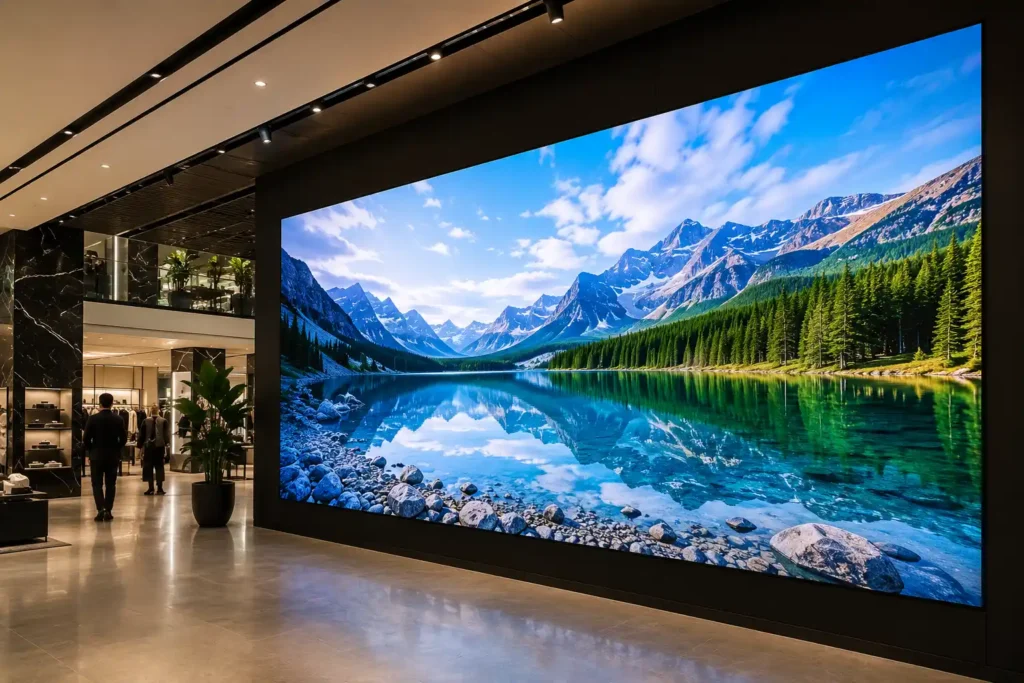
Images produced directly by arrays of individual surface-mounted LED diodes across modular tile panels. Because the tiles connect seamlessly edge to edge with no LCD panel housing or bezel between them, the finished wall surface is completely continuous — no visible grid lines at any appropriate viewing distance. A dedicated LED processor drives the full array as a single canvas. Wall dimensions are not constrained by fixed panel sizes — the modular architecture allows any aspect ratio or scale.
dvLED wins for:
Limitations:
Significantly higher cost than LCD at equivalent sizes. Pixel pitch determines minimum viewing distance — incorrect pitch specification produces visible pixelation at close range. Installation and calibration more complex.
| Criteria | LCD tiled video wall | Direct View LED (dvLED) |
|---|---|---|
| Bezels | Ultra-narrow — as low as 0.44mm on premium panels | Zero — completely seamless tile-to-tile surface |
| Brightness | 500–700 nits typical | 1,000–10,000 nits depending on specification |
| Viewing distance | Suitable for close viewing — text and data at 1m+ | Determined by pixel pitch — minimum distance varies |
| Image surface | Panel grid — bezels visible in certain conditions | Continuous seamless canvas at any size |
| Sizing | Constrained by fixed panel sizes and grid configurations | Modular — any dimensions, any aspect ratio |
| Cost | More accessible — cost-effective at standard sizes | Premium — significantly higher capital cost |
| Serviceability | Individual panels replaceable without full wall removal | Tile or diode-level replacement — specialist required |
| Best environment | Control rooms, retail walls, corporate lobbies, transport | Luxury retail, premium lobbies, auditoriums, events |
Burn-in and image retention — what video wall buyers need to know
Both LCD and Direct View LED video walls can experience image retention or burn-in when static content — logos, channel bugs, dashboard borders, menu layouts — displays in a fixed position for extended periods at high brightness.
For LCD panels, pixel shift, screen saver scheduling, and brightness management reduce the risk significantly. For Direct View LED, individual diode wear under static high-brightness content is a genuine long-term consideration — rotating content, scheduling off periods, and avoiding maximum brightness for static elements all extend panel lifespan. If your content is predominantly static — a fixed menu board layout or a permanent dashboard display — discuss burn-in mitigation with us before specifying. It affects both the product recommendation and the content management approach.
Batch-matched spare panels — a procurement recommendation most buyers miss
When ordering an LCD video wall or dvLED tile system, we strongly recommend procuring one or two batch-matched spare panels or a set of LED modules at the time of the original order. Manufacturers update panel production runs regularly — a replacement panel purchased 18 months after the original installation may have a slightly different colour temperature, brightness calibration, or bezel dimension from the original batch. A mismatched replacement panel in a tiled wall is immediately visible and difficult to correct retrospectively. Ordering spares from the same production batch at point of purchase eliminates this risk entirely.
Specification guide
What is pixel pitch and how does it affect viewing distance?
Pixel pitch is the measurement in millimetres between the centre of one LED pixel and the centre of the next. It is the single most important specification in a Direct View LED purchase — and one of the most commonly misunderstood. Getting pixel pitch wrong is an expensive mistake because it cannot be corrected without replacing the entire LED tile system.
| Pixel pitch | Min viewing distance | Resolution characteristic | Typical deployment | Budget tier |
|---|---|---|---|---|
| 0.9mm | ~0.9 metres | Ultra-high resolution — fine text readable at close range | Control rooms, broadcast, close-viewing premium installations | Premium |
| 1.2mm | ~1.2 metres | Very high resolution — data and text at medium-close range | Corporate boardrooms, executive environments, trading floors | Premium |
| 1.5mm | ~1.5 metres | High resolution — strong image quality at medium distance | Retail feature walls, corporate lobbies, medium viewing | Mid-premium |
| 2.5mm | ~2.5 metres | Standard resolution — suited to brand and video content | Large lobbies, auditoriums, event spaces | Mid-range |
| 4mm | ~4 metres | Broadcast resolution — video and imagery at distance | Large public spaces, transport hubs, outdoor-adjacent | Accessible |
| 6mm+ | ~6 metres+ | Long-distance viewing — large format brand content only | Stadiums, large event venues, semi-outdoor installations | High volume |
The pixel pitch decision needs a site visit or detailed brief
Pixel pitch is not a decision to make from a spec sheet alone. The correct specification depends on your actual viewing distance, the ambient light level in the space, the content type you'll be displaying, and the physical wall dimensions. Contact us before committing to a pixel pitch — we include a pixel pitch consultation in all dvLED project quotes at no additional cost.
How pixel pitch works for LCD tiled video walls
For LCD tiled video walls, pixel pitch is determined by the panel resolution and physical size rather than a separate specification decision. A 55" 4K panel has a native pixel pitch of approximately 0.315mm — significantly finer than most dvLED configurations at equivalent price points. This is why LCD video walls outperform dvLED for text-heavy and data-heavy content at close viewing distances despite the visible bezels. A 3x3 array of 55" 4K panels produces a combined canvas resolution of 11,520 x 6,480 pixels — exceptional clarity for control room and operations centre applications.
Deployment guide
Which video wall solution is right for my environment?
The right technology, configuration, and manufacturer depends on what the installation needs to do — not just how large it needs to be. This table maps common commercial environments to the correct solution, with honest reasoning for each recommendation.
| Environment | Recommended solution | Products | Reasoning |
|---|---|---|---|
| Corporate boardroom under 4m viewing | 98" single display | Sony BZ53L · Philips U-Line · Samsung large format | Single screen simpler, cheaper, bezel-free, 4K sharp at close range — video wall not justified |
| Corporate lobby or large reception | LCD video wall or dvLED | Philips X-Line · Samsung VMB-U · Samsung The Wall | Scale beyond single screen required — technology choice depends on budget and ambient light |
| Retail feature wall | LCD video wall | Philips X-Line · Samsung VMB-U · LG SVH | Cost-effective large format, modular, proven retail deployment, serviceable panels |
| Luxury retail or experiential brand | Direct View LED | Samsung The Wall AIO · Philips L-Line | Seamless canvas essential for brand premium — bezels unacceptable in luxury environment |
| Control room or operations centre | LCD video wall | Philips X-Line · Samsung VMB-U · LG SVH | Close viewing, text-heavy content, individual panel serviceability — LCD superior here |
| QSR or hospitality menu boards | Single commercial display | Philips D-Line · Samsung QHC · Sony BZ30L | Video wall rarely justified for menu content — single 24/7 display simpler and more reliable |
| Outdoor or window-facing high brightness | Outdoor LED or H-Line | Philips H-Line · Outdoor LED panels | Environmental requirements exceed indoor panel ratings — outdoor-rated product required |
| Large auditorium or event space | Direct View LED | Samsung The Wall AIO · Philips L-Line | Screen size requirements exceed LCD tiling practicality — dvLED scales without limitation |
| Education lecture theatre | 98" single display or 2x1 LCD | Sony BZ53L · Philips U-Line · Philips X-Line 2x1 | Close viewing, detailed content, budget sensitivity — single screen usually sufficient |
| Transport hub or public information | LCD video wall | Philips X-Line · Samsung VMB-U · LG SVH | 24/7 reliability, individual panel serviceability, text and data clarity at close range |
| Healthcare wayfinding or public info | LCD video wall or single display | Philips X-Line · Philips D-Line · Philips V-Line | Reliability and DICOM compatibility may factor — Philips clinical range applicable |
Procurement reality
What does a video wall installation actually cost and involve?
The panels are one component of a video wall system. A complete installation involves structural, electrical, AV, and content infrastructure that adds significantly to the panel cost alone. Understanding the full scope before purchasing prevents the most common and most costly post-purchase problems in commercial video wall projects.
Panel hardware
The display panels themselves — LCD tiled panels or dvLED tile modules. The starting point of the budget, not the complete picture.
Video wall controller or processor
Required to split and distribute source signals across multiple panels. Standard HDMI sources cannot drive a multi-panel wall without a processor. Cost varies significantly by input count and resolution requirements.
Mounting system and frame
Precision video wall frames with panel alignment adjustment. A 3x3 LCD wall requires a frame engineered to hold panels in exact alignment — consumer TV mounts are not appropriate.
Structural reinforcement
A 3x3 configuration of 55" panels can weigh 150kg or more including frame. Stud walls and standard plasterboard are generally insufficient — concrete, brick, or steel-backed walls are preferred. Structural engineer assessment recommended for walls larger than 2x2.
Electrical work
Each panel requires a dedicated power connection. A 3x3 wall needs nine power outlets behind the frame — total draw typically 1,500–2,000W. Power distribution must be planned and installed by a licensed electrician before the frame goes up.
Installation labour
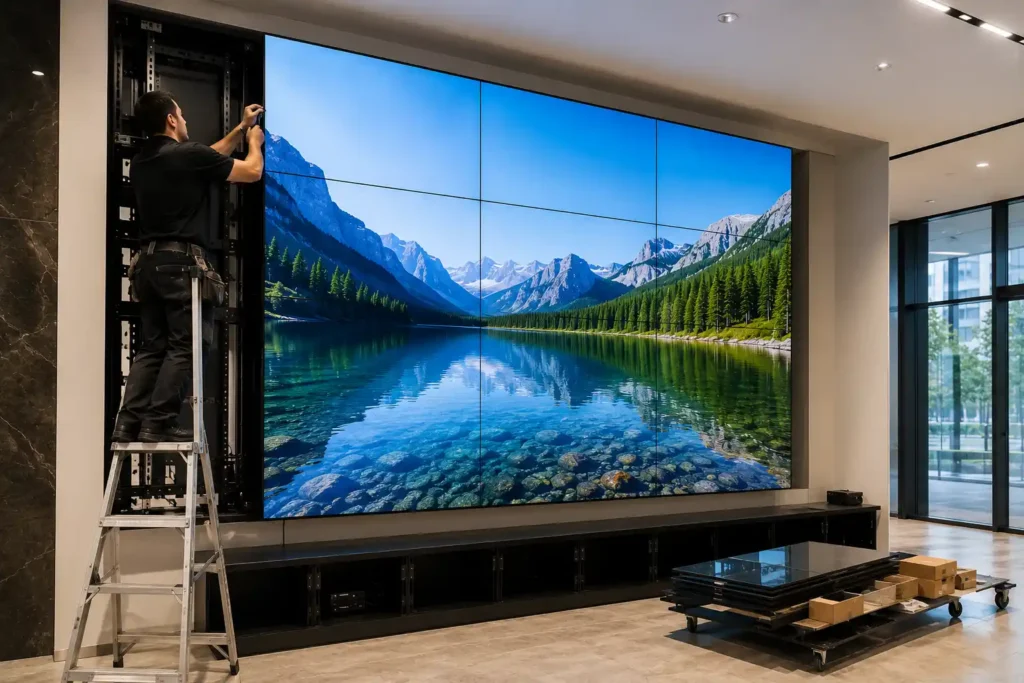
Panel mounting, cable management, signal routing, and initial setup. Video wall installation is specialist AV work — not a standard TV mounting job. Factor this into project budgets before purchasing panels.
Calibration and commissioning
LCD panels require colour and brightness calibration across the full array for uniformity. dvLED systems require LED processor configuration and full-wall calibration after assembly. Commissioning should be performed by a qualified AV technician.
Content management software
Dynamic content scheduling across a video wall requires software capable of multi-output display management. Samsung MagicINFO, PPDS Wave, and third-party CMS platforms all have licensing costs to factor into the total project budget.
Batch-matched spare panels
Recommended at point of purchase. Panel production runs change — a replacement panel ordered 18 months later may not match the original batch in colour temperature or bezel dimension. Order spares now to avoid a visible mismatch later.
The full project budget is typically 1.5x to 2.5x the panel cost alone
For buyers comparing video wall panel pricing online, the panel cost is typically 40–65% of the total installed project cost. Structural work, electrical, processor, mounting, installation labour, calibration, and content management combined frequently exceed the panel hardware cost for a first-time installation. Our team includes controller recommendations, power distribution guidance, and content resolution advice in all project quotes — these are part of the specification conversation from the beginning, not afterthoughts.
Specification guidance
What are the most common video wall specification mistakes?
These are the mistakes that appear most frequently in video wall projects — from first-time buyers and experienced procurement managers alike. Understanding them before specifying saves significant time, money, and frustration.
Wrong pixel pitch for viewing distance
Specifying a dvLED wall with too large a pixel pitch for the actual viewing distance produces visible pixelation at normal use. This cannot be corrected without replacing the LED tile system. Always confirm viewing distance before committing to pixel pitch.
Underestimating total installation cost
Buying panels at a good price and then discovering the structural, electrical, and AV costs make the project unviable. The panel cost is the starting point — not the project budget. Always scope the full installation before purchasing.
Specifying indoor panels for bright glazed environments
Standard indoor LCD video wall panels at 500–700 nits wash out completely in direct sunlight through storefront windows. Window-facing installations require high-brightness specialist panels — H-Line at 2,500–3,000 nits or outdoor-rated solutions.
Forgetting service access behind the wall
Video wall frames mounted flush to the wall with no rear access make individual panel replacement extremely difficult. Planning service access — either rear access panels or a front-serviceable mounting system — before installation avoids a very expensive problem later.
Buying a video wall when a 98" display would suffice
The most expensive mistake of all — specifying a multi-panel video wall for an environment comfortably served by a single 98" commercial display. A Sony BZ53L or Philips U-Line at 98" costs a fraction of a 2x2 video wall, installs in hours not days, and has no bezels.
No content strategy before hardware purchase
A video wall without content optimised for its resolution and aspect ratio looks worse than a single well-configured display. Content resolution, aspect ratio, and source capability should be confirmed before hardware is ordered — not after installation.
Missing batch-matched spare panels
Not ordering spare panels from the same production batch at point of purchase. Panel production runs update regularly — a replacement ordered 18 months later may not match in colour temperature or bezel dimension, creating a visible mismatch in the wall.
Ignoring burn-in risk for static content
Deploying a video wall with permanently static content — fixed logos, permanent dashboard borders, static menu layouts — without implementing pixel shift, brightness scheduling, or content rotation. Both LCD and dvLED are susceptible to image retention under sustained static high-brightness content.
Technology comparison
Should I choose a video wall or a projector for my space?
For large-format display requirements in boardrooms, lecture theatres, auditoriums, churches, and training rooms, a projector is often the first technology buyers consider — and for some environments it remains the right answer. Understanding when a video wall outperforms a projector and when a projector is the better choice prevents an expensive misspecification in either direction.
Choose a video wall when
Choose a projector when
The honest answer for most Australian boardrooms and lecture theatres
For a standard corporate boardroom or university lecture theatre with 3–6 metre viewing distances and ambient light during use, a premium 98" commercial display outperforms both a projector and a video wall on clarity, brightness, reliability, and total cost of ownership. A projector makes sense for spaces that genuinely need 150"+ screen size and can control ambient light. A video wall makes sense when the environment requires permanent large-format display beyond single-screen capability. The 98" display is the right answer more often than either alternative — and the one most buyers don't consider first.
Products and manufacturers
Which manufacturers does Kickstart Computers supply for video walls?
Kickstart Computers supplies video wall panels from the leading commercial display manufacturers across both LCD tiled and Direct View LED categories. Products currently listed on our site can be ordered directly. Products marked as available on request can be sourced through our supplier network — contact us with your specification and we will come back with pricing and lead time.
LCD tiled video wall panels
Philips X-Line
The most comprehensively engineered LCD video wall range in our portfolio — built specifically for tiled deployment from the ground up rather than adapted from standard commercial displays. Ultra-narrow bezels down to sub-2mm total bezel-to-bezel gap with Pure Colour Pro factory calibration ensuring colour uniformity across every panel in the array. Native hardware loop-through for signal distribution without additional infrastructure. Tiling software supports configurations up to 10x10 in 4K. For retail feature walls, corporate lobbies, control rooms, and transport hubs, the X-Line is the specification to start with.
Samsung VMB-U Series
Samsung's high-volume commercial video wall panel — an extreme narrow bezel tiled display platform widely deployed across Australian retail, corporate, and hospitality environments. Compatible with Samsung's MagicINFO content management platform for centralised scheduling and monitoring across the video wall array. For organisations already running MagicINFO across a Samsung display fleet, the VMB-U integrates into the existing management infrastructure without additional platform complexity.
LG SVH7F and VL5PJ Series
LG's commercial video wall panel range covering standard to ultra-narrow bezel configurations for retail, corporate, and public information deployments. Compatible with LG's webOS signage platform for content management and remote monitoring. A strong option for organisations with an existing LG commercial display estate looking to extend into video wall configurations without changing content management platforms.
Direct View LED systems
Samsung The Wall All-in-One
The premium indoor Direct View LED system in our range — modular LED tiles at pixel pitches from 0.84mm to 1.68mm producing a completely seamless, bezel-free canvas at any size. For luxury corporate lobbies, flagship retail installations, premium hospitality environments, and any application where the display wall is the centrepiece of the space, The Wall delivers a visual quality LCD tiling cannot replicate. Samsung The Wall is a project and custom order product — lead times reflect the bespoke nature of the specification. Contact us for pixel pitch consultation, configuration, and project pricing.
Project and custom order — contact us for specification consultation and pricing
Philips L-Line
Philips' modular indoor Direct View LED architecture — bezel-free LED wall panels available across multiple pixel pitch configurations to suit different viewing distances, content requirements, and installation environments. Unlike LCD tiled video walls which have physical bezels between panels however narrow, the L-Line's LED module architecture produces a completely seamless image surface. Wall dimensions are not constrained by fixed panel sizes — the modular system accommodates any aspect ratio or scale requirement. Contact us for L-Line pixel pitch options, configuration guidance, and project pricing.
Project and custom order — contact us for pixel pitch consultation and configuration guidance
Outdoor LED display systems — also available
For outdoor and semi-outdoor large-format LED display requirements, Kickstart Computers also supplies outdoor-rated LED tile systems including the Philips HUL series at 6,000 and 10,000 nits with IP66/65 ratings for full environmental protection. Outdoor LED is a separate product category from indoor video wall panels — if your installation is external or exposed to weather, contact us to discuss outdoor-rated options. See our outdoor digital signage category for more information.
Trade and installer supply
Where can I buy video wall panels for business or trade in Australia?
Kickstart Computers supplies commercial video wall panels and Direct View LED systems directly to businesses, AV integrators, electricians, and building contractors across Australia. Whether you're a facilities manager comparing quotes, a business owner researching options, or a trade buyer sourcing panels for a client installation — our supplier network and purchasing volume work in your favour.
Broader supplier pool
Our supplier network spans the full commercial display range across multiple distributors. If a specific panel model is out of stock with your primary supplier, we can often source it — including models not currently listed on the site.
Competitive trade pricing
Our purchasing turnover across the full commercial display range frequently allows us to offer pricing that reflects our aggregate volume — not a single-project margin. Electricians and small AV integrators regularly find our pricing competitive with their direct trade accounts.
No trade account required
We don't require a trade account or minimum order to supply to the trade. If you need one panel or one hundred, contact us directly. National shipping to metro and regional locations across Australia.
Technical specification support
We understand the product and can assist with specification questions — pixel pitch, bezel width, controller compatibility, and content resolution. Not just a box-shipping operation.
Fast turnaround on stocked lines
Philips, Samsung, and LG commercial display lines ship quickly from our supplier network. For stocked models, national delivery typically within a few business days. Project order dvLED systems have longer lead times — discussed at point of enquiry.
Price comparison welcome
If you've been quoted by an installer or supplier and want a comparison, contact us with the model numbers. We'll come back with our pricing honestly — if we can't improve on your existing quote, we'll tell you.
How we can help you
Three types of video wall buyer — one honest answer for each
You know what you want and need a price
Contact us directly with the model number and quantity. We'll come back with pricing and availability from our supplier network. If we can beat your current quote or source a model your supplier doesn't have, we'll tell you immediately. Email or call — whichever is faster for you.
You've been quoted by an installer and want a comparison
That's a completely legitimate use of this page. Contact us with the model numbers from your installer's quote and we'll give you an honest comparison — panel supply pricing only, installation not included. We won't pressure you and we won't contact your installer.
You're researching and haven't spoken to anyone yet
Start with the "do you actually need a video wall" section at the top of this page. If a video wall is the right answer, contact us for a project consultation. We'll ask about your space dimensions, viewing distances, content requirements, and budget before recommending anything.
Related categories
Explore related commercial display categories
Video walls are one part of a broader commercial display ecosystem. If a video wall isn't the right solution for your environment, these categories cover the full range of alternatives.
Single commercial displays for retail, corporate, education, and hospitality — from 32" through to 98". The right starting point for most standard signage deployments.
Touchscreen displays for wayfinding, retail kiosks, collaboration, and self-service applications — from single touch displays through to large-format interactive panels.
Weatherised outdoor display solutions for advertising, public communication, and high-visibility applications — including outdoor-rated LED tile systems.
Commercial display solutions for QSR, hospitality, and cafe environments. Single and multi-screen menu board configurations without the complexity of a full video wall system.
Including the BZ53L 98" — the large single-screen alternative to a small video wall for boardrooms, reception areas, and prestige installations.
Including the U-Line 84" and 98" large format prestige displays — and the X-Line video wall range for tiled LCD installations.
Explore by manufacturer
Research video wall manufacturers in depth
The three manufacturers most commonly specified for commercial video wall projects in Australia each bring different strengths across LCD tiled and Direct View LED categories.
Samsung leads the commercial video wall market with the VMB-U LCD tiled range and The Wall All-in-One Direct View LED system — alongside one of the broadest commercial display portfolios available in Australia.
LG's SVH series brings ultra-narrow bezel LCD video wall capability to retail, corporate, and public information environments — backed by LG's commercial display engineering and webOS content management platform.
Philips PPDS Commercial Displays
Philips' X-Line is the most comprehensively engineered LCD video wall panel in our portfolio — with sub-2mm bezel-to-bezel gaps, Pure Colour Pro factory calibration, and native loop-through for configurations up to 10x10.
Video wall projects are specification exercises before they are purchasing decisions. Contact Kickstart Computers to start the conversation — panels, pixel pitch, processor, content, and installation complexity all covered in one project consultation.
Browse video wall productsTo discuss your video wall project, request a quote, or check availability on a specific panel model:
Frequently Asked Questions About Commercial Video Walls
A video wall is a large display surface created by combining multiple commercial display panels or modular LED cabinets into a single unified visual canvas — controlled as one image rather than individual screens.
Common video wall environments:
- Corporate lobbies and reception areas
- Retail flagship and feature walls
- Control rooms and command centres
- Transport hubs and public information systems
- Universities and education facilities
- Hospitality venues and stadiums
- Broadcast and event environments
Two fundamentally different technologies serve the video wall market:
- LCD tiled video walls — commercial panels in a grid with ultra-narrow bezels
- Direct View LED (dvLED) — modular LED tiles producing a completely seamless surface
The correct technology depends on viewing distance, ambient light, content type, budget, and installation environment.
This is the most important distinction in the commercial video wall market — and the one most buyers don't fully understand before specifying.
LCD tiled video walls:
- Multiple commercial LCD panels mounted in a grid formation
- Ultra-narrow bezels between panels — as low as 0.44mm on premium panels
- Physical joins exist even at minimum bezel width
- Superior for text-heavy and data-heavy content at close viewing distances
- More accessible cost — cost-effective for standard commercial deployments
- Individual panels replaceable if one fails
- Best for: control rooms, retail walls, corporate lobbies, transport hubs
Direct View LED (dvLED):
- Modular LED tiles with no LCD panel housing between them
- Completely seamless surface — zero bezels, zero visible joins
- Significantly higher brightness than LCD
- Custom dimensions — not constrained by fixed panel sizes
- Higher capital cost than equivalent LCD configurations
- Best for: luxury retail, premium lobbies, auditoriums, experiential environments
The difference is not one of quality — both are legitimate professional solutions. The difference is application, viewing distance, budget, and environment.
Yes — but the visibility depends entirely on the bezel width specified and the viewing distance.
Understanding bezel-to-bezel measurements:
3.5mm bezel-to-bezel:
- Visible at most viewing distances
- Acceptable for budget retail signage and standard information displays
- The grid pattern is part of the aesthetic at this specification
1.8mm bezel-to-bezel:
- Visible at close range, less noticeable at 3+ metres
- Standard commercial video wall specification for most corporate applications
0.44mm bezel-to-bezel (premium panels — Philips X-Line):
- Effectively invisible at viewing distances of 3 metres or more
- Near-seamless canvas for high-end corporate lobbies and control rooms
- The correct specification where image continuity is paramount
If completely seamless presentation is required at any viewing distance — luxury retail, premium brand environments, prestige lobbies — Direct View LED is the only solution that eliminates bezels entirely.
Pixel pitch is the distance in millimetres between the centre of one LED pixel and the centre of the next. It is the single most critical specification in a dvLED purchase and cannot be corrected without replacing the entire tile system.
How pixel pitch affects the image:
- Smaller pitch — more pixels per square metre, higher resolution, sharper at close range, higher cost
- Larger pitch — fewer pixels per square metre, requires greater viewing distance, more accessible cost
- Too large for the viewing distance — produces visible pixelation (the screen door effect)
- Too small for the environment — adds significant cost with no visible benefit
Practical pixel pitch guide:
- 0.9mm — minimum viewing distance approximately 0.9m — control rooms, broadcast, close premium installations
- 1.2mm — minimum viewing distance approximately 1.2m — corporate boardrooms, executive environments
- 1.5mm — minimum viewing distance approximately 1.5m — retail feature walls, corporate lobbies
- 2.5mm — minimum viewing distance approximately 2.5m — large lobbies, auditoriums, event spaces
- 4mm+ — minimum viewing distance 4m+ — large public spaces, transport, outdoor-adjacent
The pixel pitch decision requires knowledge of the actual viewing distance, ambient light level, content type, and wall dimensions. Contact us before committing to a specification — the wrong choice is expensive to correct.
Not every large-format display requirement needs a video wall — and specifying one when a single screen would suffice is one of the most common and most expensive mistakes in commercial AV procurement.
Choose a large single-screen display when:
- Primary viewing distance is under 4 metres
- Content includes detailed text, spreadsheets, or data requiring close reading
- The environment is a standard boardroom, meeting room, or reception area
- Budget is constrained and installation simplicity matters
- Bezel-free seamless imagery is required at moderate scale
Large single-screen alternatives worth evaluating first:
- Sony Bravia BZ53L — 98", 780 nits, Full Array LED, Dolby Vision, 24/7
- Philips U-Line — 84" and 98", 500 nits, IPS, 50,000hr MTBF
- Samsung large format QMC and QHC series — available on request
Consider a video wall when:
- The visual canvas needs to exceed 110" diagonal
- The environment is a large lobby, retail feature wall, control room, or public space
- Multiple simultaneous content sources need to display across a single surface
- Brand impact and visual immersion at scale are the primary brief
A video wall will cost more, require more infrastructure, and deliver no meaningful advantage over a premium large-format display if the environment sits clearly in the single-screen column.
It depends on the configuration and content requirements.
When a dedicated controller is not required:
- Simple grid configurations such as 2x2 or 3x3 with a single content source
- Panels with native DisplayPort loop-through — including the Philips X-Line — can split a single 4K signal internally across the array without additional hardware
- Basic content from a single PC or media player to a standard grid layout
When a dedicated video wall controller or processor is required:
- Non-standard layouts — L-shapes, irregular configurations, mixed orientations
- Multiple simultaneous source inputs — displaying different feeds across different zones of the wall
- Creative pixel mapping — content that doesn't align with the standard panel grid
- Large configurations beyond 3x3 where signal integrity requires managed distribution
- Direct View LED systems — always require a dedicated LED processor
Controller hardware from manufacturers including Datapath and BrightSign handles pixel mapping and signal distribution for complex configurations. The cost and complexity of the controller should be factored into the project budget before panels are ordered. Our team includes controller recommendations in all project quotes.
Three things must be confirmed and resolved before the first panel arrives on site. Failing to address any of them creates significant problems during installation.
Structural integrity:
- The wall must support the combined dead weight of panels and frame — a 3x3 configuration of 55" panels can weigh 150kg or more
- Standard plasterboard and stud walls are generally insufficient without reinforcement
- Concrete, brick, or steel-backed walls are the preferred mounting surface
- A structural engineer assessment is recommended for any configuration larger than 2x2
Power distribution:
- Each panel requires a dedicated power connection — a 3x3 wall needs nine outlets behind the frame
- Total power draw for a 3x3 LCD wall is typically 1,500–2,000W
- Power distribution must be installed by a licensed electrician before the frame goes up
- Direct View LED systems require a dedicated matched power supply unit
Ventilation:
- Video walls generate significant heat under continuous operation
- Panels cannot be boxed in or recessed without active airflow management
- Rear clearance for heat dissipation must be planned before the mounting frame is specified
- Inadequate ventilation accelerates panel degradation and voids commercial warranties
We provide technical data sheets for all panels to assist structural engineers and electricians during the planning phase. These are part of every project consultation.
Brightness requirements depend entirely on the ambient light level in the installation environment.
By environment:
Standard indoor corporate environments — controlled lighting, no windows:
- 500–700 nits — standard LCD video wall panels are appropriate
Bright retail environments with overhead lighting:
- 700–1,000 nits — higher brightness LCD panels or entry-level dvLED
Window-facing or high ambient light environments:
- 1,000–2,000 nits — specialist high-brightness panels required — Philips V-Line or H-Line
- Standard LCD video wall panels will wash out completely in direct sunlight
Outdoor or semi-outdoor installations:
- 3,000–10,000 nits — outdoor-rated LED systems required
- Indoor video wall panels are not rated for outdoor use regardless of brightness
Selecting insufficient brightness for the ambient light level is one of the most common specification mistakes. The display will appear dim, washed out, or completely invisible under strong lighting — and cannot be corrected without replacing the panels.
Content resolution requirements depend on the number of panels, their native resolution, and the wall configuration — and are frequently underestimated by first-time buyers.
How combined resolution works:
A 2x2 configuration of 55" 4K panels produces a combined canvas of 7,680 x 4,320 pixels. Content created at 1920x1080 (standard HD) stretched across this canvas will appear pixelated and low quality. Content needs to be created or sourced at the combined resolution of the wall for best results.
Resolution by configuration:
2x2 4K panels — 7,680 x 4,320 pixels combined 3x3 4K panels — 11,520 x 6,480 pixels combined 3x1 4K panels — 11,520 x 2,160 pixels combined
What this means for content production:
- Existing standard HD or 4K content can be scaled — but will not fill the full resolution natively
- Purpose-built video wall content should be produced at the combined canvas resolution
- Data dashboards and live feeds require a content source and software capable of outputting at the combined resolution
- A video wall processor or dedicated content management software is required for anything beyond a simple single-source display
Content strategy should be confirmed before hardware is ordered — a video wall without content optimised for its resolution performs worse than a well-configured single display.
Yes — both LCD and Direct View LED systems are designed with serviceability in mind, but the process differs significantly between the two technologies.
LCD video wall serviceability:
- Individual panels can typically be replaced independently without removing the entire wall
- Front-serviceable mounting systems allow panel replacement from the front without rear access
- Replacement panels should be batch-matched to the original order — panels from a different production run may not perfectly match in colour temperature or brightness
- Factor service access into the mounting design before installation
Direct View LED serviceability:
- Modular tile or cabinet-level replacement is possible depending on system architecture
- Individual LED diode or module replacement requires specialist LED technician expertise
- LED processor components are separately replaceable
- Service access planning is more critical for dvLED than LCD — rear access to the LED processor and power supplies must be designed into the installation
For both technologies — ordering one or two batch-matched spare panels or LED modules at point of purchase is strongly recommended. A replacement sourced 18 months after the original installation may not match the original batch in colour temperature or brightness, creating a visible mismatch in the wall.
For large-format display requirements in boardrooms, lecture theatres, auditoriums, and training rooms, projectors and video walls are both legitimate options — but they serve different conditions.
Choose a video wall when:
- The room has ambient light that cannot be controlled — projectors require near-darkness, video walls do not
- 24/7 continuous operation is required — projector lamps and laser sources have finite operational hours
- The installation is permanent and the display is always on
- Ceiling projection throw distance is insufficient or structurally impossible
- Long-term maintenance of lamps, filters, or laser modules is an operational concern
Choose a projector when:
- The space is used intermittently and darkness can be achieved — lecture theatres, churches, conference rooms
- Screen size requirements exceed 200" diagonal — projectors scale beyond what any LCD or dvLED wall achieves at comparable cost
- The installation is temporary or needs to be relocated
- Budget is the primary constraint for very large format
- The structural wall cannot support a video wall frame and panel weight
The honest answer for most Australian boardrooms and lecture theatres: A premium 98" commercial display outperforms both a projector and a video wall on clarity, brightness, reliability, and total cost of ownership for standard viewing distances of 3–6 metres. Consider the 98" display before committing to either alternative.
Yes — and this is one of the most common reasons trade buyers and installers contact us.
How our sourcing works:
- We work directly with major Australian commercial distributors for Philips, Samsung, and LG
- The full video wall panel SKU range across these manufacturers is extensive — we list core stock items online but can source unlisted models on request
- If you have a specific model number from a project specification or competitor quote, contact us with the model number and quantity
- We'll confirm availability and pricing from our supplier network and come back to you directly
Who contacts us for sourcing:
- Electricians who need a specific panel for a client installation that their primary supplier doesn't stock
- Small AV integrators who need competitive pricing on a model outside their normal purchasing volume
- Facilities managers comparing installer quotes against direct supply pricing
- Building contractors completing a fitout who need displays their AV supplier can't source quickly
We don't require a trade account or minimum order. Contact us with the model number and we'll do the sourcing legwork.
To discuss panel availability or request a project quote:
- Email: sales@kickstartcomputers.com.au
- Call: 0416 353 501