Commercial Digital Signage Solutions for Australian Businesses
Choosing the right solution isn't simply a matter of selecting a screen size or manufacturer. Brightness requirements, operating hours, installation environment, content management software, interactivity, display technology, and long-term reliability all influence which solution is appropriate for a particular deployment.
This page covers how commercial digital signage works, compares the major display technologies, introduces leading manufacturers, explores media player and content management options, and explains the factors that matter before investing in a commercial display solution.
Drawing on almost two decades of supplying commercial display solutions across Australia, we've created this resource to help businesses understand the technology before comparing manufacturers, software platforms, and hardware options.
Ready to take the next step? Request advice on your specific deployment or browse the full range of commercial digital signage displays, video walls, interactive systems, and outdoor solutions available through Kickstart Computers.
- Supplying Australia Since 2007
- Samsung · LG · Sharp · BenQ · Philips · Soniq · Sony
- Retail · Education · Healthcare · Corporate
- Expert Deployment Advice
What Every Business Should Know Before Buying a Commercial Display
How to Think About Display Selection
- There is no single "best" commercial display — the right technology depends on viewing distance, ambient light, content type, and operating hours
- Brightness, duty cycle, and installation environment matter more than brand or screen size
- Duty cycle must match operating hours — running an 18/7 display 24/7 voids the warranty and damages the panel
- Consumer TV warranties explicitly exclude commercial use and static content display
- Anti-glare finishes and higher-haze glass can dramatically improve readability by reducing reflections in bright environments
- The cheapest display often becomes the most expensive — if it's replaced because it wasn't specified correctly for its environment
Decisions to Make Before Buying Hardware
- Confirm whether the display will operate indoors, in shopfront windows, or outdoors — before comparing specifications
- Choose your CMS platform before selecting displays — it determines which hardware makes sense
- Decide between manufacturer CMS (MagicINFO, SuperSign, PPDS Wave) and third-party (Fusion Signage, SignageLive) before committing to a brand
- Determine whether your deployment needs cloud management or whether USB playback is sufficient
- Confirm whether an integrated SoC display or an external media player suits your content requirements
Kickstart Computers provides pre-purchase advisory across all of the above — before any hardware is ordered. We supply commercial displays from Samsung, LG, Sharp, BenQ, Philips PPDS, Sony, and Soniq, and can assist with BrightSign hardware and Fusion Signage software sourcing. Talk to our team before you buy →
Explore Commercial Display Categories
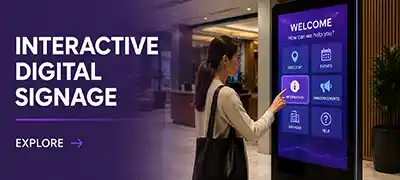
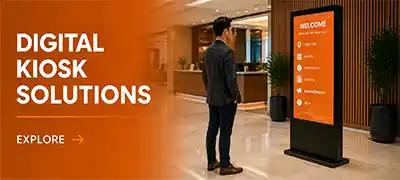
Commercial digital signage solutions are widely used across retail stores, hospitality venues, education facilities, healthcare environments, corporate workplaces, and public-facing business communication. Each category below links to a dedicated advisory page covering the relevant display technology, deployment considerations, and available products — click through to find the solution that suits your environment.


What to Consider When Choosing a Commercial Digital Signage Display
Selecting the right commercial digital signage solution involves considerably more than choosing a screen size or display brand. Modern digital signage deployments vary significantly depending on display technology, brightness requirements, operating environments, touchscreen responsiveness, signage software ecosystems, media management requirements, commercial operating schedules, and remote management capabilities.
Understanding these differences helps businesses make more informed long-term purchasing decisions while ensuring the selected solution aligns with operational requirements, customer engagement goals, and installation environments.
- Display technology and brightness requirements
- Operating hours and duty cycle ratings
- Installation environment and ambient light
- Content management software and media players
- Interactivity and touchscreen requirements
- Remote management and fleet monitoring
- Long-term commercial reliability and warranty
Commercial Digital Signage Display Technologies Explained
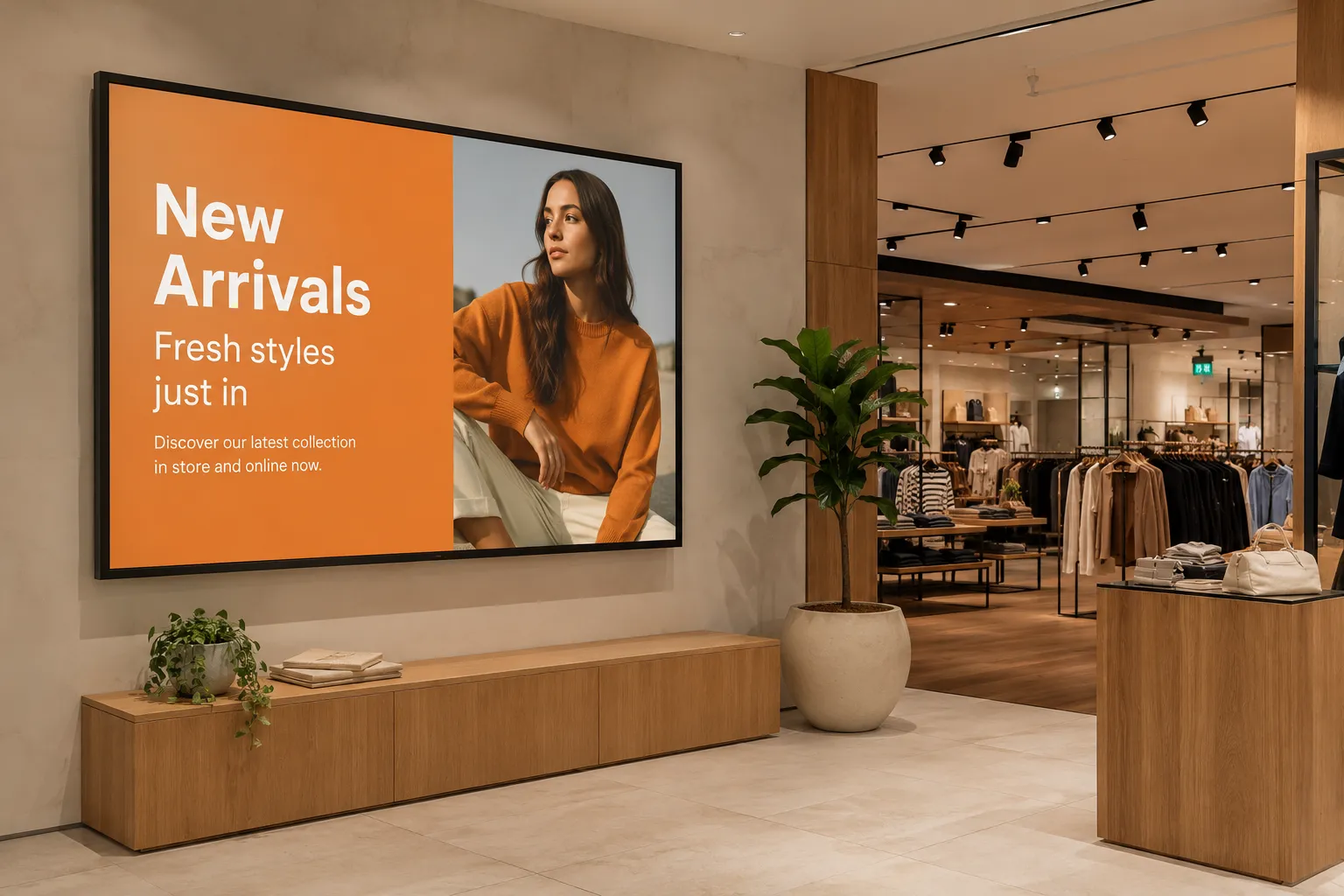
No single display technology suits every commercial environment. The right solution depends on viewing distance, ambient light, interactivity, operating hours, and installation requirements — and selecting the wrong technology category for an environment is a problem that often only becomes apparent months into a deployment.
Technology 01
LCD Digital Signage Displays
The most widely deployed commercial display technology across retail, corporate, education, and hospitality environments. LCD commercial panels deliver consistent brightness, long operational life, and broad software compatibility. Available from entry-level 18/7 configurations through to 24/7 heavy-duty panels engineered for continuous operation.
Technology 02
Direct View LED (dvLED)
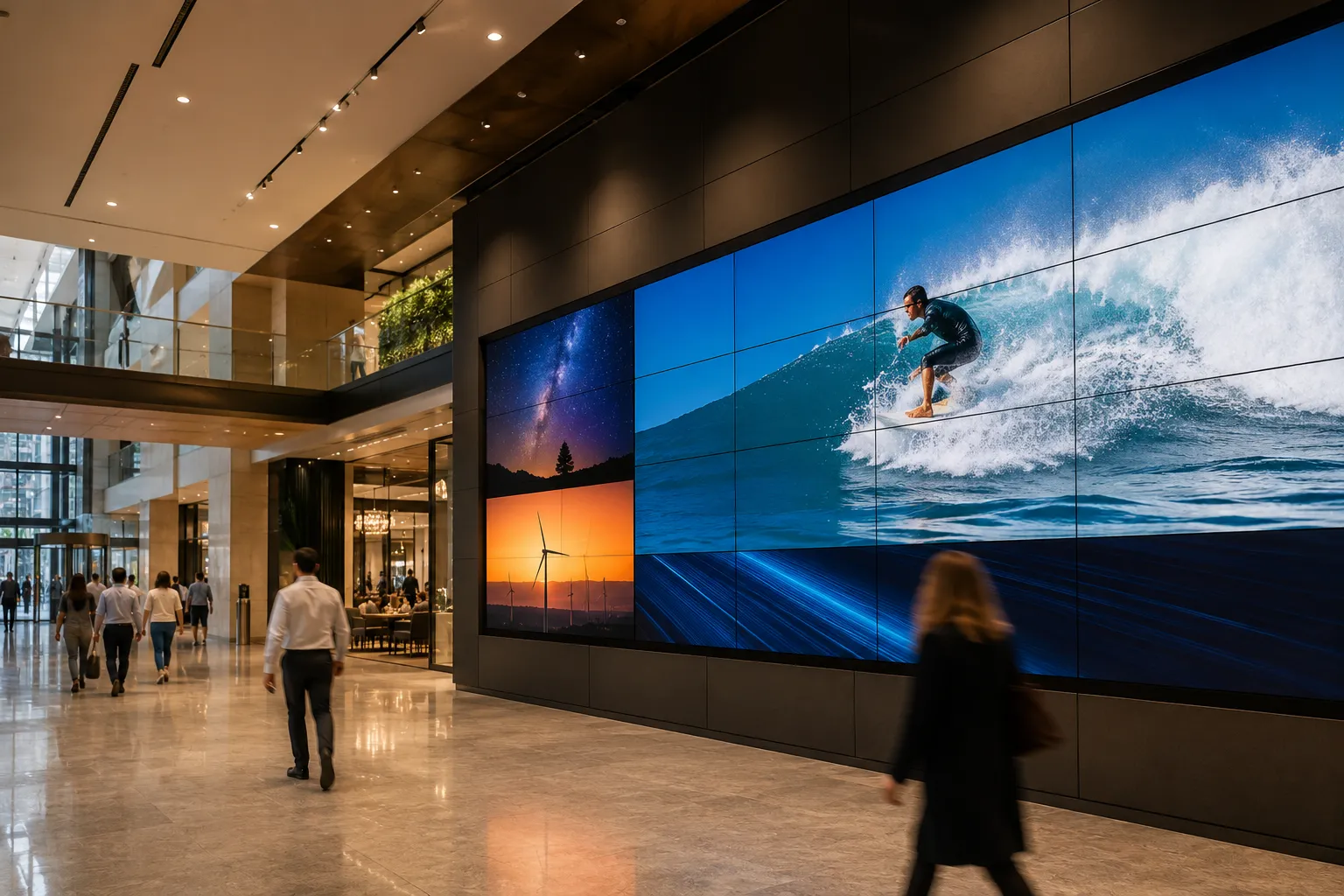
Direct View LED systems deliver seamless large-format visual experiences without panel bezels — making them the preferred choice for premium retail feature walls, corporate lobbies, broadcast environments, and any installation where visual continuity across a large canvas is the primary brief. Pixel pitch determines minimum comfortable viewing distance and must be matched to the installation geometry.
Technology 03
Interactive Touchscreen Displays
Commercial touchscreen displays serve two distinct deployment contexts — high-traffic public interactive signage (wayfinding, kiosks, self-service terminals) and collaboration displays for meeting rooms, classrooms, and training environments. Touch technology, glass bonding, and writing latency vary significantly across product tiers and matter more than screen size in environments with sustained daily interaction.
Technology 04
Commercial Video Walls
Multi-panel LCD video wall systems use ultra-narrow bezel commercial panels tiled to create a unified visual canvas at a scale a single display cannot deliver. Bezel-to-bezel gap, brightness uniformity across panels, and content management integration are the critical specification variables — not just panel size. Infrastructure and CMS planning should happen before panel selection.
Technology 05
Ultra-Wide Stretched Displays
Stretched bar displays in 32:9 or similar ultrawide aspect ratios are purpose-built for shelf-edge retail signage, transport departure boards, queue management applications, and any environment where standard 16:9 displays are the wrong shape for the space. Running content designed for standard aspect ratios on a stretched display produces unusable output — content must be created for the format.
Technology 06
High-Brightness & Outdoor Displays
Standard commercial displays become unreadable in direct sunlight. High-brightness commercial panels — rated at 2,500 nits and above — are engineered specifically for window-facing storefronts, outdoor kiosks, and environments where solar loading creates both visibility and thermal management challenges. Fully weatherised outdoor displays add environmental protection for external installations exposed to rain, dust, and temperature extremes.
| Environment | Primary Technology | Key Consideration |
|---|---|---|
| Indoor retail & corporate | LCD commercial panel | Duty cycle matching to operating hours |
| Window-facing storefront | High-brightness LCD (2,500+ nits) | Thermal management under solar load |
| Outdoor installation | Weatherised outdoor display | IP rating, brightness, temperature range |
| Large-format feature wall | Direct View LED or video wall LCD | Pixel pitch vs viewing distance |
| Meeting room / classroom | Interactive collaboration display | Touch technology and writing latency |
| Shelf-edge / transport | Ultra-wide stretched display | Aspect ratio and content format |
How Bright Does a Commercial Digital Signage Display Need to Be?
One of the most important considerations when selecting a commercial digital signage display is brightness, measured in nits. Getting the brightness specification right for your actual installation environment is more important than optimising on price within a display category that doesn't suit the space.
250–350
Nits
Standard consumer television — not suitable for commercial environments
500–700
Nits
Standard commercial display — suited to controlled indoor environments
1,000+
Nits
High-ambient environments — brighter retail, reception areas with natural light
2,500+
Nits
Window-facing storefronts and outdoor installations — direct sunlight environments
Andrew's Observation
One pattern I've noticed over the years is that businesses often focus on screen size and brand before thinking about where the display will actually be installed. In practice, it's usually the environment — not the logo on the bezel — that determines whether a signage deployment succeeds.
A decision as simple as choosing between a 350-nit, 500-nit, or 700-nit display can make a dramatic difference once the screen is installed. Many buyers only realise this after seeing another business with a brighter display that looks more vibrant, captures attention more effectively, or remains readable in conditions where their own screen struggles.
The same applies to ambient light and display finish. A screen mounted opposite large windows or under strong overhead lighting may benefit from higher brightness, anti-glare finishes, and higher-haze glass — which help reduce reflections and improve readability in bright environments. These are the kinds of factors that are easy to overlook when comparing specifications online, but they often have a greater impact on the final result than choosing one manufacturer over another.
Spending a little more on the right brightness and display characteristics at the beginning is often far less expensive than replacing a screen later because it never performed as expected in its real-world environment.
Andrew McKiggan — Kickstart Computers, supplying commercial displays across Australia since 2007.
Indoor and Controlled Environments
Most standard consumer televisions operate around 250–350 nits — adequate for a living room but insufficient for most commercial environments. Commercial displays are commonly available at 500, 700, and 1,000+ nits, providing the brightness headroom needed to remain clearly visible under commercial lighting conditions including overhead fluorescent, LED, and mixed ambient light.
Outdoor and Window-Facing Installations
Outdoor and window-facing storefront displays require a minimum of 2,500 nits to remain readable under direct sunlight — with demanding installations calling for 3,000 to 4,000+ nits depending on sun exposure and installation geometry. Many budget-focused manufacturers offer outdoor brightness up to approximately 2,500 nits, while premium solutions from Samsung and LG extend significantly beyond this for the most demanding environments.
In practice, a west-facing shopfront in Queensland in January is a genuinely different environment from a showroom demonstration. Displays that look adequate in controlled conditions can become unreadable by midday — and thermal management under sustained solar load matters as much as peak brightness figures when evaluating long-term performance.
Kickstart Computers supplies commercial displays across the full brightness range — from standard 500-nit indoor panels through to ultra-high-brightness window-facing and outdoor configurations. If you are unsure which brightness specification suits your installation environment, contact our team for deployment advice →
Commercial Display vs Consumer TV — What's the Difference?
While many commercial displays may visually resemble standard televisions, they are specifically engineered for professional environments. The difference becomes apparent not in the showroom but in the deployment — often within months of installation.
What Commercial Displays Are Built For
- Extended operating hours — 16/7 and 24/7 duty cycle ratings
- Improved thermal management for sustained operation under load
- Higher brightness output for commercial lighting environments
- Commercial-grade reliability and component quality
- Remote management compatibility for multi-site networks
- Signage software integration and CMS platform support
- Portrait orientation support with appropriate thermal architecture
- Multi-display synchronisation across networks
- Commercial warranties that cover the actual deployment environment
Why Consumer TVs Fail in Commercial Environments
Consumer televisions are designed for intermittent home use — not continuous commercial operation. Running a consumer TV for extended periods each day can accelerate panel ageing and backlight wear, leading to uneven brightness, dark patches within the image, reduced colour consistency, and an overall decline in picture quality. These are the symptoms businesses notice months into a deployment, when the display that looked fine in the showroom starts visibly degrading in the environment it was never designed for.
Consumer televisions are not designed to dissipate the heat generated by continuous commercial operation as effectively as commercial displays. Over time, the additional thermal stress accelerates component ageing and reduces image uniformity — which is why the performance gap between a consumer TV and a commercial display widens considerably after the first year of sustained use.
Portrait orientation — standard in menu board and wayfinding deployments — accelerates this process further in displays not engineered for vertical thermal management.
One mistake we see regularly: a display rated for 18/7 operation specified for a QSR or retail environment that runs overnight. The warranty won't cover it and the panel will show the consequences within months. Matching duty cycle to actual operating hours before purchase avoids the most common and most expensive mismatch in commercial display procurement.
The upfront cost difference between a commercial display and a consumer television narrows considerably once accelerated replacement cycles, installation labour costs, operational downtime, and warranty exclusions are factored into the total cost of ownership — and in many cases inverts entirely once a second replacement is being quoted.
Kickstart Computers supplies commercial-grade displays from Samsung, LG, Sharp, BenQ, Philips, Soniq, and Sony — all carrying commercial warranties appropriate for their rated duty cycle and deployment environment. Contact us to discuss the right specification for your environment →
Interactive Display Technologies
Interactive digital signage allows customers, students, and employees to engage directly with content — transforming a passive display into a two-way communication surface. The touchscreen technology inside an interactive display determines how it actually feels to use, and the difference between technology tiers is most apparent under sustained daily use rather than a brief demonstration.
Common Touchscreen Technologies
Infrared Touch (IR)
The most widely used technology in entry-level and mid-range interactive displays. An infrared grid detects touch points across the screen surface. Accurate and reliable for general interaction but more susceptible to interference and lower writing precision than bonded-glass alternatives.
Optical Bonding & Zero-Gap Glass
The touch layer is bonded directly to the display panel, eliminating the air gap between glass and screen. This reduces parallax — the visible offset between where you touch and where the mark appears — and produces a writing experience noticeably closer to pen on paper. Standard in premium collaboration displays.
PCAP (Projected Capacitive Touch)
Capacitive touch technology delivers fast, precise multi-touch response and supports fine stylus input. Common in premium kiosk and public interactive deployments where accuracy and durability under continuous public use are the primary requirements.
What Touch Technology Determines
- Touch accuracy and precision at the point of contact
- Writing smoothness and natural pen feel during annotation
- Latency — the delay between touch and on-screen response
- Stylus precision and pressure sensitivity capability
- Palm rejection during handwriting and annotation
- Gesture support across multi-touch interactions
- Durability under sustained public or classroom use
For a detailed comparison of interactive display touch technologies, writing performance, and collaboration ecosystems across Samsung, SMART Board, Promethean, Yealink, BenQ, ViewSonic, and other platforms, see our dedicated interactive whiteboard resource below.
Interactive Whiteboards for Business and Education — How They Compare
Interactive whiteboards and commercial collaboration displays are now widely deployed across classrooms, training rooms, boardrooms, and hybrid meeting environments. While many interactive displays appear similar on a specification sheet, the real-world writing and collaboration experience varies significantly depending on the technology inside.
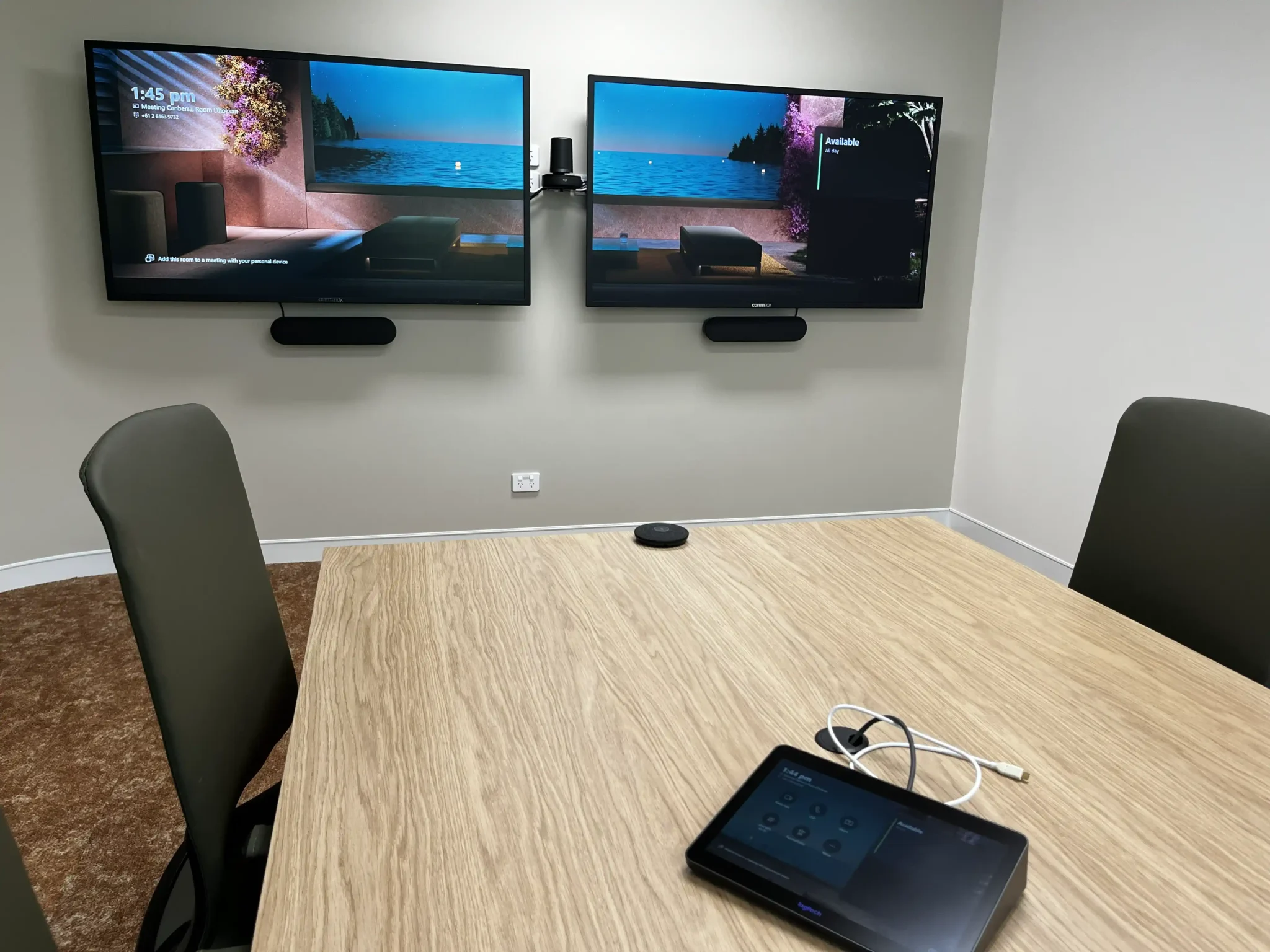
Real-World Deployment — Canberra ACT
This meeting room installation was supplied by Kickstart Computers for a financial services business in Canberra. The deployment incorporated commercial collaboration and conferencing hardware supporting Microsoft Teams meetings, wireless content sharing, and day-to-day business communication. The system was preconfigured prior to delivery — reducing on-site setup complexity for a business operating without dedicated AV integration support.
What Organisations Evaluate When Comparing Platforms
- Touch technology and glass bonding systems
- Writing latency and stylus responsiveness
- Digital ink processing and firmware optimisation
- Android vs Windows collaboration environments
- Conferencing integration and software ecosystems
- Pressure sensitivity and palm rejection capability
- Microsoft Teams Rooms and Zoom Room certification
- Education platform integration — Google Workspace, EDLA
Commercial collaboration platforms including Samsung Flip Pro, SMART Board, Yealink MeetingBoard, Promethean, ViewSonic ViewBoard, and BenQ all prioritise different strengths depending on whether the deployment focuses on education, enterprise collaboration, conferencing, annotation performance, or hybrid meeting environments.
Education-First
SMART Board · Promethean · Samsung WAD
Curriculum-integrated software ecosystems, Google Workspace depth, broad classroom rollout value.
Premium Annotation
Samsung Flip Pro · BenQ Board
Optical bonding, low-latency writing, pen-to-paper feel. Best for boardrooms and annotation-intensive environments.
Teams & Conferencing
Yealink MeetingBoard · Logitech Tap
Purpose-built Microsoft Teams Rooms hardware. Tight ecosystem integration, simplified IT deployment.
Researching interactive whiteboards? Our interactive whiteboard hub covers writing performance, glass bonding systems, Android vs Windows OPS, Teams Rooms integration, and platform comparisons across Samsung, SMART Board, Promethean, Yealink, BenQ, ViewSonic, and more — in operational depth. Explore the Interactive Whiteboard Hub → If you're still working out which platform, size or mounting setup suits your room, see what shapes the interactive whiteboard experience before you compare brands →
Deploying displays across a school campus? Our dedicated schools page covers every display environment on a typical Australian campus — classroom interactive displays, canteen menu boards, corridor noticeboards, reception screens, and outdoor entrance signage — each with different duty cycle, brightness, and content management requirements. Digital signage for schools →
Ready to purchase? Browse Samsung Flip, commercial collaboration displays, and interactive whiteboards available now through Kickstart Computers — with delivery across Australia. Shop Interactive Whiteboards →
Digital Signage Media Players and Content Management Platforms
Many modern displays incorporate integrated System on Chip (SoC) technology, allowing the screen to run signage content, schedule media playback, connect to cloud platforms, and manage content remotely — without requiring an external media player. This simplifies installations and reduces hardware requirements significantly.
The biggest misconception in signage procurement is that the CMS decision comes after hardware. In practice, it should come first — because the platform you choose determines which hardware makes sense, not the other way around.
Manufacturer CMS Platforms
Several major commercial display manufacturers bundle their hardware with proprietary content management platforms. Samsung commercial displays support MagicINFO and VXT. LG displays integrate with SuperSign. Philips PPDS displays support PPDS Wave alongside compatible third-party platforms.
When a manufacturer CMS is the right choice, this integration is a genuine operational advantage — the platform is optimised for the hardware, support is consolidated, and deployment is simpler.
Third-Party CMS Platforms
Third-party cloud signage platforms — including Fusion Signage, SignageLive, Embed Signage, and PosterBooking — operate independently of hardware manufacturer. They run on displays from Samsung, LG, Philips, and others, often simultaneously. This flexibility suits multi-manufacturer environments, growing networks, and organisations uncertain about their long-term hardware direction.
Kickstart Computers can assist with Fusion Signage software sourcing as part of a broader deployment discussion.
Choosing between a manufacturer CMS and a third-party platform is one of the most consequential decisions in any signage deployment — and it should happen before hardware is ordered, not after. Our dedicated CMS decision framework covers what each platform does, when a manufacturer CMS suits your deployment, and the four questions every buyer should answer before evaluating any option — including a plain-language comparison of Samsung MagicINFO, VXT, Philips PPDS Wave, LG SuperSign, Fusion Signage, and BrightSign. How to Choose a Signage CMS Before You Buy Hardware →
USB Playback vs Cloud Signage Networks
Simple Deployments
USB Playback & Local Scheduling
Some businesses only require simple USB playback, local image and video looping, or standalone media scheduling — which many commercial digital signage displays can handle directly out of the box without any additional software or subscription.
Single-location deployments with infrequently updated content and no remote management requirement are well suited to USB-based playback as a cost-effective starting point.
- No ongoing software subscription required
- Simple setup — plug in and play
- Suitable for single-location, low-update deployments
- Content updates require physical USB access to each screen
Multi-Site & Enterprise
Cloud Signage Networks
Larger organisations and multi-site deployments require cloud-based content management, remote scheduling, centralised updates, display grouping, multi-screen synchronisation, and network-based management. These deployments allow organisations to update signage content across multiple locations from a single management platform — without visiting each screen.
- Remote content updates across all locations simultaneously
- Display health monitoring and device management
- Scheduled content by location, screen group, or time
- Scales from ten screens to thousands without infrastructure change
When Do You Need an External Digital Signage Media Player?
If your display's built-in SoC does not provide sufficient processing capability for your content requirements, or if you need content management platform independence from the display manufacturer, a dedicated external media player is worth evaluating. External players also suit deployments where standardising on a single playback platform across multiple display brands is operationally important.
When External Players Are Worth Considering
- Content complexity exceeds the display's built-in SoC capability
- Platform independence from display manufacturer is required
- Mixed display brands need a single consistent playback platform
- HTML5 content, live data feeds, or advanced scheduling are required
- Enterprise-grade reliability with dedicated hardware redundancy
- Multi-display synchronisation across a large installation
External Media Player Options in Australia
BrightSign
Dedicated hardware player ecosystem. Enterprise and retail standard. Kickstart Computers can assist with BrightSign hardware sourcing.
Fusion Signage
Australian-developed cloud CMS. Works across multiple hardware manufacturers. Kickstart Computers can assist with Fusion Signage software sourcing.
Android Signage Players
Flexible, cost-effective external players compatible with a wide range of third-party CMS platforms.
Samsung VXT · LG SuperSign
Manufacturer cloud CMS platforms — best suited to single-manufacturer network deployments.
Not sure whether your deployment needs an external media player or whether the display's built-in SoC will suffice? Our CMS decision framework covers the full landscape of platform and player options — including when integrated SoC is the right choice and when an external player adds genuine value. How to Choose a Signage CMS Before You Buy Hardware →
Trusted Commercial Digital Signage Brands
Commercial digital signage solutions are available from globally recognised manufacturers trusted across retail, hospitality, education, healthcare, corporate, and public-facing business environments. Each brand page below covers the manufacturer's full commercial display range, deployment strengths, and which environments they're best suited to — so you can compare at manufacturer level before narrowing to a specific product.
Choosing between manufacturers is only one part of the decision. Before comparing models, it's worth understanding the commercial display technologies and deployment factors that determine which solution is actually suitable for your environment — brightness requirements, duty cycle ratings, CMS platform selection, and installation considerations all matter before a manufacturer is even chosen. The sections earlier on this page cover each of these in detail, or contact our team to talk through your specific deployment →
Common Questions About Commercial Digital Signage
What is the difference between a commercial display and a consumer TV?
Commercial displays are engineered for 16/7 or 24/7 operation, higher brightness, improved thermal management, portrait orientation support, remote management capability, and commercial warranties that cover the actual deployment environment.
Consumer televisions are designed for intermittent home use — not continuous commercial operation. Running a consumer TV for extended periods each day can accelerate panel ageing and backlight wear, leading to uneven brightness, dark patches within the image, reduced colour consistency, and an overall decline in picture quality. These are the symptoms businesses notice months into a deployment, not on day one.
Consumer TVs are also not designed to dissipate the heat generated by continuous commercial operation as effectively as commercial displays. Over time, the additional thermal stress accelerates component ageing and reduces image uniformity. Their warranties explicitly exclude commercial applications — including static content display such as logos and menu boards — meaning a warranty claim is unlikely to be honoured regardless of the fault.
What is duty cycle and why does it matter for digital signage?
Duty cycle is the maximum daily operating hours a commercial display is rated for — typically expressed as hours per day over seven days (e.g. 16/7 or 24/7). A display rated for 16/7 is designed to run up to 16 hours per day. Running it continuously for 24 hours accelerates panel degradation and voids the commercial warranty.
Matching the display's duty cycle to your actual operating requirements is one of the most important — and most commonly overlooked — decisions in commercial display specification. QSR menu boards, transport hubs, and 24-hour retail environments require 24/7 rated displays. Standard business hours deployments can be adequately served by 16/7 or 18/7 rated panels at lower cost.
Duty cycle is one of the most commonly misspecified ratings in commercial display procurement — and one of the most expensive mistakes to discover after installation.
Our dedicated duty cycle page covers what each rating means in plain language, which environments require which rating, the five most common specification mistakes, the visible symptoms that develop when the wrong rating is specified, and what the warranty consequences are when a display has been running beyond its rated hours.
Commercial Display Duty Cycle — What It Means and How to Specify It Correctly →How bright does a digital signage display need to be?
Brightness requirements depend entirely on the installation environment:
- 250–350 nits — standard consumer TV, not suitable for commercial use
- 500–700 nits — standard commercial display, suited to controlled indoor environments
- 1,000+ nits — high ambient light environments with mixed natural and artificial light
- 2,500+ nits — window-facing storefronts where direct sunlight is a factor
- 3,000–4,000+ nits — demanding outdoor-adjacent and direct sun installations
Getting the brightness specification right for your actual installation environment is more important than optimising on price within a display category that doesn't suit the space.
What is a signage CMS and do I need one?
A signage CMS (content management system) is the software platform that controls what your displays show, when they show it, and how your display network is monitored and managed remotely.
For single-location deployments with infrequently updated content, simple USB playback may be sufficient. For multi-site deployments or networks requiring remote updates, scheduling, and device monitoring, a CMS platform is operationally essential.
The CMS decision should be made before hardware is selected. Manufacturer CMS platforms such as Samsung MagicINFO, LG SuperSign, and Philips PPDS Wave tie you to that manufacturer's hardware. Third-party platforms such as Fusion Signage and SignageLive work across multiple manufacturers — better suited to mixed-hardware or expanding networks. See our full CMS decision framework →
Do I need an external media player for digital signage?
Not necessarily. Many modern commercial displays include an integrated System on Chip (SoC) processor that runs signage content, schedules playback, and connects to cloud CMS platforms without external hardware.
An external media player is worth considering when your content complexity exceeds the display's built-in SoC capability, when you need content platform independence across multiple display manufacturers, or when enterprise-grade reliability with dedicated hardware redundancy is required. BrightSign is the most widely deployed dedicated media player platform in Australian commercial signage — Kickstart Computers can assist with BrightSign hardware sourcing.
What is the difference between LCD and LED digital signage?
LCD (Liquid Crystal Display) digital signage uses a backlit panel and is the most widely deployed technology across indoor commercial environments — available in standard, high-brightness, and ultra-narrow bezel video wall configurations.
LED in the context of commercial signage typically refers to Direct View LED (dvLED), where individual LED elements form the display surface without a separate panel — delivering seamless large-format visuals without bezels, higher brightness, and flexible custom sizing at higher cost.
Note: most standard commercial displays described as "LED" are LED-backlit LCD panels, not Direct View LED. If bezel-free large-format is the requirement, confirm the specification is dvLED rather than LED-backlit LCD.
What commercial digital signage solutions can Kickstart Computers supply?
Kickstart Computers supplies commercial digital signage solutions across Australia — including commercial displays, video walls, interactive whiteboards, digital menu boards, outdoor displays, media players, and content management platforms.
We work with leading manufacturers including Samsung, LG, Sharp, BenQ, Philips PPDS, Sony, and Soniq, and can also assist with BrightSign media player hardware, Fusion Signage software sourcing, and guidance on selecting the right display, brightness specification, duty cycle rating, and CMS platform before any purchase is made.
We're more than an online shop — our team provides pre-purchase deployment advice to help businesses understand the technology and make the right decision for their specific environment. Contact us to discuss your deployment →
Australia-Wide Commercial Display Support
Pre-Purchase Advisory
Deployment advice on display selection, brightness specification, duty cycle matching, CMS platform selection, and media player requirements — before hardware is ordered.
National Supply
Commercial displays, interactive whiteboards, video walls, and outdoor signage supplied to metro and regional locations across Australia from trusted global manufacturers.
Simplified Deployment
Many modern commercial displays and collaboration systems are designed for straightforward installation. Remote guidance and pre-configuration options reduce on-site complexity for distributed deployments.
Ongoing Product Support
Whether deploying a standalone commercial display, interactive collaboration board, or larger signage rollout, product support remains available throughout the deployment process.
Kickstart Computers · 1 Mary Street, Gawler East SA 5118
0416 353 501 ·
sales@kickstartcomputers.com.au
- Retail businesses and franchise networks
- Corporate and government organisations
- Schools, universities, and education facilities
- Hospitality venues and QSR operators
- Healthcare providers and medical facilities
- AV integrators and commercial installers
- Public-facing organisations and transport operators
- Samsung
- LG
- Sharp
- BenQ
- Philips PPDS
- Sony
- Soniq
- BrightSign
- Fusion Signage
- Yealink
- Logitech
Need Help Choosing the Right Commercial Display Solution?
Whether you are planning a retail signage deployment, interactive classroom upgrade, hospitality menu board installation, or enterprise digital signage rollout, Kickstart Computers can help guide you through the available commercial display technologies and signage ecosystems. Our online shop carries products from Samsung, LG, Philips, BenQ, Sharp, Sony, and Soniq — available for purchase and delivery across Australia.
- Samsung · LG · Sharp · BenQ · Philips · Sony · Soniq
- Australia-Wide Delivery
- Expert Deployment Advice
- Supplying Since 2007