Zoom Rooms
Certified hardware for
Zoom Rooms
Zoom Rooms certified hardware is tested and approved to run the Zoom Rooms application natively — one-touch join, calendar integration, and no laptop needed in the room. Browse purpose-built video bars and conferencing systems from Logitech, Poly, and Yealink that are Zoom-certified and ready to deploy across any meeting space.
Selecting the right Zoom Rooms hardware
A Zoom Rooms system turns a meeting space into a dedicated Zoom environment — the room account hosts the meeting, the touch controller manages calls and content sharing, and participants walk in and join with a single button press. Unlike a standard BYOD setup where someone brings a laptop and shares their screen, a Zoom Rooms deployment means the room is always ready, always consistent, and always managed through the Zoom web portal. Many modern Zoom Rooms Appliance solutions from Logitech, Poly, and Yealink run Zoom Rooms natively on Android without requiring a separate Windows compute device — simplifying deployment, reducing cabling, and lowering the total cost per room.
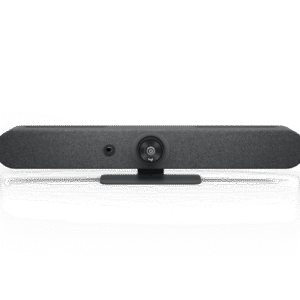
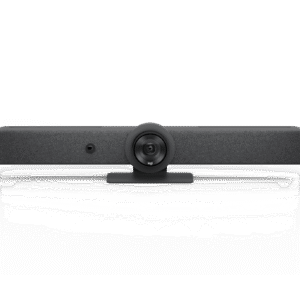
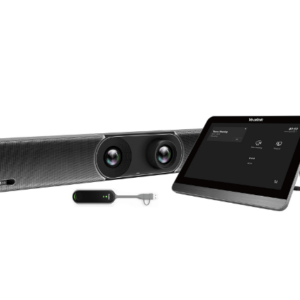
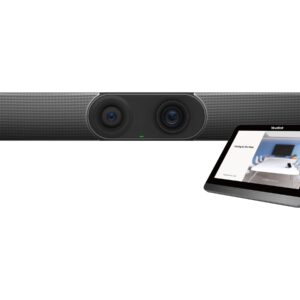
Zoom-certified hardware covers a broad range of form factors. Logitech's Rally Bar and Rally Bar Mini are all-in-one Zoom-certified video bars that integrate camera, compute, and audio into a single unit — straightforward to mount, minimal to cable, and well suited to rooms from huddle spaces through to medium conference rooms. The Rally Bar Huddle is specifically optimised for smaller spaces, with a compact form factor and wide-angle optics for close-range group coverage. Poly's Studio X series — including the Studio X30, X52, and X72 — are Android-based appliances that run Zoom Rooms natively without a separate compute device; the X72 handles larger rooms with dual-camera capability and extended audio processing. Yealink's MeetingBar A series (A20, A30, A40) covers the small-to-medium room range on Android, with native Zoom Rooms integration and beamforming microphone arrays built in. For large rooms and boardrooms where a fixed-angle bar won't provide adequate coverage, a dedicated PTZ camera paired with a Zoom Rooms compute kit gives the flexibility to specify camera position, zoom range, and audio coverage independently.
The Zoom Rooms controller is a separate touchscreen device — typically a tablet running the Zoom Rooms Controller app — that sits on the table and handles meeting controls without anyone needing to walk to the display. Most Zoom-certified all-in-one bars ship with or support a compatible controller; for component-based builds, the controller device needs to be specified separately. As a general guide, a single all-in-one bar handles rooms up to around 6–7 metres in depth; beyond that, camera framing and microphone pickup both degrade enough to justify a more considered component selection.
Zoom Rooms licensing is a per-room subscription, separate from individual Zoom user licences. Each room requires its own Zoom Rooms licence assigned to a room account — this is what enables the always-on, one-touch join behaviour that distinguishes a Zoom Room from a laptop-based Zoom call. Zoom Rooms remains particularly popular in organisations that host external meetings frequently, where Zoom's meeting experience and cross-organisational interoperability are often preferred over a Microsoft-centric workflow. Organisations evaluating both platforms will find that the hardware selection process for Zoom Rooms and Microsoft Teams Rooms is largely parallel — many devices are certified for both, and the room-size and use-case logic is identical.
Zoom Rooms hardware by room type and use case
Huddle & Focus Rooms
The Logitech Rally Bar Huddle, Yealink MeetingBar A20, or Poly Studio X30 suit 2–4 person spaces. Android-based, minimal cabling, and Zoom-certified out of the box — no separate compute device required.
Small Meeting Rooms
The Logitech Rally Bar Mini, Yealink MeetingBar A30, or Poly Studio X52 handle rooms seating 4–8 people. AI speaker-tracking keeps the active participant framed without manual camera adjustment during the call.
Medium Conference Rooms
The Logitech Rally Bar, Yealink MeetingBar A40, or Poly Studio X72 cover rooms up to around 10–12 people. Beamforming microphone arrays and wider field-of-view optics maintain audio and video quality across larger tables.
Large Rooms & Boardrooms
Rooms seating 12+ typically require a PTZ camera, expandable microphone coverage, and a Windows-based Zoom Rooms compute kit for maximum flexibility. Component-based builds allow each element to be specified independently for the space.
Dual-Screen Rooms
Zoom Rooms natively supports dual-display configurations — one screen for the far-end video feed, one for shared content or participant gallery. Confirm HDMI output count on the compute device or appliance before specifying for a dual-screen room.
Multi-Site & Managed Deployments
Zoom Rooms Portal provides centralised management across all rooms — health status, device updates, and usage reporting in one dashboard. Consistent certified hardware across sites simplifies support and reduces per-room troubleshooting.
All Zoom Rooms products listed here are certified by Zoom and sold by Kickstart Computers with Australian stock, local warranty support, and pre-sales advice to match hardware to room size, layout, and licensing requirements. For a deeper look at how Zoom Rooms hardware is selected and deployed, see the Zoom Rooms hardware guide. If your organisation is evaluating both platforms, the filter for Microsoft Teams Rooms certified hardware lets you run a side-by-side comparison without leaving the site. Browse the certified Zoom Rooms products below to compare by room size, deployment style, and camera type.
All-in-one Zoom-certified bars and video conferencing systems with integrated camera and audio.
Video bars →In-depth guide to Zoom Rooms hardware selection, licensing, and deployment by room size.
Zoom Rooms hardware guide →Evaluating Teams Rooms instead? Filter here for certified hardware across both platforms.
Microsoft Teams Rooms certified →Not sure which Zoom Rooms system fits your space?
Talk to us about room size, seating layout, and your Zoom licence setup — we'll help you shortlist the right certified hardware before you buy.
Showing 1–16 of 26 results
- Dont see what youre looking for? Request a quote!
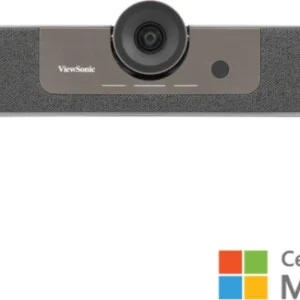
ViewSonic UMB202 4K Digital Signage Display | Commercial Video Bar System
Add to cartViewSonic UMB202 4K Digital Signage Display | Commercial Video Bar System
Original price was: $1,099.00.$847.00Current price is: $847.00. - Dont see what youre looking for? Request a quote!
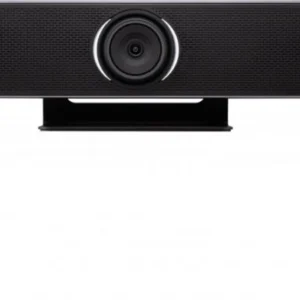
ViewSonic VB-CAM-201 4K Conference Camera | All-in-One Zoom Rooms Certified Webcam with Soundbar
Add to cartViewSonic VB-CAM-201 4K Conference Camera | All-in-One Zoom Rooms Certified Webcam with Soundbar
Original price was: $1,399.00.$901.00Current price is: $901.00. - Dont see what youre looking for? Request a quote!
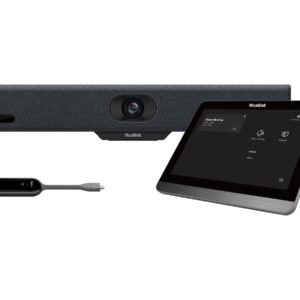
Yealink A10 All-In-One Android Video Collaboration Bar For Focus & Small Rooms, A10 Android Meeting Bar, CTP18 Touch Panel, WPP30, BYOD Box Hub, UC Ce
Add to cartYealink A10 All-In-One Android Video Collaboration Bar For Focus & Small Rooms, A10 Android Meeting Bar, CTP18 Touch Panel, WPP30, BYOD Box Hub, UC Ce
Original price was: $3,705.90.$2,272.60Current price is: $2,272.60. - Dont see what youre looking for? Request a quote!
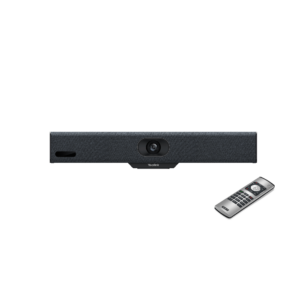
Yealink A10 All-In-One Android Video Collaboration Bar For Focus & Small Rooms, A10 Android Meeting Bar, VCR11 Remote, UC Certified
Add to cartYealink A10 All-In-One Android Video Collaboration Bar For Focus & Small Rooms, A10 Android Meeting Bar, VCR11 Remote, UC Certified
Original price was: $2,352.90.$1,456.30Current price is: $1,456.30. - Dont see what youre looking for? Request a quote!
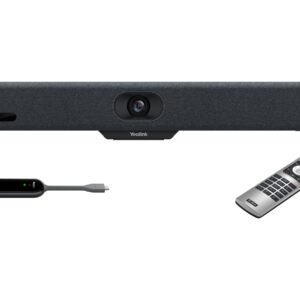
Yealink A10 All-In-One Android Video Collaboration Bar For Focus & Small Rooms, A10 Android Meeting Bar, VCR11 Remote, WPP30, UC Certified
Add to cartYealink A10 All-In-One Android Video Collaboration Bar For Focus & Small Rooms, A10 Android Meeting Bar, VCR11 Remote, WPP30, UC Certified
Original price was: $2,858.90.$1,755.50Current price is: $1,755.50. - Dont see what youre looking for? Request a quote!

Yealink A20 (A20-010) Video Collaboration Bar for Small and Huddle Rooms
Add to cartYealink A20 (A20-010) Video Collaboration Bar for Small and Huddle Rooms
Original price was: $3,507.90.$2,165.00Current price is: $2,165.00. - Dont see what youre looking for? Request a quote!
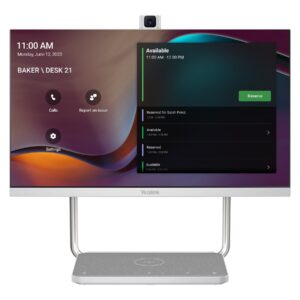
Yealink A24 DeskVision 24″ Teams Display For Personal Collaboration, 24″ Touch Display, 4K Camera, Built In Speakers, Works As Second Display
Add to cartYealink A24 DeskVision 24″ Teams Display For Personal Collaboration, 24″ Touch Display, 4K Camera, Built In Speakers, Works As Second Display
Original price was: $3,408.90.$2,104.00Current price is: $2,104.00. - Dont see what youre looking for? Request a quote!
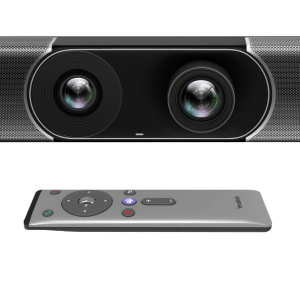
Yealink A30 (A30-010) Meeting Bar, All-in-One Android Video Collaboration Bar – Free Shipping
Add to cartYealink A30 (A30-010) Meeting Bar, All-in-One Android Video Collaboration Bar – Free Shipping
Original price was: $5,047.90.$3,199.00Current price is: $3,199.00.