
LG Interactive Whiteboard (CreateBoard) — What Australian Buyers Need to Know
Most buyers who start researching an LG interactive whiteboard do it almost as an afterthought — they've already shortlisted Samsung or BenQ, then someone sends them an LG quote and they're not sure whether to take it seriously. The hesitation is understandable. LG's consumer electronics profile is enormous in Australia, and that reputation cuts both ways: it makes the brand instantly recognisable, and it makes buyers quietly wonder whether a company famous for televisions and refrigerators can deliver a commercial-grade interactive display that a school or business can depend on.
This page covers what LG CreateBoard actually is as a commercial product, where it genuinely performs well, where it has real limitations, and how it compares honestly to the other IWB brands Kickstart supplies. The specs discussed throughout refer to the current TR3DQ-B Standard range — Android 14, EDLA certified, available in 55" through 86" — which is what Kickstart stocks and sells as an authorised Australian reseller. Because Kickstart supplies Samsung, SMART Board, BenQ, and Promethean as well, the assessment here isn't weighted toward any single brand.
- Authorised LG Reseller
- Also stocks Samsung · SMART · BenQ · Promethean
- Commercial AV specialists since 2007
- Phone: 0416 353 501
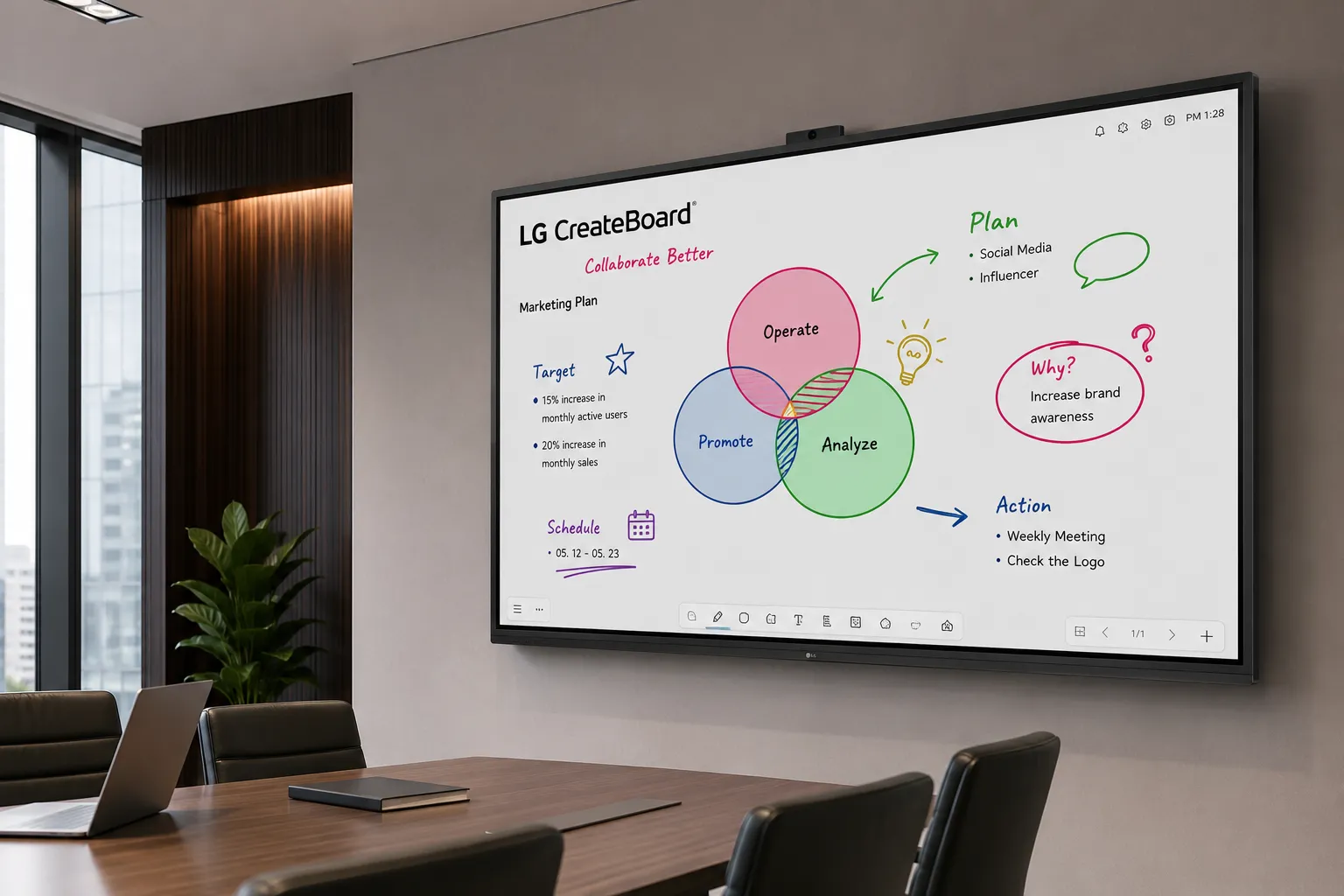
LG CreateBoard TR3DQ-B — Android 14, EDLA certified, available 55" to 86"
Looking for LG digital signage displays? This page covers the LG CreateBoard interactive whiteboard range. If you're specifying commercial digital signage — high-brightness panels, video walls, or LG's broader commercial display range — the LG digital signage page covers that range separately.
LG Digital Signage →What to Know Before You Evaluate LG CreateBoard
- Commercial product, not a consumer display. LG CreateBoard is engineered and supported through LG's B2B division. The TR3DQ-B Standard range runs Android 14 with Google EDLA certification — the same certification tier as Samsung's enterprise interactive displays.
- EDLA certified across all TR3DQ-B sizes. The standard range — 55", 65", 75", and 86" — runs Android 14 EDLA with full Google Play Store access, native Google Mobile Services, and an octa-core processor with 8GB RAM and 64GB storage.
- Security updates guaranteed until 31 December 2030. LG has published a documented commitment to security updates for the TR3DQ-B range — a relevant factor for schools and organisations with multi-year deployment lifecycles.
- Best deployment context: meeting rooms and Google Workspace schools. Where LG consistently excels is delivering reliable Android EDLA collaboration hardware for organisations that prioritise performance over proprietary teaching ecosystems.
- 16/7 operation — not 24/7. The TR3DQ-B is rated for 16 hours per day, 7 days per week. It is not suitable for always-on digital signage or lobby display applications.
- Portrait orientation not supported. No TR3DQ-B model supports portrait installation. Confirm orientation requirements before specifying.
- Kickstart supplies all major IWB brands. This assessment covers LG alongside Samsung, SMART Board, BenQ, and Promethean — the advice here is not weighted toward making any single brand look good.
Before comparing LG against Samsung, SMART, BenQ or Promethean on spec alone, it's worth matching an interactive whiteboard to your room first — screen size, mounting height and platform all depend more on the space than the brand.
What LG CreateBoard Actually Is — and What It Isn't
LG's commercial display division operates entirely separately from their consumer electronics business. The CreateBoard range is engineered as a commercial product line — the panels are built to commercial duty cycles, the internal architecture is specified for sustained daily use in institutional environments, and product support sits within LG's B2B division, not their consumer warranty chain.
The current standard range — the TR3DQ-B Series — runs Android 14 with Google EDLA certification, an octa-core processor, 8GB RAM, 64GB storage, and WiFi 6E. Security updates are guaranteed by LG until 31 December 2030. These are not consumer TV specifications dressed up with a touch overlay. They are commercial specifications that happen to carry a brand name Australian buyers more commonly associate with the television aisle at JB Hi-Fi.
The confusion is understandable and worth addressing directly: a buyer who assumes CreateBoard is a repurposed consumer panel is going to undervalue what they're looking at — and potentially walk past a product that genuinely suits their deployment.
Why Buyers Overlook LG CreateBoard
Unlike Samsung, SMART Board, or BenQ, LG doesn't dominate education and corporate AV marketing in Australia. The brand invests heavily in consumer channels — televisions, appliances, monitors — and comparatively little in the education procurement conversations where SMART and Promethean have spent decades building relationships. As a result, many buyers never realise that CreateBoard is a dedicated commercial collaboration platform with Google EDLA certification, enterprise-grade connectivity, and a documented security update commitment. It gets filtered out before it gets evaluated.
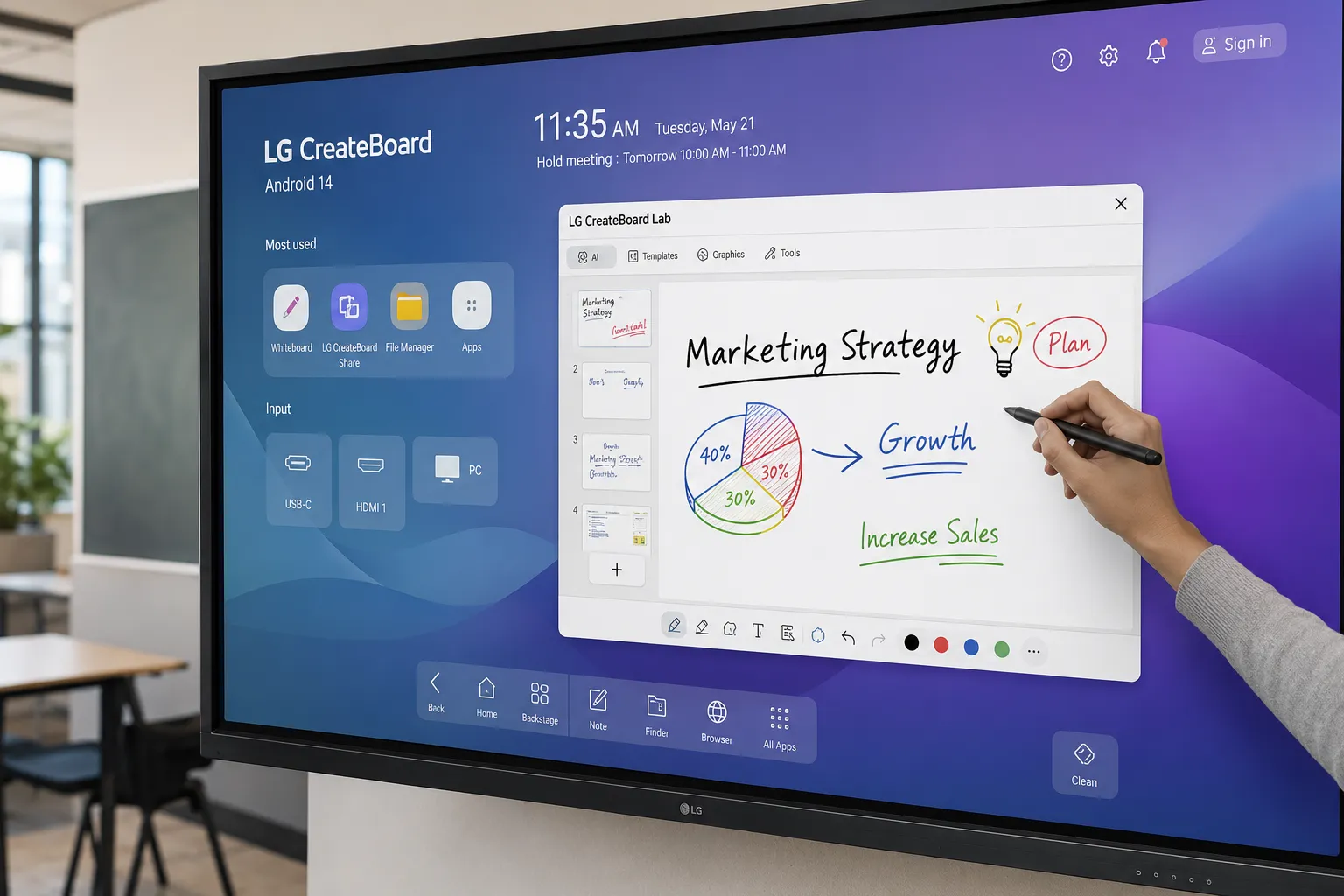
LG CreateBoard sits within the broader interactive whiteboard category alongside Samsung, SMART Board, BenQ, and Promethean. The Kickstart interactive whiteboard hub covers all five brands and explains where each platform fits.
The interactive whiteboard hub compares all major IWB brands available in Australia — including how LG CreateBoard fits within the broader market.
Interactive Whiteboard Overview →I've had customers come back after installing LG CreateBoard in a corporate boardroom and tell me they were surprised it didn't feel like a step down from the Samsung unit they had before. The hardware experience — panel quality, touch response, the build — is closer than the brand gap suggests.
Where they notice the difference is in the software layer, and whether that matters depends entirely on what the environment actually needs to do.
LG CreateBoard in Schools — An Honest Assessment
For schools, LG CreateBoard is a strong option in specific scenarios and a poor fit in others. Getting this wrong at procurement is expensive, so the assessment here is direct.
Where LG Works Well in Schools
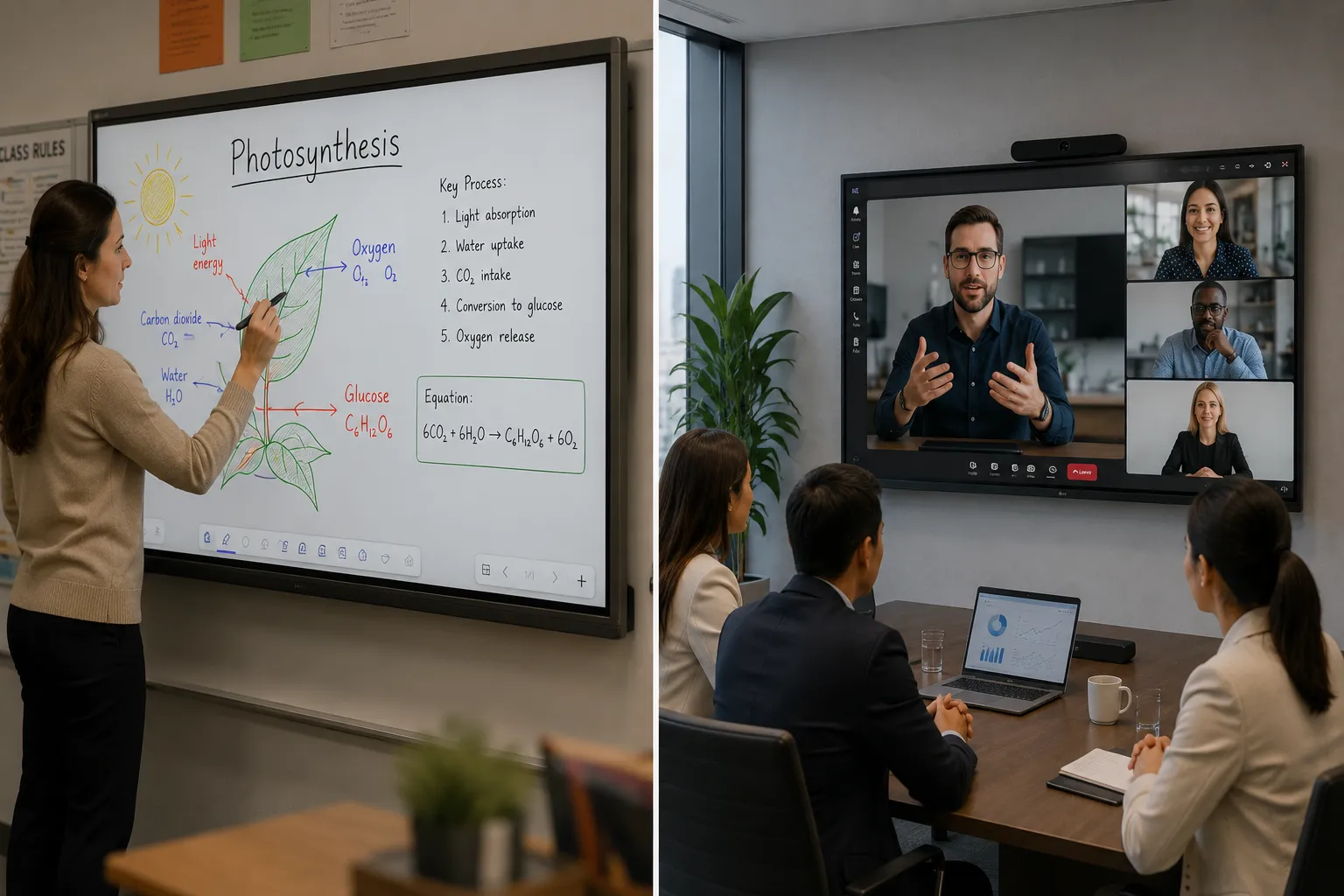
Schools running Google Workspace that want a reliable Android IWB without proprietary software dependency are a genuine fit. The TR3DQ-B runs Android 14 EDLA, which means full Google Play Store access, native Google account integration, and a security architecture that IT teams can manage.
The hardware is commercially serious across the board:
- 50-point multi-touch with ±1mm accuracy
- TUV Rheinland Flicker Free certified — all sizes
- Crestron Connected support
- OPS slot for Windows OPS module integration
- LG ConnectedCare DMS for remote fleet management
- WiFi 6E and Bluetooth 5.3
LG CreateBoard Lab covers the teaching fundamentals: templates, sticky notes, ruler tools, QR code sharing, Google Drive and OneDrive import and export, and multi-OS support so teachers can continue working in the same environment on their own devices outside the classroom.
Where LG Doesn't Work Well in Schools
Schools that have built teaching workflows around SMART Notebook, BenQ IntelliBoard, or Promethean's ActivInspire will find LG's software environment thinner by comparison. CreateBoard Lab is capable for general use — it is not a substitute for those platforms if annotation depth and lesson resource libraries are central to how your teachers work.
If that's the case, the software decision should drive the hardware decision, not the other way around.
For context on what each platform offers in the classroom, the pages below cover the alternatives in the same level of detail as this one.
If your school has built lesson resources around SMART Notebook or your teachers rely on SMART's capacitive writing experience, the SMART Board page covers the full platform in depth — including where that investment locks you in and what switching away actually costs.
SMART Board — Writing Feel and Classroom Adoption →BenQ's IntelliBoard ecosystem is built specifically around teacher workflow — lesson templates, class management tools, and annotation depth that goes well beyond general whiteboarding. The BenQ page explains where that software advantage is genuine and where it matters most.
BenQ — Teacher Experience and Classroom Workflow →Promethean is the platform most likely to create long-term ecosystem dependency through ActivInspire and its content library. The Promethean page covers what that means for schools at the point of renewal — and what it costs to move away from it later.
Promethean — Ecosystem and Long-Term Switching Costs →Schools that choose LG CreateBoard because it came in as the lowest quote sometimes find out at installation that their preferred annotation apps don't behave exactly as expected on LG's Android 14 build. The platform is Google-certified Android — the apps are available — but behaviour isn't always identical across manufacturers' Android implementations, particularly for third-party annotation tools with stylus dependencies.
The time to test this is before the purchase order is signed, with the actual apps your teachers use day-to-day.
Not after the displays are mounted.
LG CreateBoard for Business Meeting Rooms — Where It Performs Best
If there's a deployment context where LG CreateBoard earns its place most consistently relative to competitors, it's the corporate meeting room and training space. Not complex enterprise AV environments with deep integration requirements — but the standard business meeting room where the primary brief is wireless screen sharing, video calls, and occasional annotation.
The TR3DQ-B handles this well. Wireless screen sharing via LG CreateBoard Share supports up to 9 simultaneous screens, works app-less from a browser for PC and mobile on the same network, and doesn't require cable juggling when presenters change. WiFi 6E handles the wireless load in environments where multiple devices are connecting simultaneously. The built-in speakers — 20W x2 plus a dedicated subwoofer — are genuinely capable for a meeting room without supplementary audio.
For rooms that need to run Teams or Zoom natively on the display, the Android 14 EDLA platform handles both through the Play Store. The OPS slot also gives organisations a clean path to Windows OPS if a full Windows environment is required for specific software.
If you're specifying a meeting room from scratch — display size, room layout, audio, and connectivity — the meeting room display page covers what Kickstart recommends for different room sizes and use cases, including where LG CreateBoard fits within the broader options.
Meeting Room Display Solutions →The LG CreateBoard TR3DQ-B runs Android 14 natively, but the OPS slot means Windows OPS is also an option for rooms that need it. If you're deciding between running Android apps on the display versus a Windows environment, this page covers the real-world trade-offs between the two platforms.
Android vs Windows OPS — Which Platform for Interactive Displays? →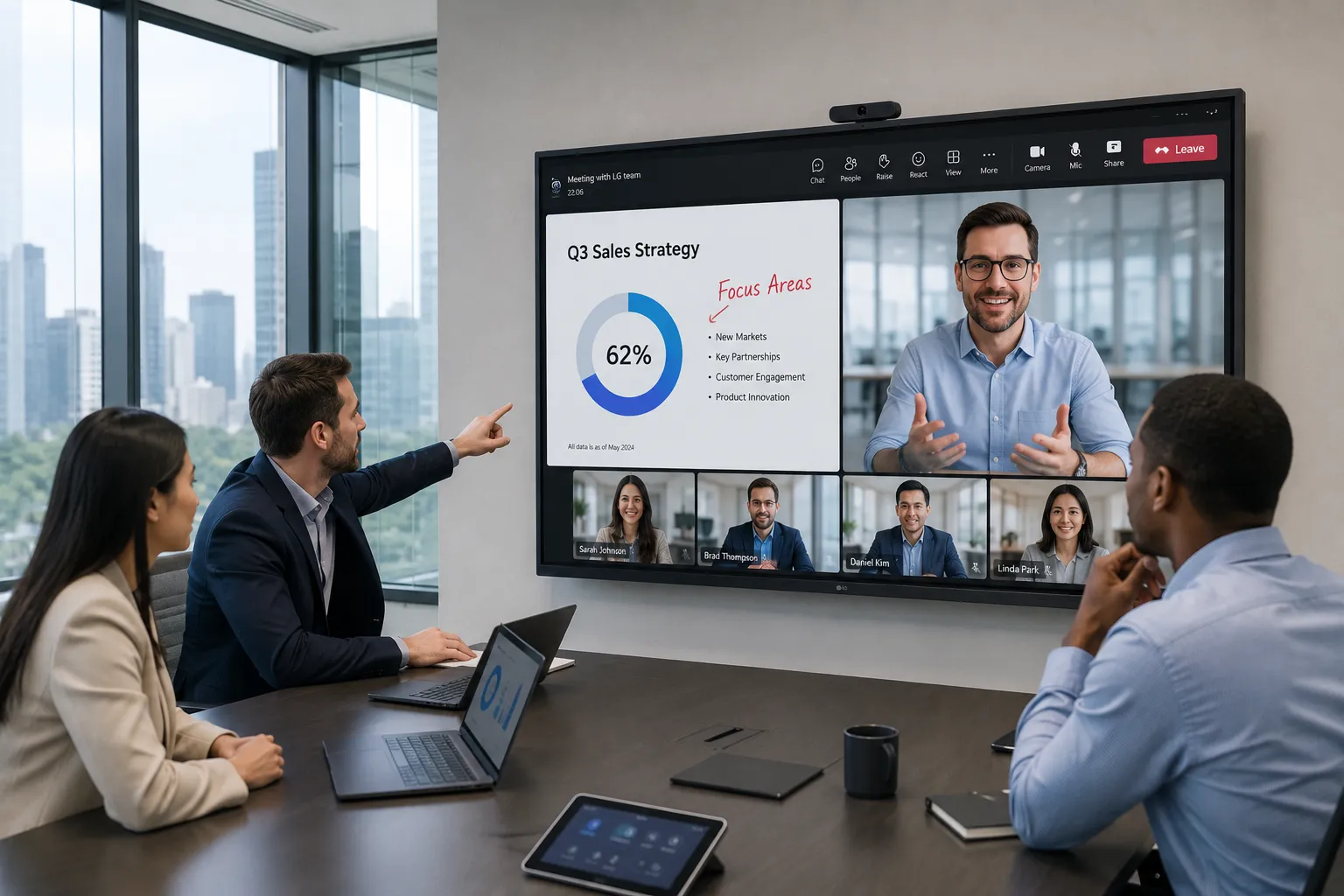
Wireless Screen Sharing
Up to 9 simultaneous screens via LG CreateBoard Share. App-less connection available via browser for PC and mobile — no software installation required for guests.
Teams and Zoom Native
Android 14 EDLA with Google Play Store access runs Teams and Zoom natively on the display — no connected laptop required.
Audio Ready Out of the Box
20W x2 front speakers plus a dedicated subwoofer. Capable for standard meeting room use without supplementary audio equipment.
WiFi 6E Connectivity
Handles high-device-count wireless environments without the congestion issues common to older WiFi standards in meeting rooms.
LG CreateBoard vs Samsung and SMART Board — How They Actually Compare
Rather than a narrative comparison that buries the answer in paragraphs, here is where each platform leads and where it doesn't. This table covers the three brands most commonly shortlisted against LG CreateBoard in Australian schools and business environments.
| Feature | LG CreateBoard | Samsung IWB | SMART Board |
|---|---|---|---|
| Android EDLA | |||
| Writing experience | |||
| Enterprise MDM | |||
| Classroom software depth | |||
| Meeting room performance | |||
| Built-in software platform | CreateBoard Lab | Samsung Workspace | SMART Notebook |
| Google Play Store | |||
| Portrait orientation | No | Yes — select models | Yes — select models |
| Operation hours | 16/7 | 24/7 — select models | 24/7 — select models |
| Security update commitment | Until Dec 2030 | Varies by model | Varies by model |
The honest read: LG leads in meeting room environments and competes closely on hardware fundamentals. Samsung leads on enterprise MDM. SMART Board leads on writing experience and classroom software depth. No single platform wins across every category — the deployment context should drive the specification decision, not brand familiarity.
Samsung's enterprise advantage centres on Knox security and a more mature MDM pathway for large fleet deployments. The Samsung page covers where that infrastructure genuinely matters and where it's more than most buyers actually need.
Samsung Interactive Whiteboard — EDLA and Enterprise Ecosystem →SMART Board's writing feel and SMART Notebook depth are genuine differentiators for annotation-heavy teaching environments. The SMART Board page explains where that advantage is real and where it creates long-term platform dependency.
SMART Board — Writing Feel and Long-Term Adoption →What LG CreateBoard Doesn't Do — The Short List
Honest limitations save procurement headaches. These are the areas where LG CreateBoard carries firm restrictions or is outperformed by specific competitors — worth knowing before the purchase order is signed.
The two orange-labelled cells below are firm specification limits — not guidelines, not edge cases. The remaining four are areas where a competitor leads, depending on the deployment context.
Operation Hours — 16/7 Rated
The TR3DQ-B is rated for 16 hours per day, 7 days per week. It is not rated for 24/7 operation. Any deployment requiring always-on running — digital signage, lobby displays, hospitality environments — needs a different product.
Spec: 16/7 operation — firm limit, not a guideline
Portrait Orientation — Not Supported
No TR3DQ-B model supports portrait installation. If portrait orientation is a requirement, LG CreateBoard is not the right product for that application. Confirm orientation before specifying.
Spec: Landscape only — portrait not supported on any TR3DQ-B size
Writing Feel
SMART Board's touch and stylus experience remains the benchmark for environments where physical writing feel is the primary factor. LG's optical touch is accurate and responsive — but buyers coming from SMART's capacitive panels in annotation-heavy classrooms will notice a difference.
Annotation Software Depth
LG CreateBoard Lab is a capable general-purpose whiteboarding tool. It does not match the depth of SMART Notebook or BenQ IntelliBoard for schools with annotation-heavy teaching practices and established lesson resource libraries. Software requirements should drive the hardware decision.
Enterprise MDM Depth
Samsung's Knox framework provides a more mature and better-documented enterprise device management pathway. For organisations deploying 20+ units across multiple sites under centralised MDM, Samsung's infrastructure is the stronger specification.
App Compatibility — Test Before Buying
LG's Android 14 is Google-certified, but third-party annotation tools don't always behave identically across manufacturers' Android builds. Test your specific apps on LG's platform before purchase — particularly if teachers have existing workflows built around a specific tool.
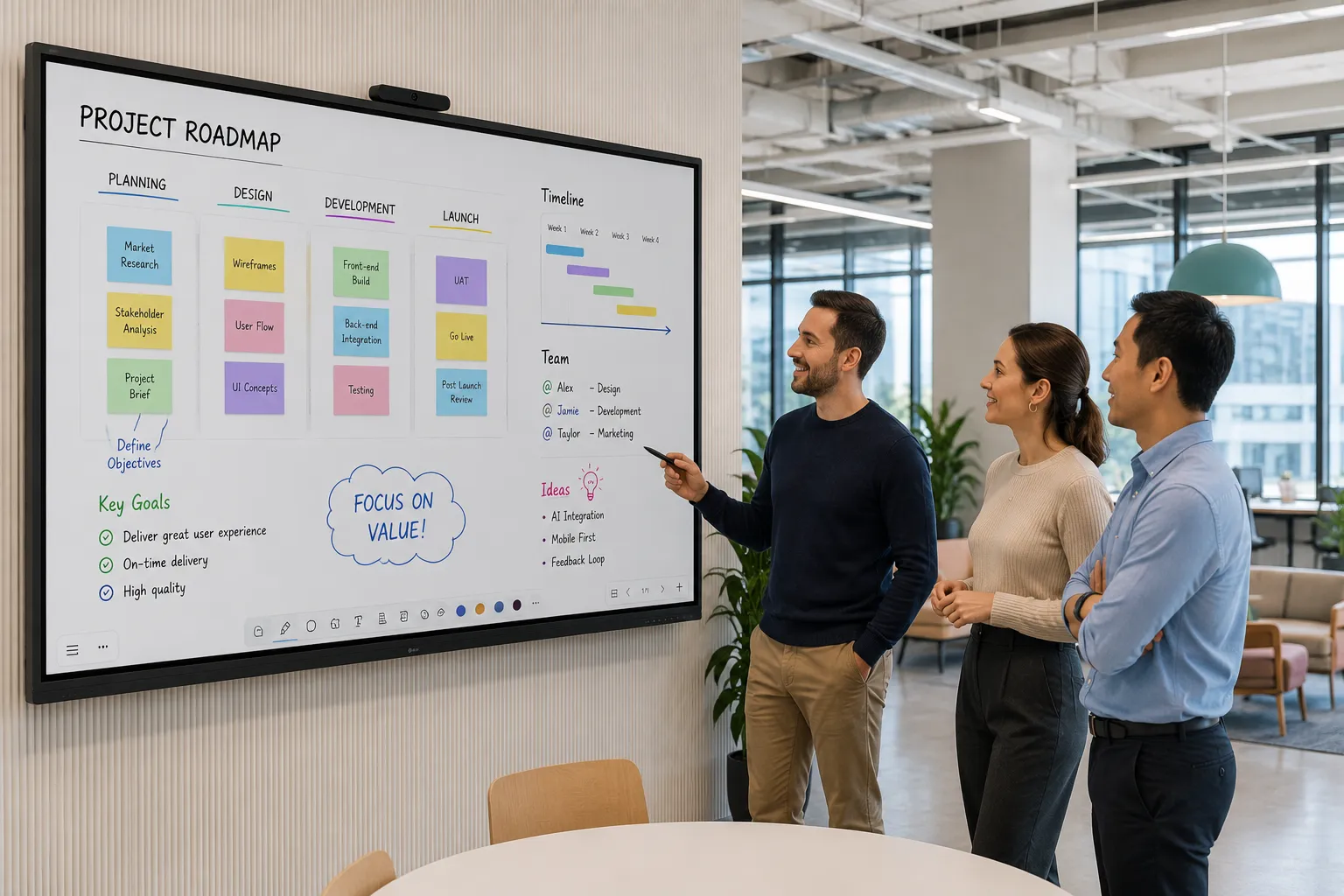
LG CreateBoard TR3DQ-B — strong hardware platform for collaboration-focused deployments where proprietary software ecosystems aren't a requirement
Where LG CreateBoard Excels
The limitations above are real and worth knowing. But the complete picture includes this: where LG consistently stands out is delivering a strong EDLA-certified Android 14 hardware platform — octa-core processor, 8GB RAM, 50-point touch, WiFi 6E, TUV Flicker Free certified, security updates to 2030 — at a price point that makes it particularly attractive for organisations that prioritise reliable collaboration over proprietary teaching ecosystems.
For a Google Workspace school that wants a solid managed Android IWB without platform lock-in, or a business that needs clean meeting room performance without complex AV infrastructure, LG CreateBoard delivers more than the brand perception suggests.
The buyers who tend to be happiest with LG are the ones who evaluated it properly rather than filtering it out at the shortlisting stage because the name didn't feel commercial enough.
Hardware Spec vs Price
Octa-core processor, 8GB RAM, 64GB storage, WiFi 6E, 50-point touch, and TUV Flicker Free across all sizes. Competitive price point relative to equivalent Samsung and BenQ configurations at the same screen size.
Google Workspace Deployments
Android 14 EDLA with native Google account integration, Google Drive and OneDrive import/export, and full Play Store access. A natural fit for schools already standardised on Google Workspace.
Meeting Room Performance
Wireless screen sharing for up to 9 devices, Teams and Zoom native via Play Store, 20W x2 plus subwoofer audio, and WiFi 6E — all standard. No additional hardware required for most meeting room briefs.
Long-Term Security Commitment
Security updates guaranteed until 31 December 2030 — a published LG commitment that gives IT teams a documented support lifecycle to plan deployments around.
No Platform Lock-In
CreateBoard Lab is the default whiteboarding tool but the platform doesn't require it. Schools and businesses can run preferred Android apps without being tied to a proprietary software ecosystem or subscription.
LG CreateBoard Range — Sizes and Specs in Australia
Kickstart stocks the LG CreateBoard TR3DQ-B Standard Series across four sizes. All models share the same core specification platform — the choice between sizes is driven by room dimensions and viewing distance, not by feature differences.
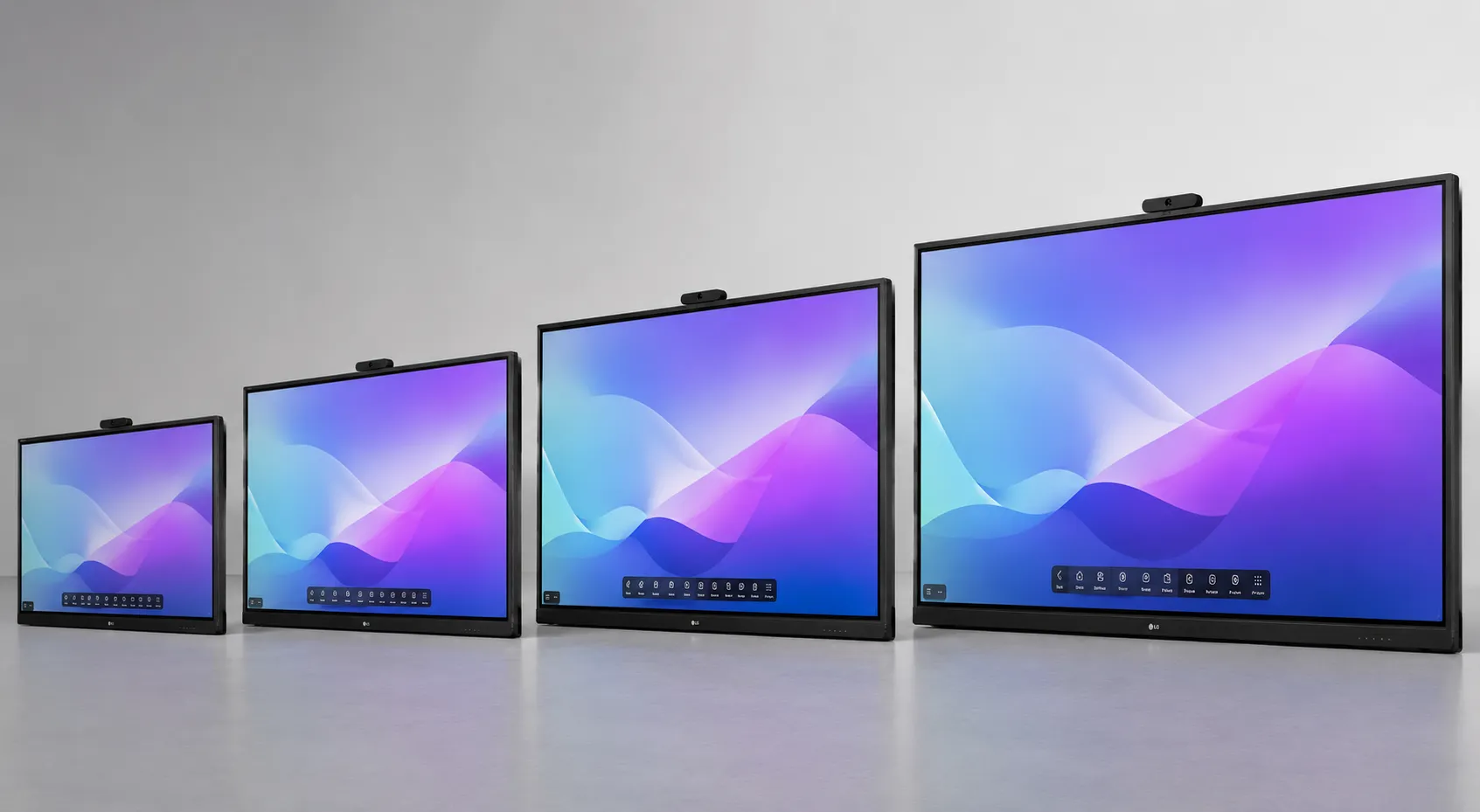
LG CreateBoard TR3DQ-B — available in 55", 65", 75", and 86" through Kickstart Computers
Core specs — all TR3DQ-B sizes
- OS: Android 14 with Google EDLA certification
- Processor: Octa-core A73 x4 + A53 x4
- RAM / Storage: 8GB RAM · 64GB storage
- Touch: 50-point multi-touch · ±1mm accuracy
- Resolution: UHD 4K — 3840 x 2160 · IPS panel
- Wireless: WiFi 6E · Bluetooth 5.3 · Gigabit LAN
- Audio: 20W x2 front speakers + subwoofer
- OPS slot: Compatible — sold separately
- Management: LG ConnectedCare DMS · Crestron Connected
- Certification: TUV Flicker Free · EDLA · Google Play
- Security updates: Guaranteed until 31 December 2030
- Operation: 16/7 · Portrait not supported
All specs sourced from LG Australia official product documentation. Verify against current LG spec sheet before final specification.
Each size links through to the individual product page where you can confirm current availability and contact Kickstart for a quote:
55"
55TR3DQ-B
Suited to smaller meeting rooms and training spaces where viewing distance is under 4 metres. Compact footprint for wall-mounted installations with limited space.
View 55" →65"
65TR3DQ-B
The most common entry point for school classrooms and mid-size meeting rooms. Comfortable viewing for groups of up to 20 at standard room depth.
View 65" →75"
75TR3DQ-B
Strong choice for larger classrooms and boardrooms where viewing distance pushes beyond 5 metres. Increased screen real estate for multi-window collaboration.
View 75" →86"
86TR3DQ-B
Best suited to large classrooms, lecture spaces, and training rooms where the audience is spread across a wider area. Maximum screen presence within the TR3DQ-B range.
View 86" →Contact Kickstart for current pricing on any size — prices are quoted individually based on installation requirements and are not published on this page as they are subject to change. All pricing is inc-GST.
If you're still deciding between LG and other IWB brands, the interactive whiteboard hub covers all brands Kickstart supplies — with honest comparisons across the full range rather than within a single manufacturer page.
Interactive Whiteboard — All Brands →Still Comparing LG Against Samsung or BenQ?
Kickstart supplies all five major IWB brands — LG, Samsung, SMART Board, BenQ, and Promethean. That means the advice here isn't limited to making one manufacturer look good.
Tell us about your classroom, meeting room, or training space and we'll explain clearly where LG CreateBoard is the right choice — and where a different platform will serve you better.
- Authorised LG Reseller
- Also stocks Samsung · SMART · BenQ · Promethean
- Commercial AV specialists since 2007
- Independent advice — no single brand preference
- Phone: 0416 353 501
If this page helped you understand where LG CreateBoard fits — and where it doesn't — that's exactly what Kickstart is here for. Honest, brand-neutral advice from a team that supplies all the major IWB platforms.
As an independent small business, we rely on recommendations from businesses who find our advice genuinely useful.
If you're short on time, even a simple star rating helps other schools and organisations discover practical, evidence-based display advice.
Leave a Google ReviewLG CreateBoard — Questions Australian Buyers Ask
- LG CreateBoard is a dedicated commercial product line built to commercial duty cycles. It is engineered and supported through LG's B2B division, not their consumer electronics chain. The current TR3DQ-B Standard range runs Android 14 with Google EDLA certification, an octa-core processor, 8GB RAM, and WiFi 6E — these are commercial specifications, not repurposed consumer TV hardware.
- Yes. The TR3DQ-B Standard range — available in 55", 65", 75", and 86" — runs Android 14 with Google EDLA certification across all sizes. EDLA certification means full Google Play Store access, native Google Mobile Services, and a verified security architecture. Security updates are guaranteed by LG until 31 December 2030.
- Yes — with an important qualification. LG CreateBoard TR3DQ-B is a strong fit for schools running Google Workspace that want a reliable Android IWB without proprietary software dependency. It runs Android 14 EDLA with full Google Play Store access and native Google account integration. Where it is less suitable is schools that have built teaching workflows around SMART Notebook, BenQ IntelliBoard, or Promethean's ActivInspire — LG's built-in whiteboarding tool, CreateBoard Lab, does not match those platforms in annotation depth or lesson resource library depth. If your teachers are platform-dependent, the software decision should drive the hardware decision.
- Yes. LG CreateBoard supports wireless screen sharing via LG CreateBoard Share, which works across Windows, Mac, Chromebook, iOS, and Android devices. Connection is available through the dedicated app or app-less via a browser on the same network — guests do not need to install software to share their screen. Up to 9 devices can share simultaneously. The display also supports Miracast and Google Cast depending on the connected device and network configuration.
- No. The LG CreateBoard TR3DQ-B does not include a built-in camera. For video conferencing use, a USB camera connects via the front or rear USB ports. This is standard across most IWB platforms at this price point — a USB camera such as a Logitech or AVer model connects cleanly and works with Teams and Zoom running natively on the Android 14 platform. Contact Kickstart if you need camera recommendations for your room size.
- No. LG CreateBoard TR3DQ-B runs Android 14 natively and handles most classroom and meeting room use cases without any additional hardware — Teams, Zoom, Google Workspace apps, and LG CreateBoard Lab all run directly on the display. The OPS slot is available if your environment requires specific Windows software that cannot run on Android. An OPS module is sold separately and slots into the back of the unit. If you are deciding between Android-only and Windows OPS deployment, the Android vs Windows OPS page covers the trade-offs in detail.
- LG CreateBoard runs the Microsoft Teams app natively via the Google Play Store on Android 14, which suits most standard meeting room deployments — video calls, screen sharing, and collaboration work well in this configuration. However, a certified Microsoft Teams Rooms (MTR) system is a different deployment standard. MTR requires specific certified hardware running the Teams Rooms application on Windows or Android MTR. LG CreateBoard TR3DQ-B is not a certified MTR device. For most businesses running Teams calls in a meeting room, the native Teams app on CreateBoard is sufficient. For organisations requiring a full certified MTR deployment, contact Kickstart to discuss the right hardware configuration.
- LG CreateBoard TR3DQ-B carries a commercial warranty through LG Australia's B2B support channel. Warranty terms for commercial displays differ from consumer product warranties — contact Kickstart at the time of purchase for current warranty details specific to the model and your deployment context. LG has also committed to security updates for the TR3DQ-B range until 31 December 2030, which is a separate but relevant indicator of long-term platform support.
- Both LG CreateBoard TR3DQ-B and Samsung interactive whiteboards offer Android EDLA certification. Samsung leads on enterprise MDM through its Knox security framework, making it stronger for large-scale managed deployments. LG leads in meeting room performance and competes closely on hardware fundamentals at equivalent screen sizes. For organisations that need reliable collaboration without complex software dependencies, LG is a genuine alternative worth evaluating on its own merits. The Samsung interactive whiteboard page covers the Samsung platform in the same depth as this page.
- LG CreateBoard Lab is LG's built-in whiteboarding software. It covers templates, sticky notes, ruler tools, QR code sharing, Google Drive and OneDrive import/export, and multi-OS support so teachers can continue working in the same environment on their own devices. It is a capable general-purpose tool for collaboration and presentations. It does not match the depth of SMART Notebook or BenQ IntelliBoard for schools with annotation-heavy teaching practices and established lesson resource libraries.
- Kickstart Computers is an authorised LG reseller in Australia supplying LG CreateBoard TR3DQ-B in 55", 65", 75", and 86" sizes. Kickstart also supplies Samsung, SMART Board, BenQ, and Promethean interactive whiteboards — so if you're comparing brands, you can get advice across all platforms from a single supplier. Contact Kickstart on 0416 353 501 or through the contact page for current pricing and availability. All pricing is inc-GST.
- No. The LG CreateBoard TR3DQ-B Standard Series does not support portrait orientation. All models are landscape only. If portrait installation is a requirement for your project, LG CreateBoard is not the right product for that application — confirm orientation requirements before specifying.
- The LG CreateBoard TR3DQ-B is rated for 16 hours per day, 7 days per week (16/7). It is not rated for 24/7 operation. Deployments requiring always-on running — such as digital signage, lobby displays, or hospitality environments — require a product rated for 24/7 operation.
- Kickstart stocks LG CreateBoard TR3DQ-B Standard Series in four sizes: 55", 65", 75", and 86". All four sizes share the same core specification platform — Android 14 EDLA, 8GB RAM, 50-point touch, and WiFi 6E. Contact Kickstart for current pricing and availability on any size.
- LG has committed to security updates for the TR3DQ-B Standard Series until 31 December 2030. This is a documented commitment from LG, making the platform a reliable long-term choice for schools and organisations with multi-year deployment lifecycles.