
Looking for the Samsung Flip Pro? This page covers every generation of Samsung's interactive whiteboard range — the original Flip (WMA), the Flip Pro (WMB), the current Flip WMFX, and the Android-based WAFX-P.
Samsung makes two interactive whiteboard families. They look similar on a specification sheet. They run on entirely different operating systems, integrate with different IT stacks, and are not interchangeable. Buying the wrong one — and it happens more than suppliers tend to admit — is an expensive mistake that can take years to fully surface.
This page covers both: the Flip WMFX, which runs Samsung's Tizen-based enterprise collaboration platform, and the WAFX-P, which runs Android with Google EDLA certification. It explains what each is, who each suits, and where the decision between them actually sits — which is rarely in the spec sheet and almost always in the technology infrastructure your school or business already runs.
We also cover the Flip generational arc — WMA through WMB (Flip Pro) to the current WMFX — because many buyers evaluating Samsung for the first time are inheriting existing WMB installations and need to understand what they are upgrading from, not just what they are upgrading to.
Note: This page covers Samsung's commercial Flip interactive whiteboard displays, not the Galaxy Z Flip smartphone range.
Buyers search for these displays under several different names — including Samsung Interactive Whiteboard, Samsung Flip, Samsung Flip Pro, Samsung Interactive Display, Samsung Digital Whiteboard, Samsung Smart Board, and Samsung Collaboration Display. Throughout this page we use Samsung's official model names — WMFX, WMB, and WAFX-P — so you can accurately identify each generation regardless of how individual suppliers advertise them.
Why You'll See Different Names for the Same Product
Samsung Australia's official business pages now refer to the current generation simply as "The Flip WMFX." However, if you search for the WMFX on Australian reseller websites today, you will find it listed under at least three different names — including "Samsung Flip Pro WMFX," "Samsung Flip Pro," and "Samsung Flip WMFX" — sometimes on the same page, sometimes on competing supplier sites, and sometimes in the same procurement catalogue.
This is not a product difference. It is a naming lag. Many Australian distributors and resellers built their product templates around the WMB "Flip Pro" branding and have not updated them as Samsung has moved to the new naming convention.
Throughout this page we use the official model codes — WMFX for the current generation, WMB for the previous generation — so you can identify exactly which product is being discussed, regardless of how individual suppliers label it. If a supplier quote or website says "Flip Pro" without a model code, ask them to confirm the generation before purchasing.
Samsung Interactive Whiteboard — Two Platforms, One Decision
- Flip WMFX — Tizen 9.0
- WAFX-P — Android EDLA
- 55" · 65" · 75" · 85"
- Education & Enterprise
- Deployed Across SA
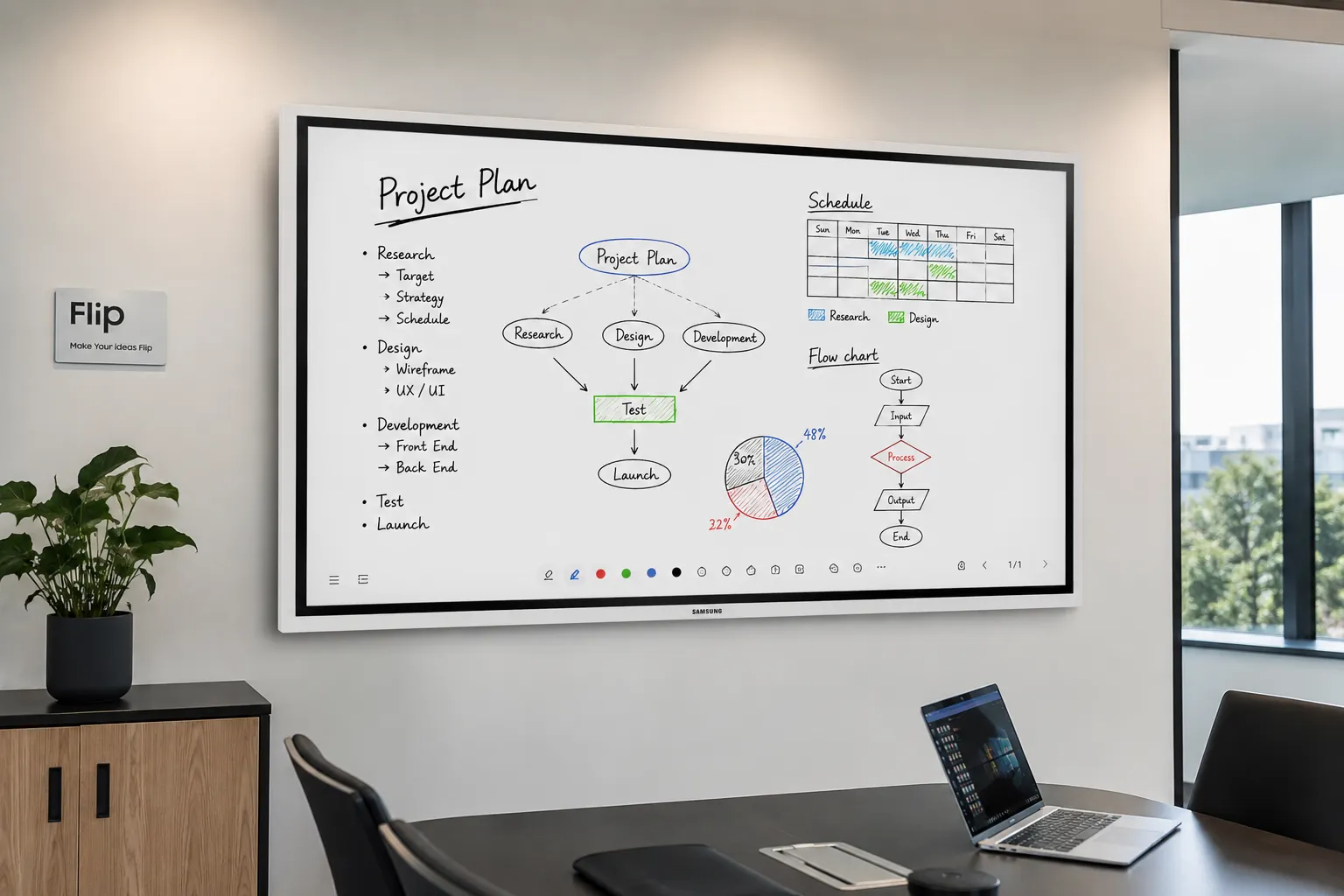
Samsung Interactive Whiteboard — What Australian Buyers Should Know
- Samsung's interactive whiteboard range divides into two separate families: the WM family (Flip WMFX, Tizen-based) and the WA family (WAFX-P, Android/EDLA). They are not competing price points — they are built on different foundations for different operating contexts.
- The right Samsung family is determined by your existing IT stack, not by the display specification. Microsoft 365 and Knox-managed infrastructure points to the WMFX. Google Workspace and Android-native workflows point to the WAFX-P.
- The Flip WMFX delivers 450 nits (without glass) — a near 30% increase over the WMB Flip Pro — making it a meaningfully more reliable performer in the high ambient light conditions common in modern Australian office builds.
- EDLA certification on the WAFX-P is not a marketing badge. It is Google's verification that the Android implementation meets enterprise-grade security and app stability standards — relevant for schools running Google Classroom and any workplace built around Android-native workflows.
- The Flip writing experience has not changed across generations. 26ms pen latency, 2,048 pressure levels, and palm erase are carried forward intact from WMA through WMB to WMFX. Samsung understood that this was the identity of the product, not a feature of it.
- VXT has replaced MagicINFO as Samsung's device management platform on the WMFX. It is cloud-native, built for multi-site fleet management, and requires no specialist AV knowledge to run day-to-day.
- The WAFX-P includes a built-in 48MP auto-framing camera, 10-metre microphone array, and dual 20W speakers — making it a complete all-in-one video conferencing display that requires no external webcam or soundbar.
- WMB Flip Pro remains available in 55" and 65" sizes through resellers and is still widely deployed across Australian schools and businesses.
Samsung Flip WMFX vs WAFX-P — Two Families, One Decision
Most buyers arrive at a Samsung interactive whiteboard evaluation having already seen the product somewhere — a boardroom, a school, a supplier showroom. They know they want Samsung. What they often do not know is which Samsung — and that distinction matters more than almost any other item on the spec sheet.
Samsung Interactive Whiteboard Range
WM Family
Flip WMFX
- → Tizen 9.0
- → Knox Security
- → Microsoft 365
- → Enterprise
- → Pen-first writing
WA Family
WAFX-P
- → Android / EDLA
- → Google Play Store
- → Google Workspace
- → Education
- → Built-in camera & mic
The WM Family — Samsung Flip
The WM family is the Samsung Flip line. It has run continuously from the original WMA in 2019 through the WMB (Flip Pro) generation and into the current WMFX. Every generation runs on Samsung's Tizen operating system, managed through Knox, and connected to Samsung's enterprise collaboration ecosystem — Workspace, VXT, SmartThings Pro.
This is Samsung's premium collaboration offering. Its identity is built around the pen-first writing experience and the enterprise security and management ecosystem that surrounds it — Tizen as the foundation, Knox as the security layer, VXT as the fleet management platform, and Workspace as the collaboration interface. Each element of that ecosystem is designed to work with the others, which is what makes the WMFX a genuinely managed platform rather than a display with software bolted on.
A law firm running Microsoft 365, Intune, and Teams will generally find the WMFX integrates more naturally into its existing IT infrastructure than any Android-based alternative. The Tizen-Knox-VXT stack is designed for exactly that kind of managed, security-conscious deployment.
The WA Family — Samsung WAFX-P
The WA family is a separate lineage entirely. It did not evolve from the Flip. It was built from the ground up on Android, and the current WAFX-P carries Google EDLA certification — Google's verification that an Android implementation meets enterprise-grade security and app compatibility standards.
The WAFX-P's strength is openness. Google Play Store access, native Google Workspace integration, and Android-native application support make it the natural fit for schools and businesses whose technology estate is built around Google rather than Samsung's proprietary stack.
A primary school built around Google Classroom and Chromebooks will typically find the WAFX-P requires less day-to-day administration than a Tizen device in that same context — the platform speaks the same language as the rest of the school's infrastructure.
Which One Suits You?
If your organisation runs the following, this is where the decision usually lands.
| If you use… | Choose… |
|---|---|
| Microsoft 365 + Intune | WMFX |
| Google Classroom + Chromebooks | WAFX-P |
| Hybrid meeting rooms — built-in camera & mic needed | WAFX-P |
| Executive boardrooms — premium pen annotation | WMFX |
| Knox-managed IT fleet | WMFX |
| Android-native apps + Google Play | WAFX-P |
Quick Reference — WMFX vs WAFX-P
A fast reference for buyers who need to distinguish the two families before reading the full detail below.
| Flip WMFX | WAFX-P | |
|---|---|---|
| Operating system | Tizen 9.0 | Android / EDLA certified |
| Best for | Microsoft 365, Knox-managed IT | Google Workspace, Android-native |
| Security | Knox — boot-to-shutdown | EDLA-verified Android |
| Google Play | No | Yes |
| Writing | Flip pen — 26ms / 2,048 levels | 40-point multi-touch IR |
| Built-in camera | No | 48MP auto-framing |
| Built-in mic | No | 10-metre array |
Not sure which family suits your school or business? Talk to us before you spec.
Still working out screen size, mounting height or platform for the room itself? Our page on choosing the right interactive whiteboard covers that before you compare families.
Talk to Us FirstSamsung Flip, Flip Pro and WMFX — Understanding the Naming
Samsung Flip has never been a single product. It has been a continuous platform — built across three distinct generations, each arriving at a moment when collaboration needs had shifted enough to demand a different response. The naming has changed with each generation, and the Australian market has not kept pace with every update.
Understanding the generational arc matters for two groups: buyers upgrading from existing WMB installations who need to know what has changed, and buyers evaluating Samsung for the first time who need to understand which product a supplier is actually quoting them before they commit.
| Generation | Series | Era | Key shift |
|---|---|---|---|
| First | WMA — WM55R, WM65R | 2019–2021 | Original pen-first whiteboard philosophy |
| Second | WMB — Flip Pro WM55B · WM65B · WM75B · WM85B | 2021–2024 | Education and enterprise crossover, USB-C maturity, commercial scale |
| Third Current | WMFX — Samsung Flip WM55FX · WM65FX · WM75FX · WM85FX | 2024–present | Connected enterprise platform, AI-assisted workflows, Tizen 9.0 |
Samsung Flip WMA — Where It Started
When Samsung introduced the original Flip in 2019, the proposition was straightforward and genuinely different: a large-format display that wrote like paper, erased intuitively, and turned the whiteboard into a digital asset rather than a photograph of someone's handwriting. It found homes in meeting rooms and classrooms alike. It was a simpler collaboration era, and the WMA was exactly the right product for it.
Samsung Flip Pro WMB — The Second Generation
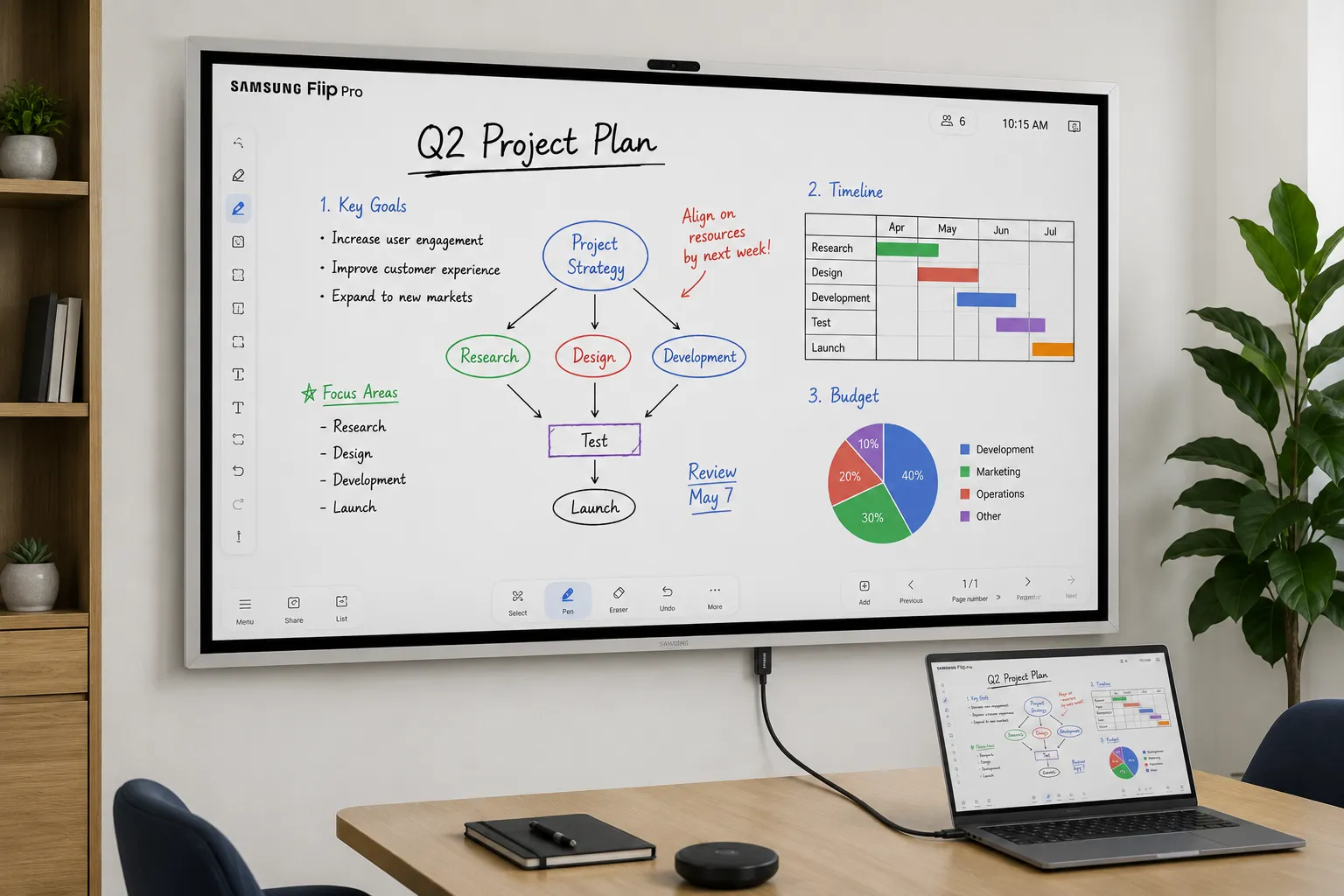
The WMB — marketed as Flip Pro — arrived as hybrid working was accelerating and collaboration expectations were shifting. The expectation that a single display could serve a teacher in front of thirty students and a sales director running a remote pitch across three time zones simultaneously was no longer unreasonable. Flip Pro rose to meet that expectation with considerable success.
The defining advancement of the WMB era was USB-C maturity. The 3-in-1 USB-C port — handling screen mirroring, touch control, and 65W device charging through a single cable — transformed the setup experience for educators and meeting room facilitators. Where previous installations required multiple cables for basic interactivity, the WMB reduced it to one connection. That simplicity had a genuine impact on adoption, particularly in schools where technical confidence among staff varies considerably.
Running on Tizen 6.5 with Knox-secured Workspace, Flip Pro introduced meaningful remote access — connecting to PCs, network drives, and Microsoft 365. AirPlay 2 made it genuinely agnostic across device types, which mattered in Australian schools and workplaces where Apple hardware is a daily reality. The OPS slot added further flexibility for specialist applications.
The WMB remains widely deployed across Australian education and enterprise installations. It is still available through resellers in 55" and 65" sizes.
Samsung Flip WMFX — The Current Generation
The WMFX arrives at a moment when collaboration conditions have shifted again — and this time the shifts are structural rather than incremental. Open-plan offices with floor-to-ceiling glass. Hybrid meetings where the in-room and remote experiences need to feel equivalent. IT teams managing display fleets across multiple sites. AI tools becoming an expectation rather than a novelty. The WMFX addresses all of those realities simultaneously.
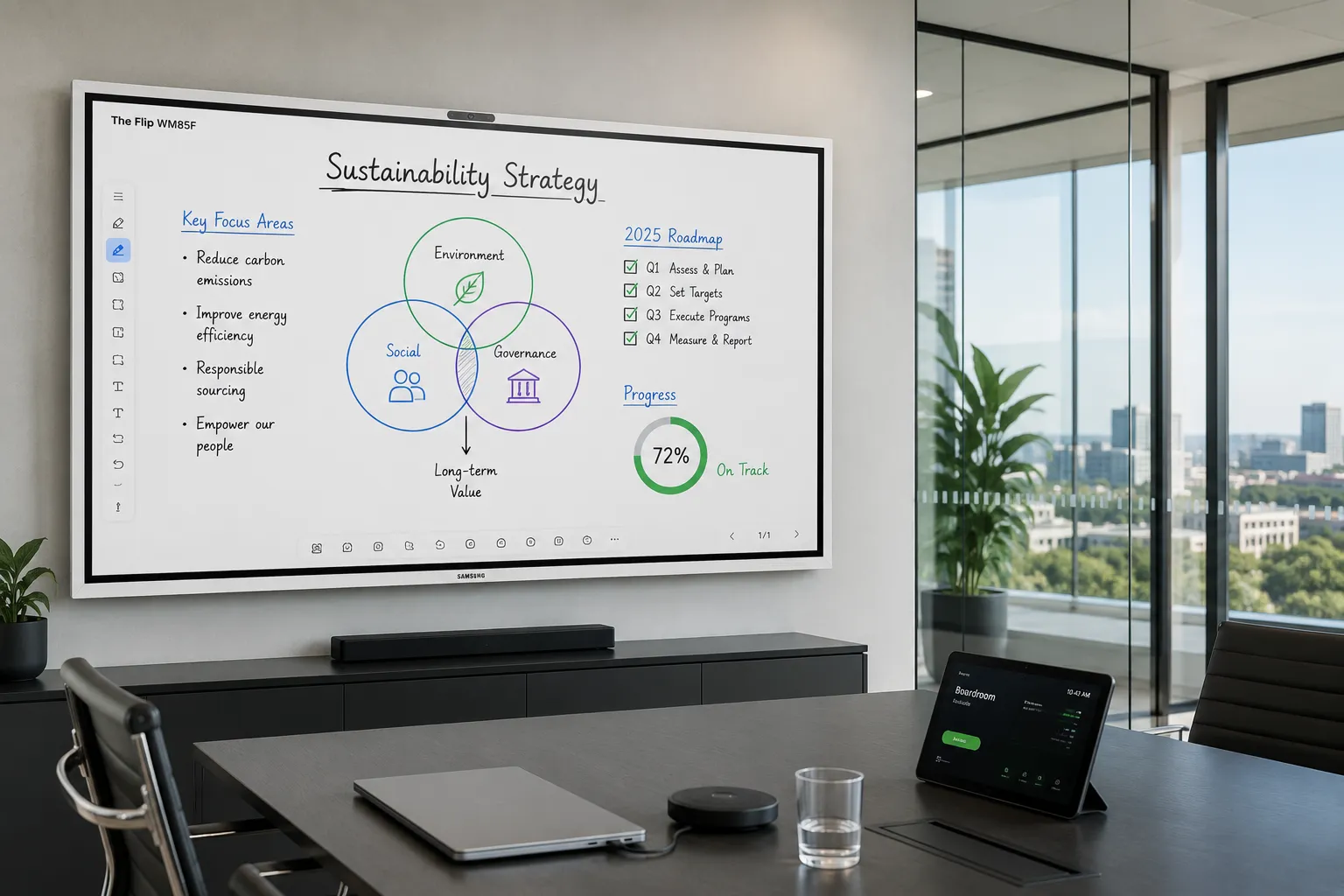
Visibility in the Real World
The most immediately practical hardware upgrade is brightness — but framing it as a specification number understates what it means in actual deployment.
350
WMB Nits (w/o glass)
450
WMFX Nits (w/o glass)
+29%
Brightness Increase
The near-30% brightness increase matters most in the kinds of spaces increasingly common in modern Australian office builds: glass-heavy boardrooms, open-plan collaboration areas adjacent to large windows, and training rooms running high-intensity overhead LED lighting. In those conditions, the WMB could appear washed out during daylight hours — a problem no amount of content preparation fully resolves once the sun moves around.
Combined with improved anti-glare handling that reduces surface reflections in glass-dominated architectural spaces, the WMFX performs more consistently across a wider range of real-world lighting conditions than its predecessor. For facilities teams specifying into rooms they cannot fully control, that consistency is operationally significant.
We have specified both WMB and WMFX installations in South Australian offices over the past two years. The brightness difference shows most clearly in east-facing rooms between 9am and midday — the WMB in those conditions needed content prepared with the lighting in mind. The WMFX handles those same conditions without requiring any compensation from the presenter. It is the kind of improvement that is invisible when it works, and very visible when it does not.
Built-In HDMI Out
The addition of built-in HDMI Out is the hardware change most likely to be underestimated by anyone reading a spec sheet rather than planning an actual installation.
On the WMB, connecting the Flip to a secondary display — a projector at the back of a training room, an overflow screen in a lecture theatre, an audience-facing panel in a hybrid presentation space — typically required Samsung's optional CY front connectivity tray. Additional procurement, additional installation complexity, additional point of failure.
On the WMFX, HDMI Out is built directly into the unit. For schools and businesses running multi-display setups, this is a genuine reduction in total cost of ownership — not a feature addition, but a deployment simplification that compounds meaningfully when specified across multiple rooms and sites.
Tizen 9.0 and Platform Direction
The jump from Tizen 6.5 to Tizen 9.0 carries significance beyond the version number. It represents three years of platform development — improved app sandboxing, stronger security architecture, better multi-window performance, and tighter alignment with Samsung's broader commercial display infrastructure.
Samsung's decision to keep Flip on Tizen rather than move it to Android appears deliberate. The Tizen foundation is what enables Knox, VXT, Workspace, and SmartThings Pro to work as a coherent managed stack rather than a collection of separate integrations. For IT teams running managed deployments at scale, that coherence is the point.
Onboard storage doubling to 64GB supports this direction — creating headroom for on-device AI processing and richer application workflows without requiring cloud connectivity as a dependency in settings where network reliability or data sovereignty is a concern.
AI Whiteboard
The AI Whiteboard capabilities on the WMFX mark a genuine shift in what the display is trying to be. The AI Writing Tool refines rough hand-drawn shapes into clean professional graphics and translates handwriting into searchable, editable text. Where the WMB felt like an excellent appliance, the WMFX begins to feel like a connected workspace that thinks locally and connects selectively — a direction that will deepen with future software development.
Knox, VXT and SmartThings Pro
Samsung Knox moves from a background capability on the WMB to a headline platform feature on the WMFX — providing boot-to-shutdown protection against unauthorised access and data leakage. That shift in positioning reflects who is now making enterprise display purchasing decisions: IT security leads and infrastructure managers who need security architecture treated as a primary consideration, not a footnote in the brochure.
VXT replaces MagicINFO as Samsung's primary device management platform for the WMFX ecosystem. It is cloud-native, handles both content management and remote device control across display fleets, and allows IT teams to push updates, adjust settings, and troubleshoot units across multiple sites without requiring on-site intervention or specialist AV knowledge. Where MagicINFO required local server infrastructure in many configurations, VXT is built for cloud-first IT environments from the ground up.
SmartThings Pro extends the Samsung ecosystem further — connecting the Flip into room occupancy systems, lighting controls, and building management infrastructure. For workplaces planning collaboration spaces that need to integrate with building-wide systems over a multi-year horizon, SmartThings Pro positions the WMFX as a node in a connected workplace ecosystem rather than a standalone panel.
The Writing Experience
Through all of this platform evolution, the core Flip identity has been preserved. The 26ms pen latency, 2,048 pressure levels, and intuitive palm erase that made Flip genuinely different from every interactive display that came before it — these things did not change. Samsung understood that the writing experience was not a feature of Flip. It was the identity of Flip.
What the specification sheet rarely explains is why it feels the way it does. Samsung Flip uses optically bonded glass, which eliminates the air gap between the LCD panel and the writing surface. That reduction in parallax means digital ink appears directly beneath the pen tip rather than slightly offset below the glass — the visual disconnect that makes most interactive displays feel like writing on a window rather than on paper. Combined with 26ms latency and 2,048 pressure levels, the WMFX remains one of the closest commercial writing experiences to pen on paper available at this price point.
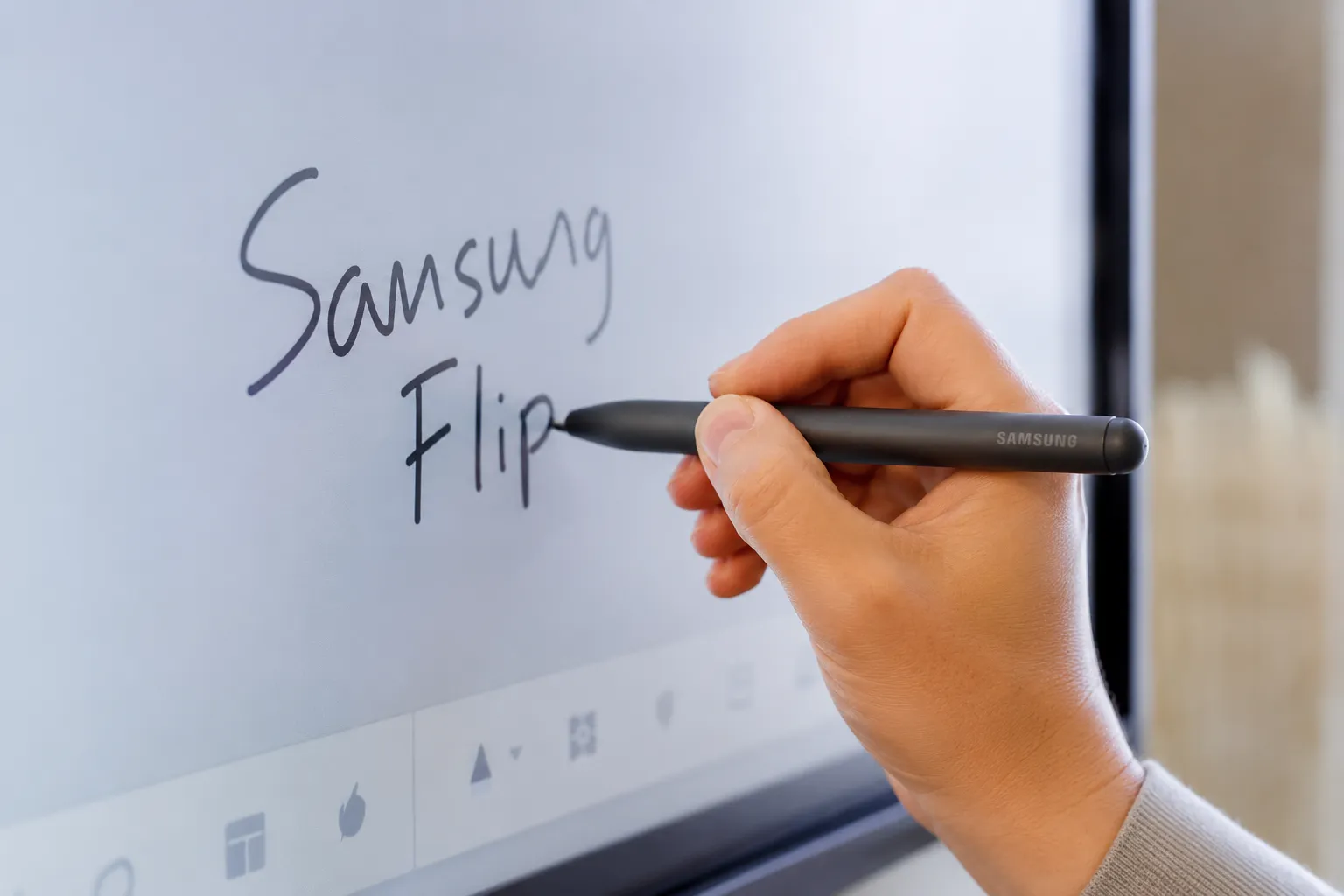
26ms pen latency · 2,048 pressure levels · Optical bonding · Zero parallax · Palm erase · IR touch
WMFX Sizes and Mounting
The WMFX is available in four sizes, with important physical differences across the range that affect both installation planning and use case fit.
55" & 65"
WM55FX · WM65FX
- 4K UHD · 450 nits
- Rotatable portrait-to-landscape mount
- No built-in OPS slot
- Best value point — significant price gap to 75"
75" & 85"
WM75FX · WM85FX
- 4K UHD · 450 nits
- Fixed landscape installation
- Built-in OPS slot — optional Windows PC module
- Required for Windows-native compute environments
Continue Your Research
Whether you're installing your first Samsung Flip WMFX or planning a larger deployment, these free resources have been created by Kickstart Computers to help you get the most from your display.
From a concise 4-page installation reference through to a comprehensive 22-page practical deployment resource, you'll find real-world advice that goes well beyond Samsung's standard documentation.
📄 Samsung Flip WMFX Practical Setup & Deployment
22 pages • Practical advice covering Microsoft Teams and Microsoft 365 integration, USB-C and HDMI connectivity, OPS deployment, wireless screen sharing, troubleshooting, deployment best practices and practical solutions that go well beyond Samsung's standard documentation.
Download the 22-Page PDF →📄 Samsung Flip WMFX Installation Checklist
4 pages • A printable installation reference covering cabling, USB Touch configuration, network setup, software updates and the essential commissioning steps before handing the display over.
Download the 4-Page PDF →Samsung WAFX-P — The Android Family
The WAFX-P is not a lower-cost version of the Flip. It is a different product built for a different operational context. That distinction matters most at the point of purchase — it is significantly harder to unpick after the displays are on the wall.
Where the Flip WMFX runs Samsung's proprietary Tizen stack with Knox at its centre, the WAFX-P is built on Android with Google EDLA certification. EDLA — Enhanced Device Level Agreement — is Google's programme for verifying that an Android implementation meets enterprise-grade security and app compatibility standards. It is not a marketing badge. It is the certification that allows schools and businesses to run Google Play Store access, Google Workspace apps, and Android-native workflows with confidence that the underlying implementation has been verified rather than assumed.
Built-In Hardware — A Complete Collaboration System
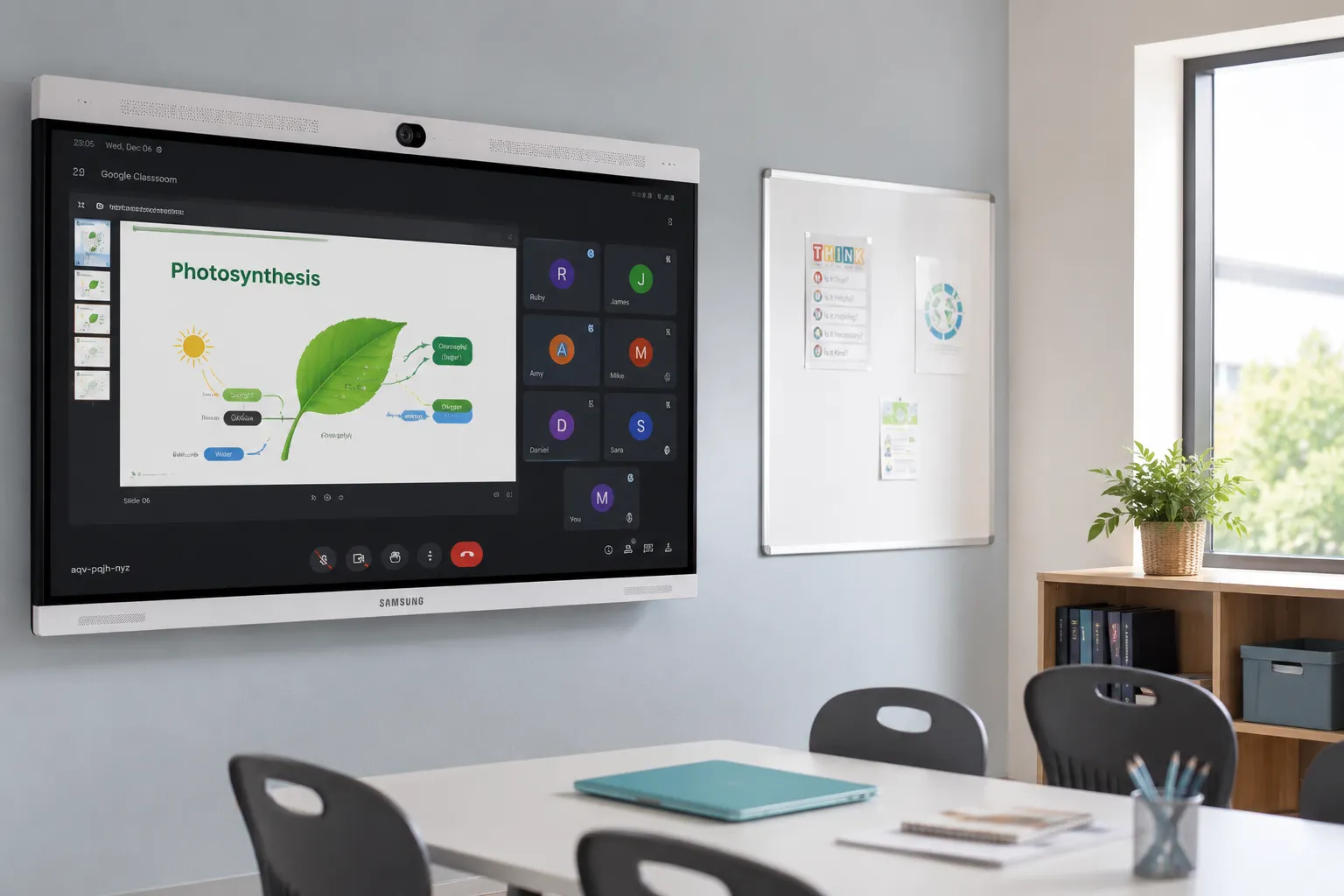
This is the area where the WAFX-P is most frequently underestimated. While the Flip WMFX requires external hardware for video conferencing — a webcam, microphone, and speaker system — the WAFX-P ships as a complete all-in-one collaboration display.
48MP
Auto-Framing AI Camera
10m
Beamforming Mic Array
20W×2
Speakers + Woofer
The 48MP auto-framing AI camera tracks active speakers and adjusts framing in real time. The 10-metre beamforming microphone array picks up voices across a full classroom or meeting space. The dual 20W speakers with integrated woofer deliver clear audio without an external soundbar. For classrooms and meeting rooms running Microsoft Teams, Zoom, or Google Meet natively on Android, this is a complete video conferencing hardware stack in a single panel — no external hardware required.
For schools and smaller businesses where keeping installation simple and minimising peripheral hardware is a genuine priority, this is a significant practical advantage that the specification sheet alone does not fully communicate.
Who the WAFX-P Suits
The WAFX-P's natural home is any school or business whose technology estate is built around Google rather than Samsung's enterprise stack. Schools running Google Classroom and Chromebooks. Businesses using Android-native workflow tools. Settings where breadth of application access matters more than managed ecosystem consistency. The open Android foundation is a strength here, not a compromise — it is what makes the WAFX-P the right fit for Google-native environments.
For a deeper look at how Android SoC compares against Windows OPS across interactive displays generally — including management overhead, app compatibility, and total cost of ownership — our Android vs Windows OPS comparison covers the full picture before you commit to a platform.
A number of schools have come to us after purchasing the WAFX-P for settings that were actually running Microsoft 365 and Intune. The Android platform technically supports Microsoft apps — but the management experience, the security integration, and the day-to-day workflow alignment is built for Google. Running a Microsoft-centric IT operation through an Android-native display is possible. It is just not the smooth, coherent experience the WMFX would have provided.
The platform decision has to come before the procurement decision. Getting that order reversed is an expensive lesson.
WAFX-P Sizes
The WAFX-P is available in 55", 65", 75", and 85" — the same size range as the Flip WMFX — allowing the ecosystem decision to be made without compromising on room-size coverage.
Continue Your Research
Planning a Samsung WAF Series deployment? Before making your purchasing decision, download our free practical resource created by Kickstart Computers. It brings together real-world deployment advice, classroom considerations and practical configuration information that goes well beyond Samsung's standard documentation.
Designed for teachers, ICT managers, AV installers and organisations evaluating the Samsung WAF Series.
📄 Samsung WAF Series Practical Setup & Deployment
20 pages • Covers Android 15, Google EDLA, Google Workspace integration, Microsoft Teams, Knox Manage, wireless collaboration, classroom deployment, first-time configuration, troubleshooting and practical deployment advice beyond Samsung's standard documentation.
Download the 20-Page PDF →Samsung Flip Pro WMB vs WMFX — What Changed
The evolution from WMB to WMFX is best understood as a shift in what the display is trying to do within a business or school, not simply a list of specification updates. The following table summarises every meaningful change for buyers planning upgrades or comparing existing installations.
| Area | WMB Flip Pro | WMFX |
|---|---|---|
| Brightness (w/o glass) | 350 nits | 450 nits (+29%) |
| HDMI Out | Via optional CY tray | Built-in |
| Operating system | Tizen 6.5 | Tizen 9.0 |
| Onboard storage | 32GB | 64GB |
| Device management | MagicINFO | Samsung VXT |
| AI features | None | AI Whiteboard, AI Writing Tool |
| IoT integration | Limited | SmartThings Pro |
| OPS slot | All sizes | 75" and 85" only |
| Portrait rotation | Not available | 55" and 65" only |
| Writing experience | 26ms / 2,048 pressure | Unchanged |
Samsung Interactive Whiteboard — Buying Mistakes to Avoid
Most Samsung interactive whiteboard buying mistakes are avoidable. Almost all of them come from making the platform decision too late — after the budget has been approved and the size has been chosen.
Choosing based on price alone
The WMFX and WAFX-P are priced similarly. Choosing the cheaper option without first establishing which IT infrastructure they will connect to is how schools and businesses end up with a display that technically works but creates ongoing management friction.
Ignoring your existing IT infrastructure
The single most common mistake. The display that integrates naturally with your existing IT stack — Microsoft or Google — will cost less to run, require less IT support, and see better staff adoption over its lifespan than a display chosen on specification alone.
Forgetting about device management
A single display in a meeting room is manageable. Ten displays across three sites is not. If the deployment involves multiple rooms or locations, the management platform — VXT for WMFX, Google MDM for WAFX-P — should be evaluated alongside the display.
Assuming all Samsung displays are the same
The WMFX and WAFX-P share a manufacturer and a size range. They do not share an operating system, a management platform, an app environment, or a security architecture. Treating them as interchangeable is the root cause of most deployment mismatches we see.
Assuming the 75" is always worth the step up
For single-room deployments that do not require a Windows OPS module, the 65" WMFX is frequently the right call. The price differential to the 75" is meaningful, and the 65" supports the rotatable mount that the larger sizes do not. Run the room dimensions first.
Choosing the Right Samsung Platform — Tizen vs Android
A South Australian school approached us having already selected the WAFX-P based on its Android interface and competitive pricing. During the pre-installation review, it became clear the school's entire IT infrastructure ran on Microsoft 365, Intune, and a managed Windows device fleet. The WAFX-P would have worked — Android supports Microsoft apps — but day-to-day management would have run against the grain of everything else the IT team was managing.
They switched to the WMFX before installation. The Knox-VXT stack aligned with their existing Intune deployment, onboarding took a fraction of the time it would have otherwise, and the IT coordinator later noted it was one of the few AV purchases that hadn't created a separate management headache. The display cost approximately the same. The difference was the platform decision being made before the procurement decision, not after.
Where Samsung Interactive Whiteboards Fit — Boardrooms, Classrooms, Training Rooms and More
The question of where Samsung belongs in a display estate is best answered by working backwards from the room and the IT infrastructure, not forwards from the specification sheet.
High Ambient Light
Glass Offices & Open-Plan Spaces
The WMFX's combination of increased brightness and improved anti-glare handling makes it the more reliable performer across modern Australian workplace conditions. If the room has large windows and limited lighting control, that combination matters more than any other item on the sheet.
Recommended: WMFX
Multi-Display
Training Rooms & Lecture Theatres
Built-in HDMI Out removes the cost and complexity that previously accompanied multi-display configurations. For facilities teams specifying at scale, that simplification compounds meaningfully across multiple rooms and locations.
Recommended: WMFX
Premium Annotation
Boardrooms & Briefing Centres
Where the quality of the annotation experience directly reflects on the business, the Flip's preserved pen performance remains its clearest competitive differentiator. In settings where that experience is a professional expectation rather than a convenience, the platform investment is justified.
Recommended: WMFX
Google Workspace
Schools & Classrooms
The WAFX-P's EDLA certification, native Google integration, and built-in camera and microphone make it the natural choice for schools running Google Classroom and settings where a complete all-in-one collaboration display is the goal.
Recommended: WAFX-P
Microsoft 365
Enterprise & Corporate
The WMFX's Tizen stack, Knox security, and VXT fleet management align more naturally with Microsoft-centric IT infrastructure. If the business runs Intune, Active Directory, and Microsoft 365, the WMFX is the coherent choice.
Recommended: WMFX
Samsung vs the Field
Samsung Flip is most commonly compared against SMART Board and BenQ Board in Australian interactive whiteboard procurement. Each has a different engineering priority and a different deployment strength.
SMART Board's differentiation sits closest to Flip's — writing feel and long-term adoption experience are SMART's signature. BenQ Board leads on teacher-focused workflow design and classroom-optimised software. Neither is the wrong choice — they are answers to different questions, and the right comparison depends on what the room actually needs.
The following pages cover each manufacturer in detail and are worth reading before committing to a rollout. For a broader view across all major interactive whiteboard manufacturers — including Promethean, ViewSonic, LG, Hisense, and Yealink — our interactive whiteboard hub covers the complete field with deployment guidance across education, corporate, and enterprise settings.
Manufacturer Page
SMART Board
Full SMART range — GX, MX, RX, and iQ series — with deployment and ecosystem detail. The closest comparison to Samsung Flip on writing performance.
View SMART Board page →Manufacturer Page
BenQ Board
Full BenQ interactive whiteboard range with deployment guidance. BenQ's signature is teacher-focused workflow design and classroom-optimised software — the strongest comparison for education deployments.
View BenQ Board page →Manufacturer Page
Promethean
Full Promethean range with deployment guidance. Promethean's signature is ecosystem lock-in and switching costs — worth reading before any multi-site rollout decision.
View Promethean page →Environment Page
Meeting Rooms
Deployment guidance for small business and corporate meeting room environments — the most common Kickstart installation context for both Samsung Flip WMFX and WAFX-P.
View Meeting Rooms page →Samsung Commercial Displays
Samsung Digital Signage
The complete Samsung commercial display range — NXT, NXN, and broader non-interactive signage panels. If the brief involves signage rather than interactive whiteboards, start here.
View Samsung signage page →Full Market Overview
Interactive Whiteboard Hub
SMART, Promethean, BenQ, Samsung, ViewSonic, LG, Hisense, and Yealink — deployment guidance across education, corporate, and enterprise settings.
View IWB hub →Samsung Comparison
Samsung Flip Pro WMB vs WMFX — What Actually Changed?
A complete technical and ecosystem comparison between the Flip Pro generation and the current Samsung Flip, covering every meaningful difference across hardware, software, management, and deployment.
Read the comparison →Samsung Comparison
Samsung WMFX vs WAFX-P — Which Is Right for Your Organisation?
A deployment-focused comparison between the Tizen-based Flip WMFX and the Android WAFX-P — helping schools and businesses determine which Samsung family suits their IT infrastructure.
Read the comparison →Platform Comparison
Android SoC vs Windows OPS — Which Platform for Interactive Displays?
Relevant to any WAFX-P evaluation — covers the practical differences between Android-native and Windows OPS deployments, including management, app compatibility, and total cost of ownership.
Read the comparison →